The «fuesebox» experience
Configure protocol-agnostic storage cards.
Summary: Created an intuitive, educative, effortless and delightful experience to configure storage adapter cards. Adele, the novice system administrator is able to select the best cards for each storage protocol to optimal leverage the complicated redundancy and availability concept without knowing all its details.
___
Year: 2016-2018
Company: IBM Deutschland GmbH
Project: «Configure Storage Cards» is part of the «Dynamic partition manager» offering.
Set-Up: I was part of one of the first design team for IBM Z. We were 1 UX (me), 2 visual and one user researcher and a partner team in NYC. The team was collaborating with offering management, engineers, users and content people.
Role and leadership
The fusebox experience was extremely UX heavy. As UX lead, my role was to guide the whole team through the different UX phases and come up with the main concept and all major UX decisions. The UX team delivered wireframes to the level of Mid-Fi. If I needed to scale the team, I had the pleassure to also lead two UX designers from the partner team in NYC.
To be able to come up with a meaningful concept, user research, desk research, and tech research were extremely crucial. I was participating in all research activities as well. To ensure that our concept hits the nail on its head, we were in constant exchange with sponsor users and internal subject matter experts. Collaboration with engineering and offering management was an essential part as well.
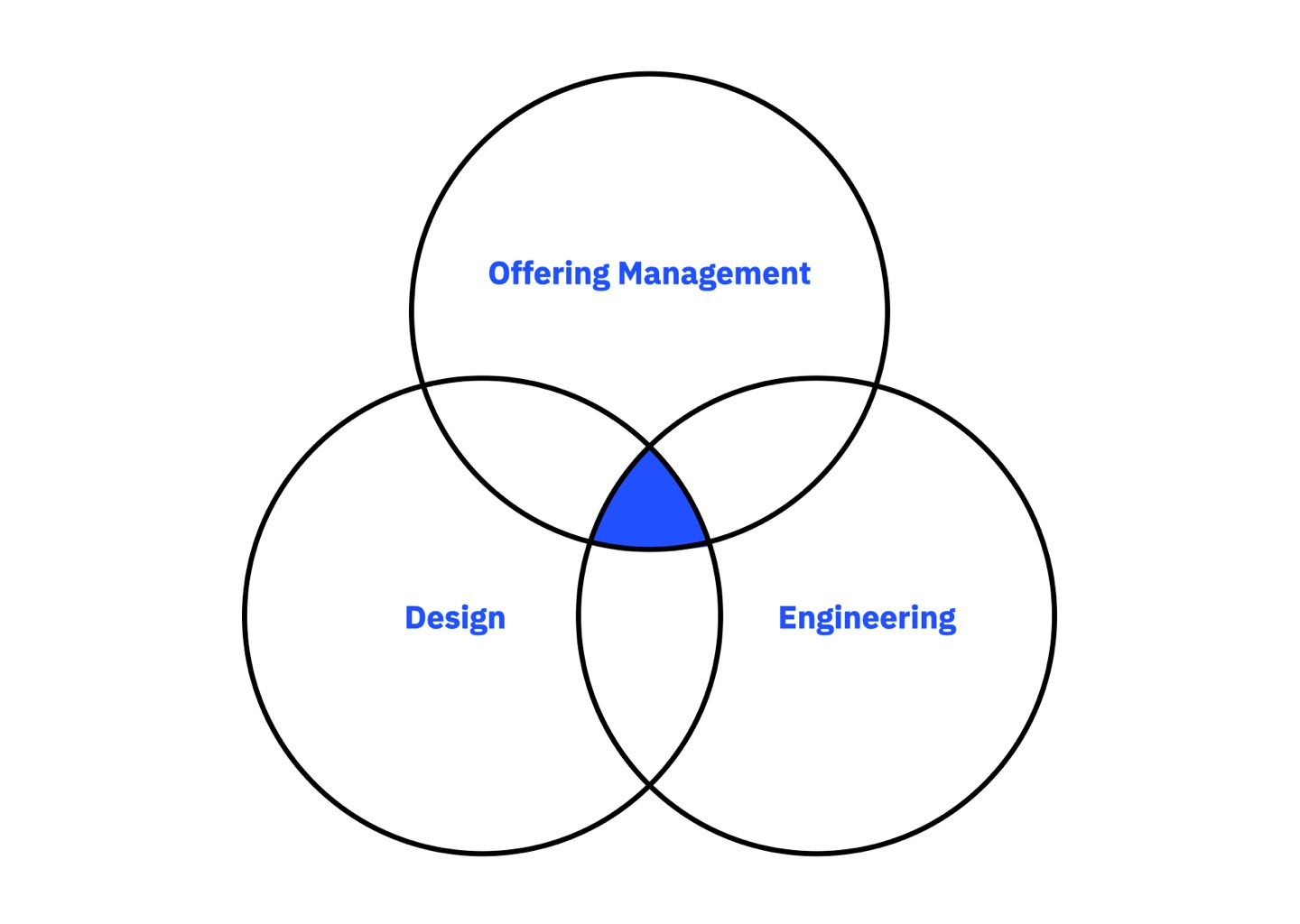
The 3-in-a-box model. All disciplines are on the same hierarchical level.
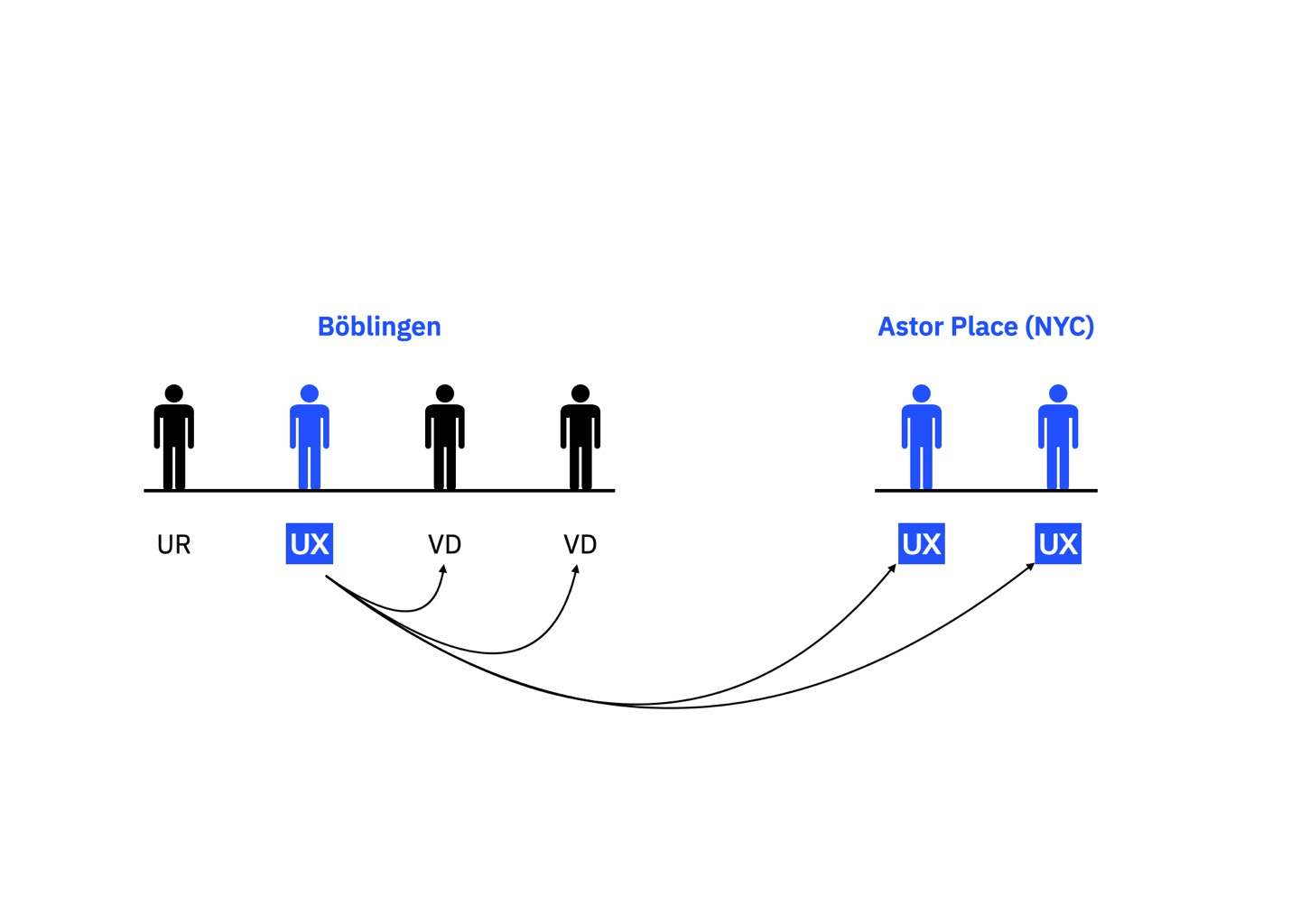
I was leading the intercontinental UX team with support from visual.
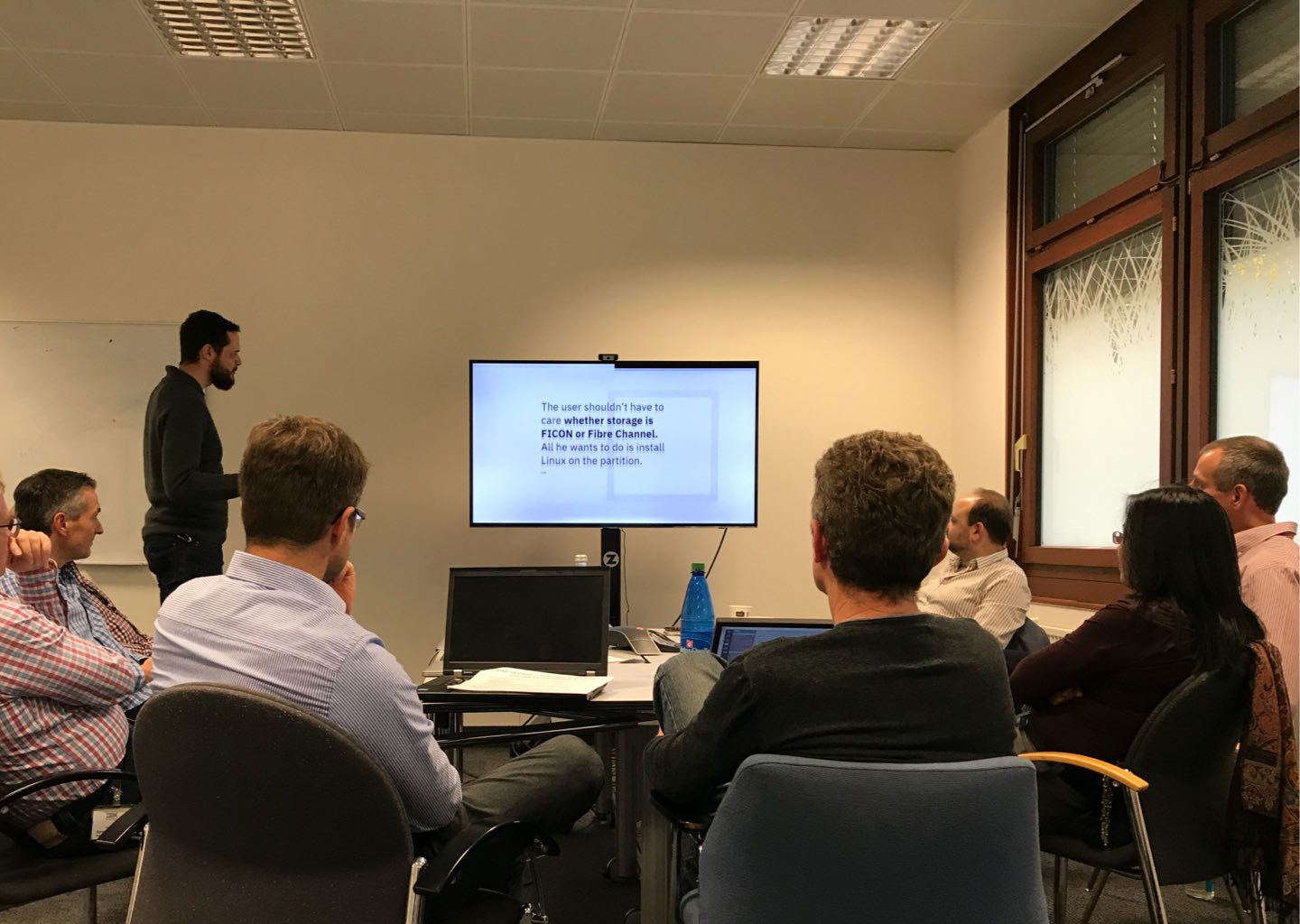
Sprint playback to the whole product team around the globe.
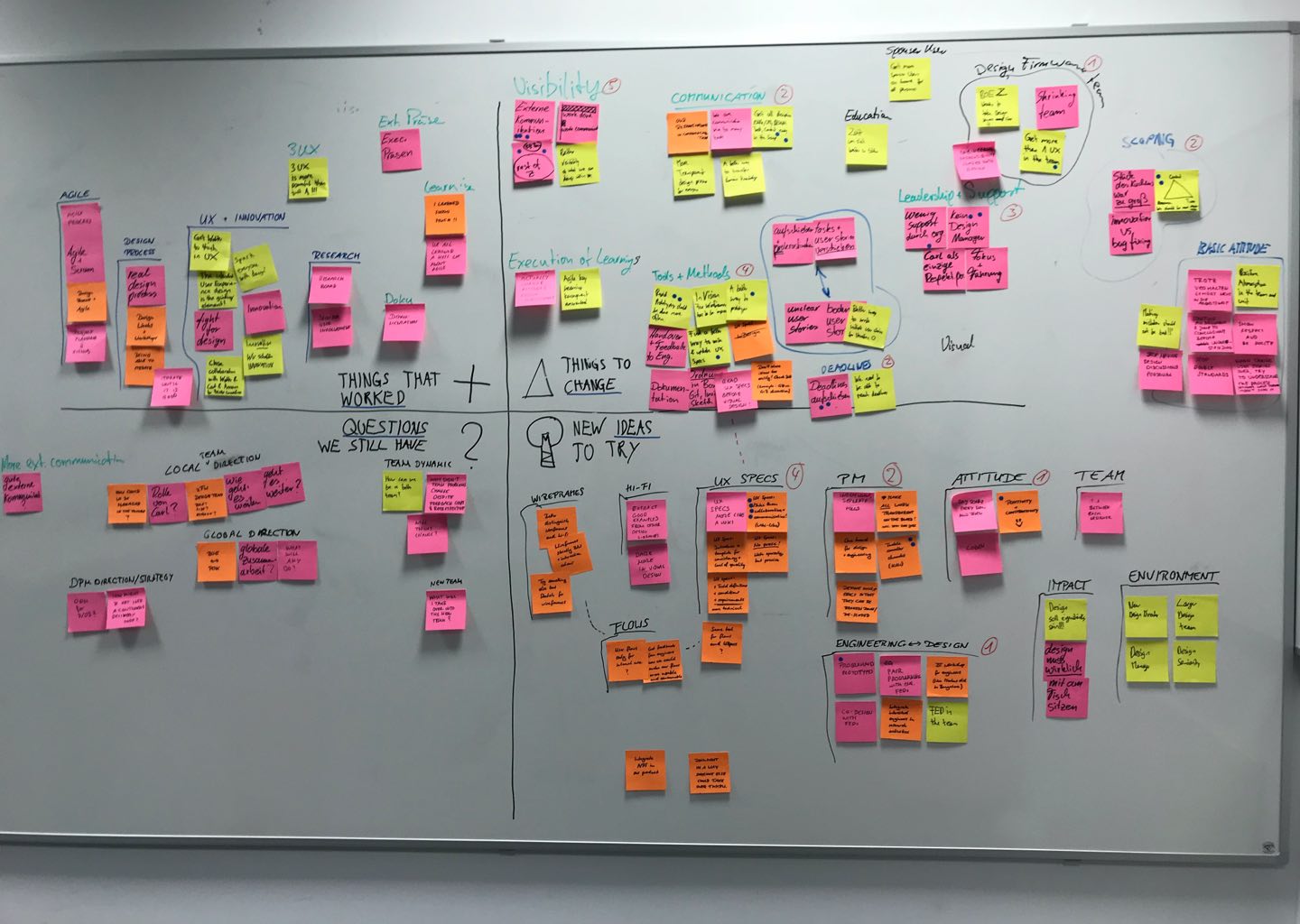
Sprint retro spective with the whole team.
The challenge
Imagine you have to administrate drawers filled with costly storage cards. You need to make sure you choose the right adapters to be configured with the required protocol at the best possible location within the drawer. One of the key capabilities of the mainframe is its redundancy and high availability concepts. To leverage these capabilities, you need to make educated decisions, which is hardly possible for a novice administrator and very challenging for an experienced administrator.
What if we could offer our users an experience where they are able to choose the needed amount of storage cards for each protocol and the mainframe supports their choice by selecting the storage cards with the best possible redundancy and availability? Pretty awesome, right?
Business need
The older generation of system administrators who can configure the highly complicated Mainframe are retiring, and novice system administrators fill the big shoes. To keep the Mainframe attractive to its customers, it needs to be simplified and novice ready.
Technical need
The new design needs to ensure that a user can consume all its complexity to leverage the Mainframe’s raw power. This sounds easy but believe me, it is not. Many IBM Redbooks (Tech documentation) are available to talk about its sheer complexity and what needs to be considered to configure the Mainframe optimally.
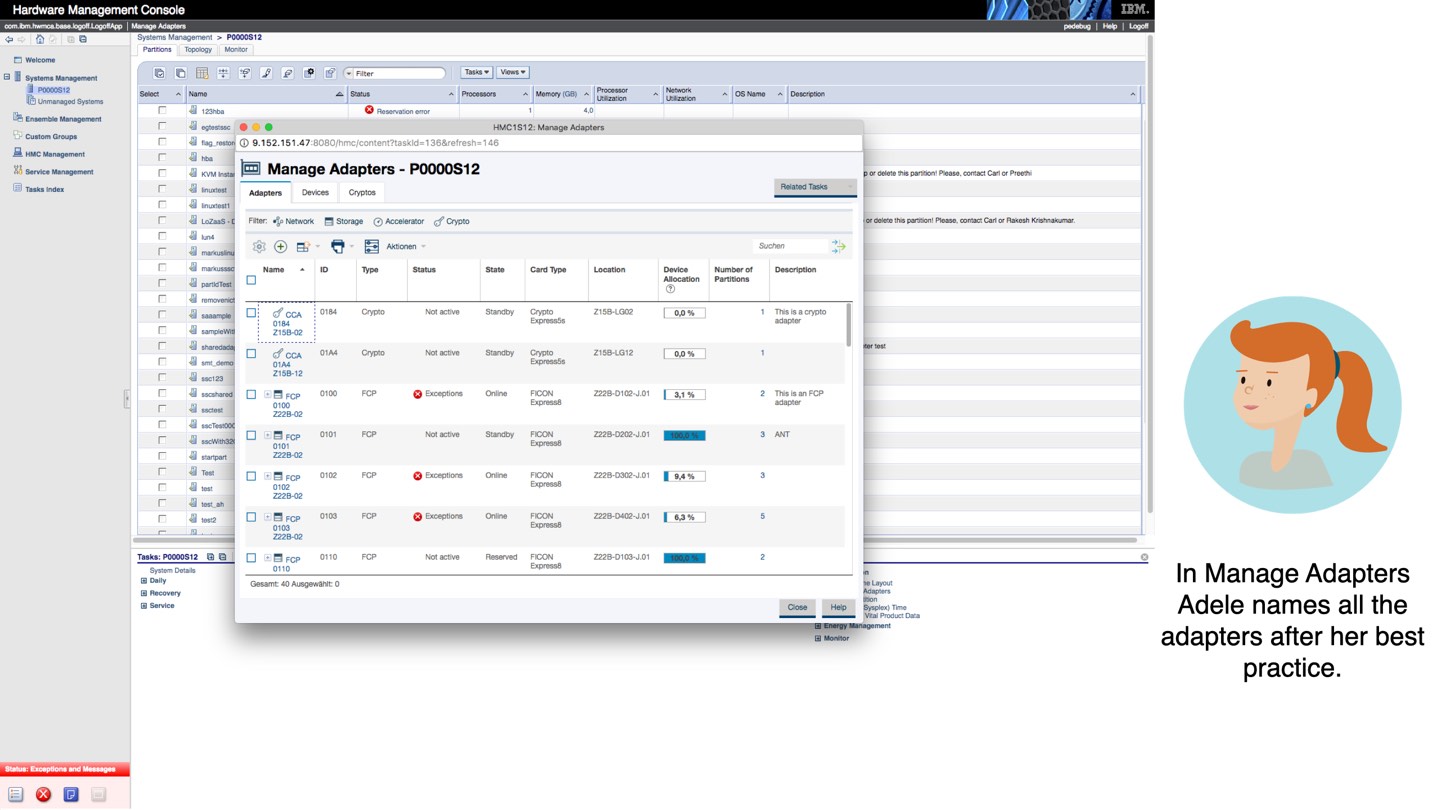
Adele, on the right, needs to configure the storage adapters in the middle, considering availability and redundancy concepts. Currently, she is completely overwhelmed and unable to do it.
Project Background
This project is part of the DPM Storage experience to configure storage cards in the Mainframe.
The Mainframe is the most capable server in the industry and is mostly used for extreme scenarios. Companies like Bank of America, Wallmart, or government organizations need extreme scalability, availability, and disaster recoverability capabilities. This server contains drawers where all the I/O adapters like processors, storage cards, network cards, etc., are located. This hardware needs to be configured in a specific manner to ensure redundancy and high availability concepts. This process is highly complex and requires a tremendous amount of experience to get the job done.
Below there is an image of the manage adapters interface. This is how a system administrator needed to configure the storage cards.
The other two images are small extracts of the IBM Redbooks (documentation) on some technical insights how complex a I/O drawer configuration is.
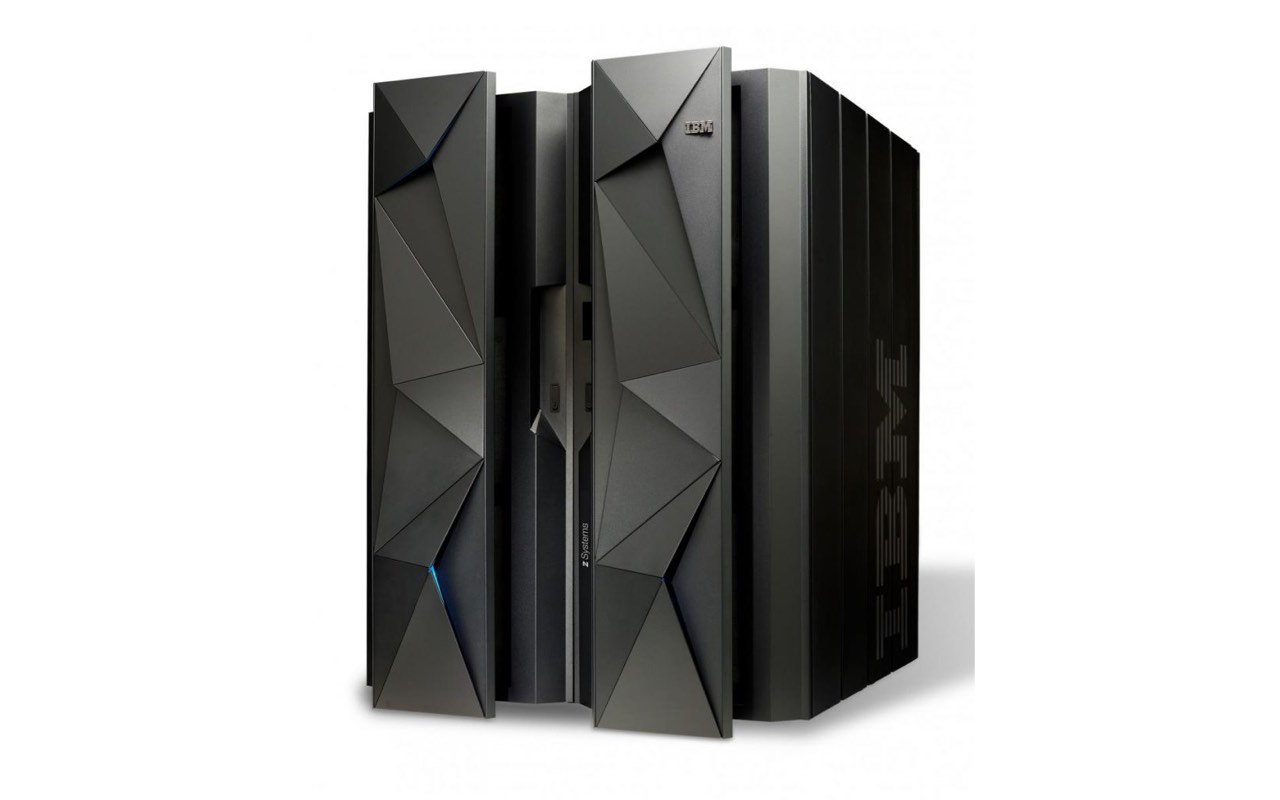
The IBM Mainframe Z13.
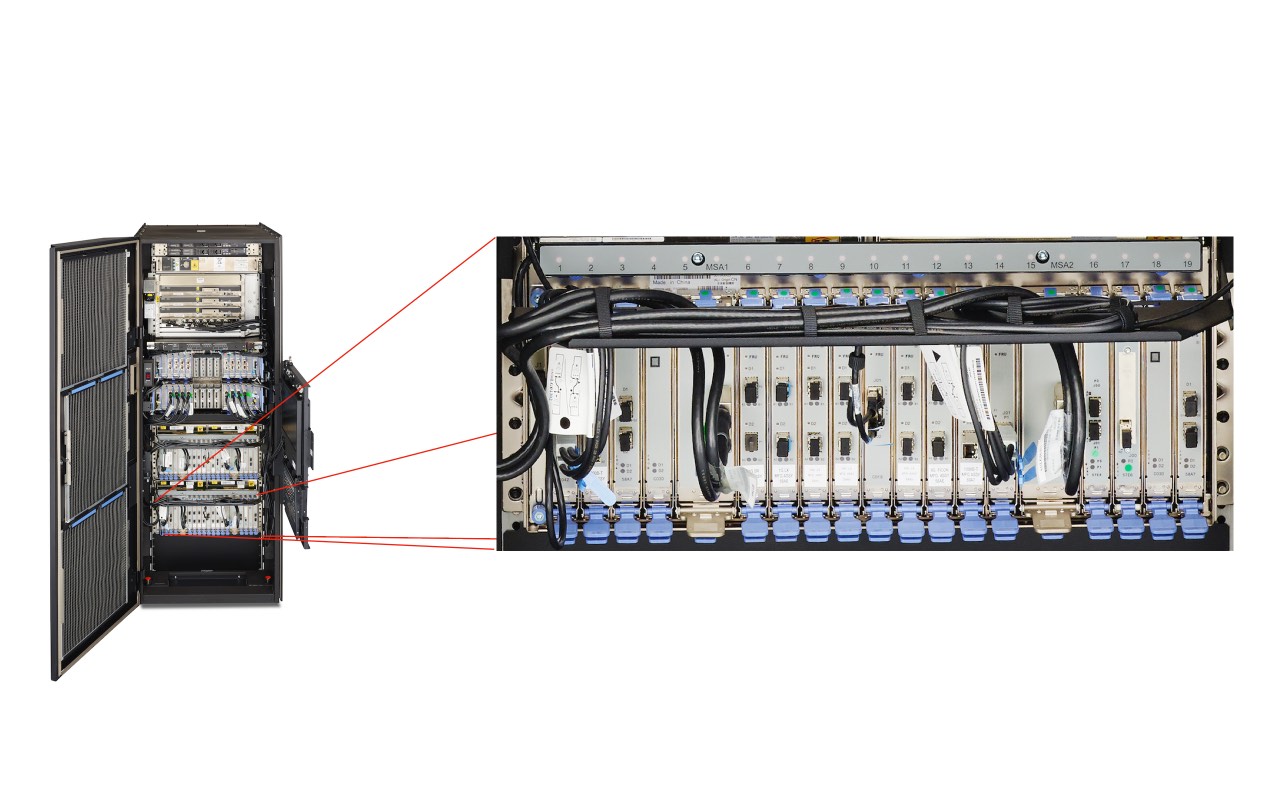
The storage adapter cards.
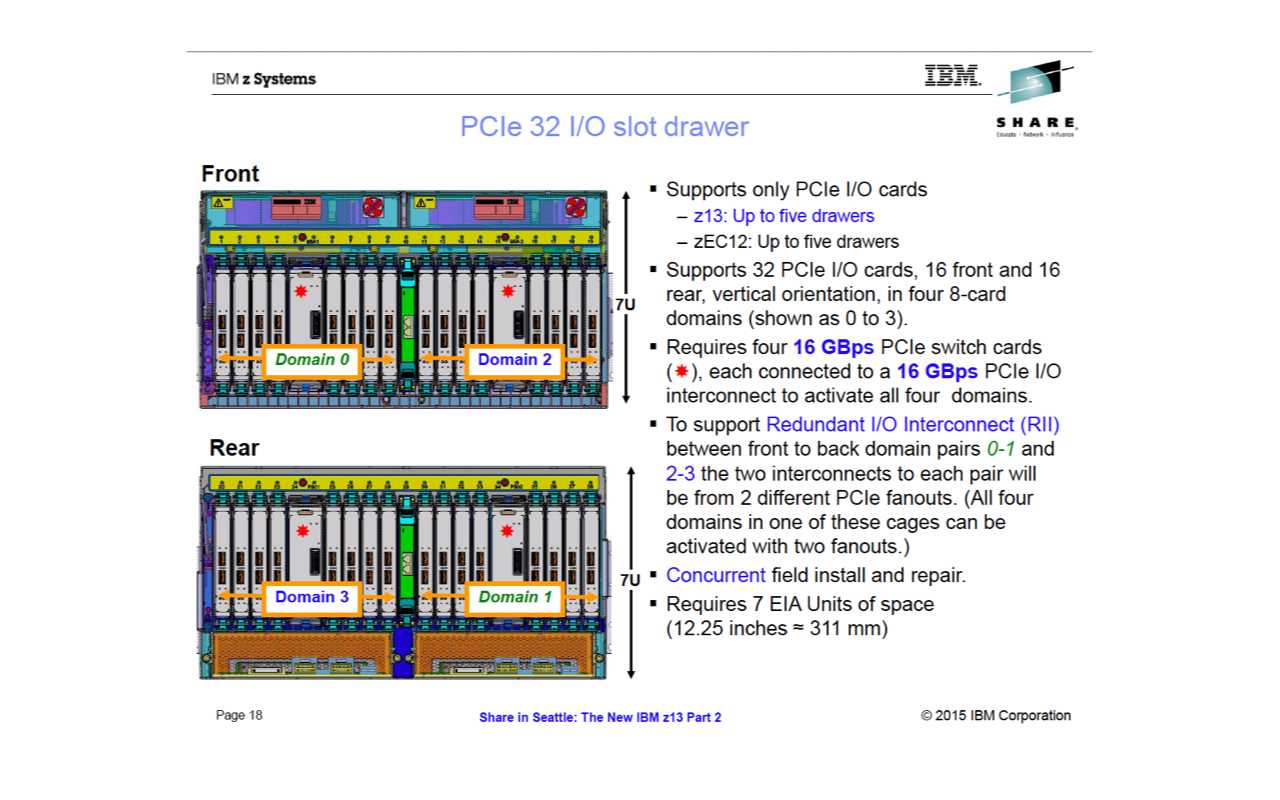
Extract of an IBM RedBook talking about the I/O drawer.
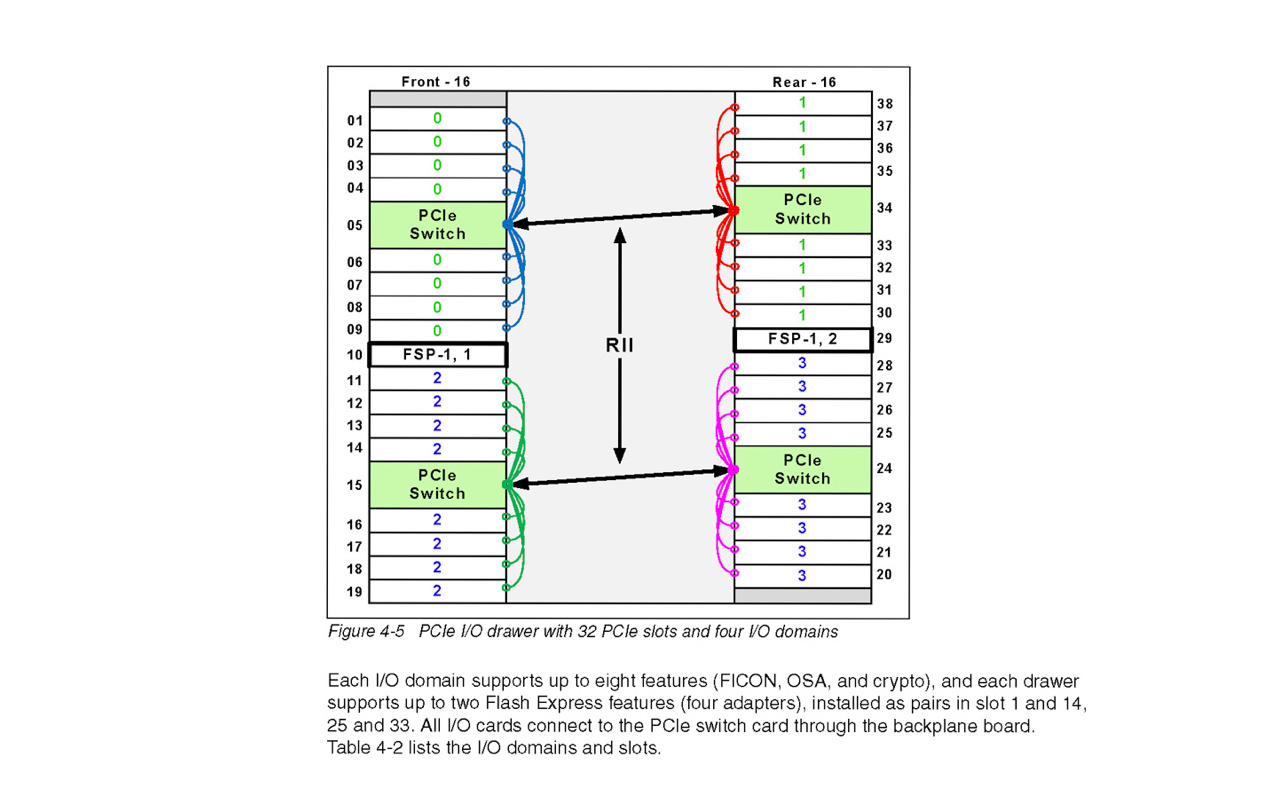
Extract of an IBM RedBook about how a I/O drawer works.
User research
The general user research was led by Linda Weber, our user researcher. Every one of the design team did participate in interviews, contextual interviews and wireframe testings. I want to show you some of the insights in a synthesized form.

This is our main user, Adele, the novice system administrator.
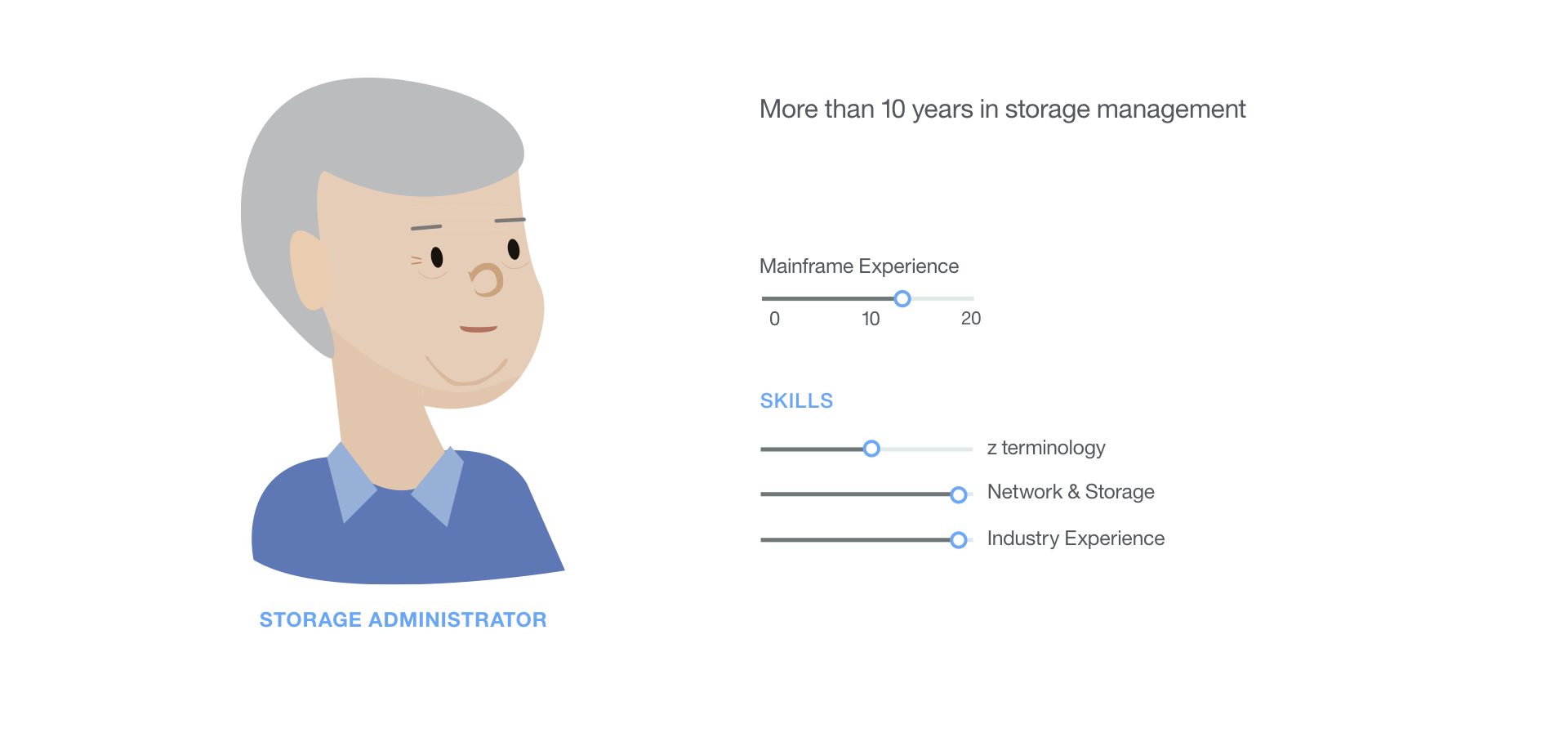
This is our secondary user, Sam, the storage administrator.

Need statements to figure out the needs of our personas.
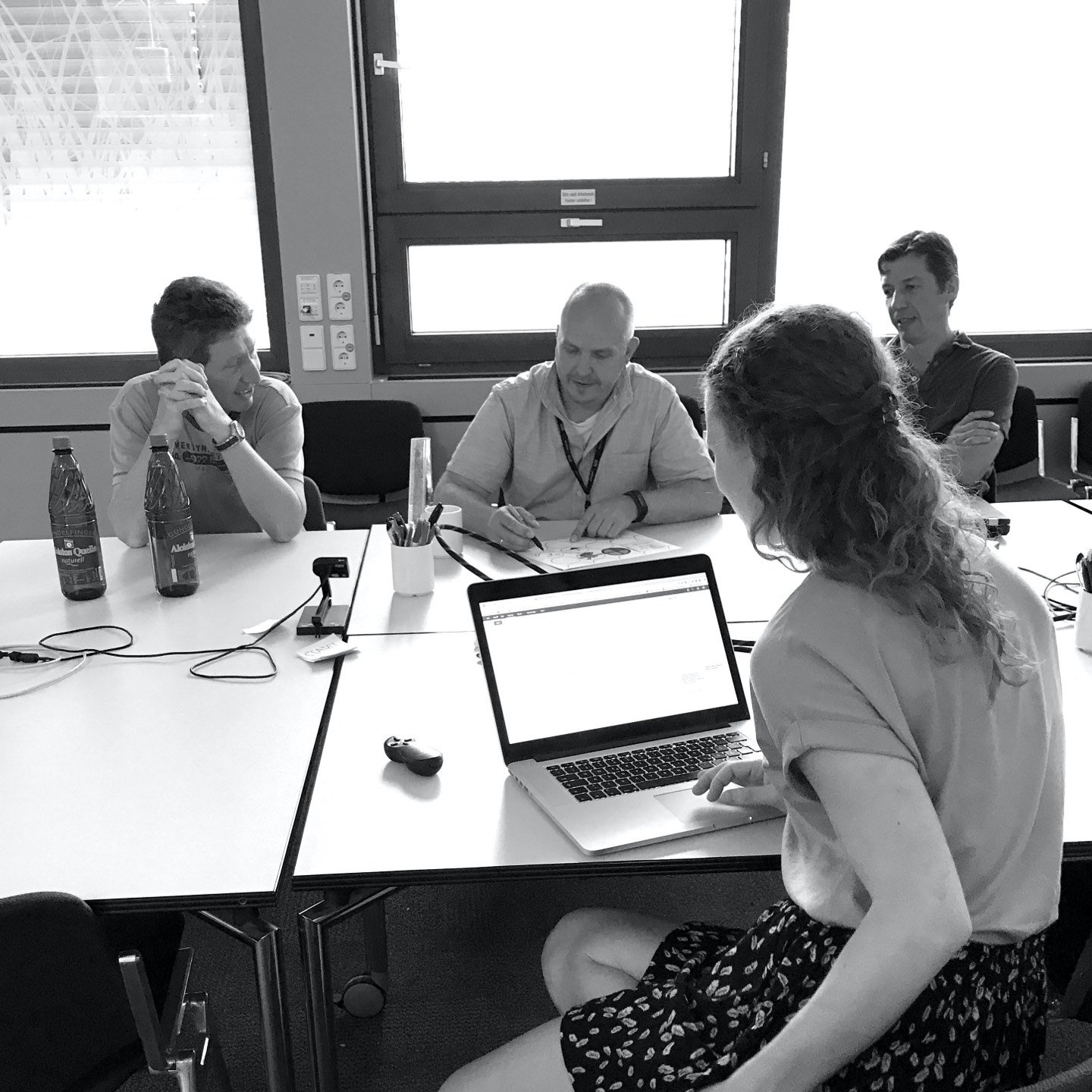
Performing classical sponsor user interview.
We also conducted heavy concept and usability testings to ensure that the experience works well. Below, there are two quotes that talk about a before and after (Hi-Fi leve).
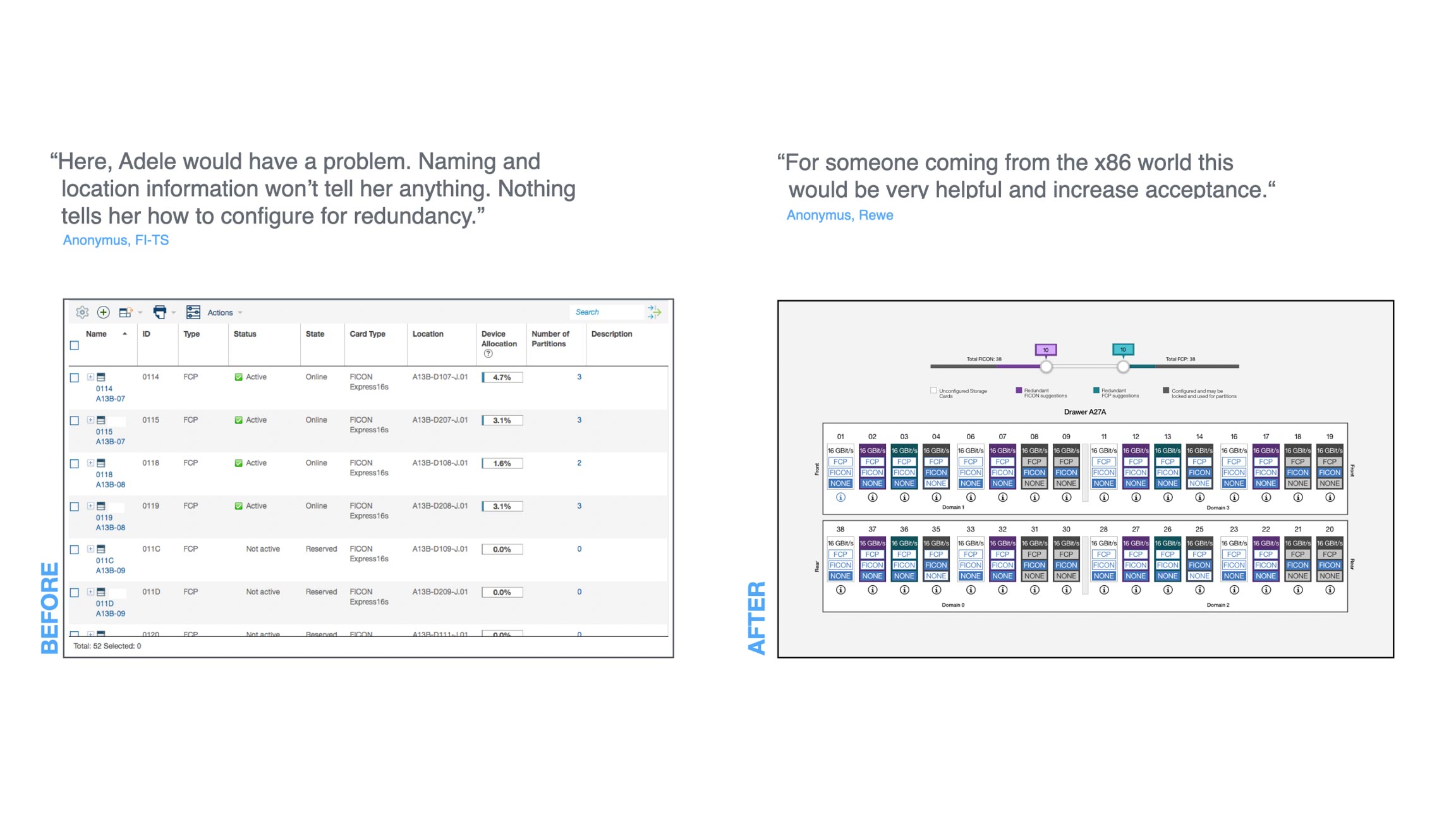
Sponsor user feedback of the before and after (Mid-Fi).
Concept
With a highly iterative approach, I was researching the technical needs and figured out the most extreme scenario with the maximum scalability to simplify it later on. The first few iteration where pretty extrem. I hid all physical elements only to give the user a choice to select how many storage cards he needs per storage protocol. Everything else, we would do under the hood. This approach did resonate quite well with our sponsor users. Especially novice administrators like it. The more experienced administrators were slightly suspicious and wanted to have a way to understand what happens under the hood.
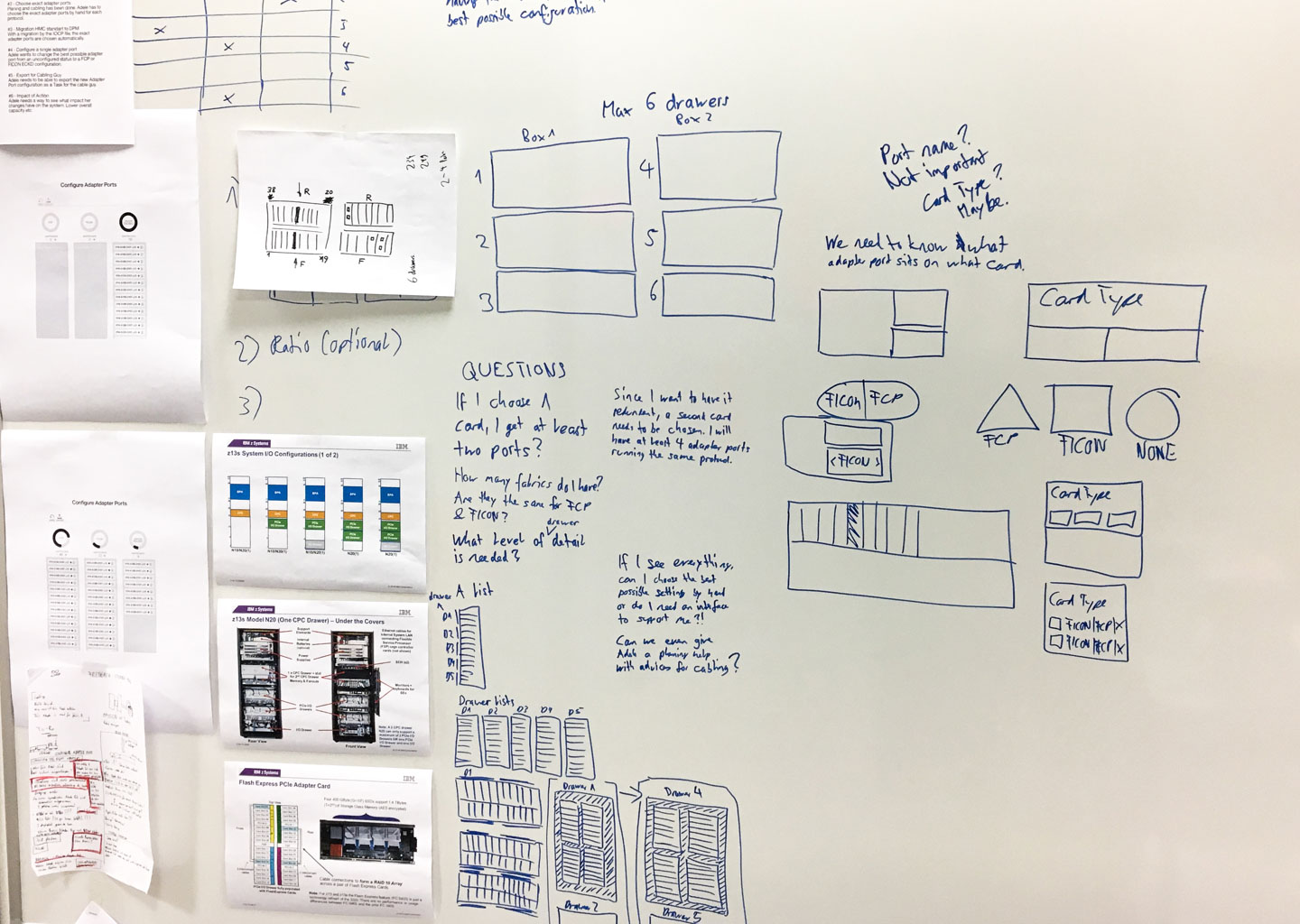
Understanding tech and its scale.

Radical simplification.
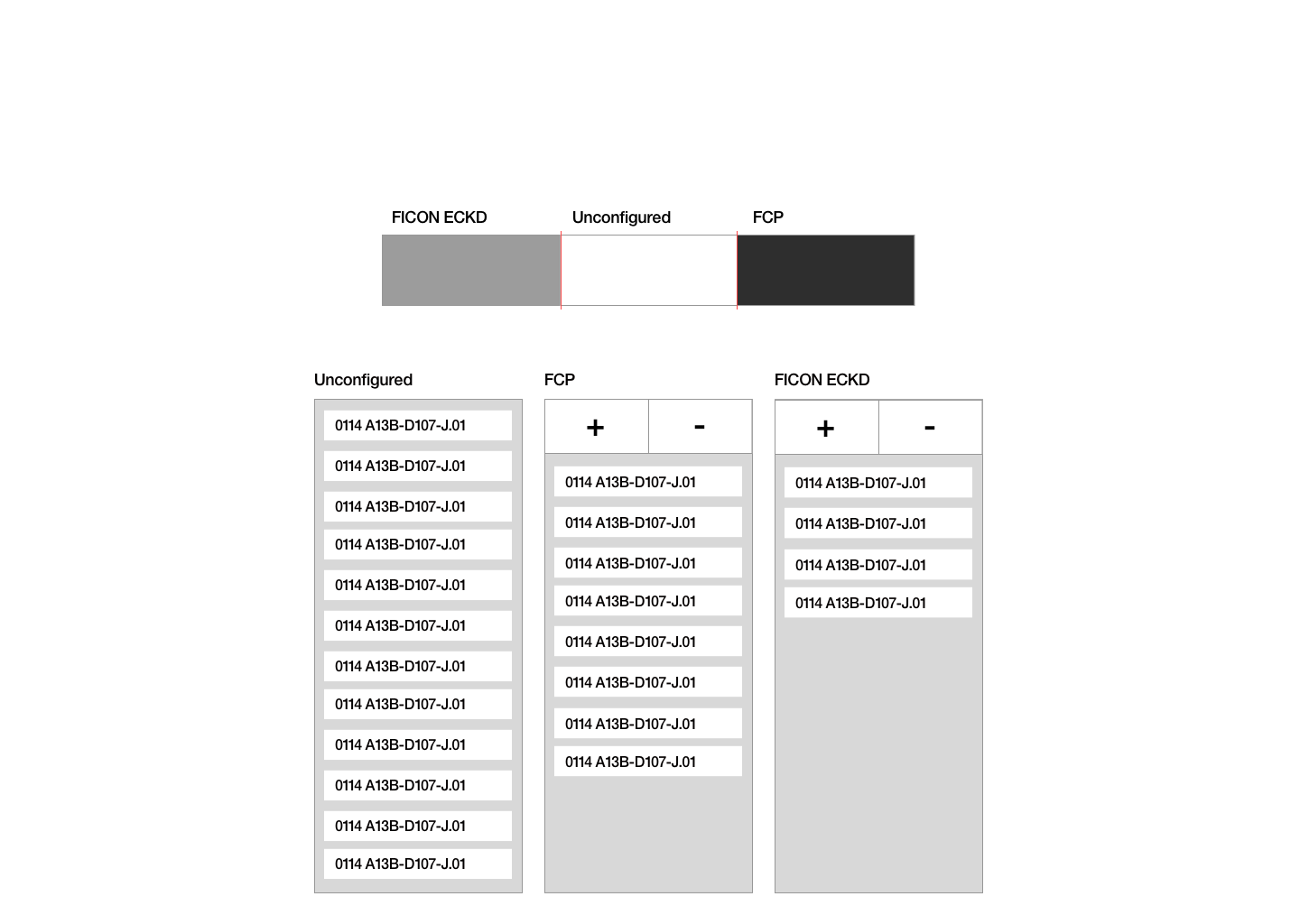
Lo-Fi iteration with the simplicity in mind.
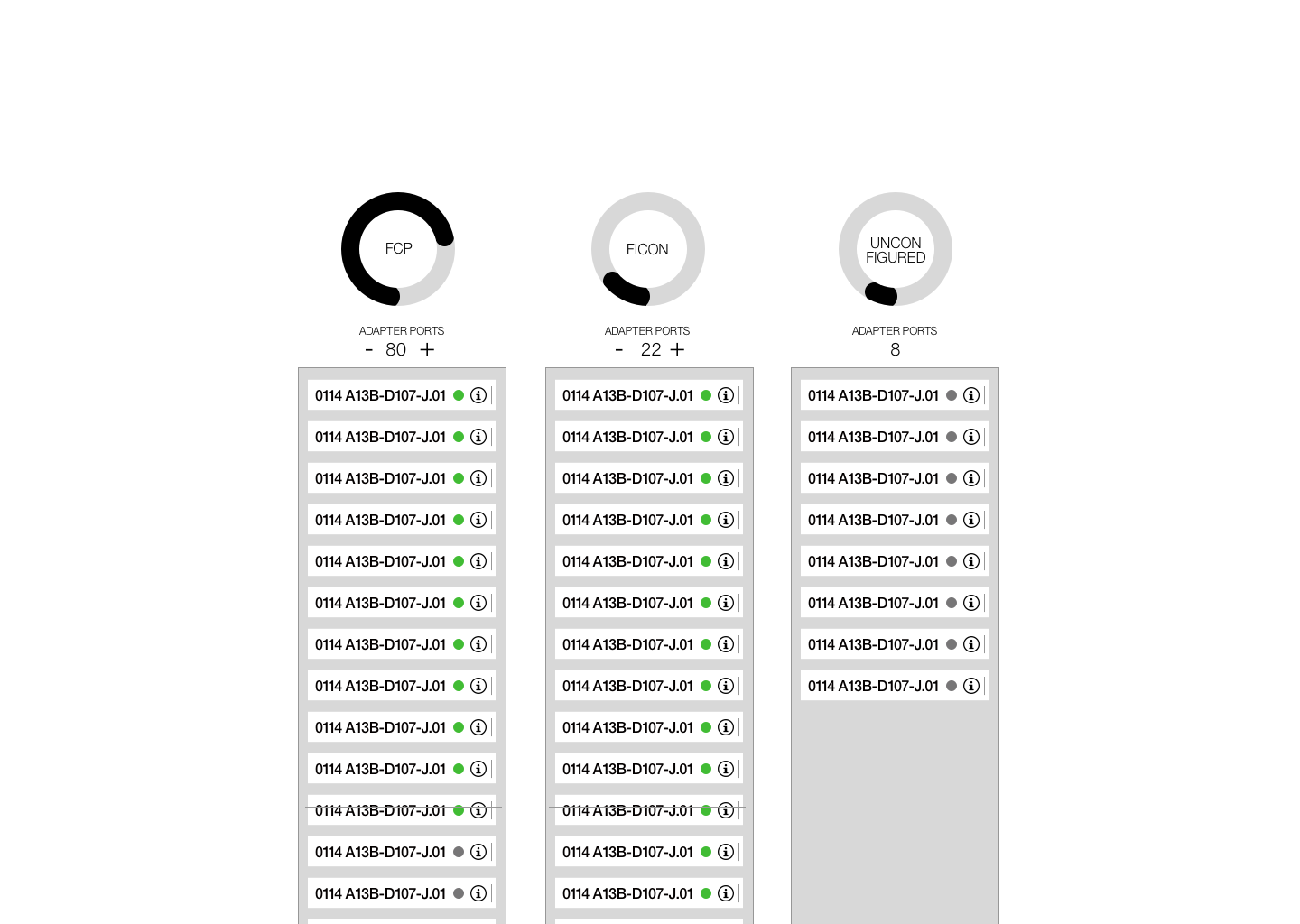
Lo-Fi iteration and adding more context to it.
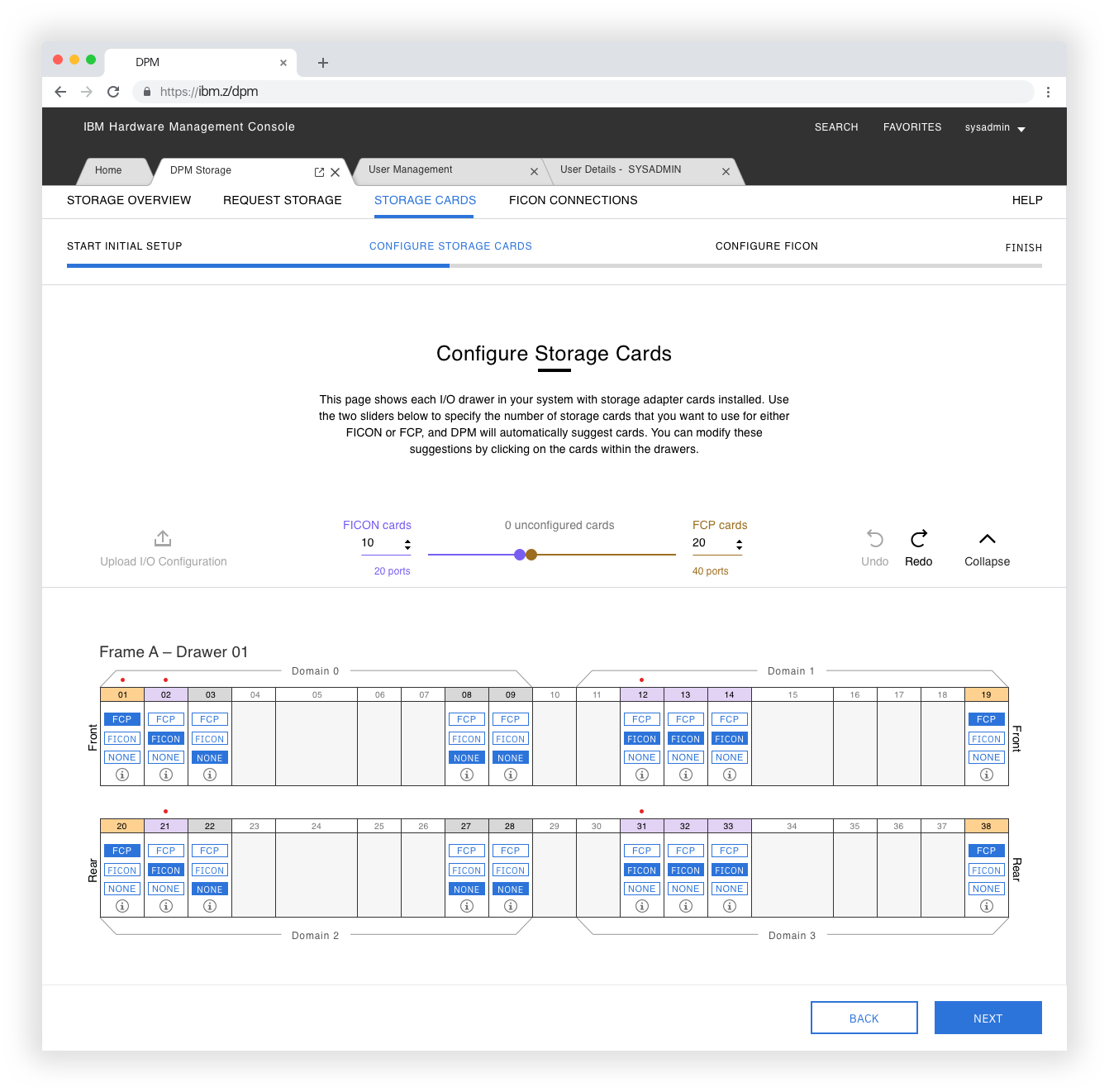
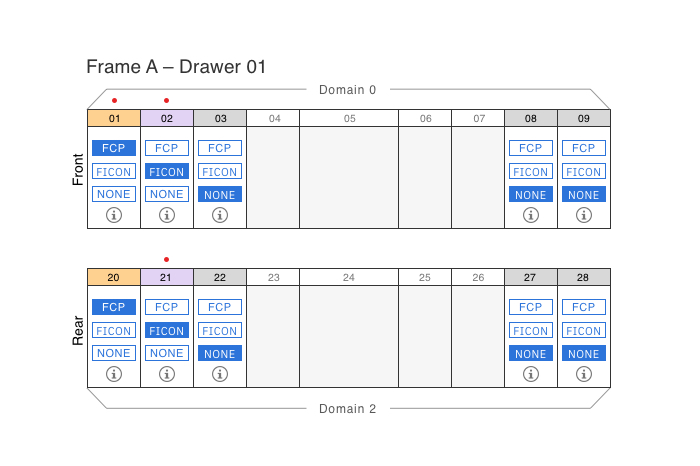
I started to combine the abstraction of the storage protocol selection with the physical drawer. During that phase, the experience began to look like a big fusebox. I also took the fusebox metaphor as the guiding metaphor. It needs to have the same simplicity as if you would switch a fuse on or off without needing to go a level lower or selecting anything else. A user needs to be able to configure a storage card on the element itself. The abstractive selection of the storage protocols and the manual selection of the storage cards are interconnected. With that, we achieved an experience that offers the needed simplicity and explains the user what happens within the drawer. This experience is educative and straightforward because it communicates the redundancy concept in a meaningful way.
Our sponsor users loved it very much!
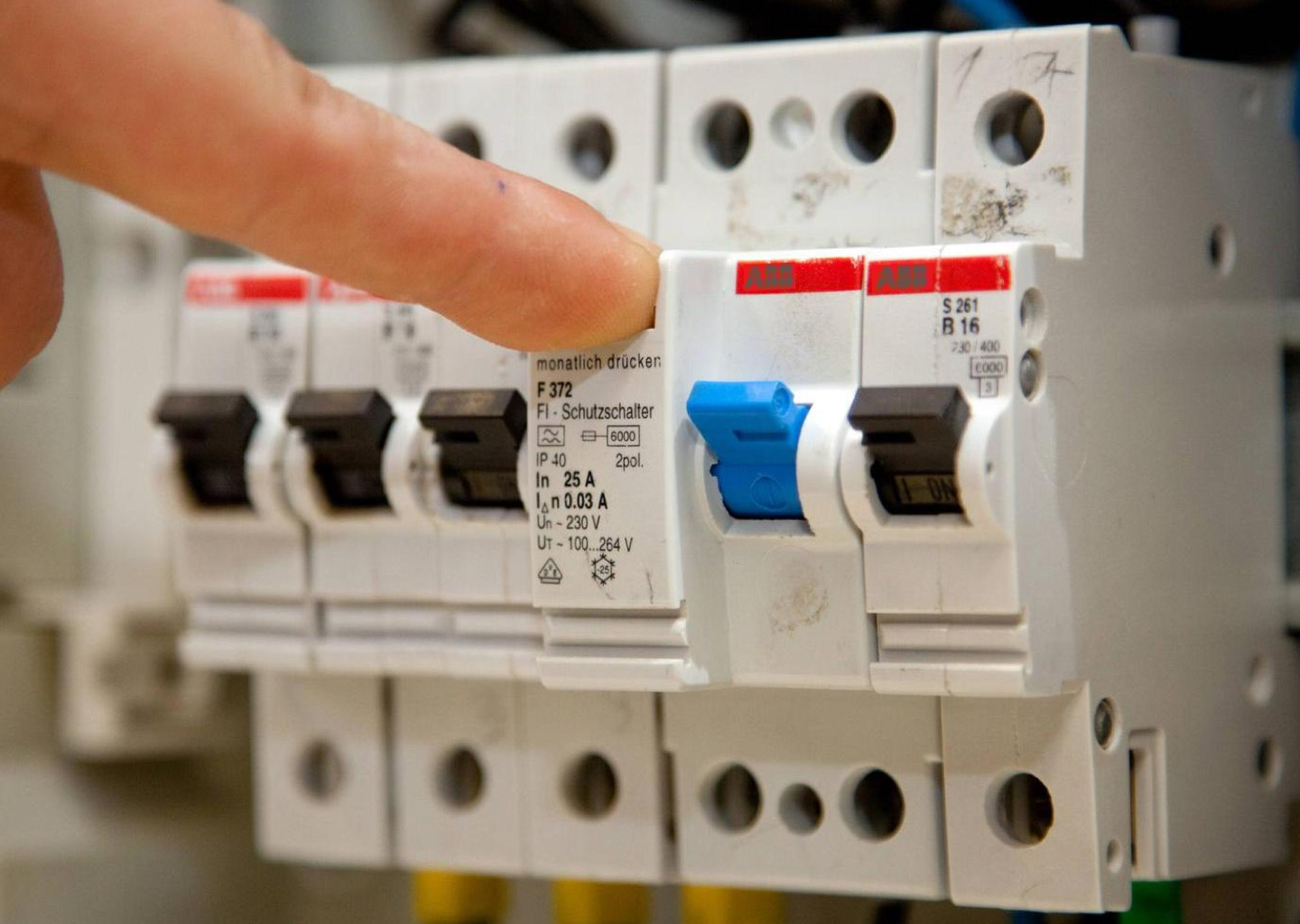
Metaphor: A fusebox, leverage its conceptual simplicity.
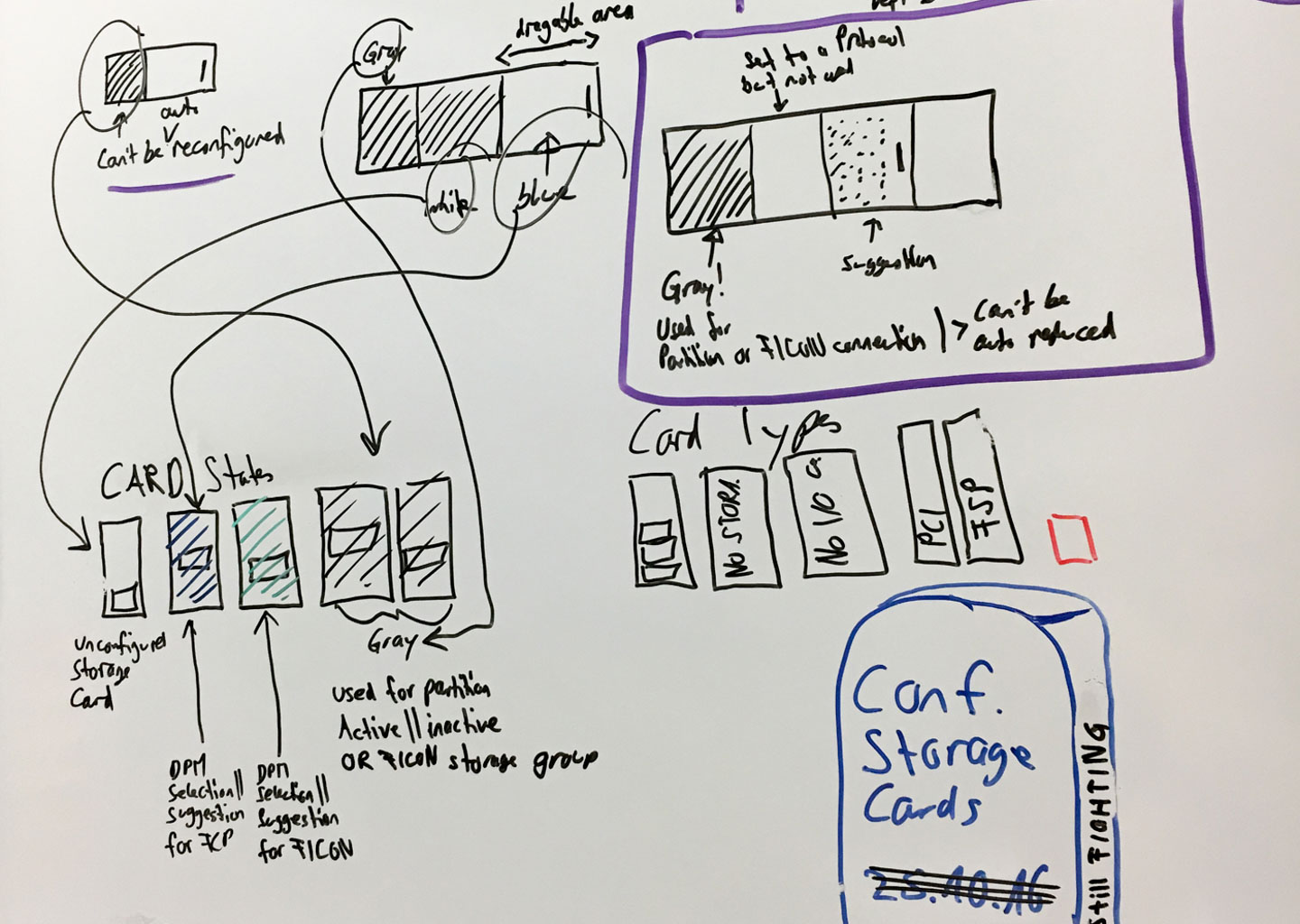
Figuring out the connection between the slider and the ports.
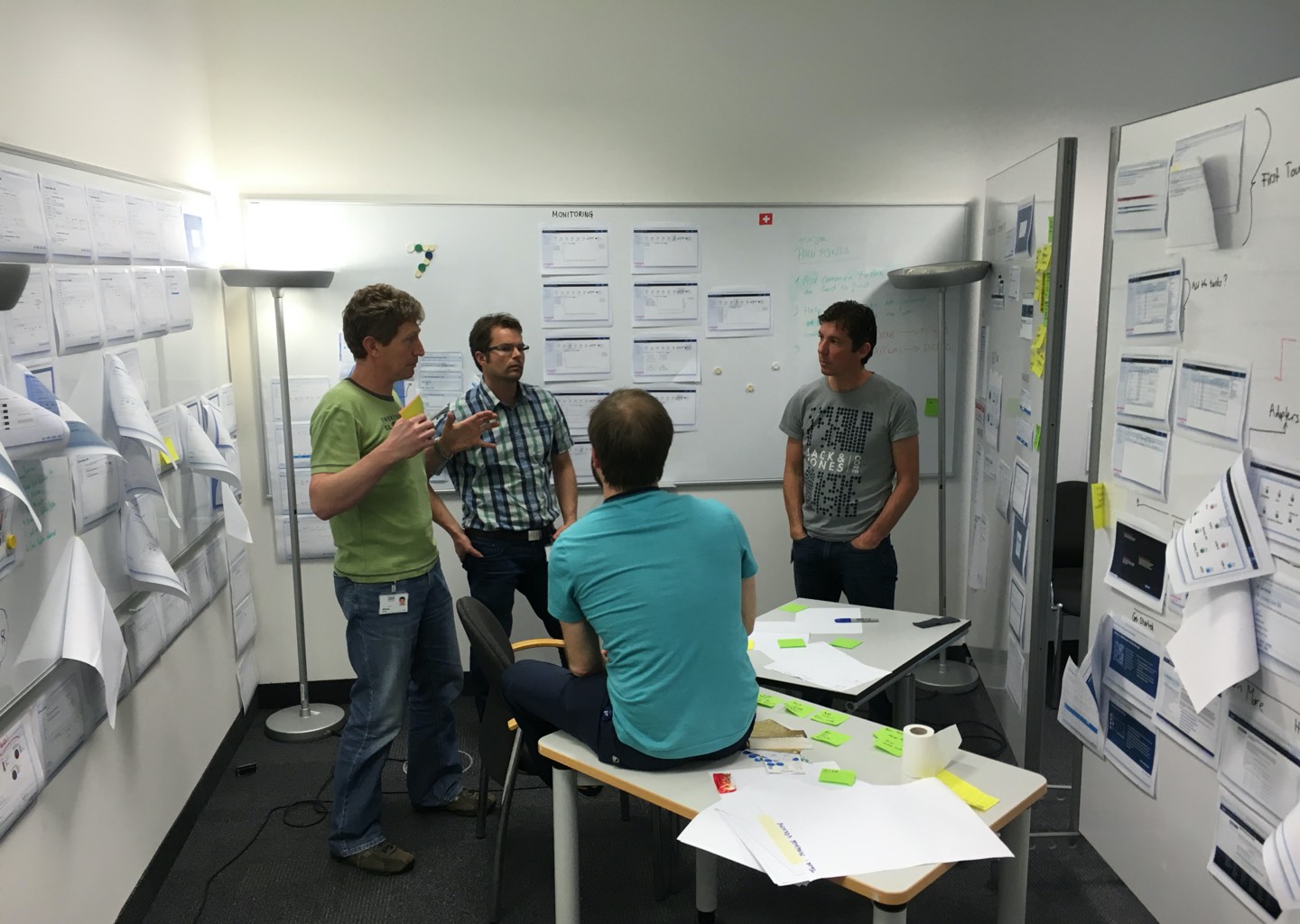
Figuring out some of the technical complexity with the engineers.
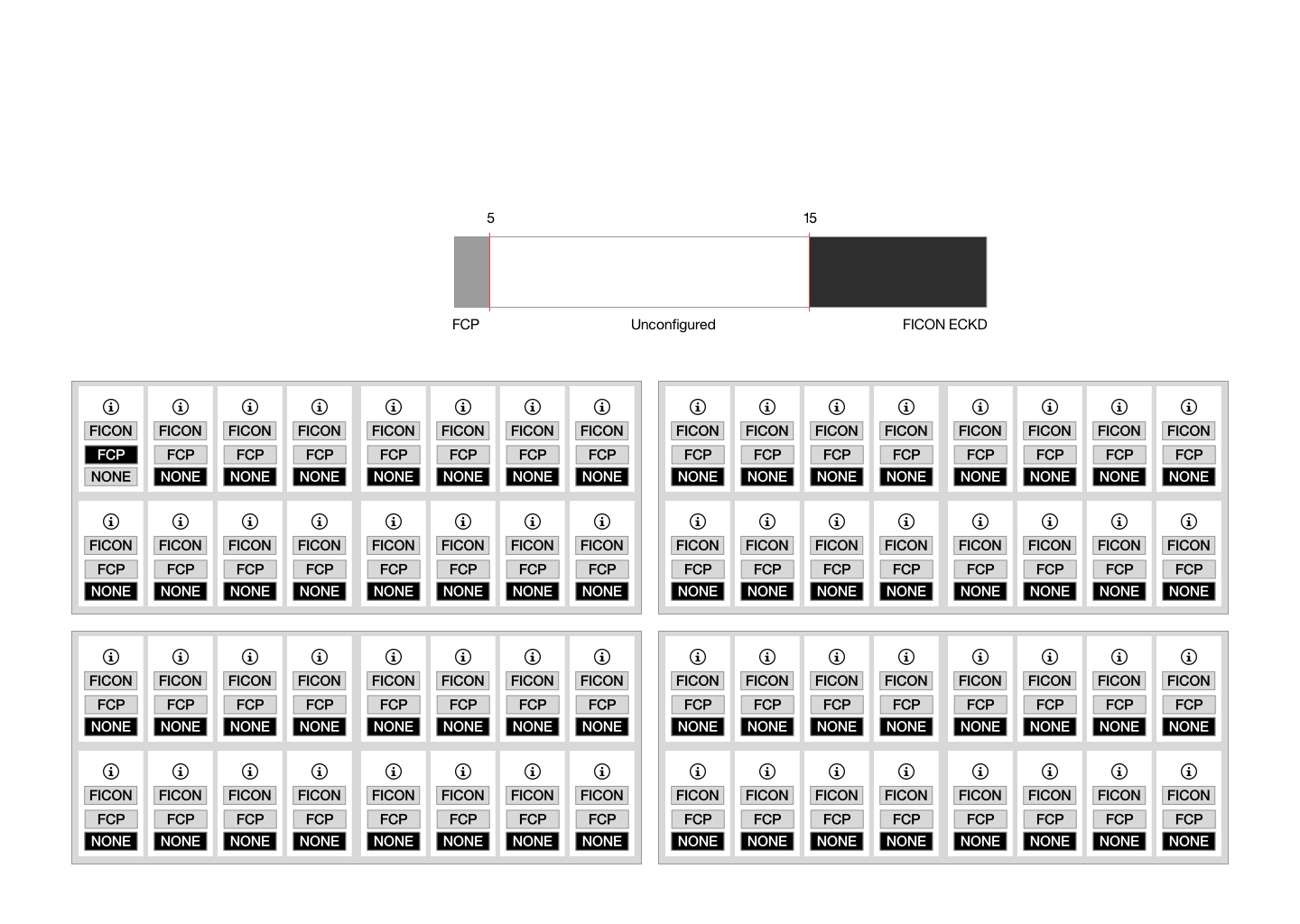
Lo-Fi iteration, first attempt on physical representation.
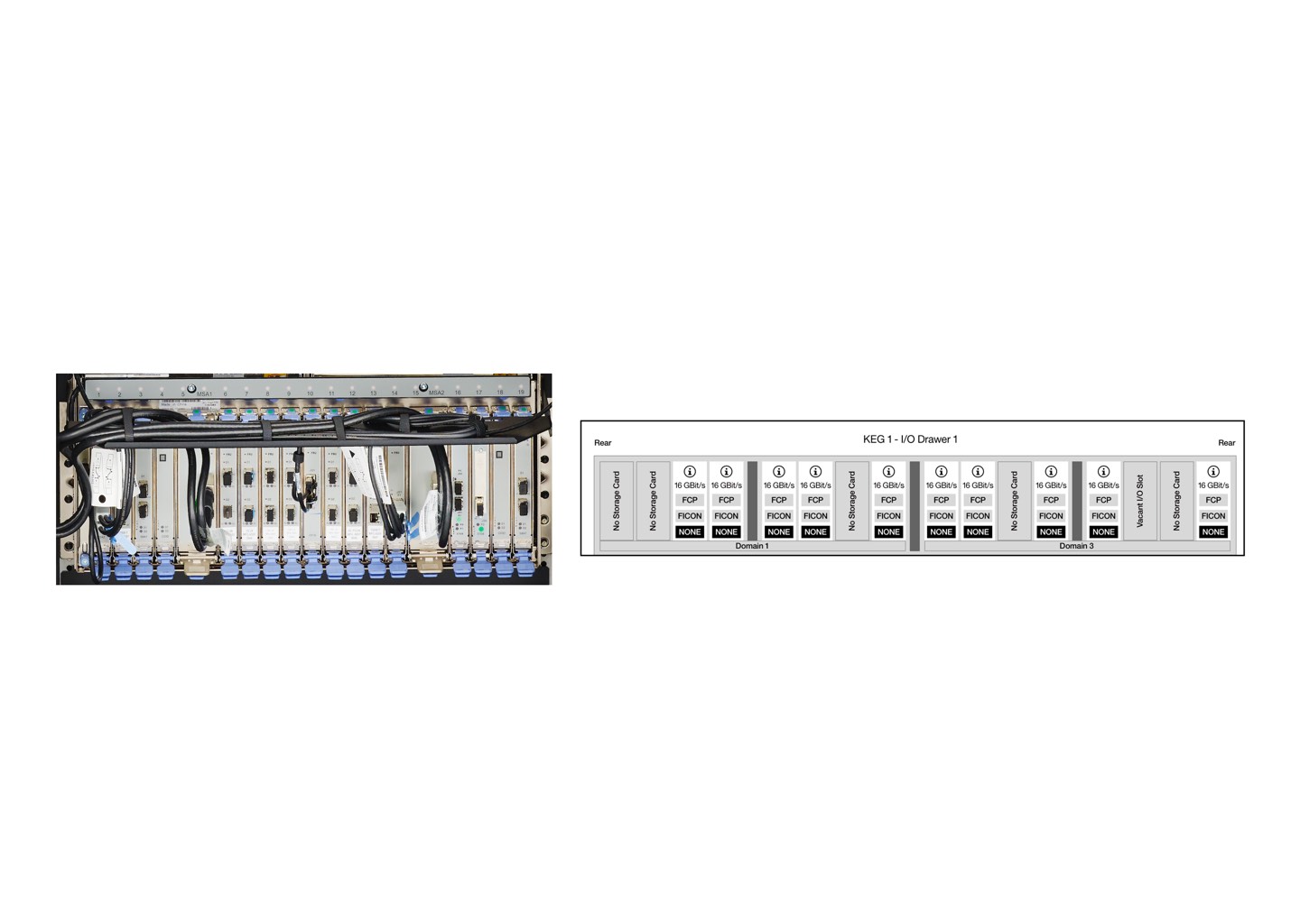
Mid-Fi iteration, align it closer to the physical representation.

Slider and card interactions and how things work in relation to the storage cards.
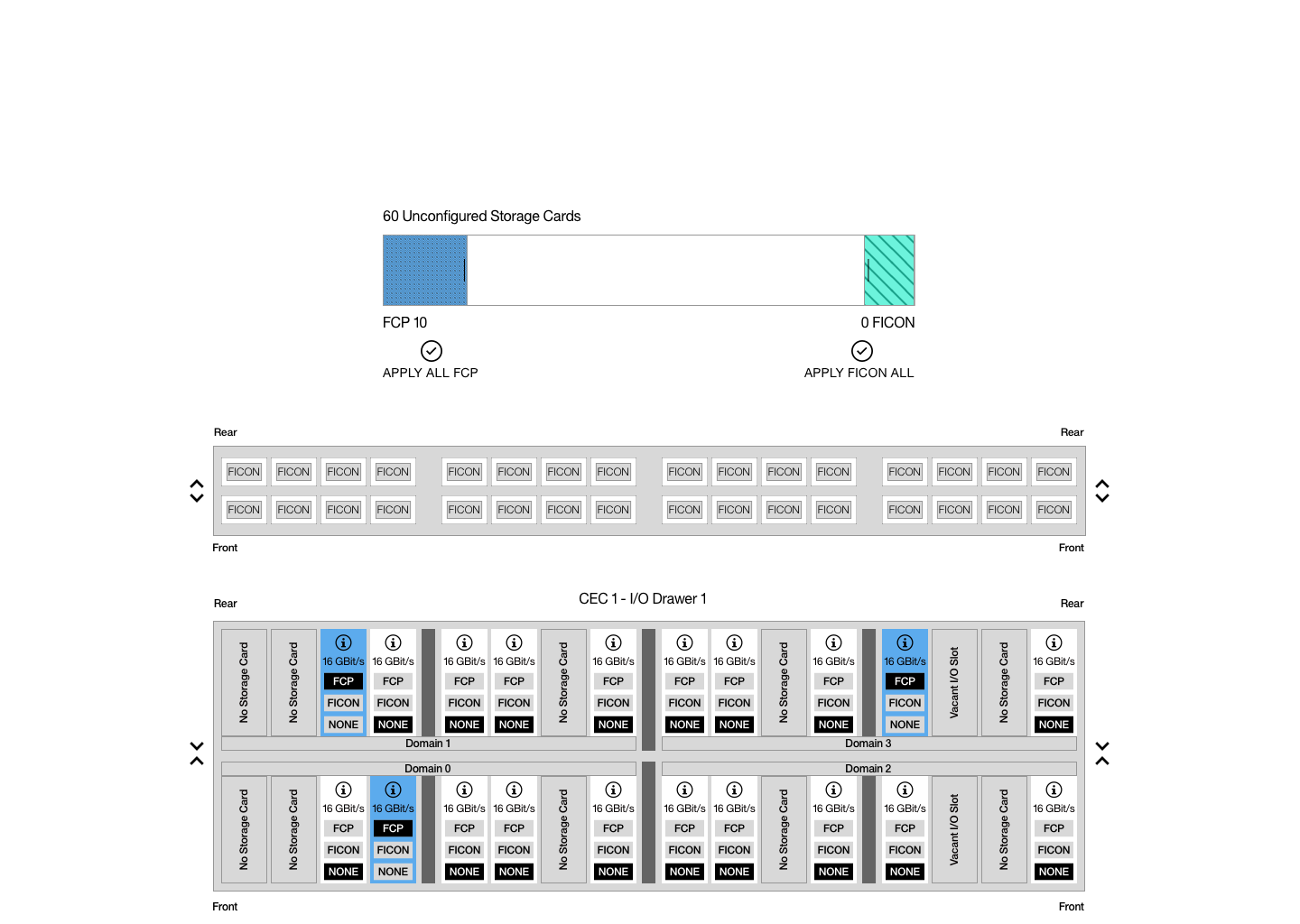
Mid-Fi: Automatically but also manual config.
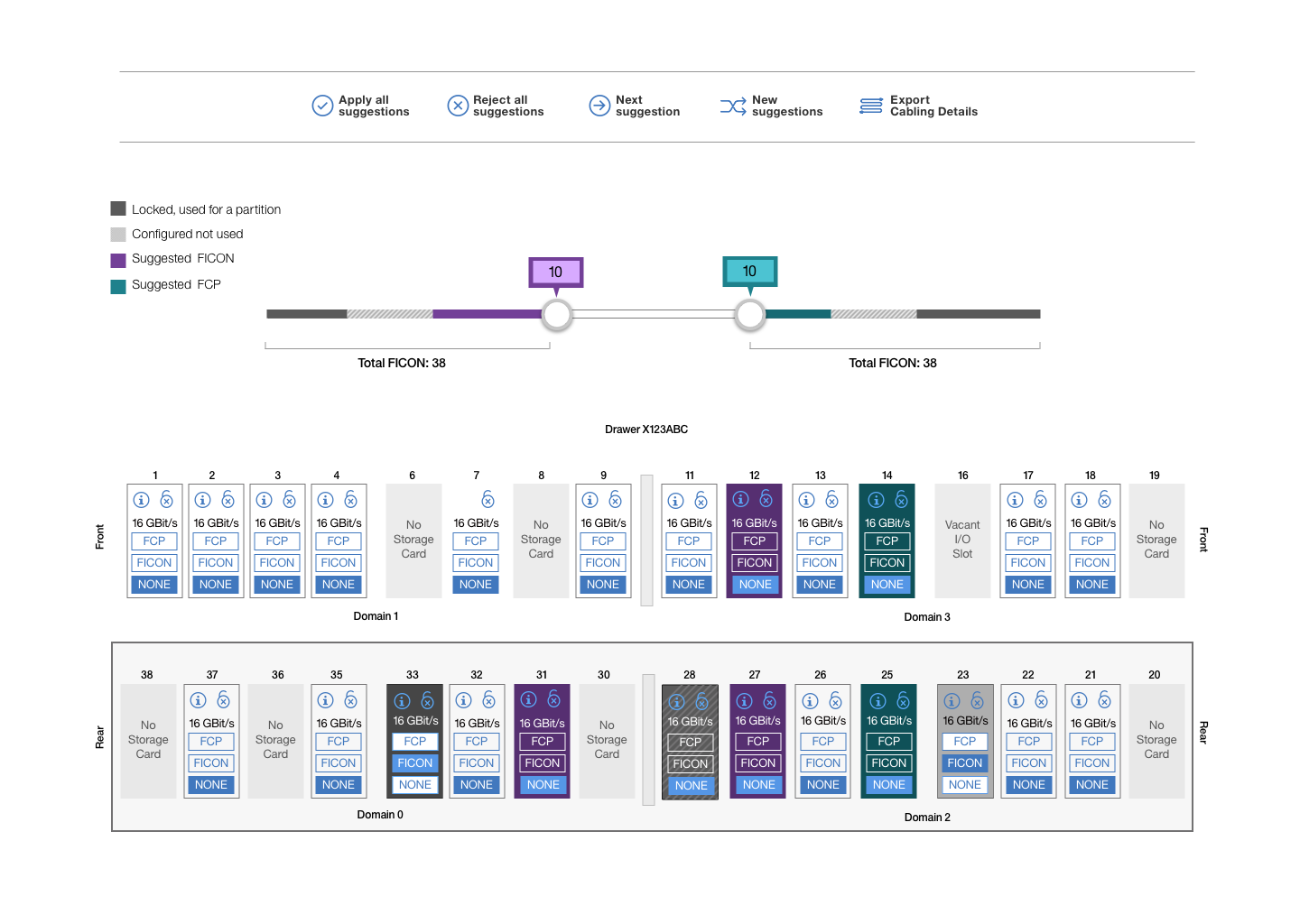
Mid-Fi: Wireframe gets more complex.
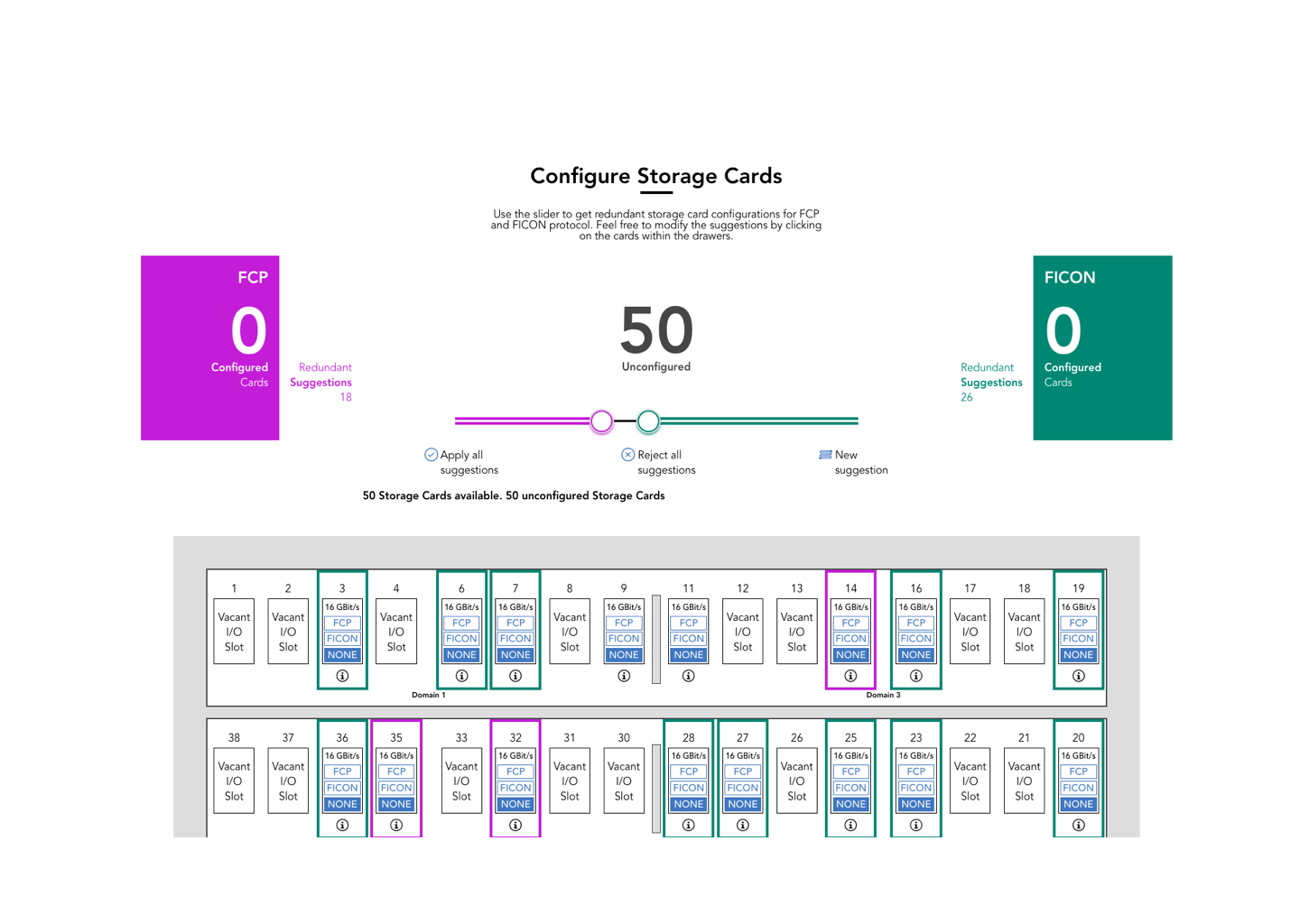
Mid-Fi: Stronger focus on the explainability.
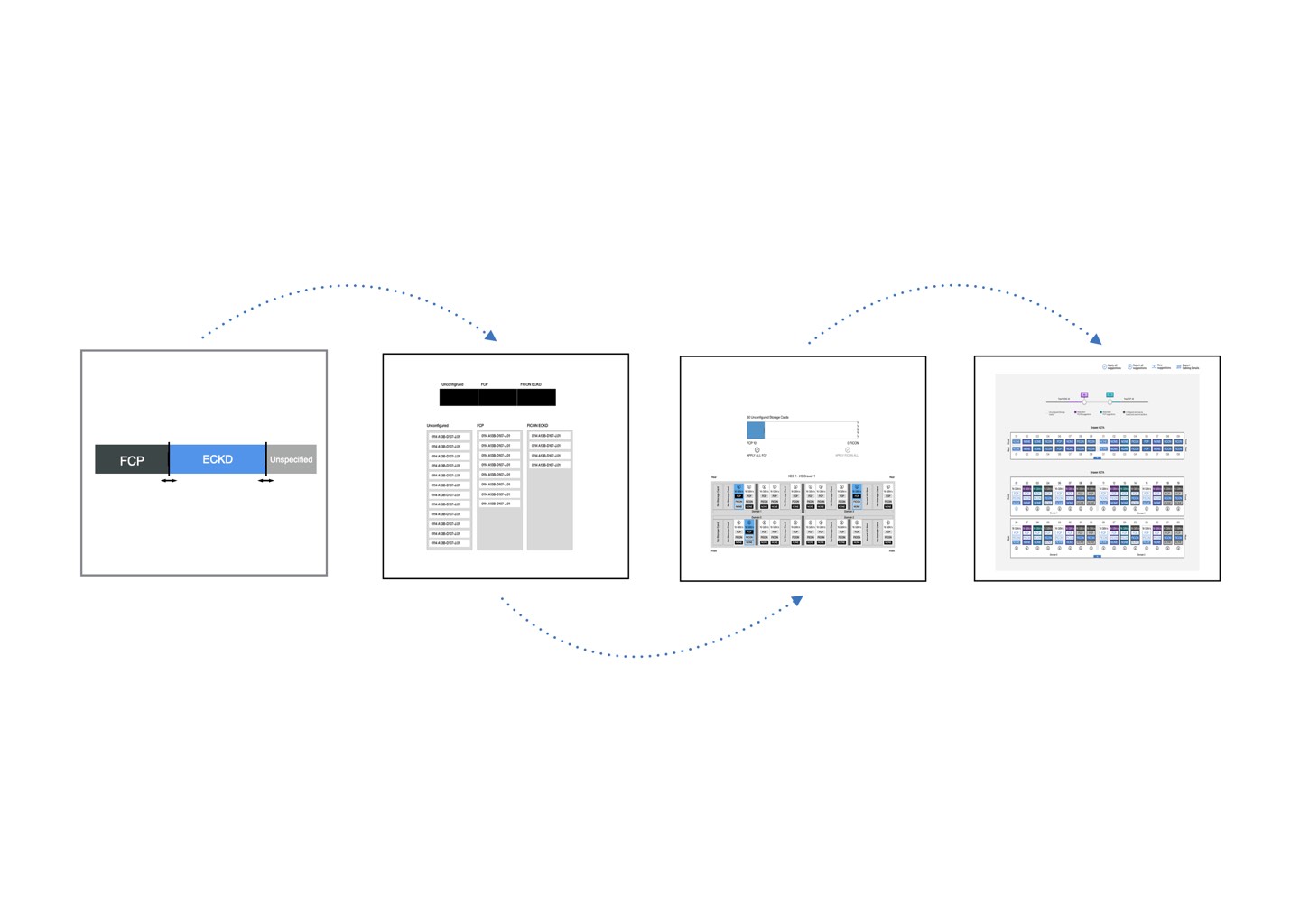
The major steps in a summary.
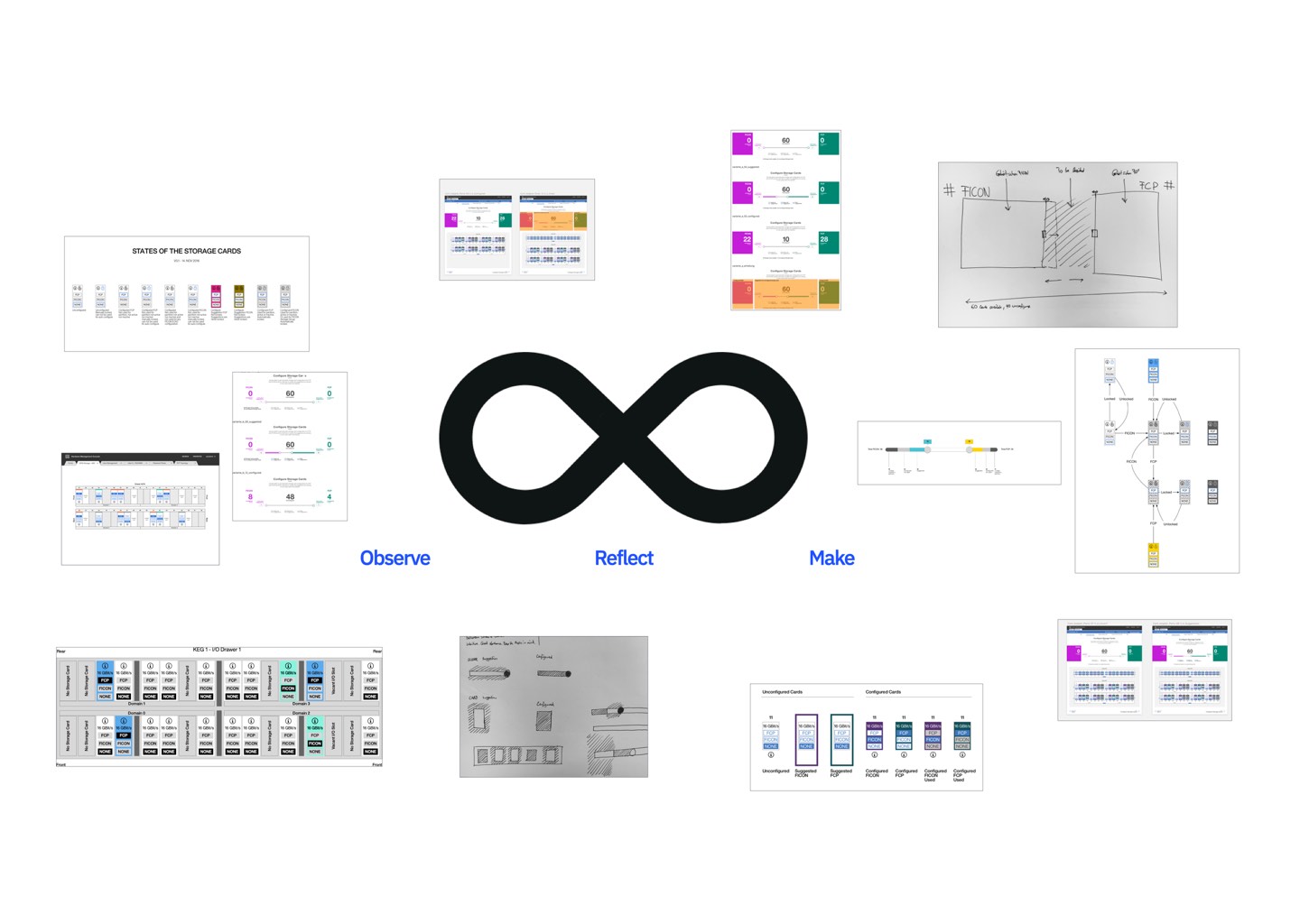
Practicing the loop.
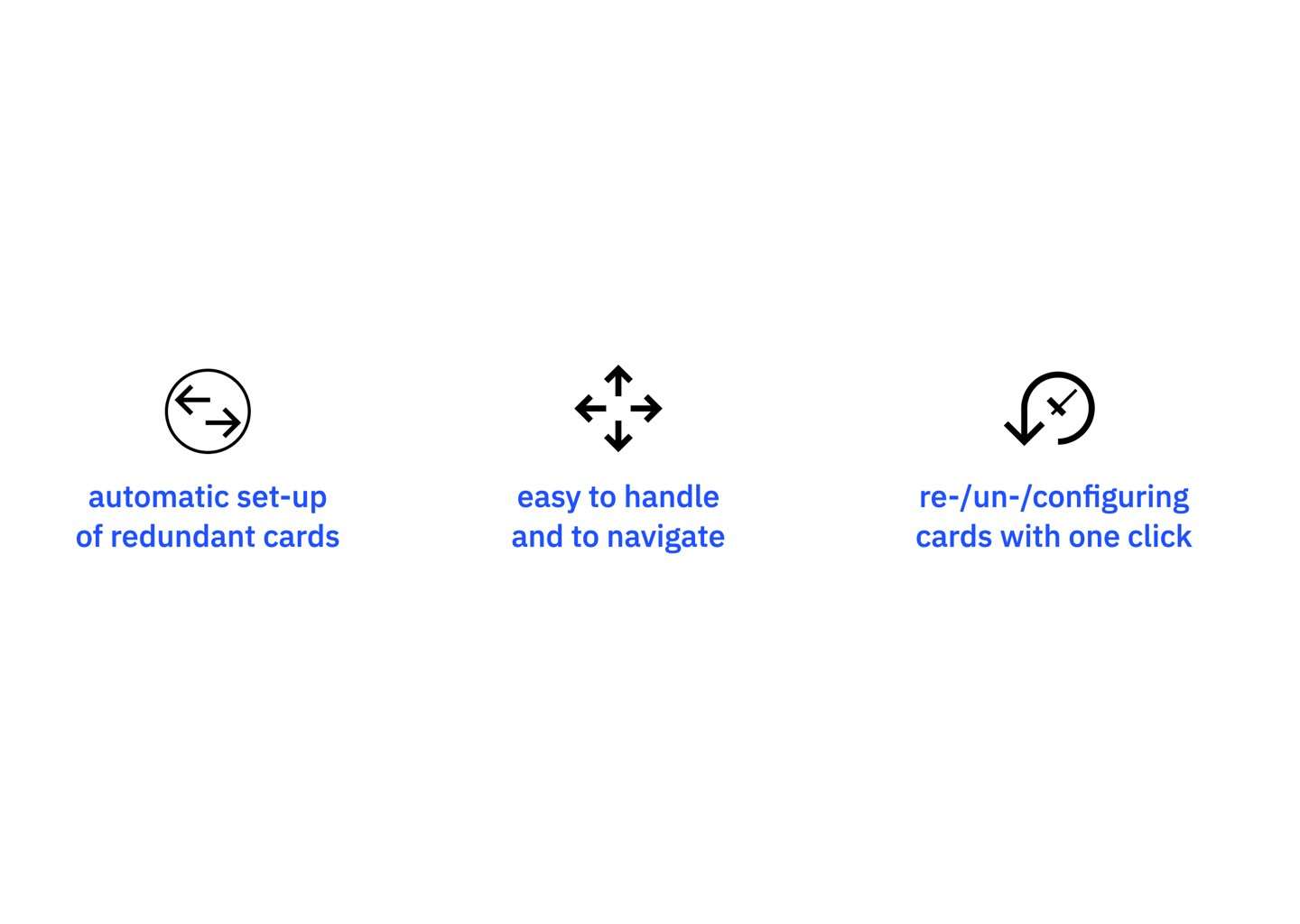
Main advantages of the new design.
Here is a video that quickly showes some of the major iterations that did happen during the Lo-Fi and Mid-Fi design phase.
After the major UX was figured out, the visual designer, Felix Herrmann came into the game. Being able to work so closely with a visual designer is really awesome. I explained to him in depth the Mid-Fi design, why the interactions and the different elements are here and what simplicity we want to achieve. He then took the design and put another layer of innovation on top of it, and translated the experience into a Hi-Fi design. We were working in close loops to ensure that nothing UX figured out got reduced by radical visual design and ensure we are still addressing all the needed level of information. Below, there are two screens of the end result. Our customers loved the simplicity of the Configure Storage Cards. We ensured that everything that makes the Mainframe strong was ensured by how the experience was designed.
«I do not need to care about the different protocols, I can tell the system what I need, and it configures everything for me. This is really amazing.»
Mr. *** / FI-TS
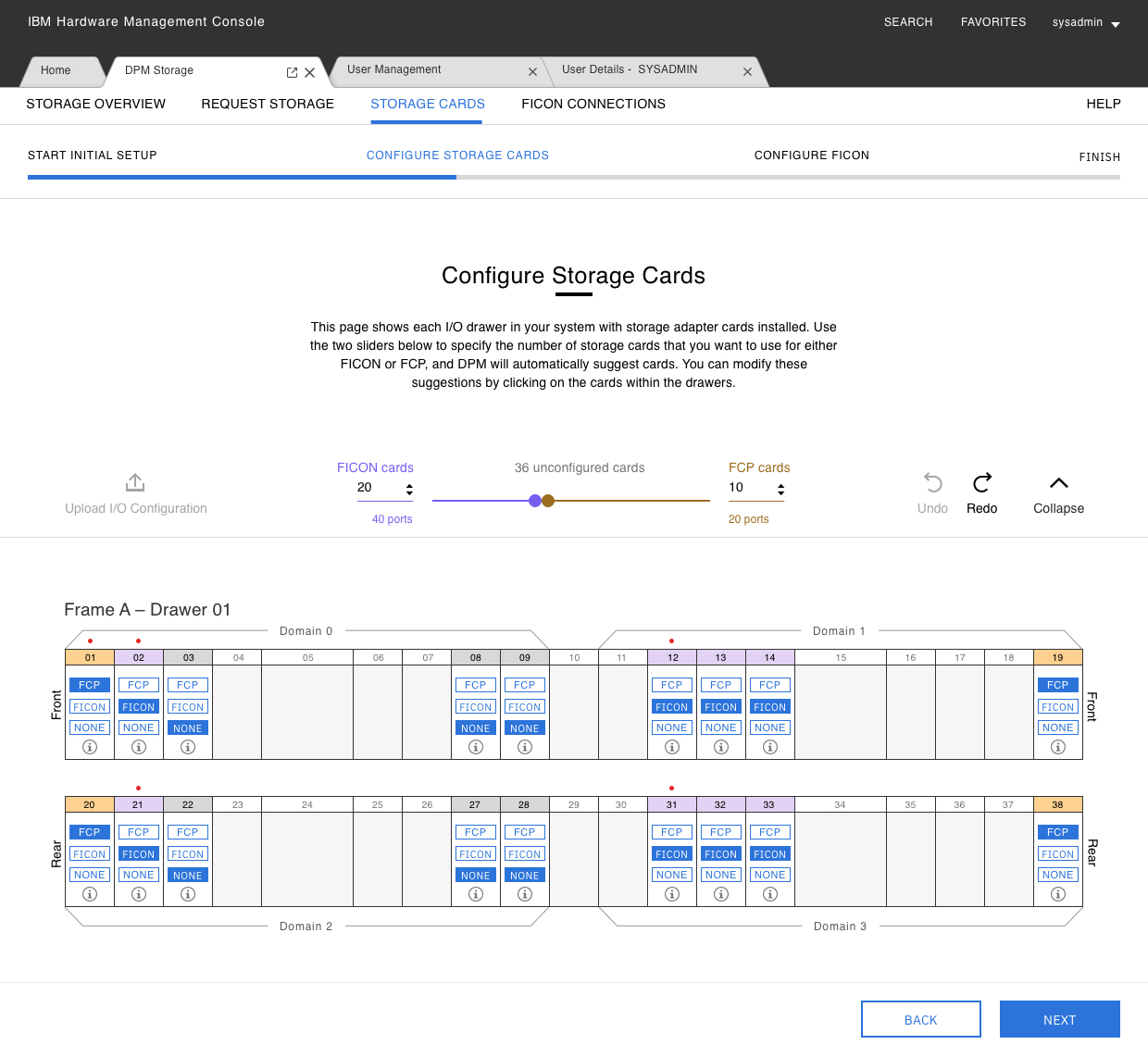
The «Fusebox» is done and able to be configured.
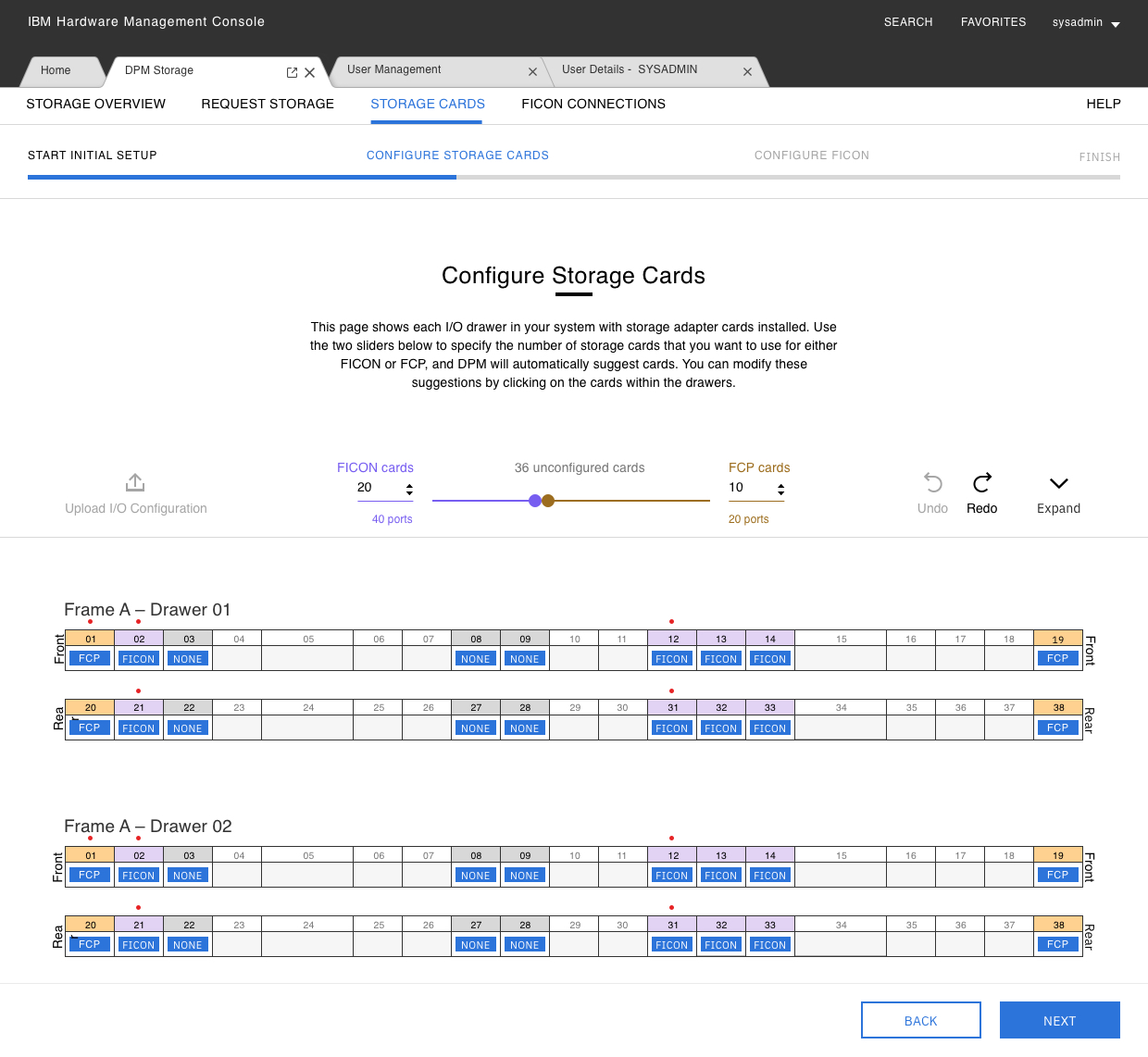
Here is the collapsed and scalable version.
Design Decisions
1. Offer Adele a simple interaction element to communicate to the system what she needs to have. Let the system choose the best possible solution to her needs since it knows the best (redundancy, availability) combinations.
2. Offer a physical representation of the drawer layout to help enable a manual set-up for the expert user and an educative approach for the novice to show how the configuration algorithm and the redundancy concept works.
3. Configuring a storage card should be as easy and effortless as switching a fuse from off to on within one hit in a fusebox.
Project impact
As an endnote, the configure storage cards, aka FuseBox experience, has been extremely successful in the DPM offering.
1. Reduced configuration time by 87%.
2. Automated redundant configurations.
3. Novice-ready
A novice system administrator can now do the same job as an experienced administrator. With that, the platform stays relevant to companies who are investing in new talents. The new experience also ensures that the redundancy and availability concepts are applied in an automatic way.
The concept needed to get scaled several times due to hardware changes. Adele still enjoys configuring storage adapter cards in a protocol-agnostic and unified way with confidence.
More experiences
The «fuesebox» experienceProduct Design
The art of changing a mental modelDigital product design
Interconnecting over 120'000 usersDigital product design
A unified storage experienceDigital product design

Alter a seller's mindsetEducation

AI ProjectAI Design

