The art of changing a mental model
FICON ECKD storage experience.
Summary: Even the most experienced system administrators were afraid to touch a FICON ECKD storage configuration. We delivered a new experience with a different underlying mental model that enables a novice system administrator to successfully set-up a valid FICON configuration.
___
Year: 2016–2018
Company: IBM Deutschland GmbH
Project: Configure Storage is part of the Dynamic partition manager offering.
Set-Up: I was part of one of the first design team for IBM Z. We were 1 UX (me), 2 visual and one user researcher. The team was collaborating with Offeringmanagement, Engineers, Users and content people. The offering had its general availability (GA) in 2016.
The challenge
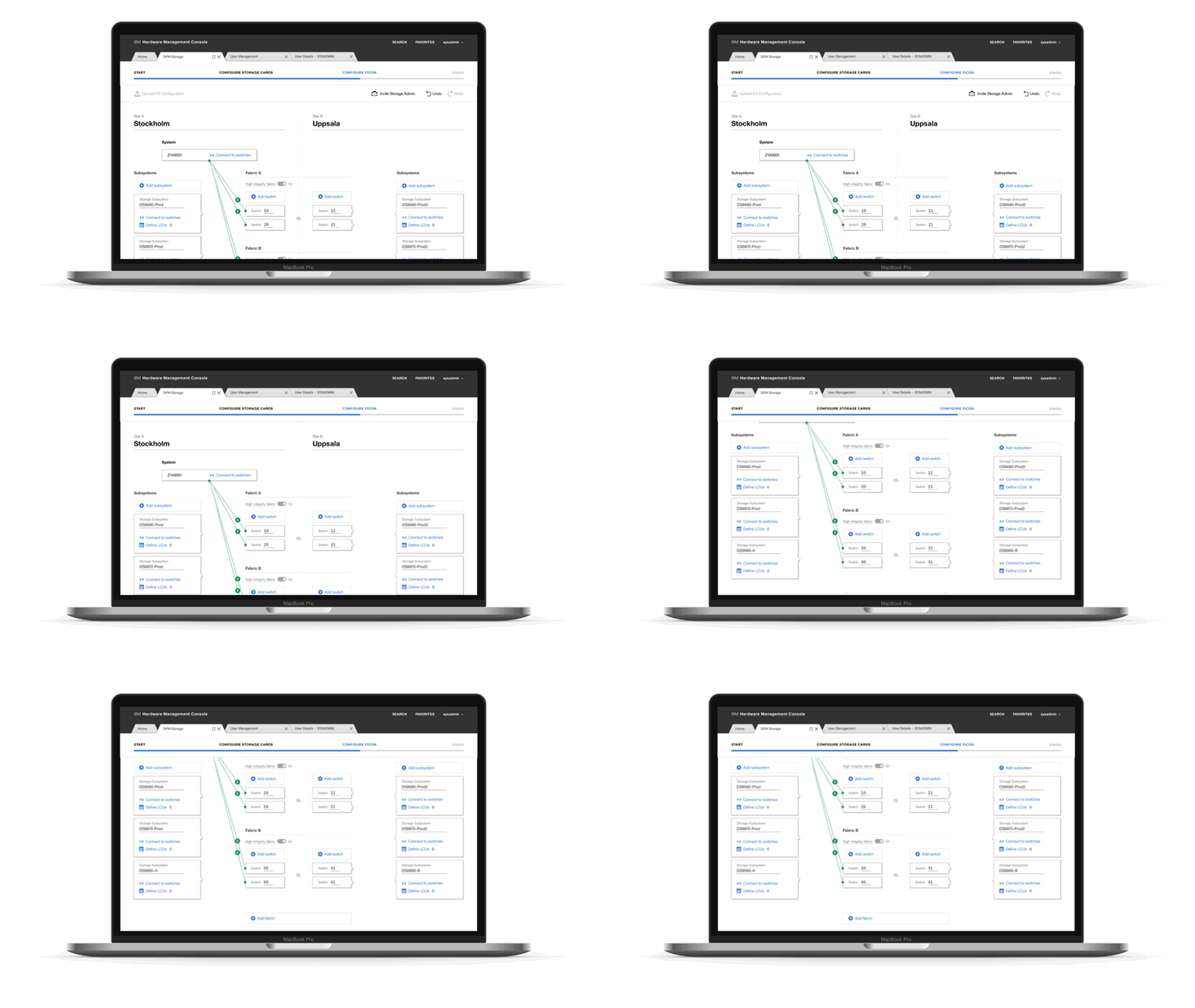
Adele our novice system administrator is working on the IBM Mainframe (server) and needs to set-up storage to attach it to partitions for her end-users. She is operating the application IBM Dynamic Partition Manager to deliver partitions with all its I/O configuration (Network, Memory, Crypto and Storage). So far so good. Adeles task is to enable the unbelievable complex but at the same time very powerful ECKD FICON storage protocol. In todays environment, FICON ECKD gets enabled by a very few of heavily experienced administrators sitting sweating in front of a green screen and writing connection paths, line by line. Any mistake in the connection paths will cause severe errors. They could manage to write these connections but were almost unable to change connections according to changed needs.
Our challenge is, to enable Adele (System Administrator) and if needed Sam (storage administrator) to set up ECKD FICON so that we can guarantee that this set up is taking advantage of the best possible configuration in the matter of redundancy, availability and dynamics.
«I don’t like to touch the storage topic. One typo in the IOCDS and everything
is gone.»
Expert System Administrator
Role and leadership
I am the main User Experience Designer (UX Designer) on this project. My responsibilities are the main concept and all UX design decisions and wireframes to the level of mid-fidelity. I lead the team through the heavy UX phase of the project. I worked highly collaborative with Engineers, Offering Managers, Sponsor Users (customers) and of course with the Design Team.
Below, you will find a selection of the key players working for the overall offering were the FICON Configurator was a part of it.
Design Team
Location: Boeblingen (GER)
2 visual designers, 1 UX Designer (me), 1 design researcher
Engineering team
Location: Boeblingen (GER), Andicott (USA), Phoukeepsie (USA), Bangalore (IND). There were approximately 30 enginneers working on the overall offering of Dynamic Partition Manager.
Offering manager team
Location: Boeblingen (GER)
User research
Our main persona is a novice system administrator called Adele, with very little Z experiences (storage and mainframe). A brief summary of the fully fleshed out persona is visible below.

Main persona, Adele.
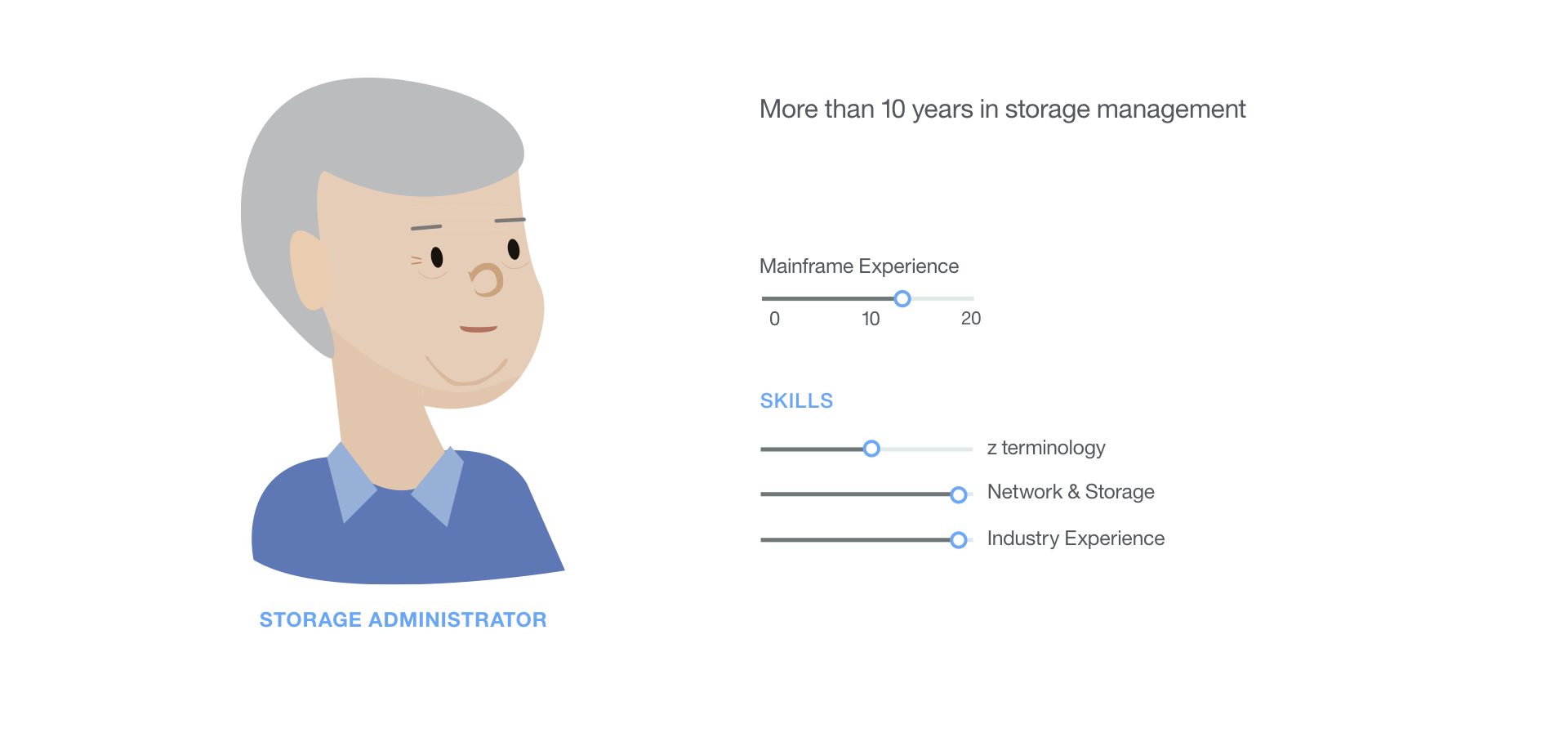
Secondary persona, Easton.
We conducted contextual interviews and learned a lot about how our users are currently setting up FICON. The System Administrators do highly collaborate with the Storage Administrators. Both are extremely experienced.
This is the As-Is in a nutshell. There are mainly 3 important steps to do:
- Draw the storage layout on a paper to gain an overview.
- Try to anticipate over how many Fabrics (Logical group of Switches) to how many Storage Subsystems you need to have connections.
- Write, line by line paths from the Mainframe Storage Adapters over the Switch Ports in the Fabrics until the Logical Control Units (LCU) in the Storage Subsystem where you the user creates volumes.
We conducted a good amount of user research but for the sake of this project summary, I will only show the synthesised key research.
Analyze pre-work
A few designers and engineers tried to reimagine the user experience of setting up FICON. They created a so-called «FICON Editor» with the advantage of having a graphical user interface with visual cues on how to set the paths in a correct way and to prevent mistakes instead of a line by line green screen interface.
The «FICON Editor» has a particular advantage for our users. They are not getting nervous if they have to touch FICON configurations, but it did not solve their main pain points. It is still a static configuration which can not cope with dynamic changes. It is just not cloud-ready. A novice user can yet not set up FICON in a valid way or optimized on availability and redundancy. Even very specialized users are not able to make educated decisions on adjusting paths to changing needs. Another problem is the speed. It takes for ages to replicate FICON paths because the mental model is path-based.
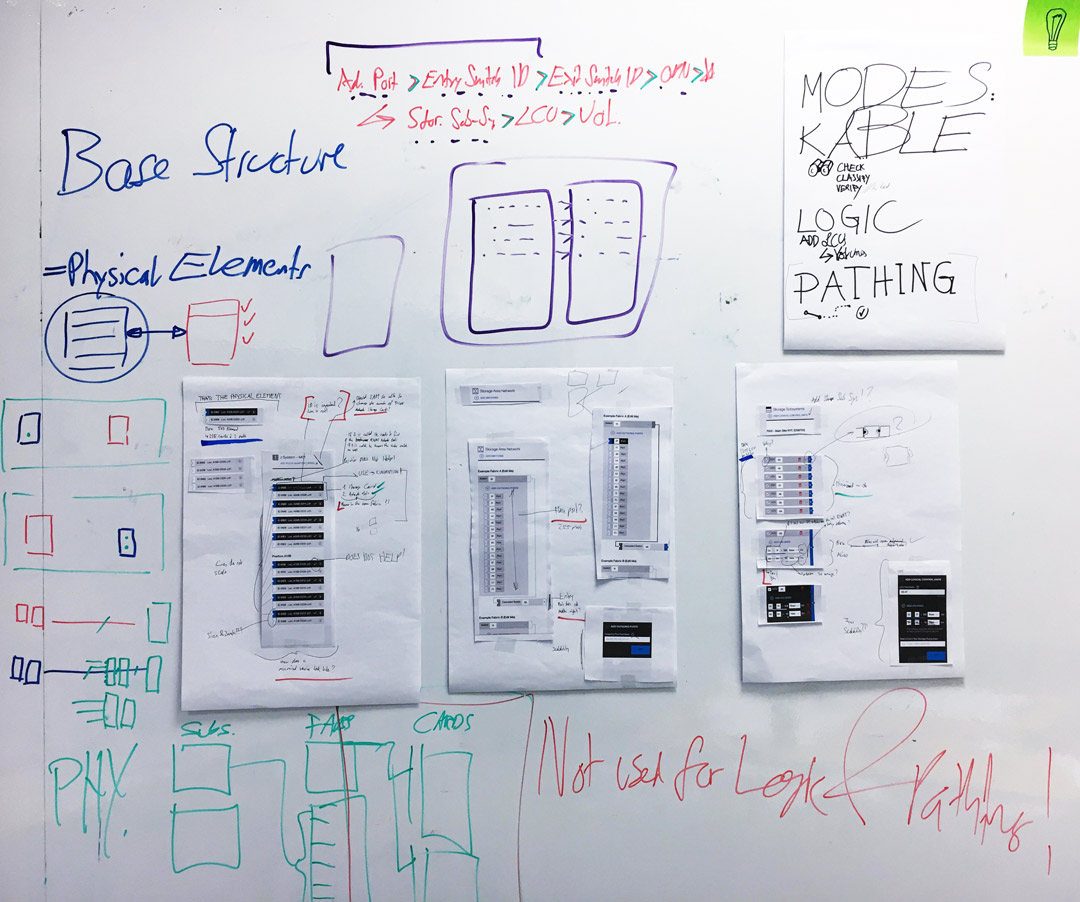
I analyzed the first shot UX wize with all its patterns.
LOOP TILL IT WORKS - BREAKTHROUGH
After my analysis and the recognized pain points and the user feedback, we knew we had a problem. Therefore my design lead and the engineering lead asked me to give FICON my full attention. So I went through the whole available user research to see behind the synthesized user needs to better understand the expectations and the pain points. I recreated an environment of Sam the Storage Guy to get a feeling for him.
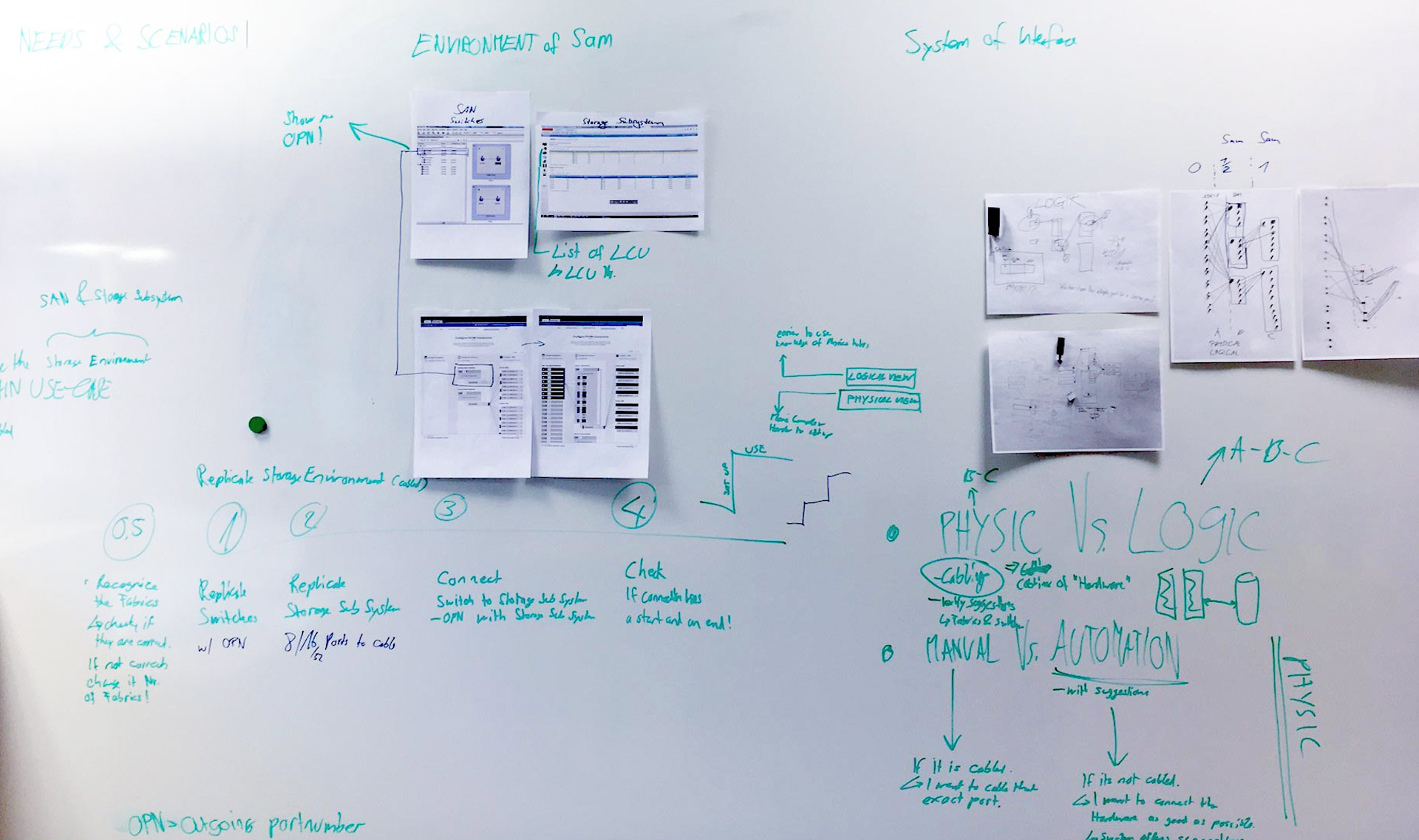
Understanding how everything is connected.
Breaking the As-Is down via user journey. Group and categorize elements and form them into steps. Find the pattern for potential automation and where we really need user input or what we could interpret by analyzing available data. The pieces of information the FICON protocol needs is not the full picture of the storage environment a Storage Administrator would need to plan a storage set-up. This was a very important step to understand that we do deliver a FICON enablement and not a storage planning tool.
Playing around with the As-Is showed some potential for optimization and we could reduce steps but was still not a breakthrough. It was pretty hard to get away of the path based mental model since literally everyone thought in that way.
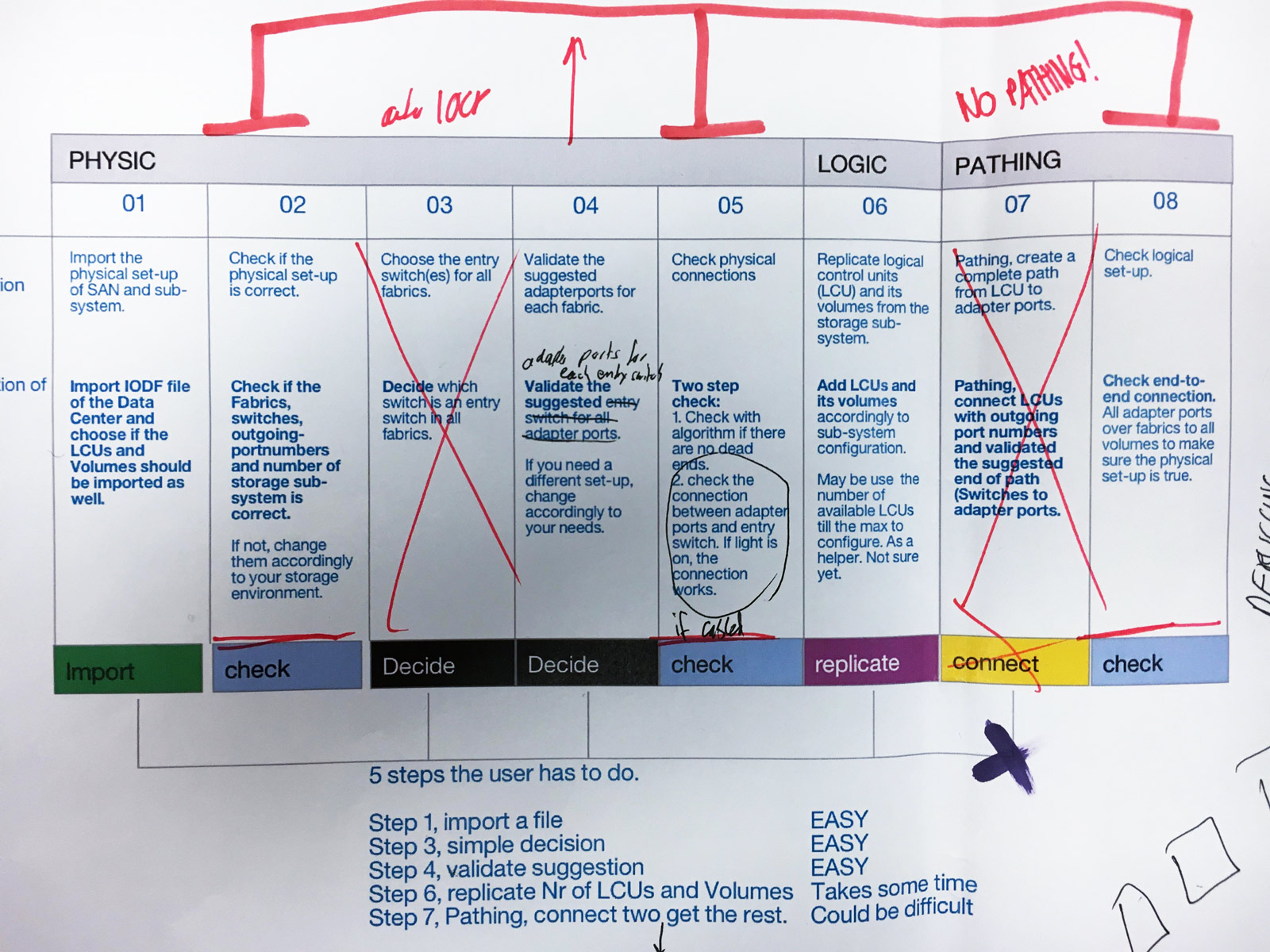
Automate where ever it is possible.
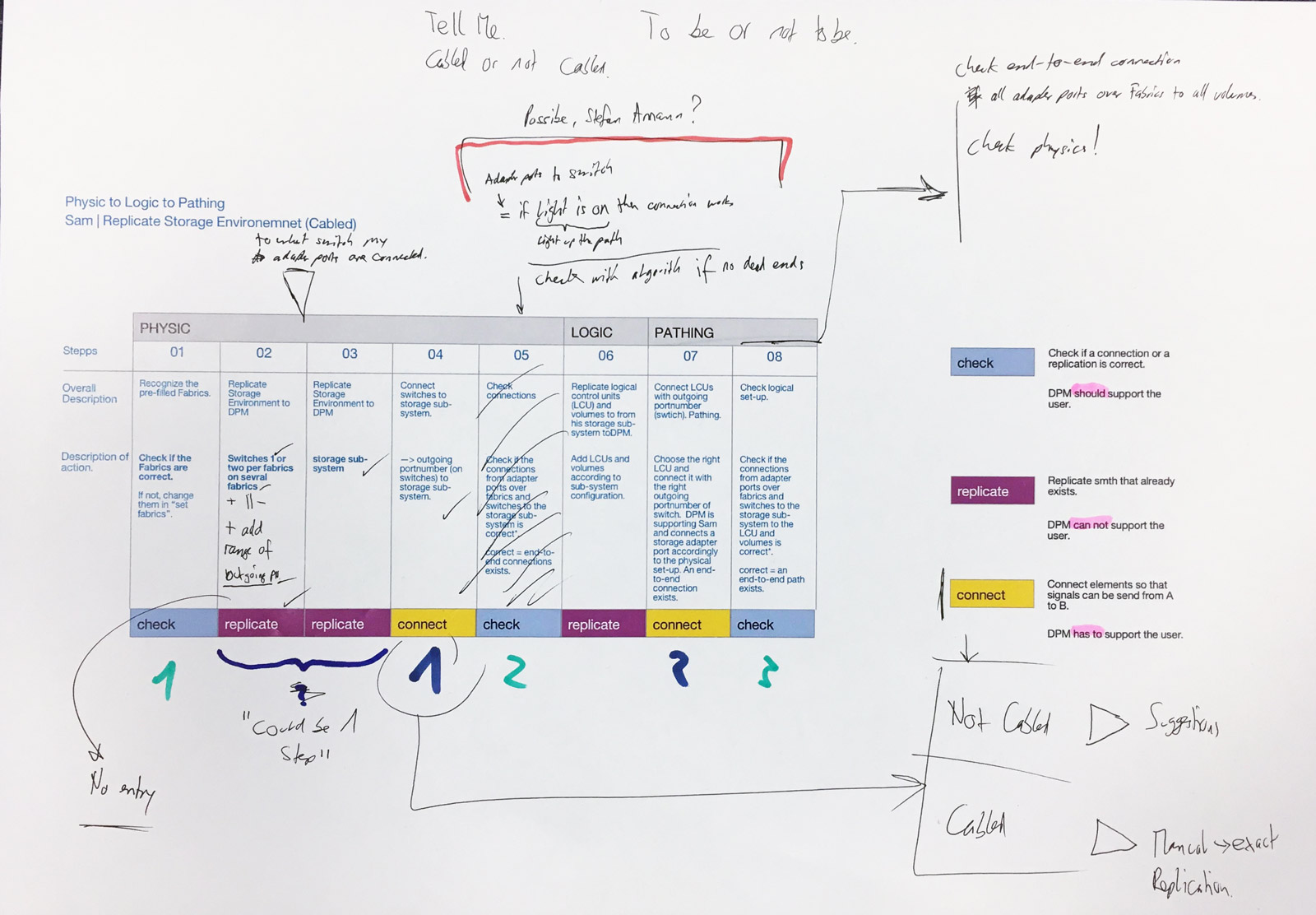
Categorize steps and reduce them.
THE ART OF CHANGING A MENTAL MODEL
I tried lots of different metaphors, and none of them did fit. I had a picture in my mind that involved bright shining ants running the fastest possible way through the underground ant system. Try to explain that to a fellow designer that they should think in ants - pretty hard.
Our design war room was in the cellar in building 19, where all the engineers are sitting. Sometimes I take the way through the basement from building two to building 19. It is like a maze with water pipes on the ceiling. At some point picked Ondrej Homolas brain (fellow UX designer) to use him as a punching bag to play around with metaphors and systems. We walked together through the basement and tried to explain the challenge via the pipes on the ceiling. Since FICON is very complicated, it was not easy to kick start him. After the session with Ondrej, something did start to trigger my mind. In the same afternoon just after another sponsor user interaction. I stood in front of the whiteboard, having all needs and conditions in front of me. I started to play around with the metaphor of a sluice system. It began to fit and it made lots of sense. What if all the elements (mainframe, switches, storage) would get physically connected via pipes and every pipe has a sluice. Then you open all the sluices and now, someone has to decide over which pipe the water should be pumped through and this decision would be made out of availability and redundancy.
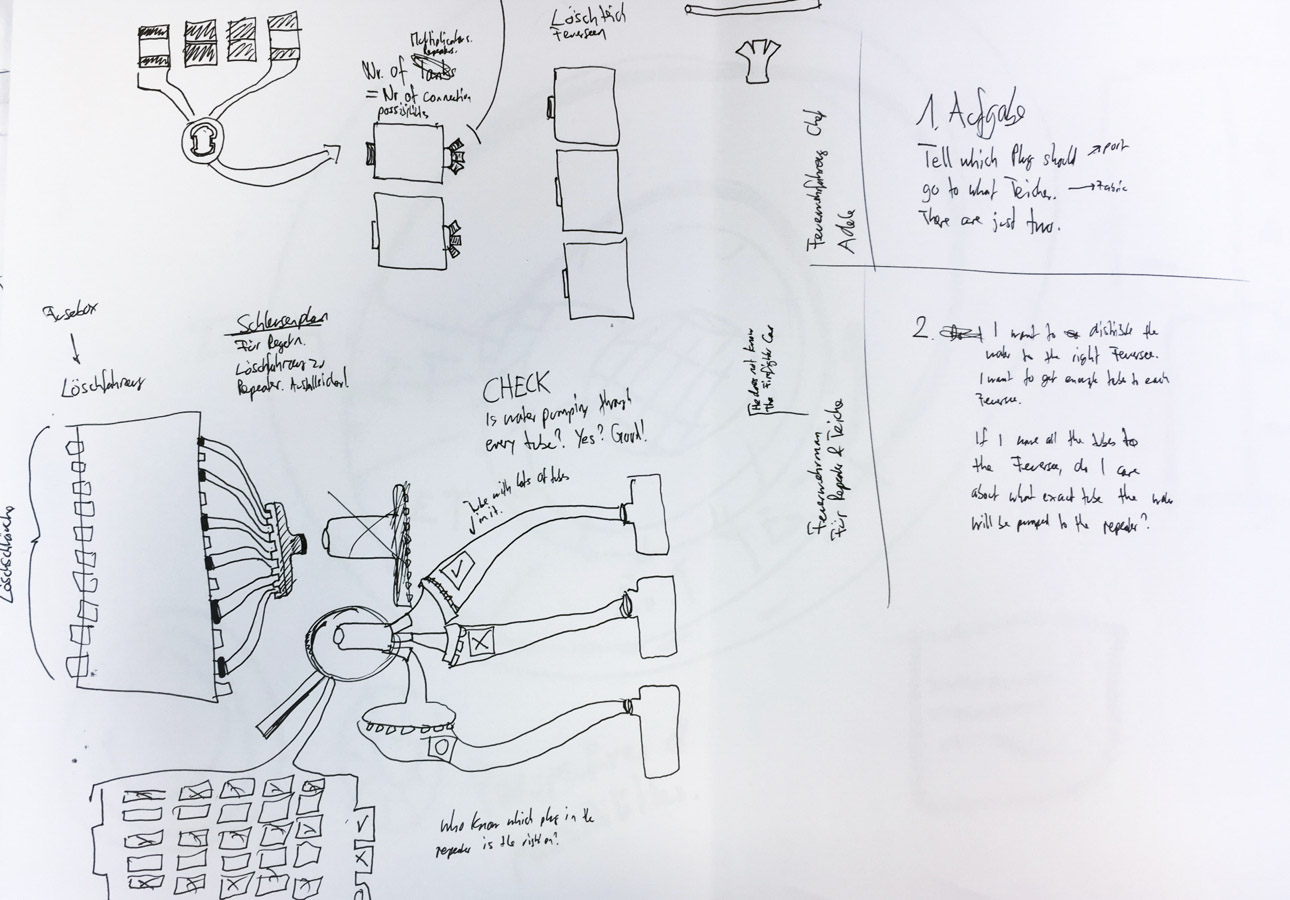
A rush of blood to the brain and the sluice system metaphor was born.
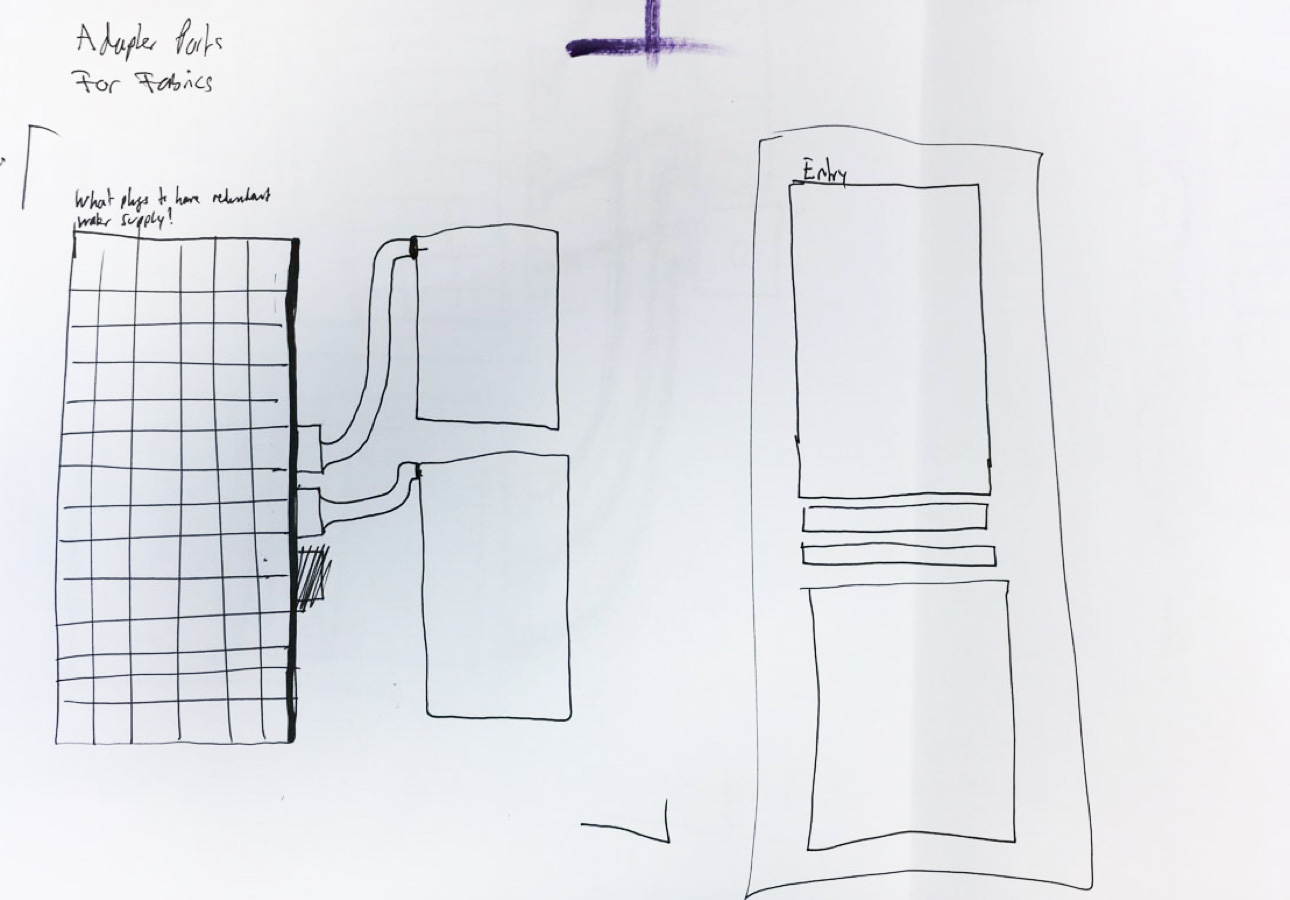
Stage one, the complicated port to fabrics distribution.

A user can now quickly qork with the logic itself.
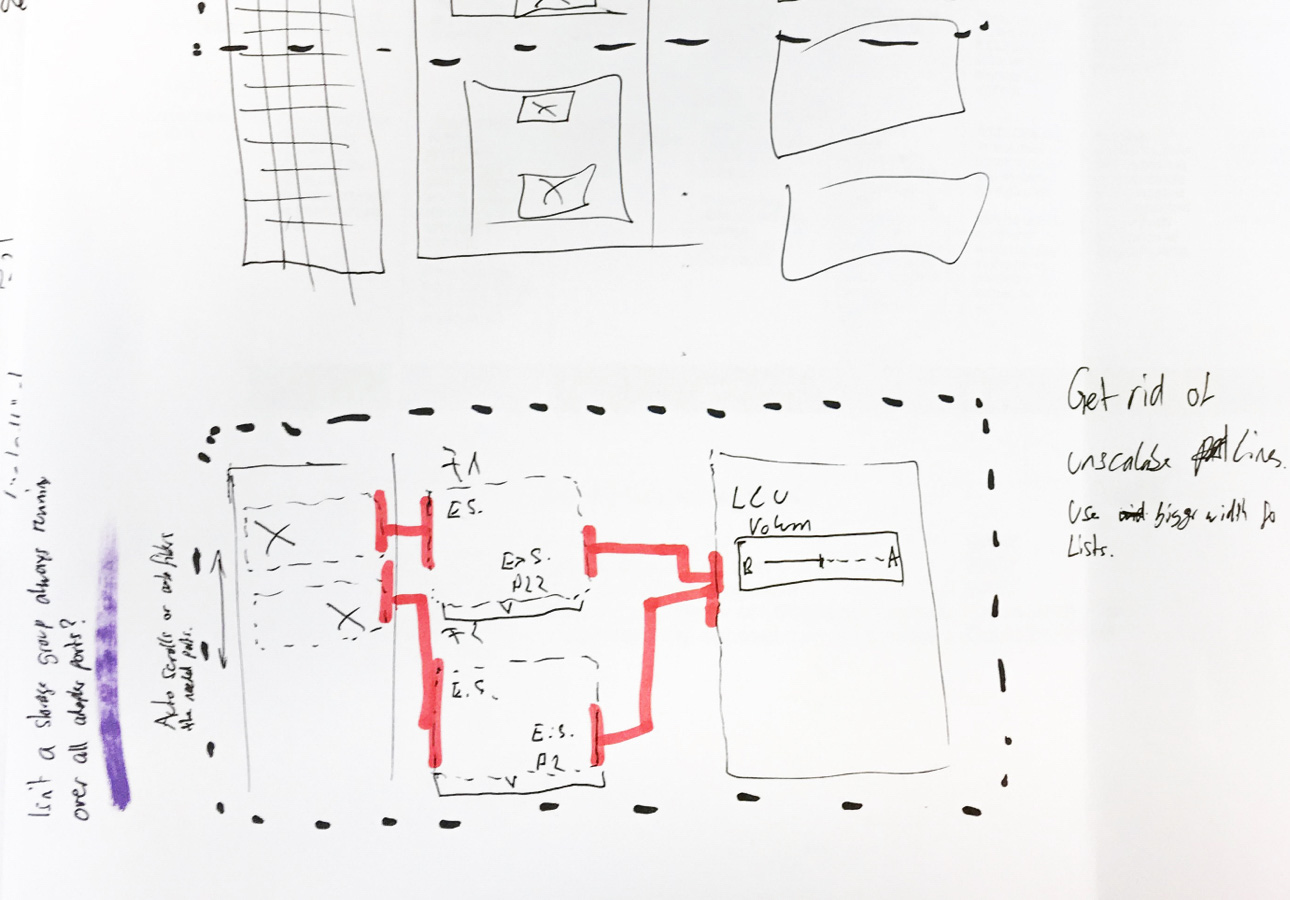
The system finds now the best path possible.
This was the start of radically changing the FICON experience. We renamed it from FICON Editor to FICON Connections, since we have a sluice based mental model, we were able to offer automated dynamic changes. For example, a storage adapter gets reconfigured and is no longer available, FICON Connections would automatically adapt to this change and would reassign paths to a different storage adapter optimized on redundancy and availability. Early concept user tests showed that the new mental model works and our users loved it. As a design team we started iterating on the new experience to get all details nailed down.
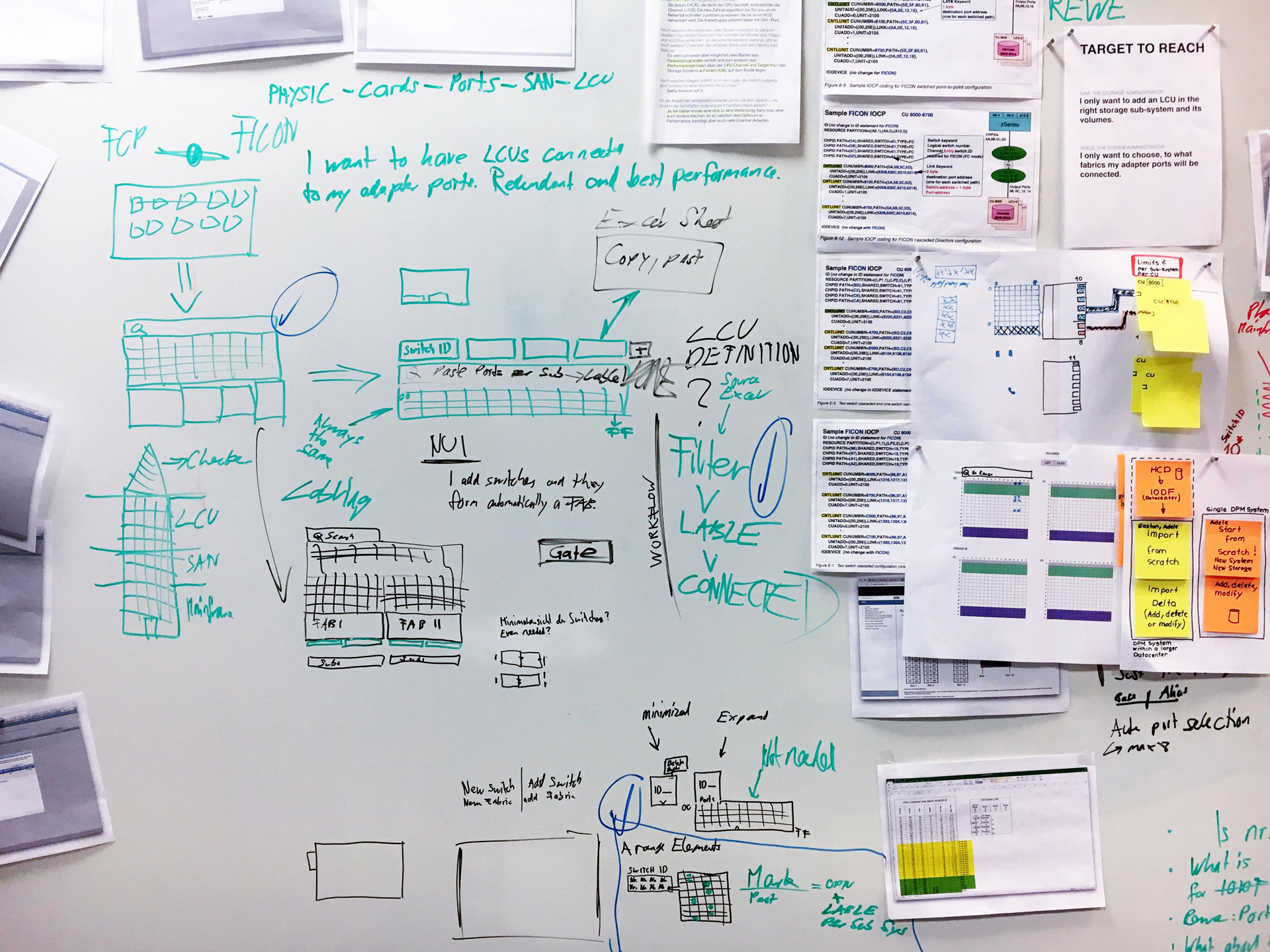
Cracking the logic. On the right side there are all tech requirements.
The concept in a nutshell
Once the new metaphor was in place and everything made sense, we quickly tested the current state with users to see if our new thinking resonates. It truly does which was amazing. Below you will see how the three stages play together to achieve a successfull FICON set-up.
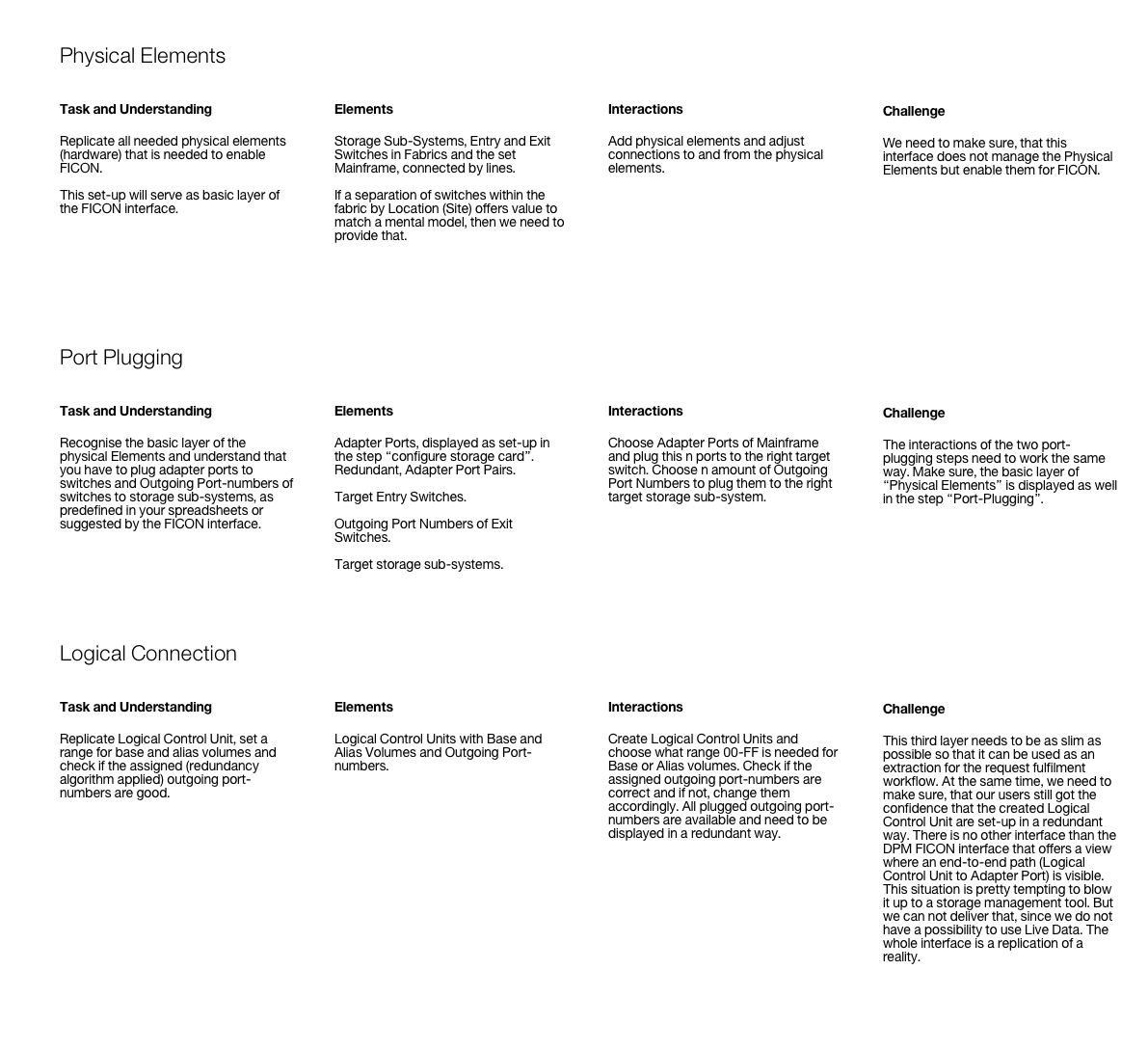
Description of the three layers.
Lo-Fi and Mid-Fi selection
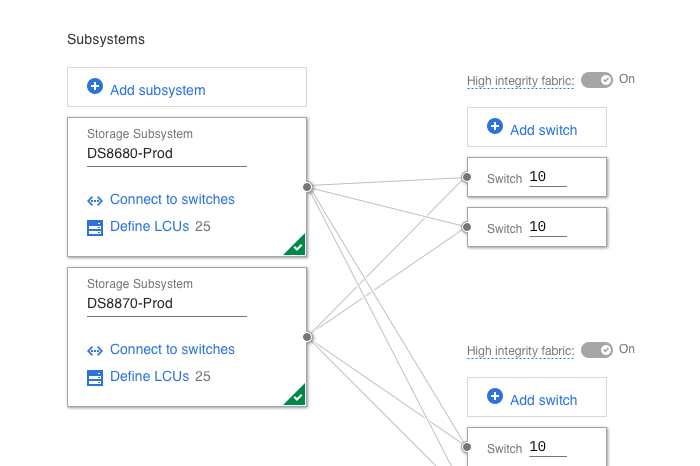
Configure FICON has three different main layers. The first is the physical set-up where a user places the subsystem, fabrics and switches. In the second layer, a user would distribute storage adapters and connects everything physically. In the 3rd layer, a user can run the logic over the physical set-up and does not need to worry anymore about changing the physical set-up since that can scale easily.

Lo-Fi, physical elements 01
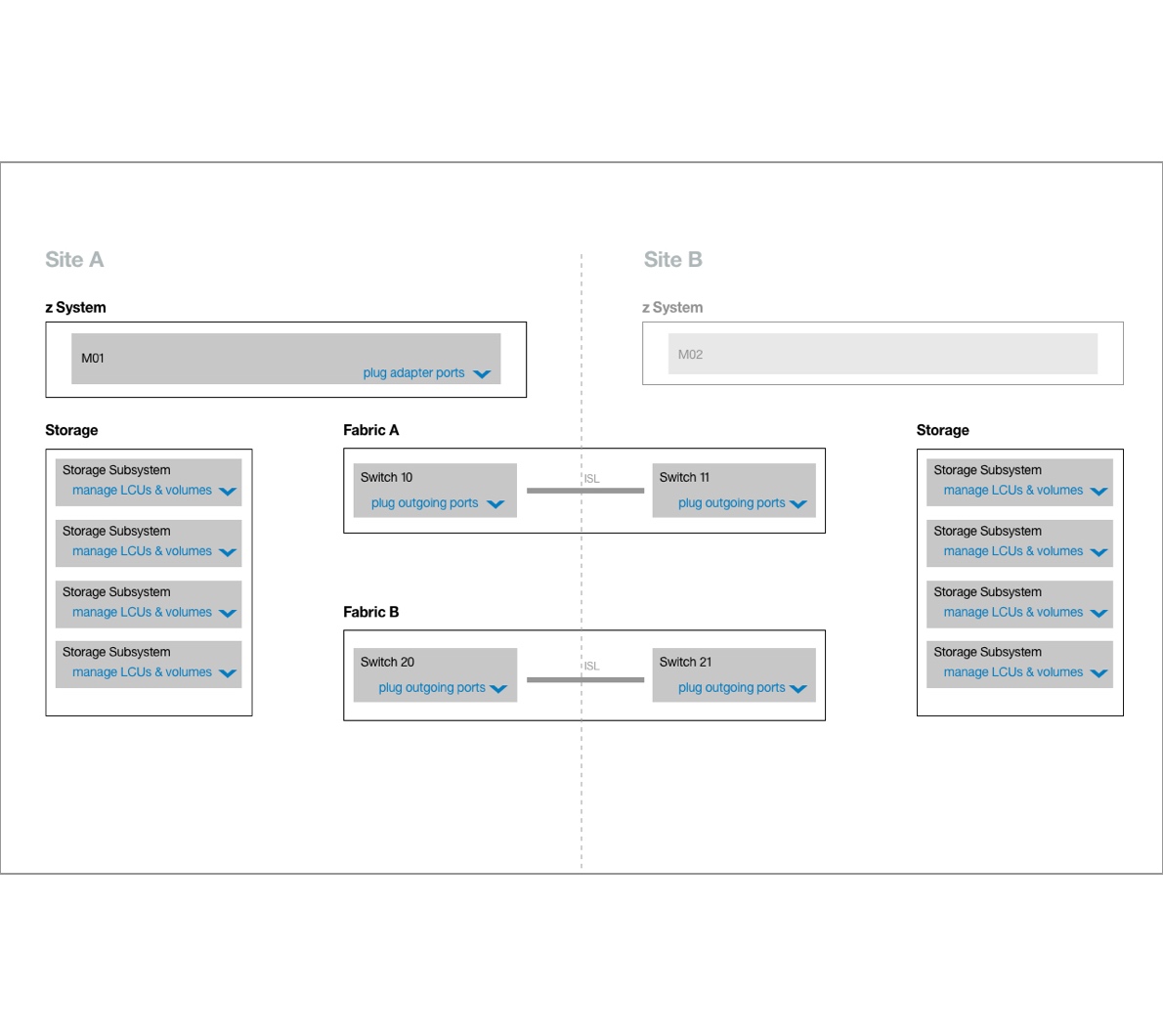
Mid-Fi, physical elements 01

Mid-Fi, physical elements 02

Mid-Fi, physical elements 03

Lo-Fi, Mainframe to switch 01

Lo-Fi, Mainframe to switch 02
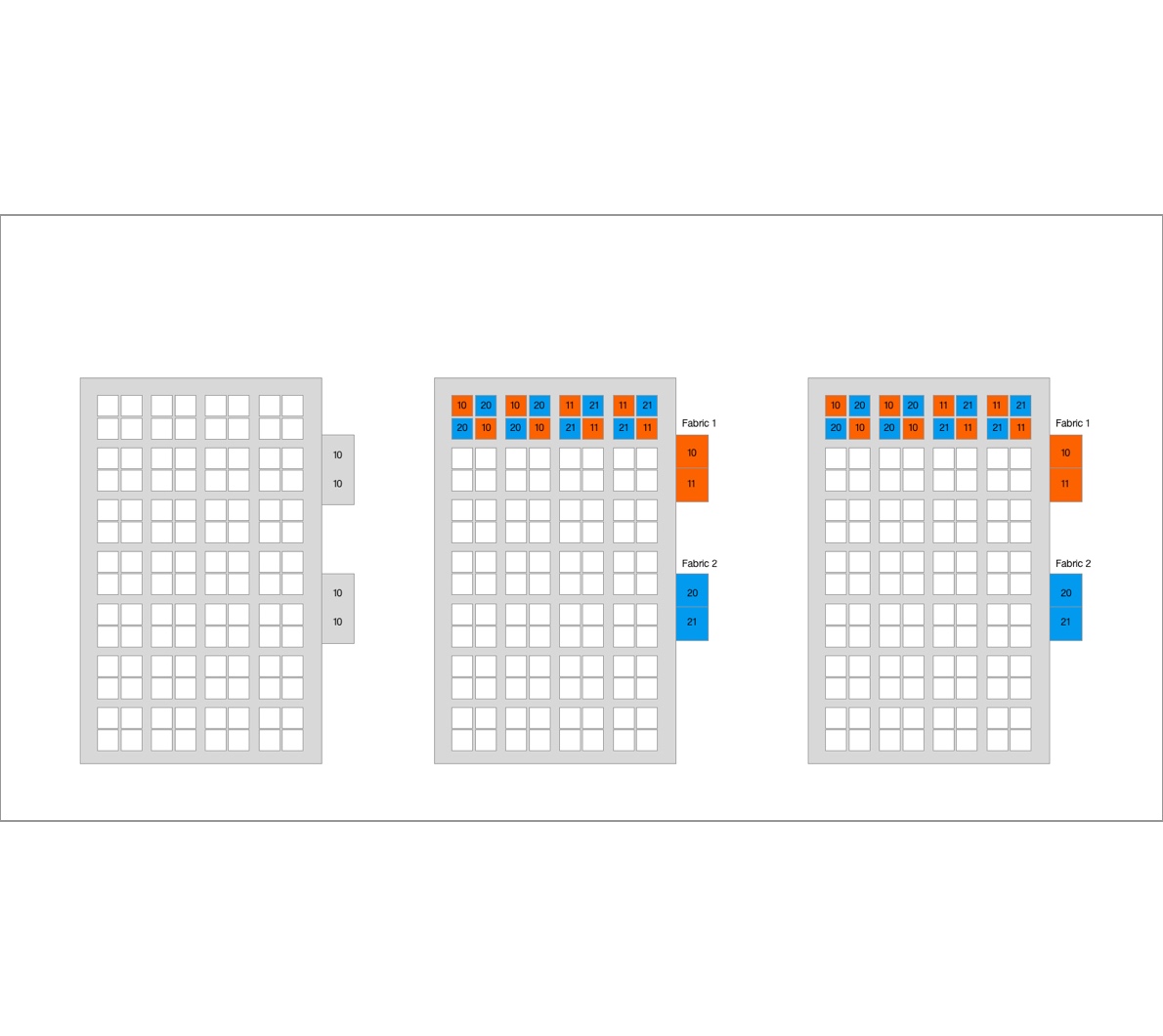
Lo-Fi, Mainframe to switch 03
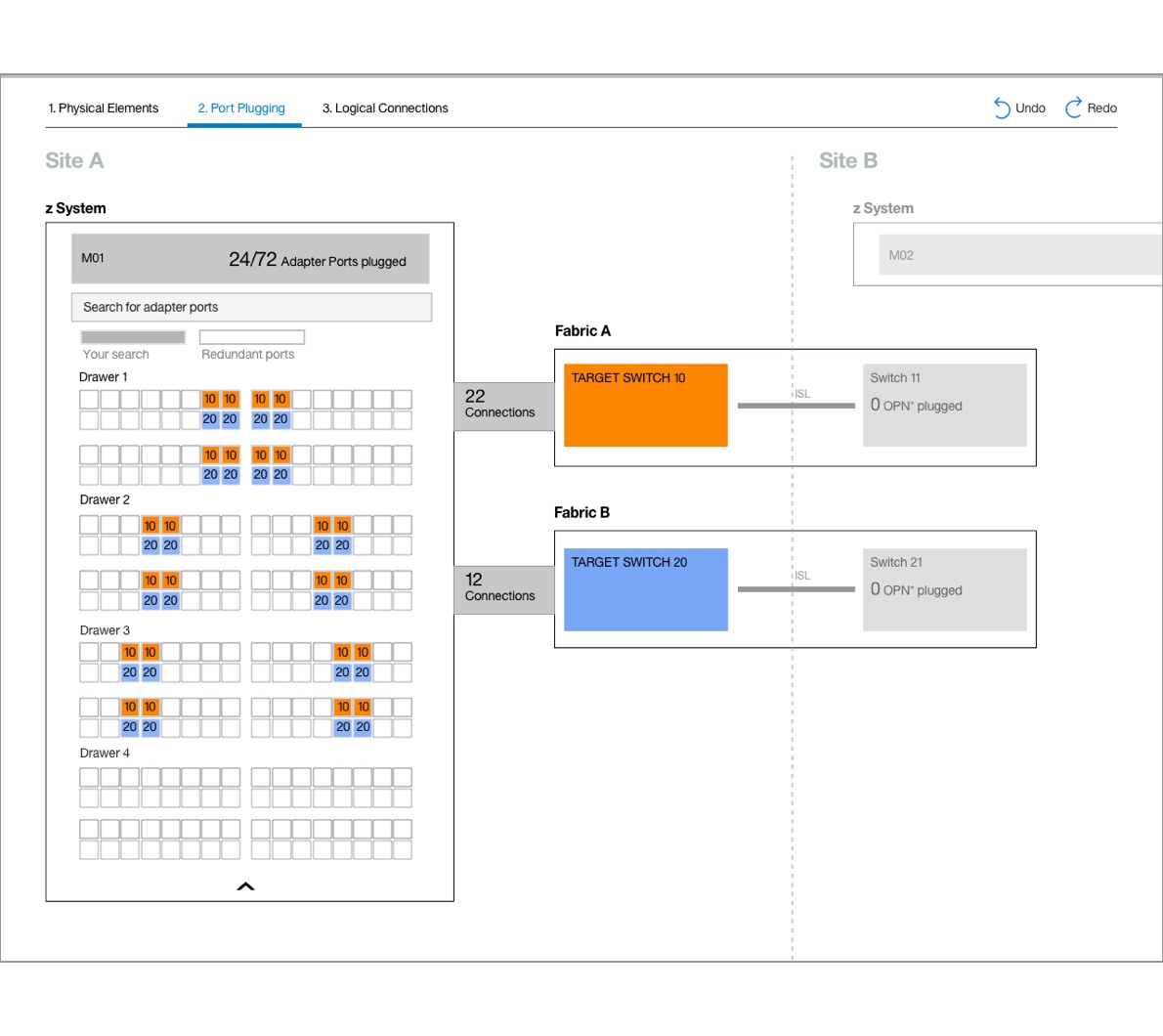
Lo-Fi, Mainframe to switch 04

Mid-Fi, Mainframe to switch 01
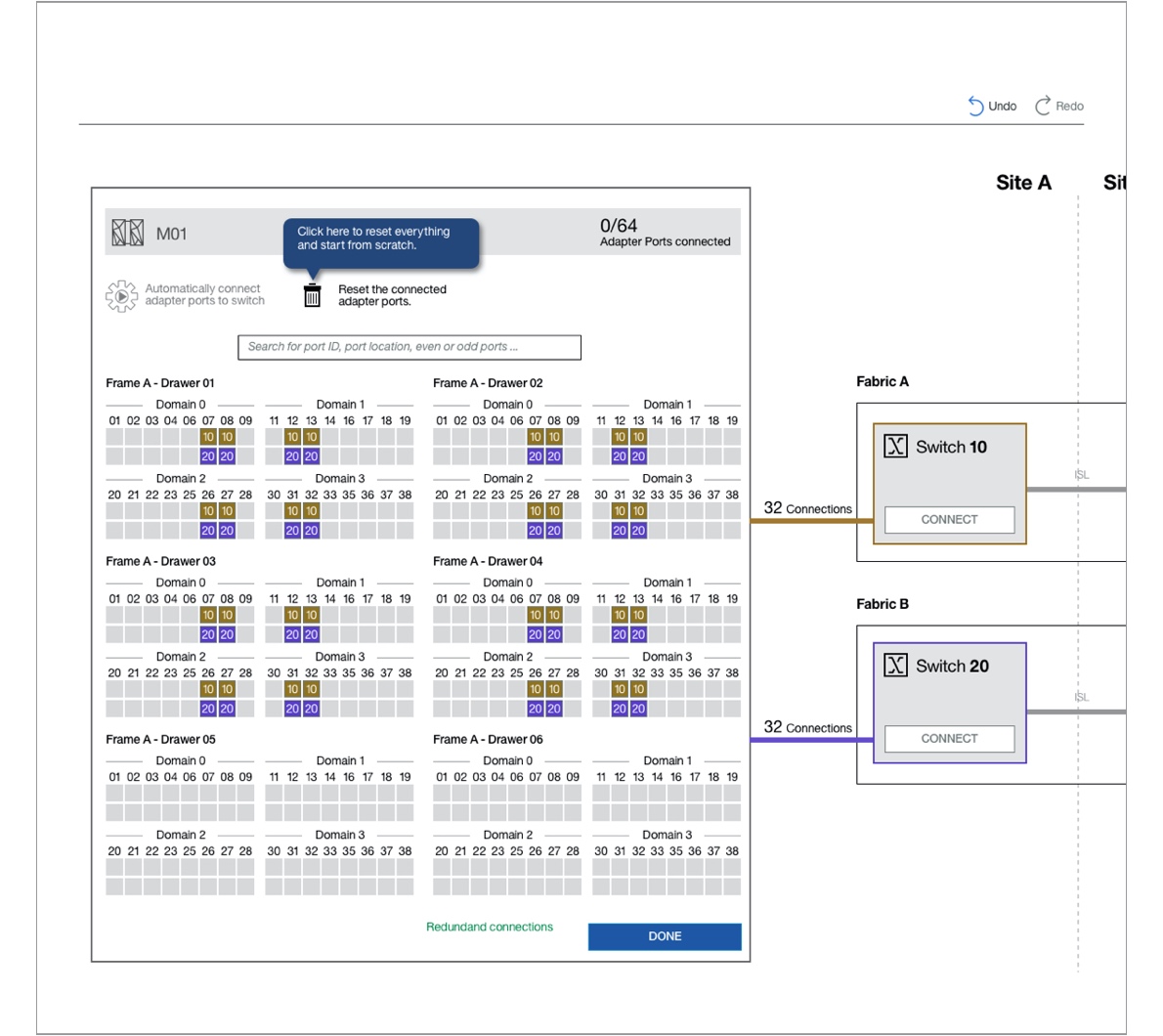
Mid-Fi, Mainframe to switch 02

Mid-Fi, Storage to switch 01

Mid-Fi, Storage to switch 02
See final design in action
The visual designers translated the Mid-Fi Wireframes into the final design. A just in time tool tip concept helps the user to walk a steep learning curve. First he needs to replicate all physical elements.
In the video below you will see two set-ups from scratch. The first one shows a set-up with fabrics and the second one is a direct connection between the Mainframe and the Storage Subsystems in its data centers.
More experiences
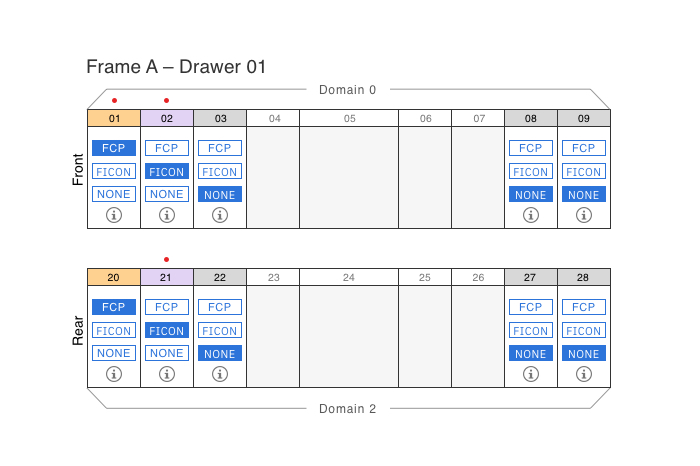
The «fuesebox» experienceProduct Design
The art of changing a mental modelDigital product design

Interconnecting over 120'000 usersDigital product design
A unified storage experienceDigital product design

Alter a seller's mindsetEducation

AI ProjectAI Design

