A unified storage experience
Dynamic partition manager 3.1
Summary: Successfully crafted and delivered a unified storage experience for Dynamic Partition Manager (DPM) that enables two very specific and complex storage protocols for DPM so that a novice system administrator can confidently administrate storage and leverage all the power of the Mainframe.
___
Year: 2016–2018
Company: International Business Machines (IBM)
Project: IBM dynamic partition manager 3.1 Z14 mid-range
Set-Up: We are a design team of 4 designers: two visual designers, one user experience designer, and one user researcher. We were collaborating highly with engineers, offering managers and customers.
The challenge
Imagine a novice system administrator with minimal experience when it comes to administrating storage and a mainframe. Let's call her Adele.
Her main task is to provide partitions with the needed I/O configuration like processors, memory, or crypto cards. So far, so good. A partition always needs a place to save data - storage. Her biggest challenge is to enable storage for a partition. There are two very different protocols available, FCP and FICON. These protocols have significantly different needs and require a fast amount of domain knowledge. Adele is a young administrator used to the cloud and shocked how static and cumbersome the storage is. She simply just wants to provide storage for her partitions.
Our challenge is to provide a unified storage experience from the initial set-up until the termination experience. So that Adele can confidently administrate storage for her environment.
Proejct background
The Mainframe is the most capable Server available in the industry. In earlier times, it helped shoot a man on the moon and is todays backbone of the global flight booking system, guarantees data security for banks and generally helps out where high transaction need are available.
The dynamic partition manager (DPM) enables the system administrator of the Mainframe to distribute all I/O cards (storage, network, crypto etc.) to partitions so that an end-user can run his operating system on the most capable hardware when it comes to redundancy and availability.
Storage is rarely directly connected to the Mainframe but over cables into a data center, where all the storage subsystems are available.
In a nutshell, our job is to enable two very distinct storage protocols as a unified storage experience.
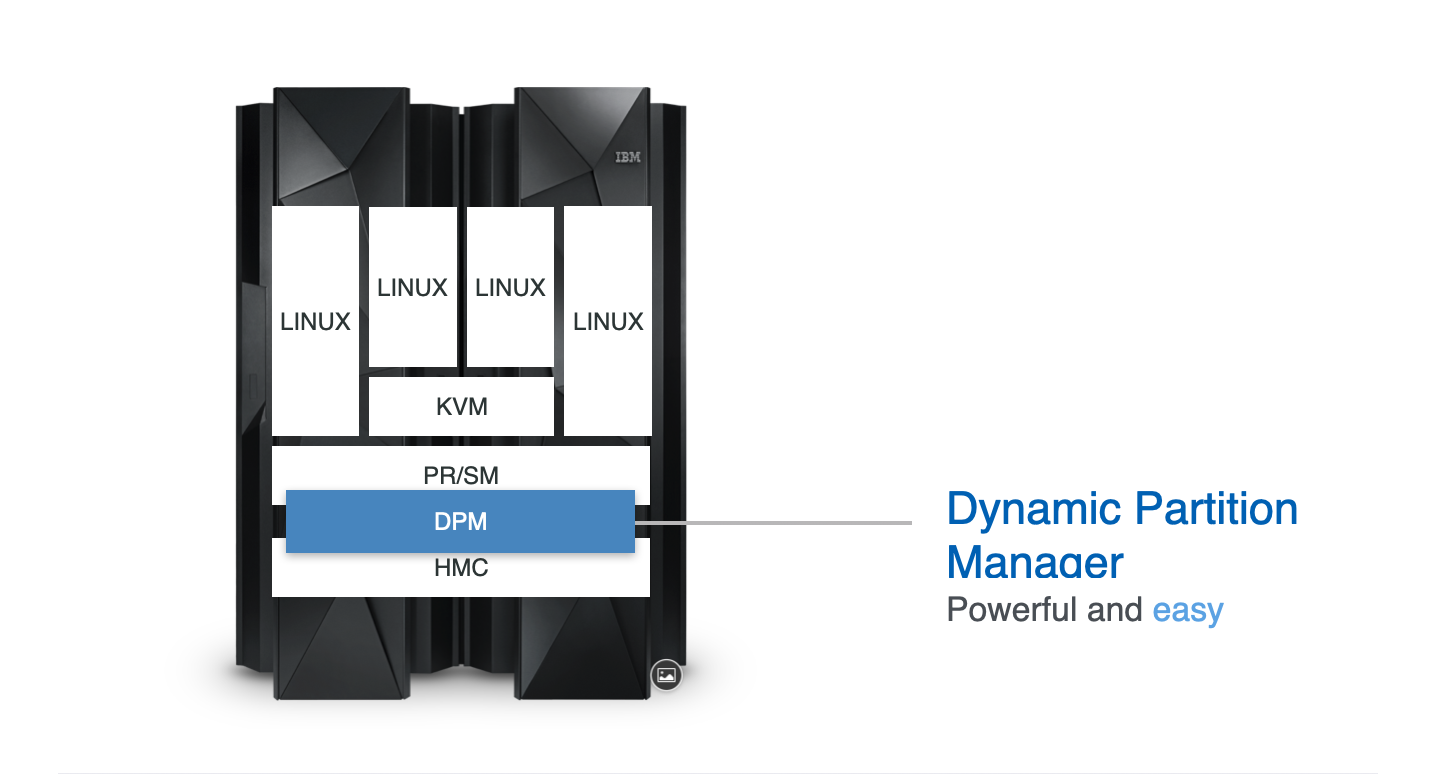
The dynamic partition manager sits here in the stack.
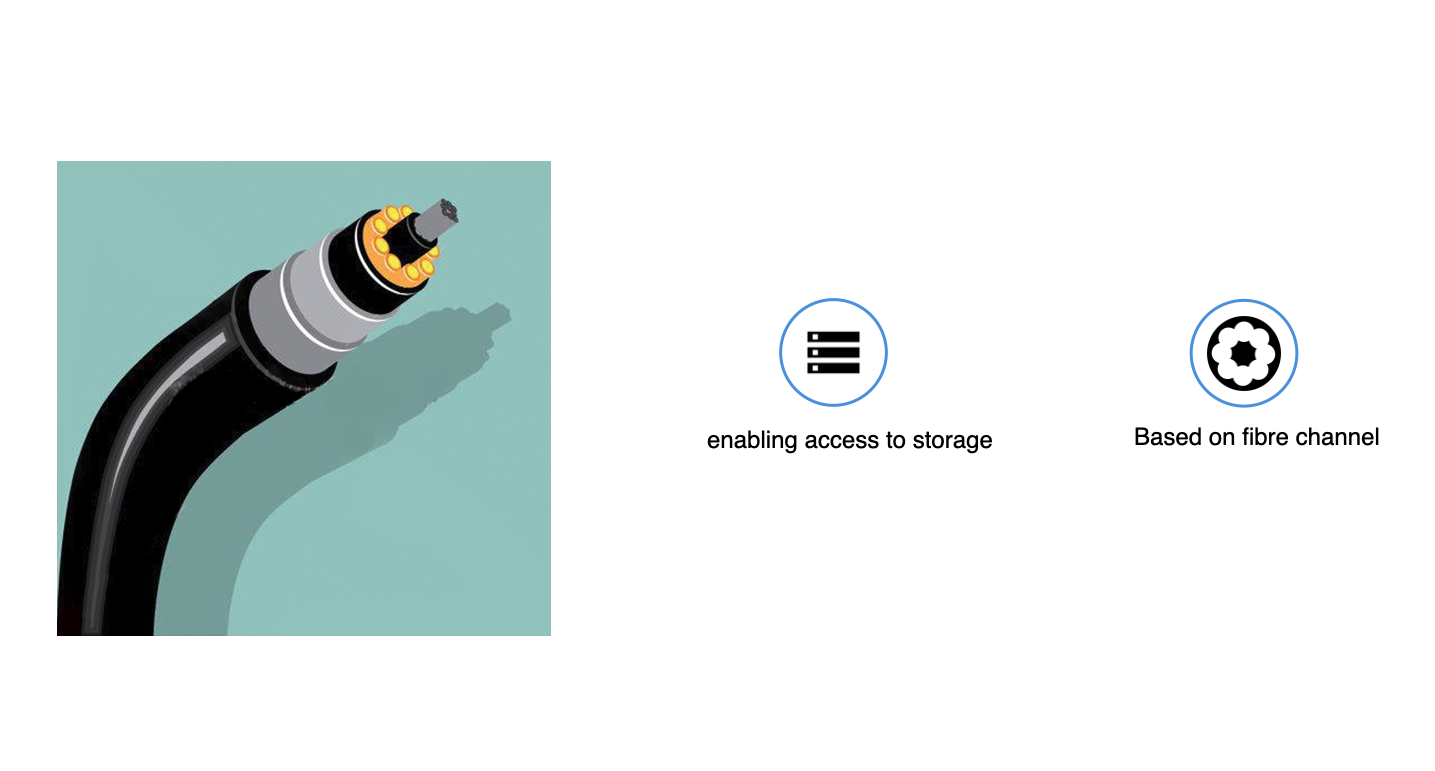
With FCP and FICON we are enabeling access to storage via fibre channels.
Role and leadership
I am the leading User Experience Designer (UX Designers) on that project. My responsibilities are the main concept and all UX Design Decisions and lead the team through the project's heavy UX phase. I worked highly collaboratively with Engineers, Offering Managers, Sponsor Users and the Design Team that consist of two visual designers and a researcher. For half of a year, I led two additional UX Designers from New York City to boost our heavy UX phase.
User research insights
We conducted extensive research with contextual interviews combined with qunatitative research. Below you will find a syntesis of it combined with design thinking artifacts.

Persona one.
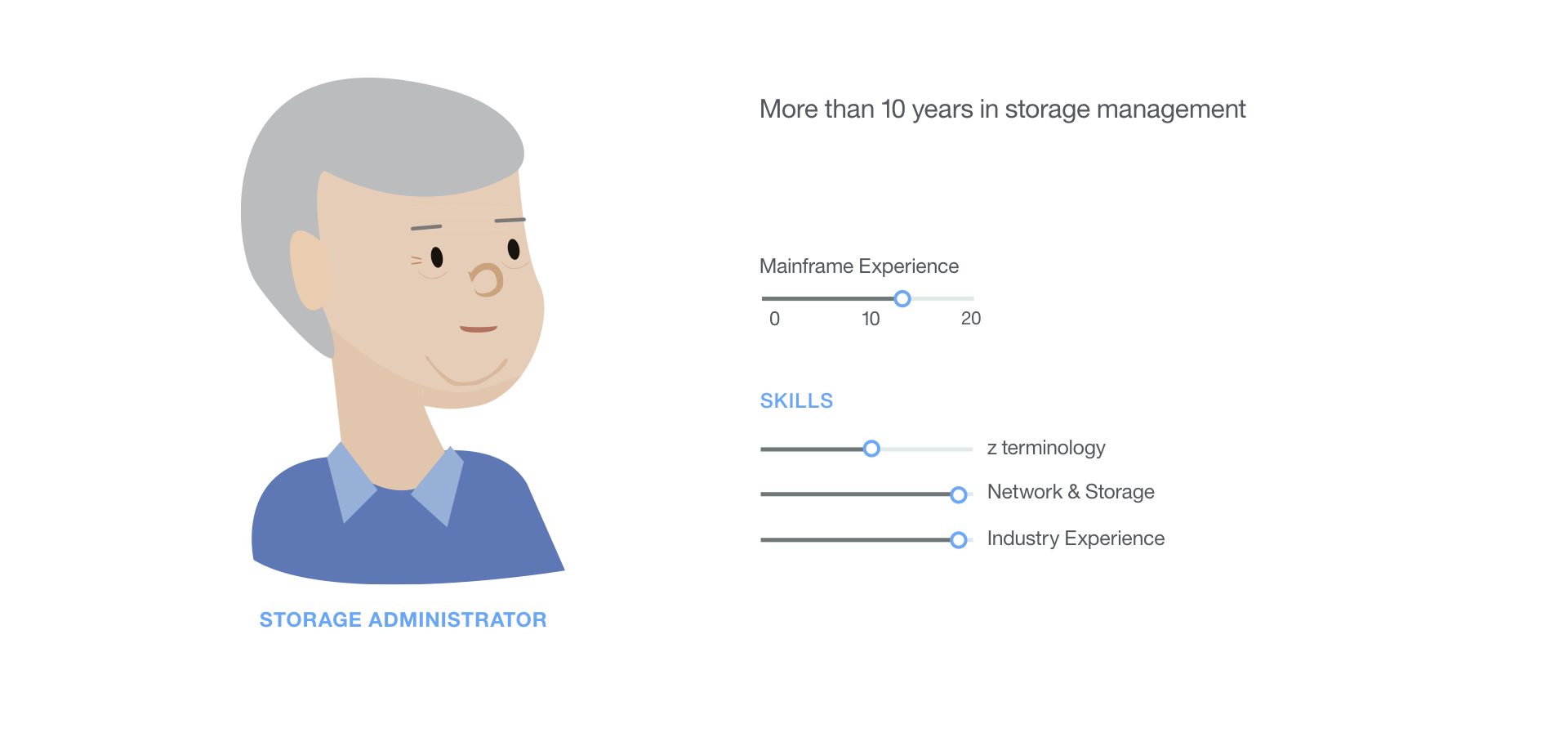
Persona two.
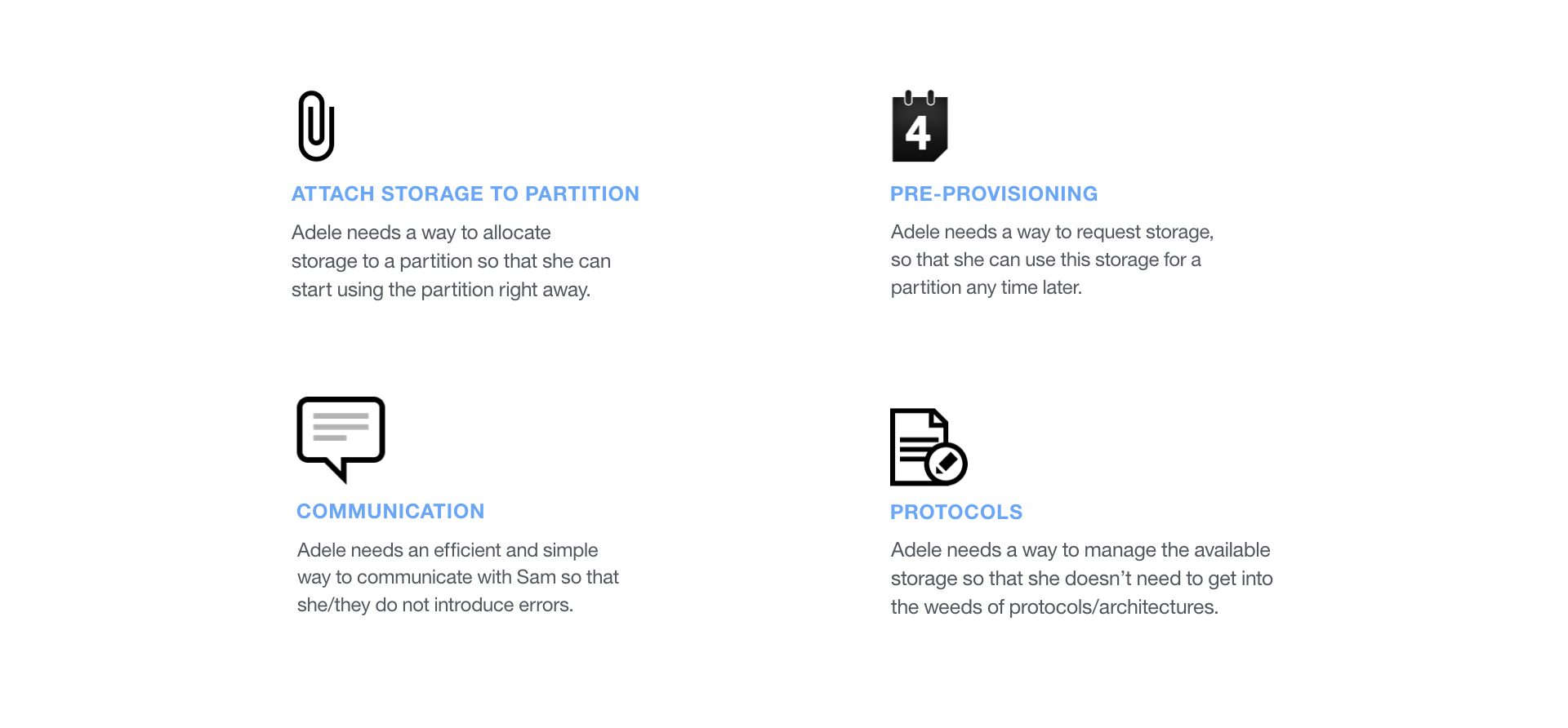
The synthesized user needs.
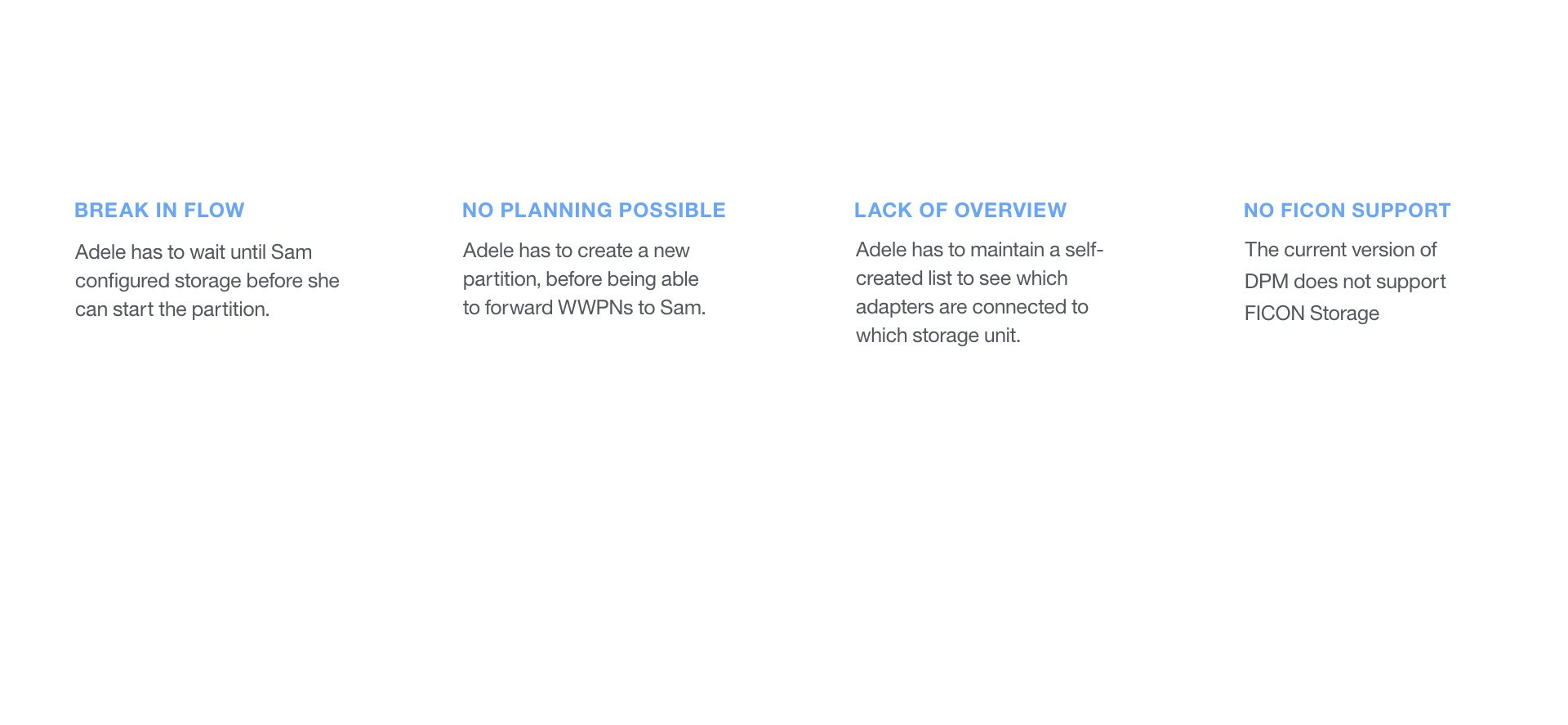
The synthesized pain points.

DPM storage Hill 1.
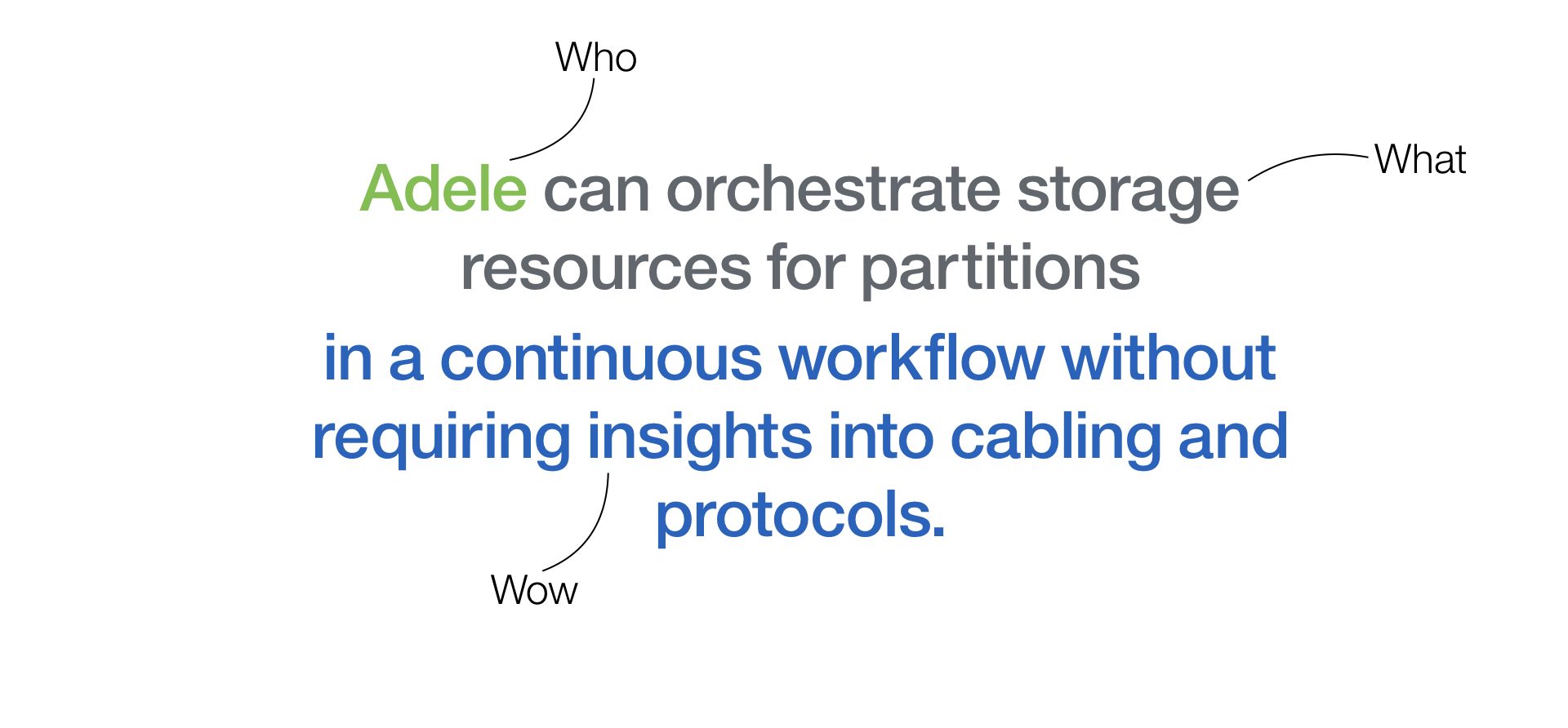
DPM storage Hill 2.
The concept
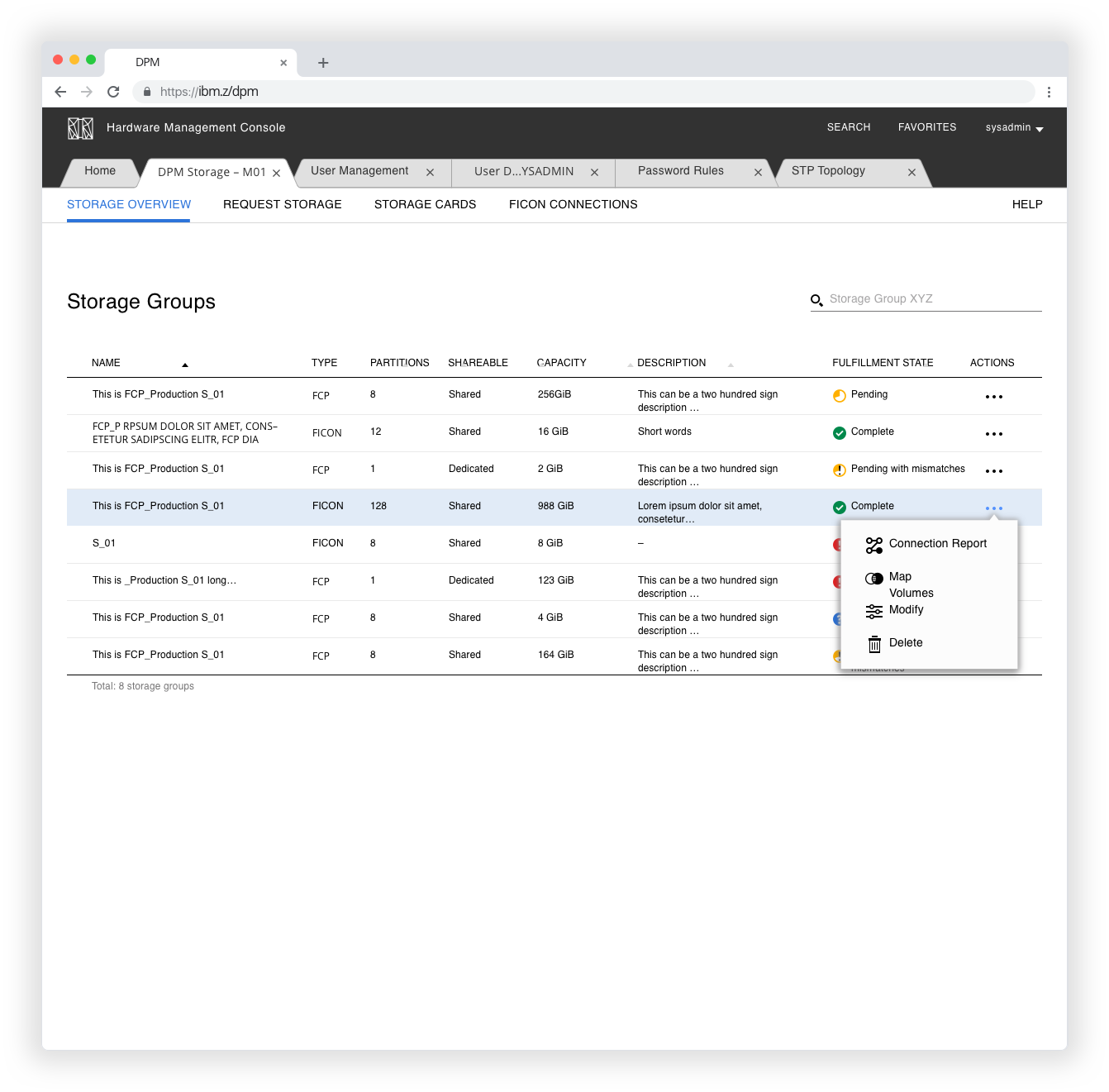
Lets talk about the concept. In the top navigation, we have four items: storage overview, request storage, storage cards and FICON connections. With the request items, we digitally facilitate the back and forth between the system and the storage administrator to work asynchronically together.
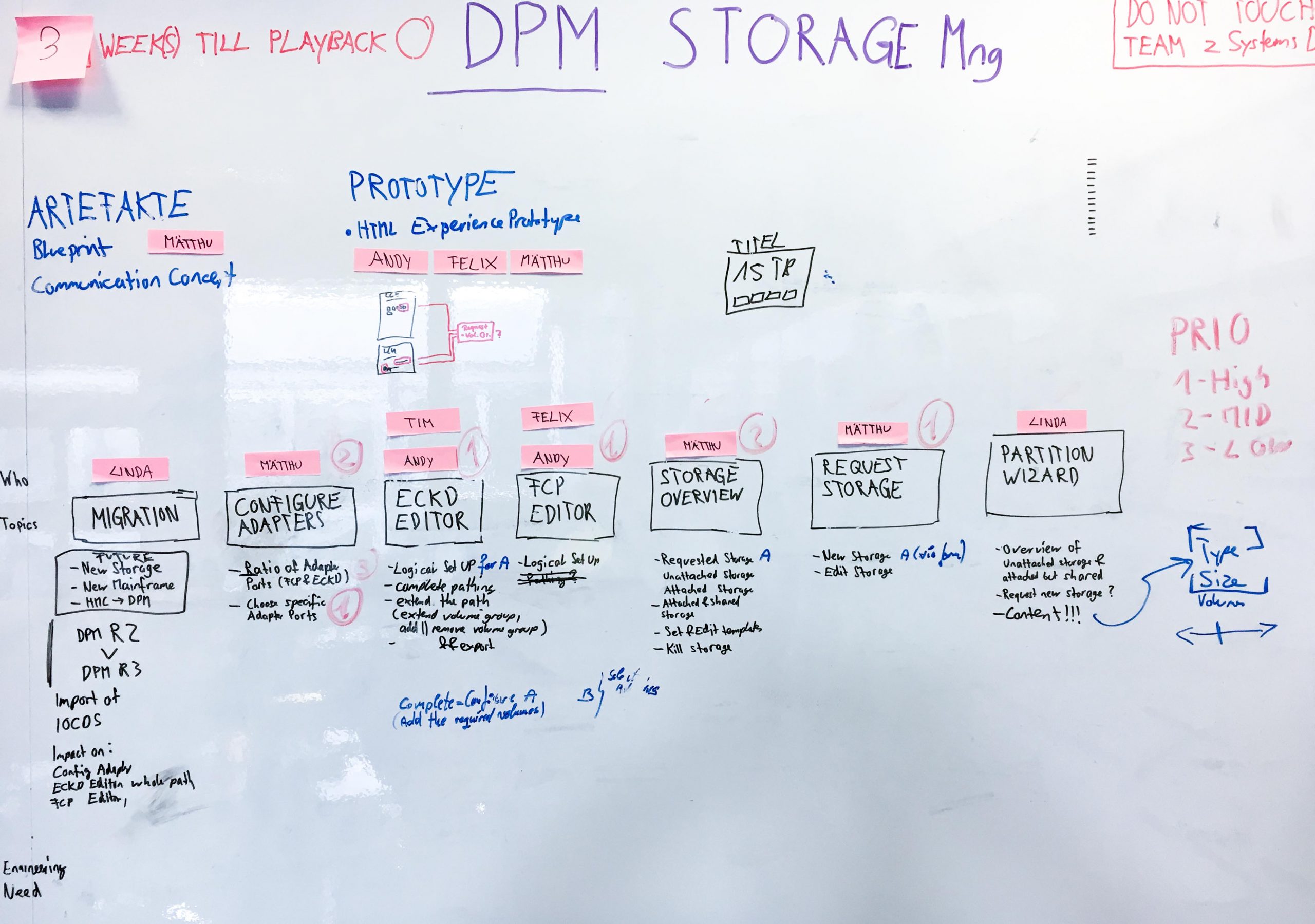
Early mapping out of the end-to-end concept.
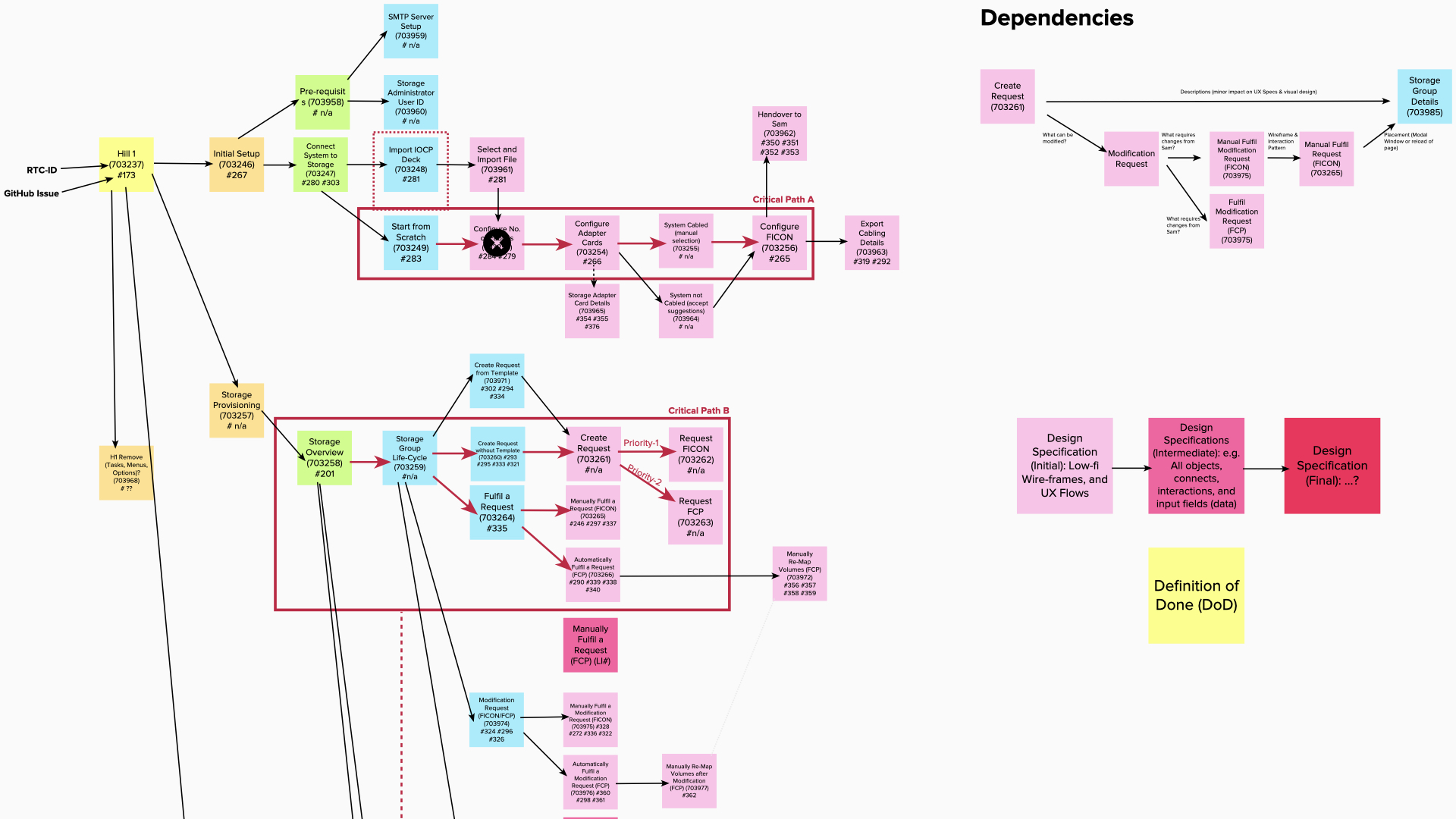
The straighten out paths to deliver DPM Storage.
Storage Overview
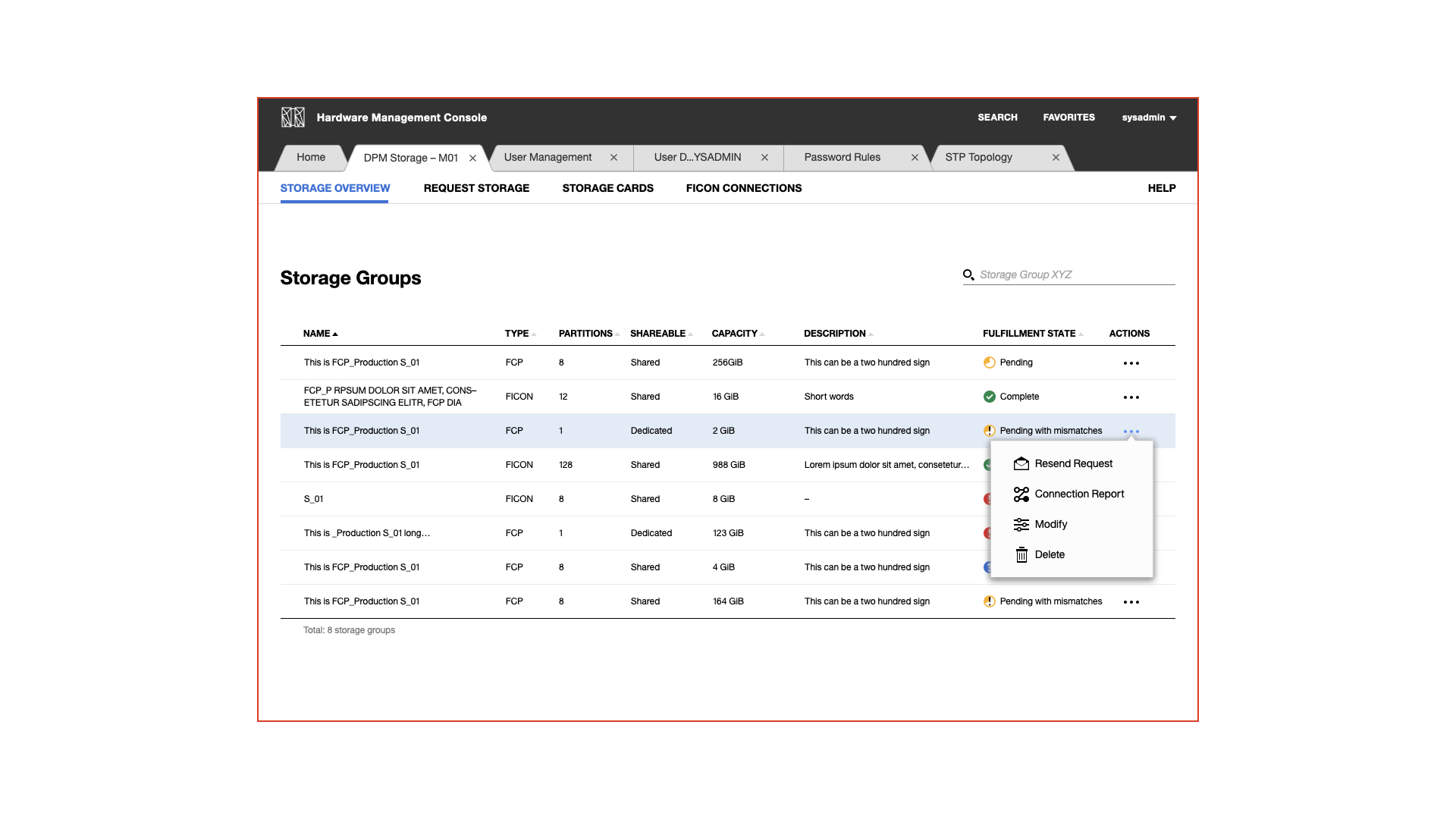
This acts as the center of DPM storage. With this overview, a user can quickly see which storage groups and their attributes are available. A user can resend a storage request in the actions section, see the connection report, modify the storage group, or delete it.
Request Storage
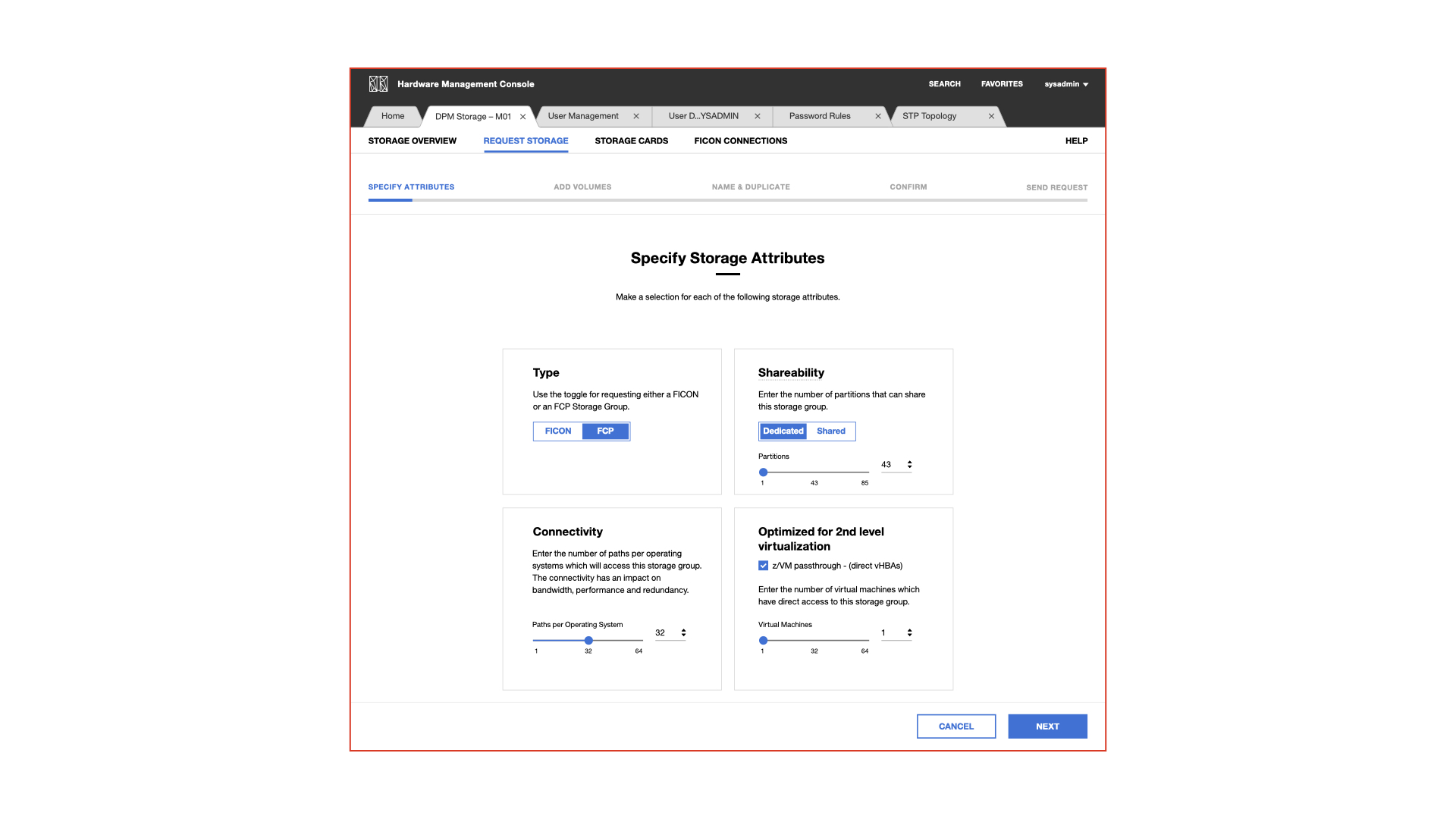
If a system administrator needs to have storage provisioned, he would pick up the phone and calls the storage admin. With request storage, we are facilitating that interaction with a shop like experience. Adele the system administrator can order in a unified way FCP or FICON storage with the needed attributes, the amount and size of the volumes and a desired name.
Storage Cards
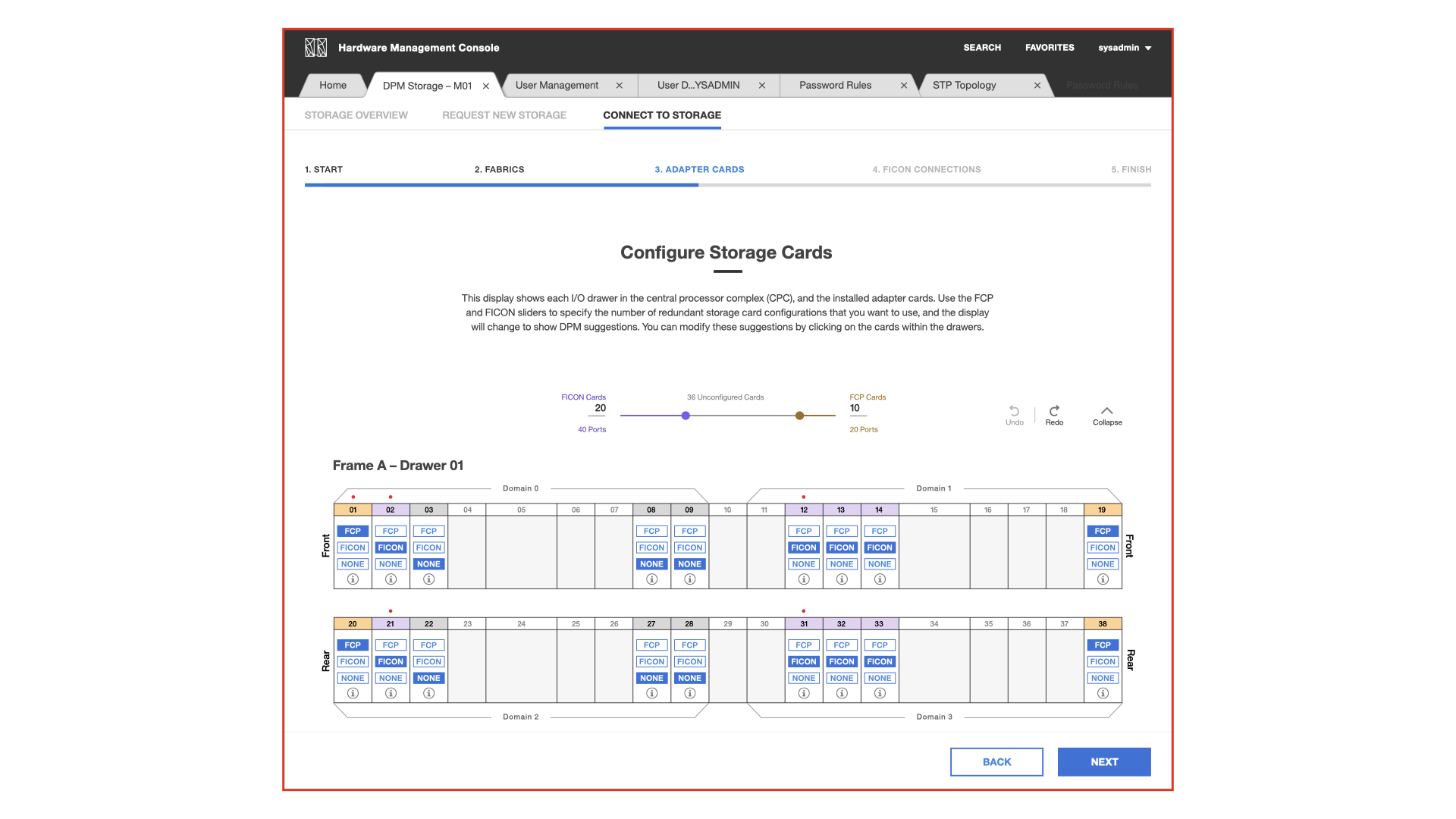
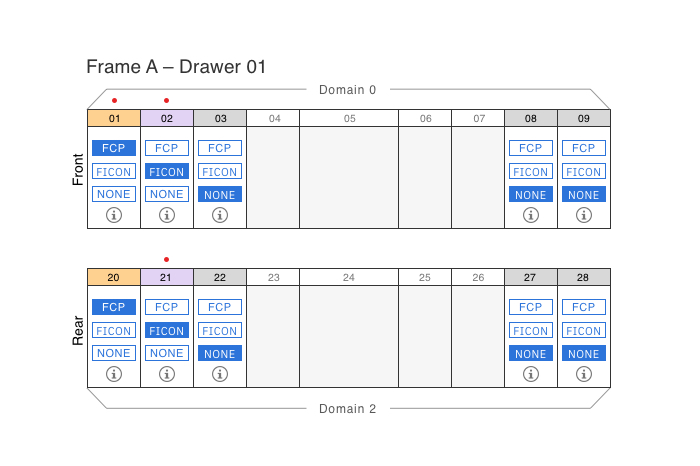
We really pushed some great innovation here. It takes years of experience to set up a drawer filled with storage cards optimally to make sure its redundant and serves the high availability concepts. Since IBM already has all the knowledge, we wanted to make the life of a system administrator way easier. Now, we only ask the user how many FCP or FICON cards he needs and we are configuring them for him. We also show the physical layout so that if a user wants to check if the system does it correctly or a user simply wants to learn how its done. Our users were extremely excited about it.
FICON Connections
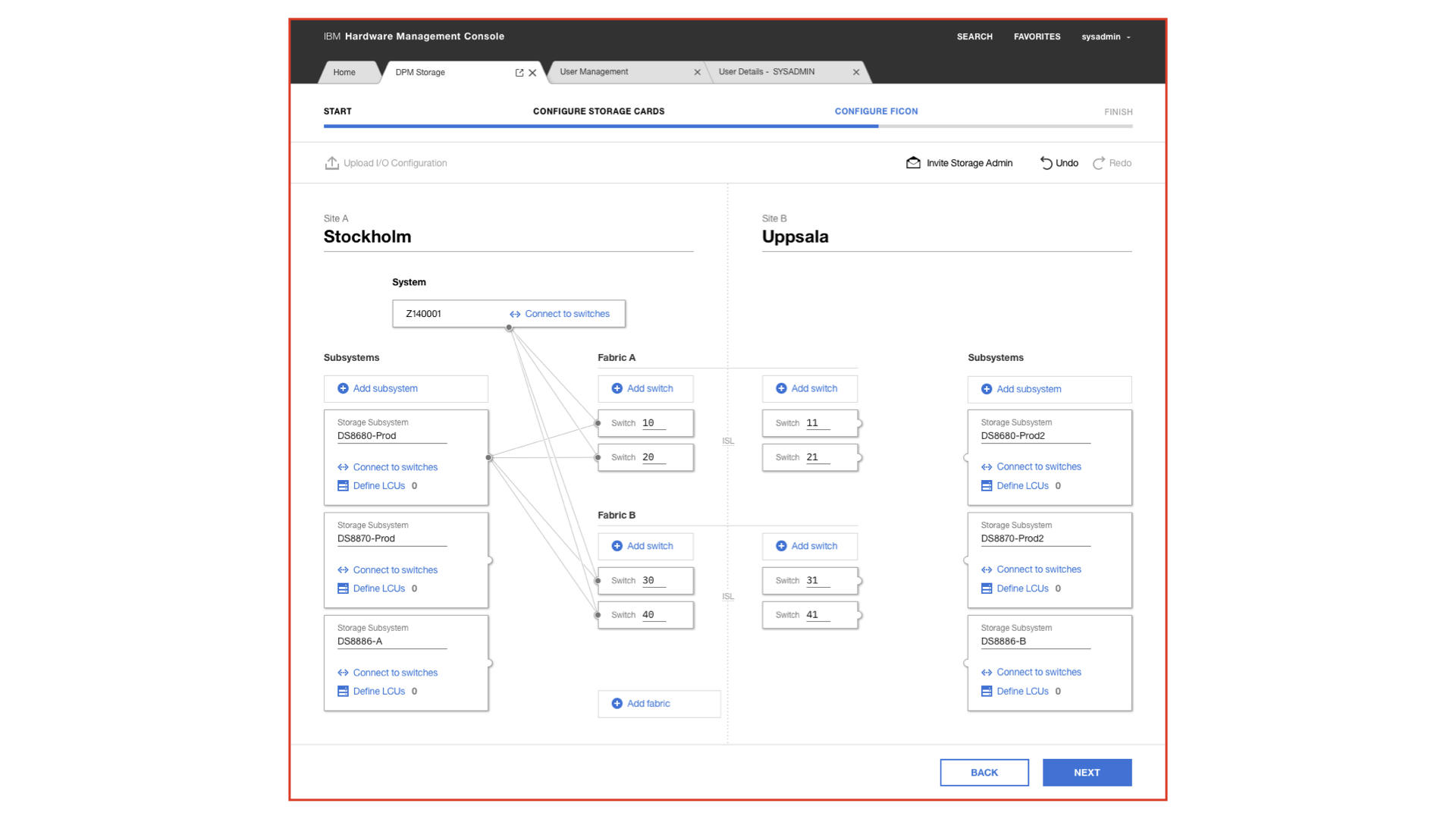
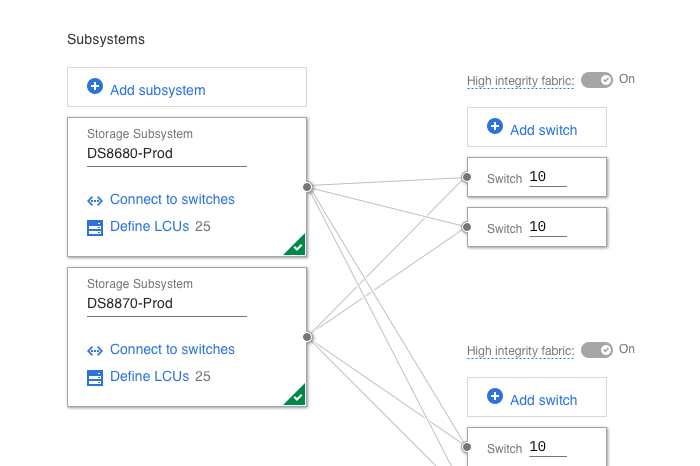
This was one of the very essential parts of DPM storage. Even the most skilled system administrators did not want to touch a FICON configuration since it is so hard to manage. Imagine scaling something like that. The whole mental model was path-based, connecting the mainframe's storage cards over the network setup to the data center and its storage subsystems. I was figuring out a new mental model, a new metaphor to rethink FICON. We took the metaphor of a sluice system. First all the plumbing needs to be done. All the hardware connected. Once that is done, a system can path the logic over the best way according to redundancy and availability. That changed everything. Now we enabled a novice system administrator to set-up FICON. Have a look at the project FICON configurator to gain more insights.
Storage group details
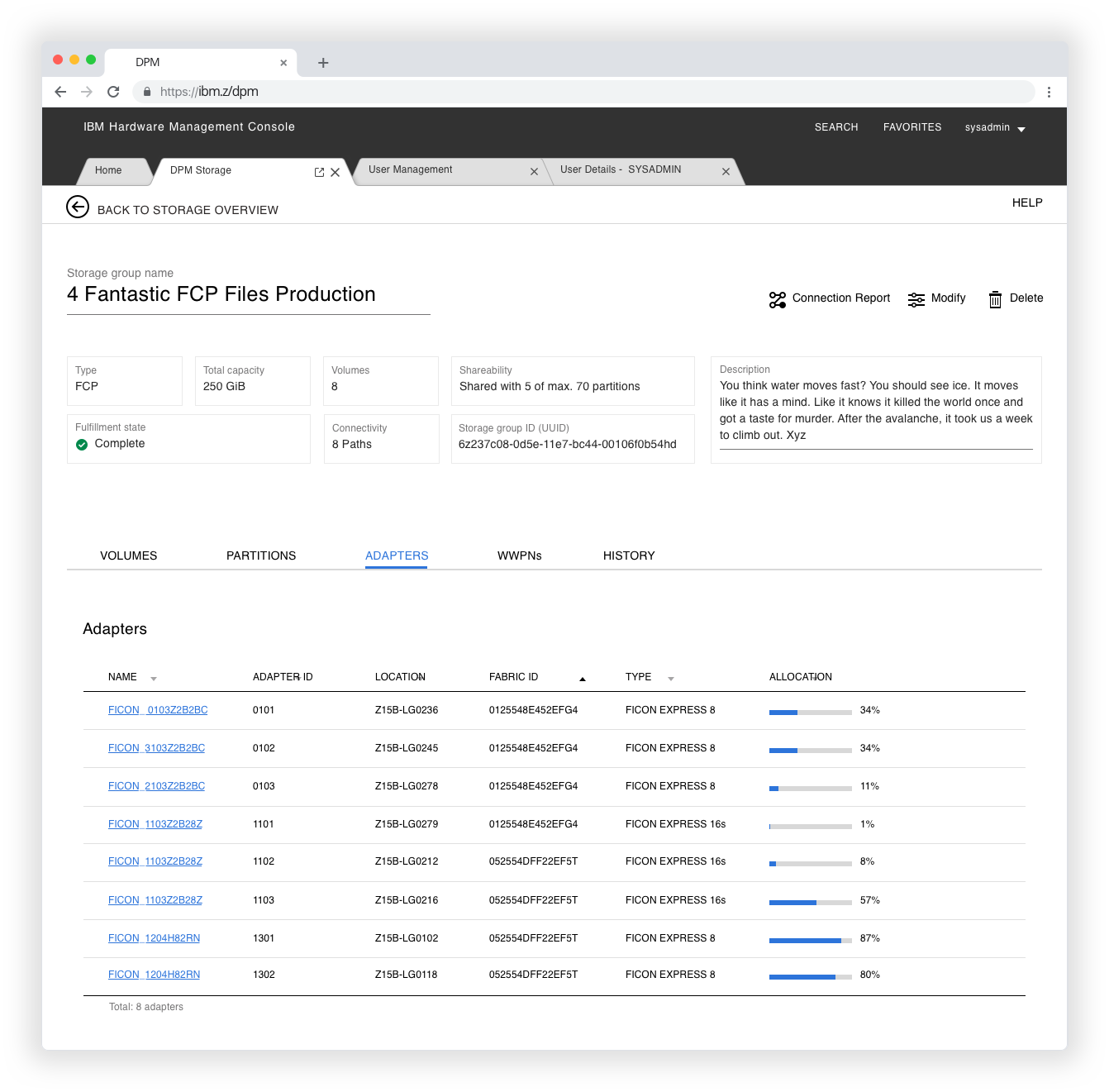
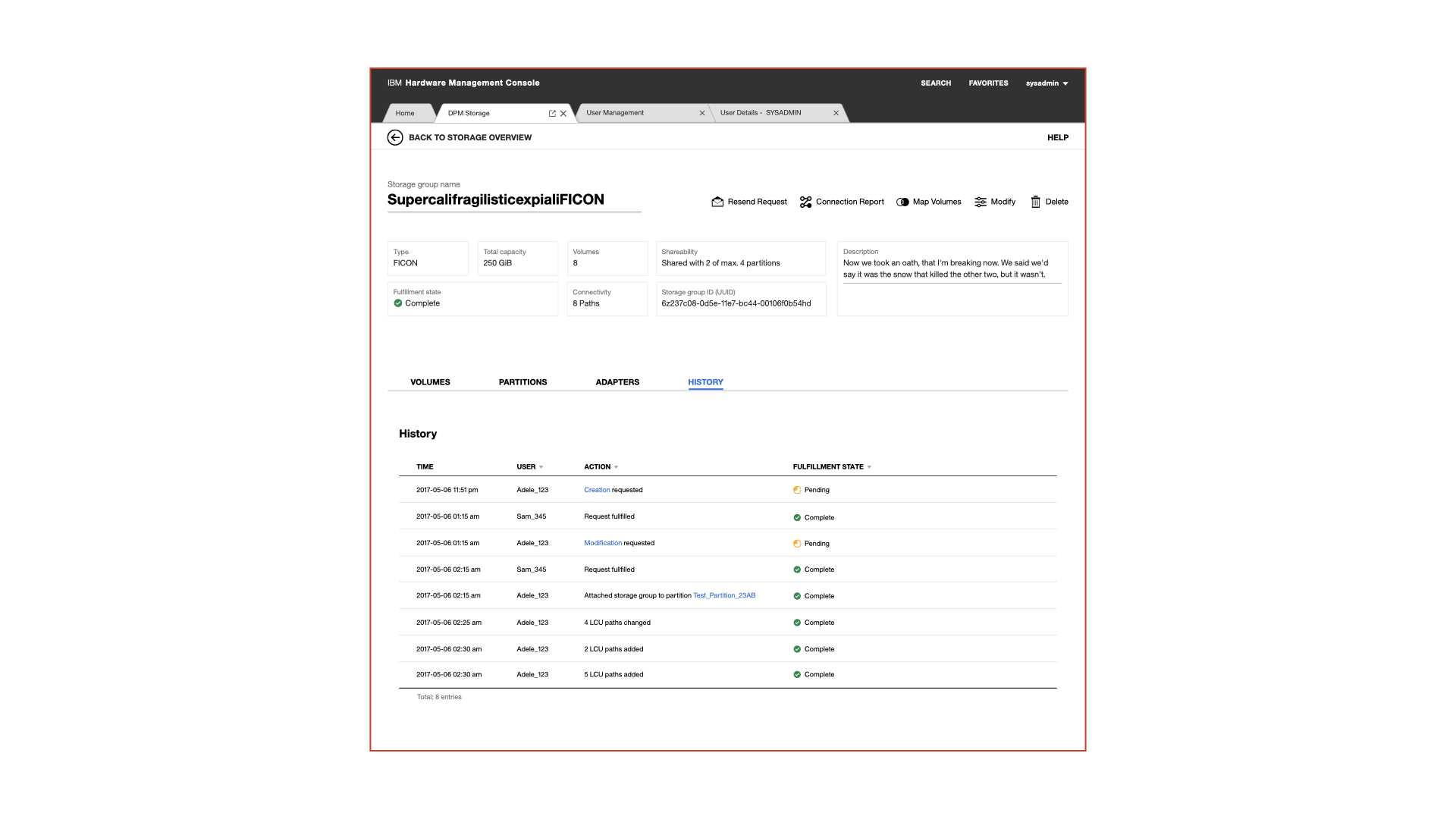
DPM storage needed a unit of storage that can be attached to partitions later on. We called it «Storage Group» and these groups act as a unified carriage for both of the storage protocol. They act and feel the same but still take care of the unique behavior.
On top of a storage group, there are meta information and the current status of it. Below there is a tab navigation for volumes, partitions, adapters, WWPN (FCP only) and a history. Out of a storage group a user can also trigger a modification request, see the connection report or delete the storage group.
A significant advantage is the shopping like experience that takes the back and forth with the storage administrator out of the loop by digitally requesting the modification.
A selection of more DPM storage screens
Find more screens about the onboarding, request storage, storage group details in a modification status and debugging a connection via the connection report.
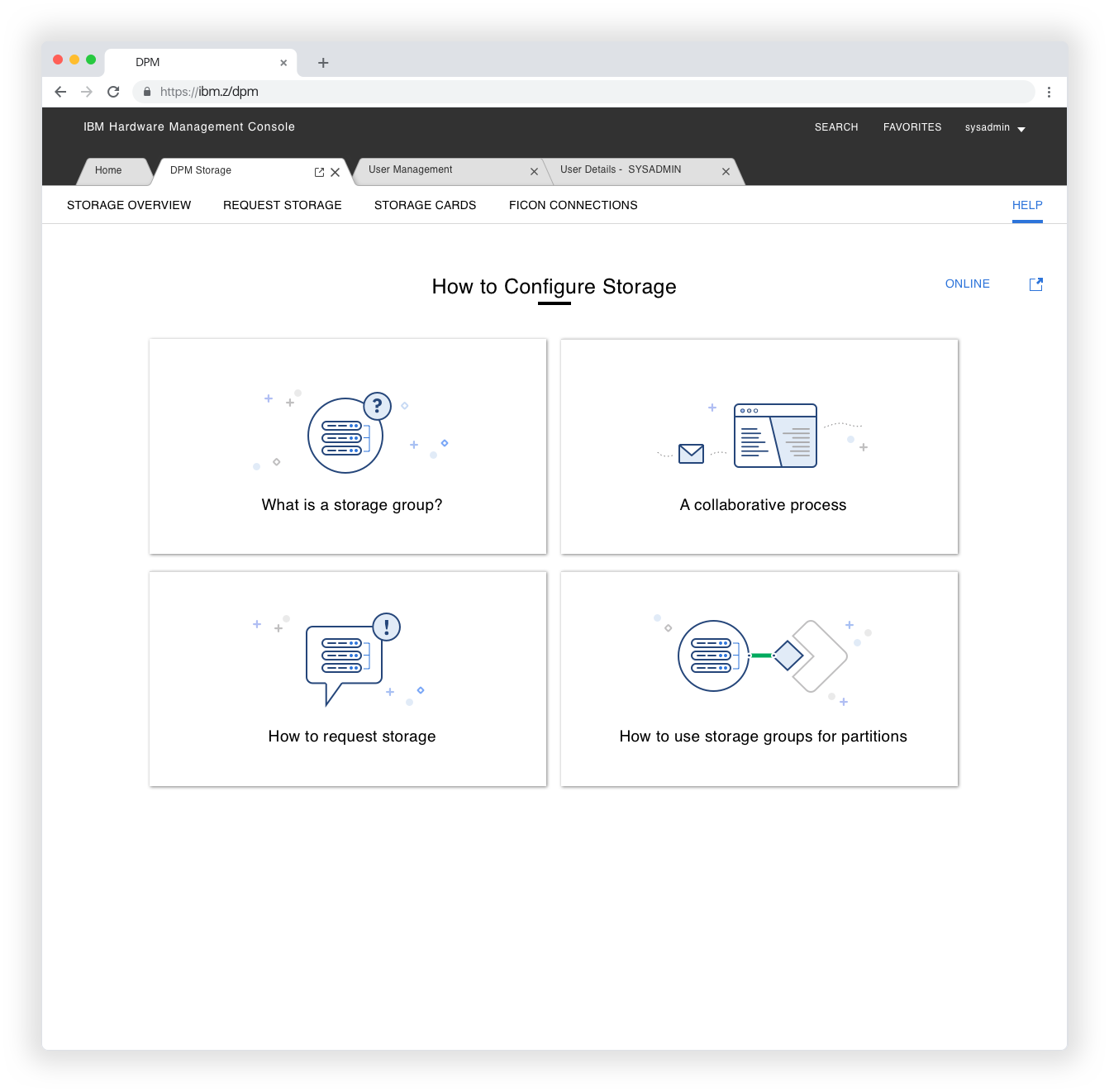
Onboarding to DPM Storage.
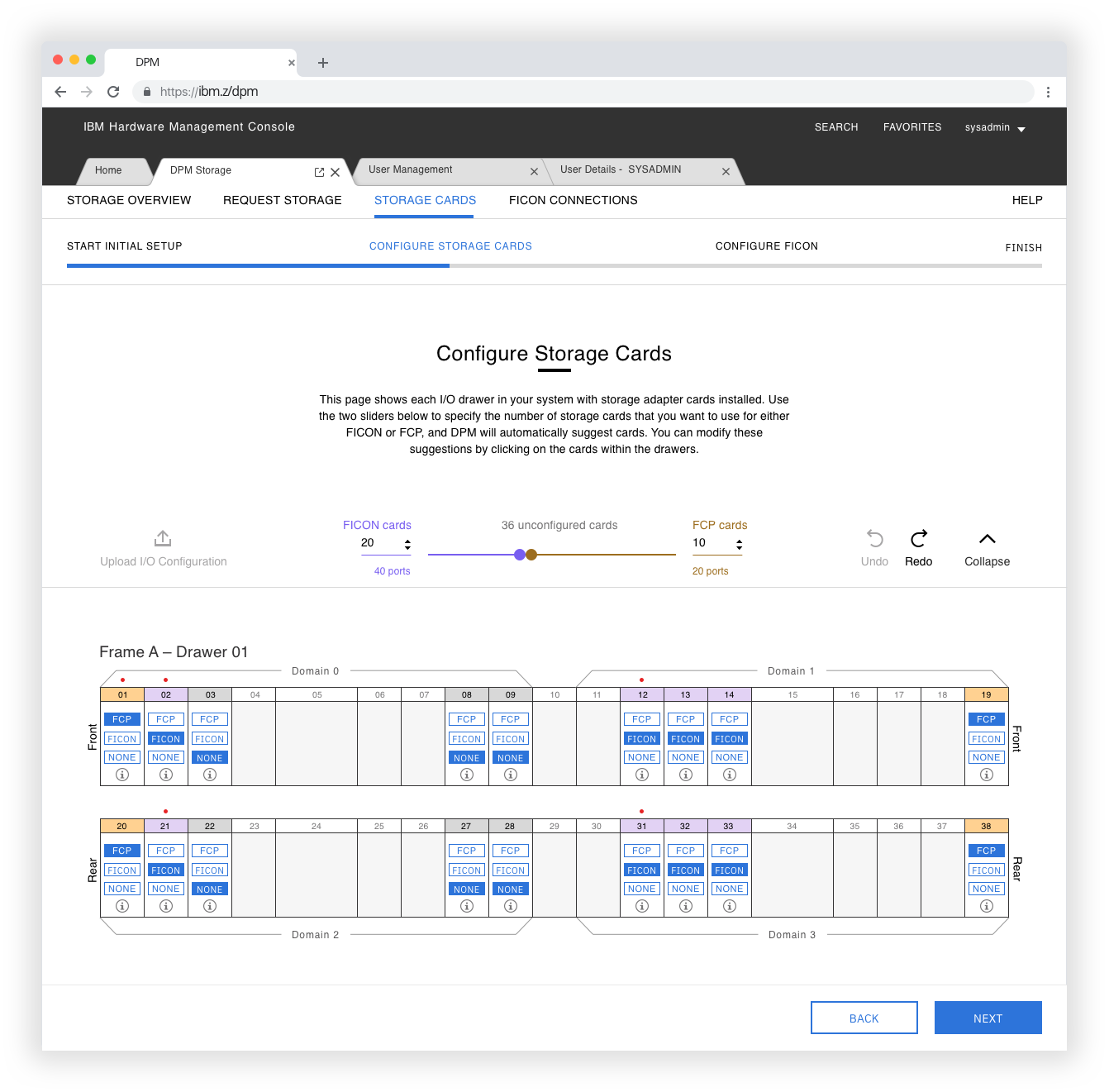
Configuring storage cards during the set-up.
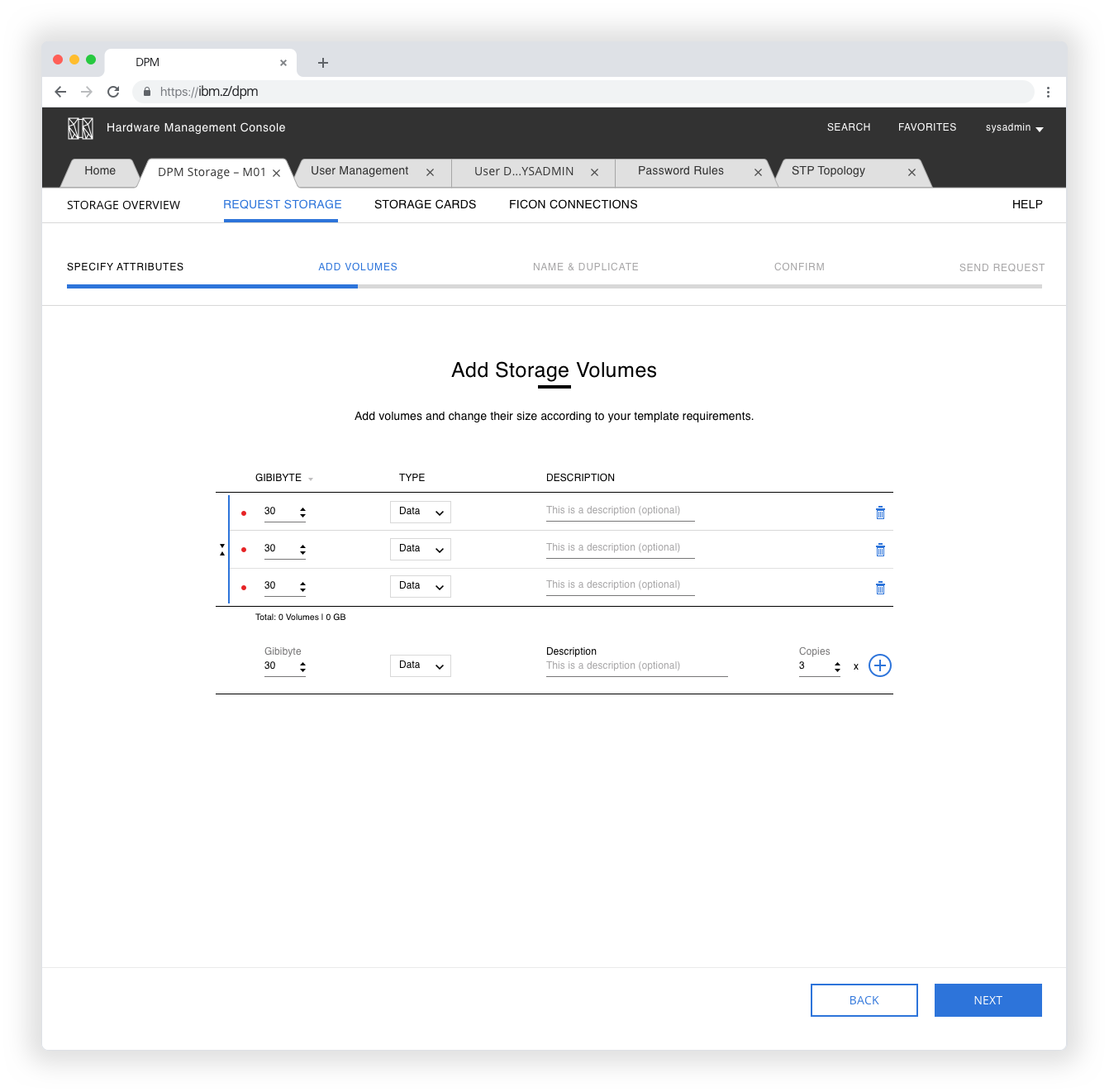
Requesting storage - number of volumes.
Storage group overview.
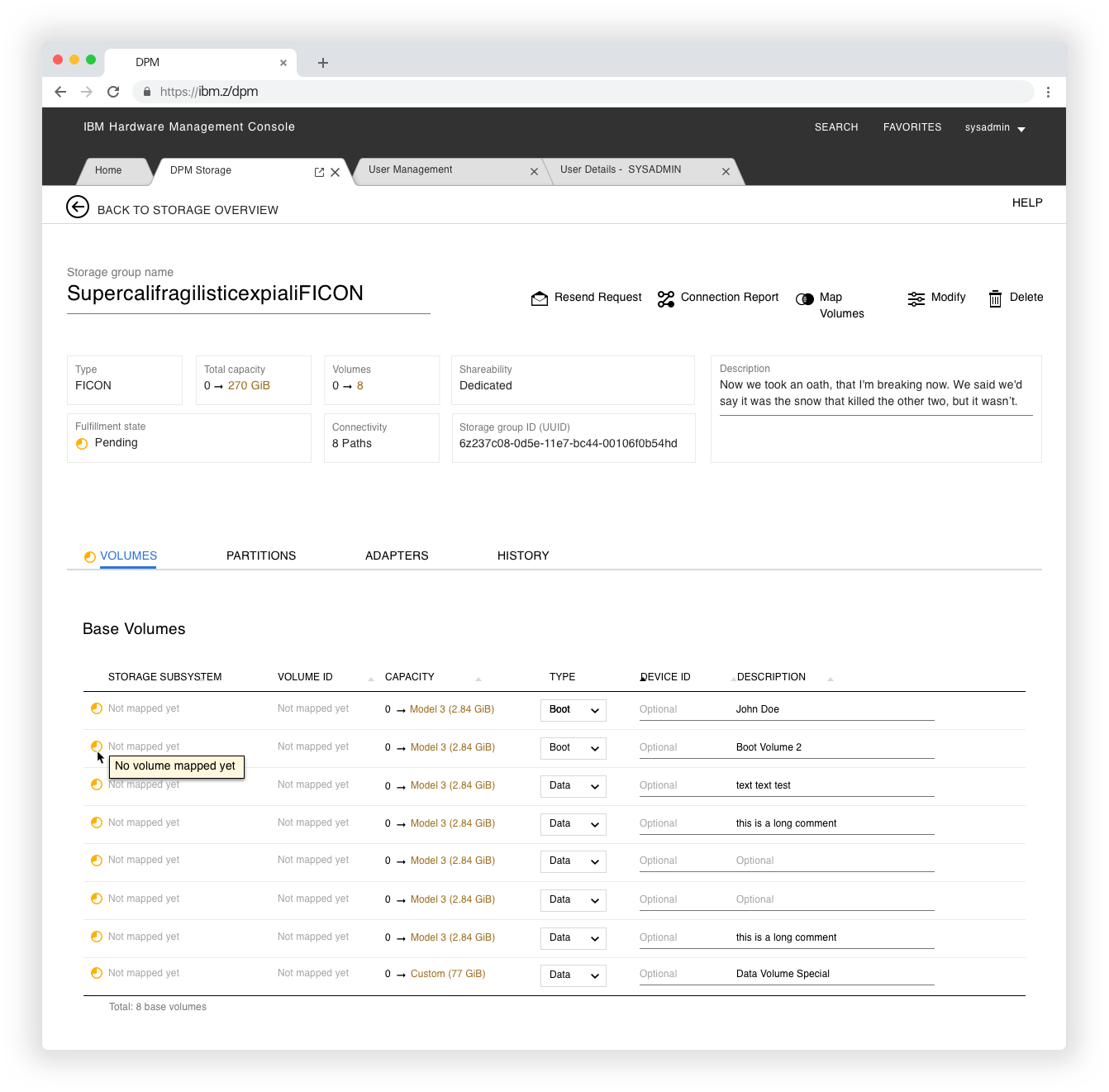
Storage group details, modified volumes.

Debugging the connection report.
Three main design decisions
- I recognised a weird mix between the physical set-up and the logical set-up in the mainframe. I decided to clearly separate this two worlds to ensure Adele knows in what world she is acting right now. For example, in the set-up, Adele thinks in physical storage adapters and in the every day use experience, she thinks in volumes - the storage.
- We are designing for professionals like Adele and Easton. These professionals do not always want to deal with all the details of what is going on in the background. But at any time, they need to have a way to get all this details since they are the experts.
- We offer Adele a shop-experience-like approach to get her needed storage to easily attache them to partitions.
More experiences
The «fuesebox» experienceProduct Design
The art of changing a mental modelDigital product design
Interconnecting over 120'000 usersDigital product design
A unified storage experienceDigital product design

Alter a seller's mindsetEducation

AI ProjectAI Design

