Interconnecting over 120'000 users
Redesign and streamlining IBM‘s communities.
Summary: Successful redesign of IBMs communities connecting the community from within our products to 3rd party platforms. What started as a small task with almost no budget got rolled out across all IBM. We created a captivating and scalable experience that revolutionized the way IBM integrates it into their products.
___
Year: 2019
Company: International Business Machines (IBM)
Project: IBM Communities
Set-Up: I have lead three different design sub-teams with a total of five designers. We were collaborating with development, offering managers, community leads, customers, executives and a vice president executive.
Link to product: IBM community
Role and leadership
I had the pleasure to overall lead five designers with varying skill sets. I was responsible for the overall outcome of the various stages within the community project as lead designer. My speciality is user experience design and lifted the heavy weight for that discipline. With the team, we figured out a way to serve all the unique needs of the various communities.
I was working for a vice president level business community lead. The whole project was suppose to be a small redesign for a sub-community of the data science community. In the end we were working on the overall IBM community scale and the the product Watson Studio to integrate the communities within the suite.
The project was set-up in a so-called 3-in-a-box structure with Design, engineering and offering management. We were collaborating in close iterations with each other. Agile project organization and design thinking methodologies were the project structure. One of the success factors was the design led philosophical approach we were taking.
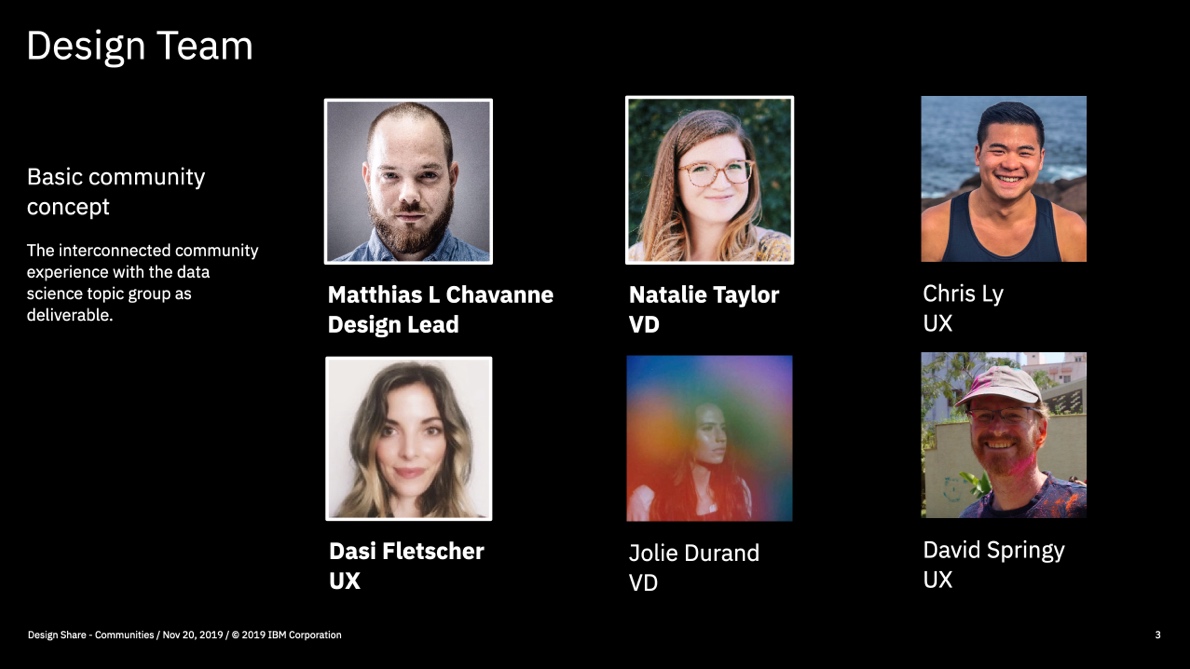
The basic community concept
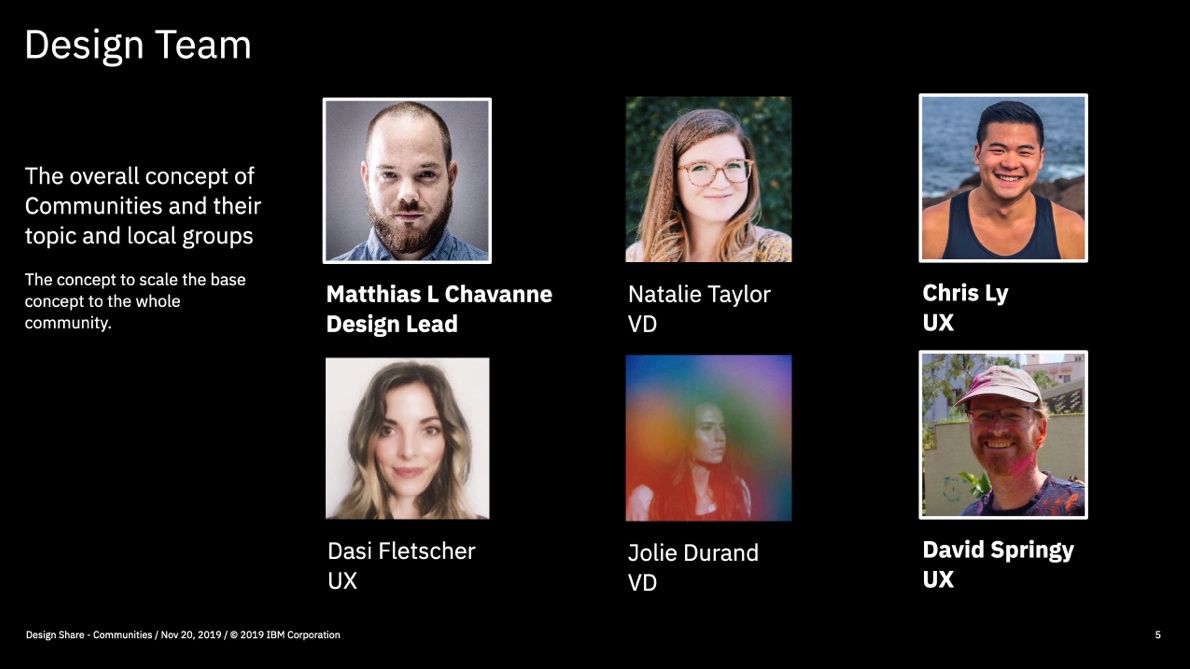
Scaling the concept across all IBM communities.
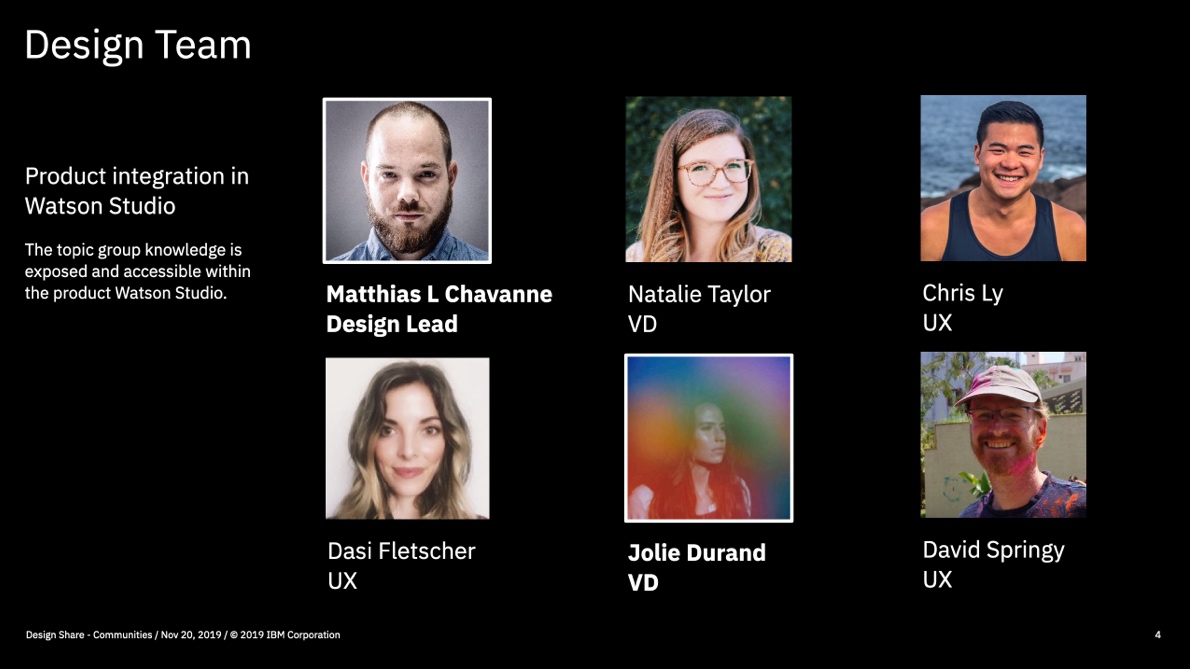
Product integration into Watson Studio
Desing Process
We followed a more classic design process starting with user, desk and tech research to understand the user needs, competitors and best practices and also what is technically available.
Then we continues with understanding the UX mechanics of a community and started with an iterative process to come up with a prototype that we could test with users. Once that was successful, visual design started their iteration and then helped guide the engineering team in the implementation phase.
As a behaviour model, we were following the IBM loop.
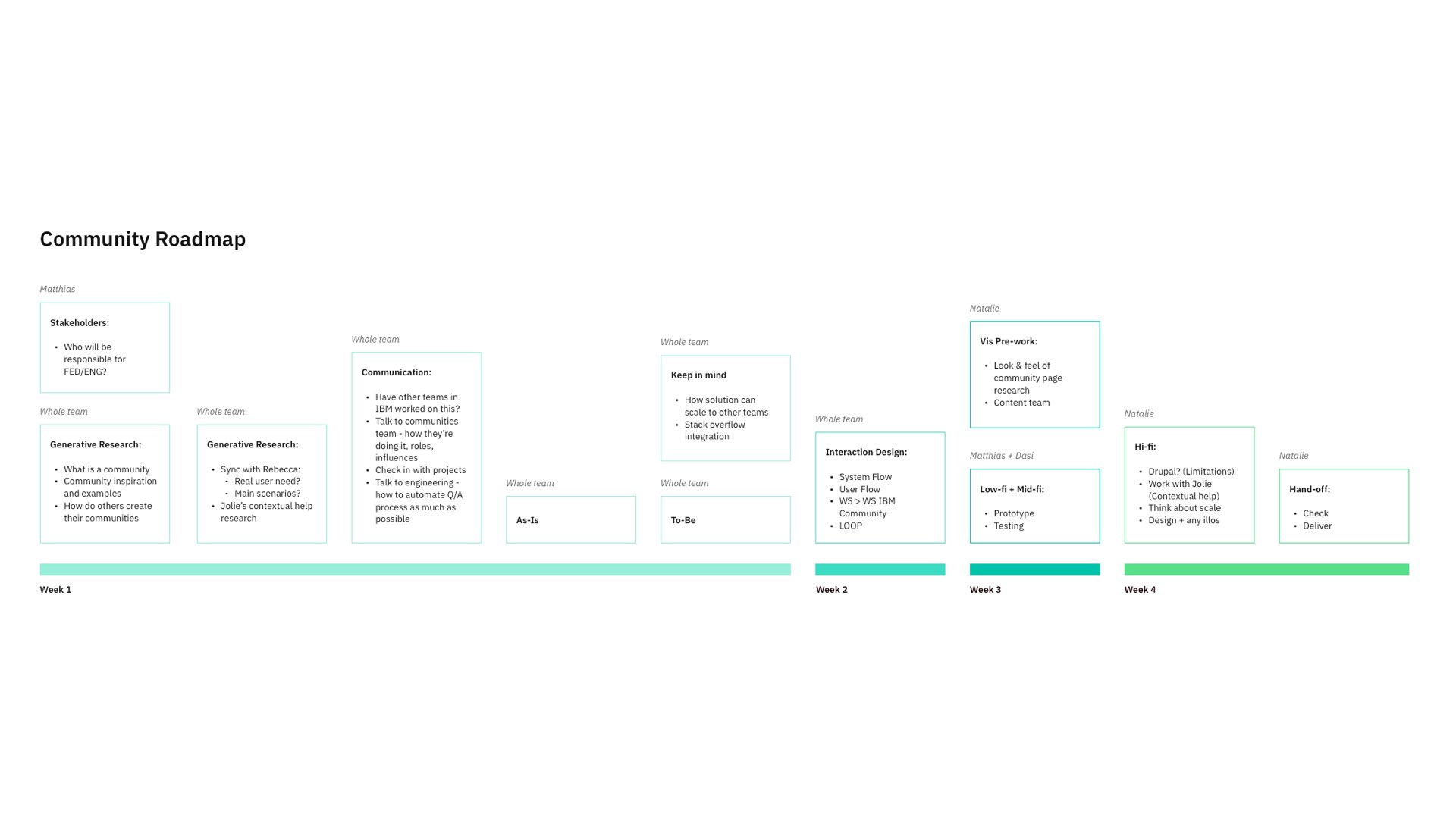
Project plan for the initial challenge.
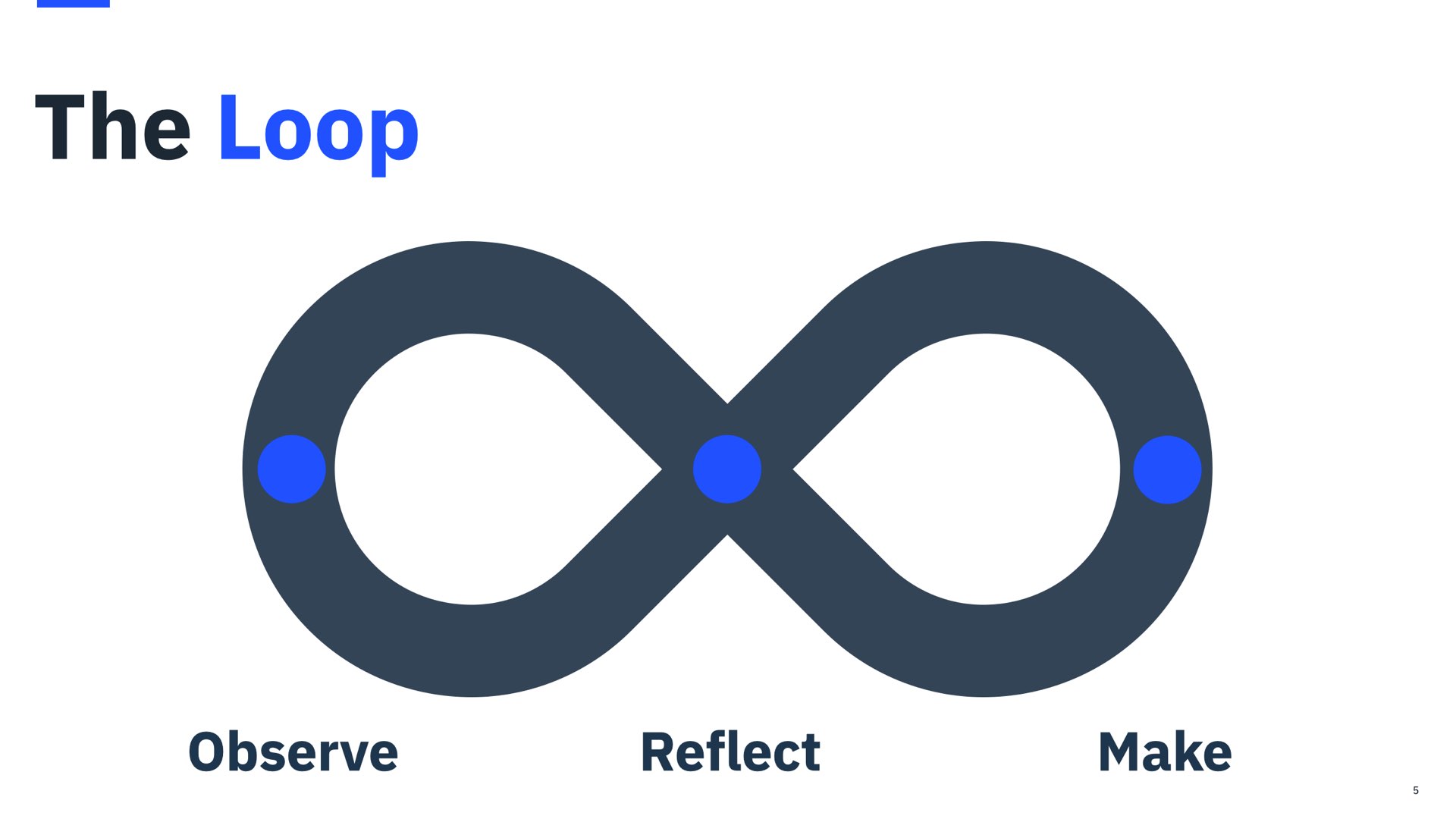
Project plan for the initial challenge.
The challenge
1. The original ask was to redesign a sub-community of the data science to make it more engaging for users.
2. The second challange was then to scale what we have come up across all IBM. This is very challenging because they were existing communities. Changing them needs to happen in a very meaningful way.
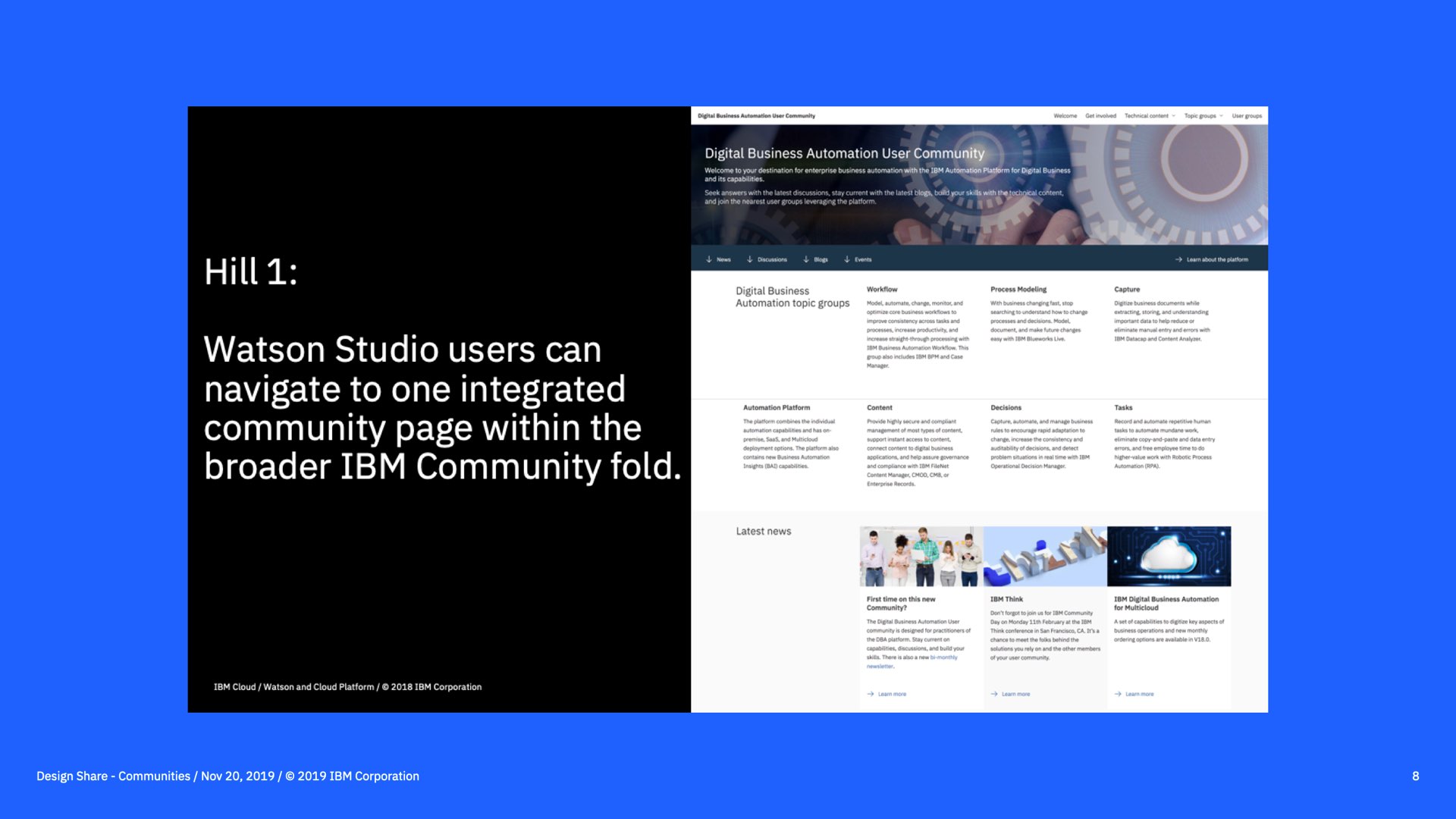
Hill 1, this was our original goal.

A face lift of the data science community.
The project background
The IBM community at the time was expansive and extremely hard to navigate. Users expressed being confused as to where they are in the community and not knowing how to join the right user group since there are so many. The users had no real reason to head to the IBM community since they were receiving only limited benefit from it. Some of the communities felt like a marketing page and others were built in a very old school way, where the company is providing content and the users are heading to it to consume it. This philosophy does not scale very well.
The challenge really were separated into two parts.
Below, you will find a relationship diagram that shows how difficult the current implementation was for a user and that this is not what an engaging community is.
The second row shows the hierarchy of all the different communities and all their depth.
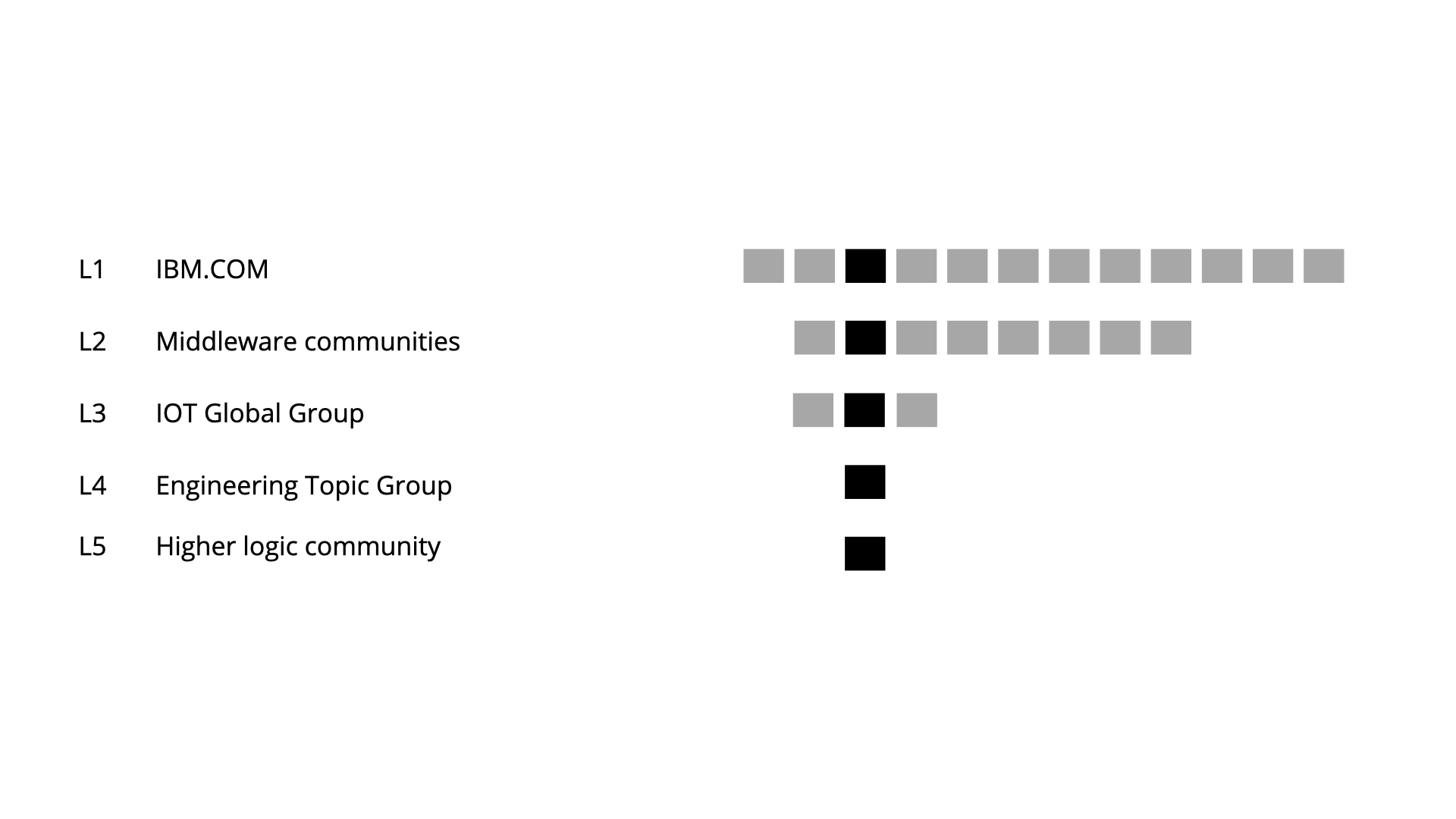
The original sitemap of all IBM communities.
This is how IBM communities look like for a specific community.
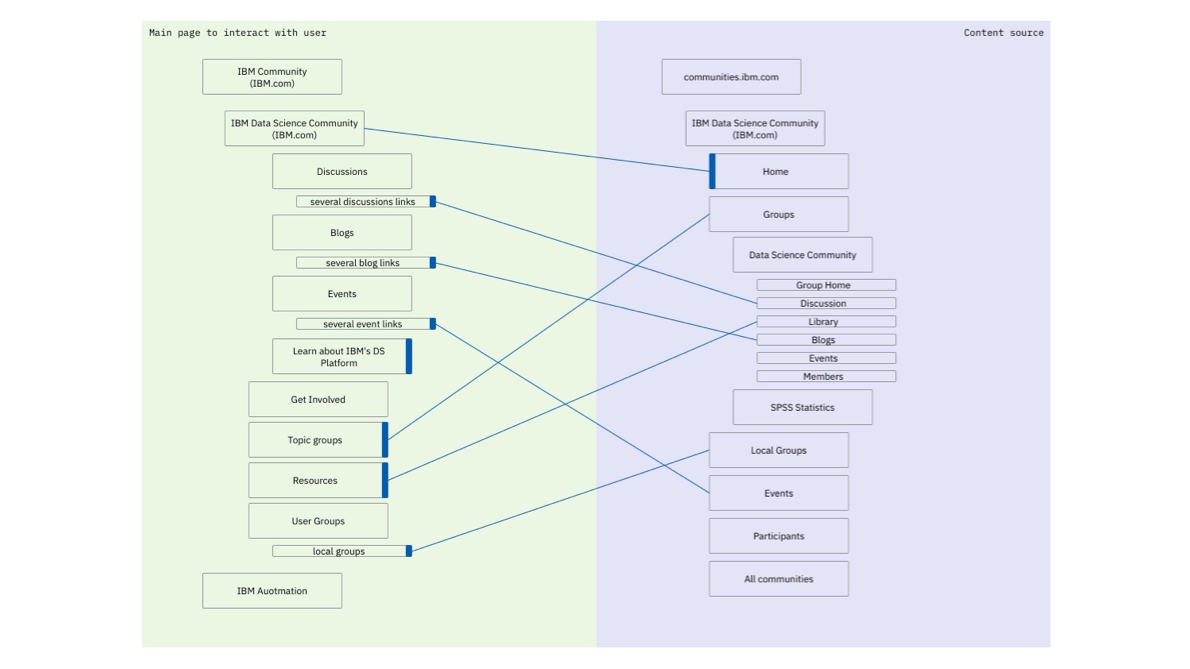
We should facelift the first page that leads to the communnity.
A screen cast of how the relationships look in reality.
Understanding community mechanics
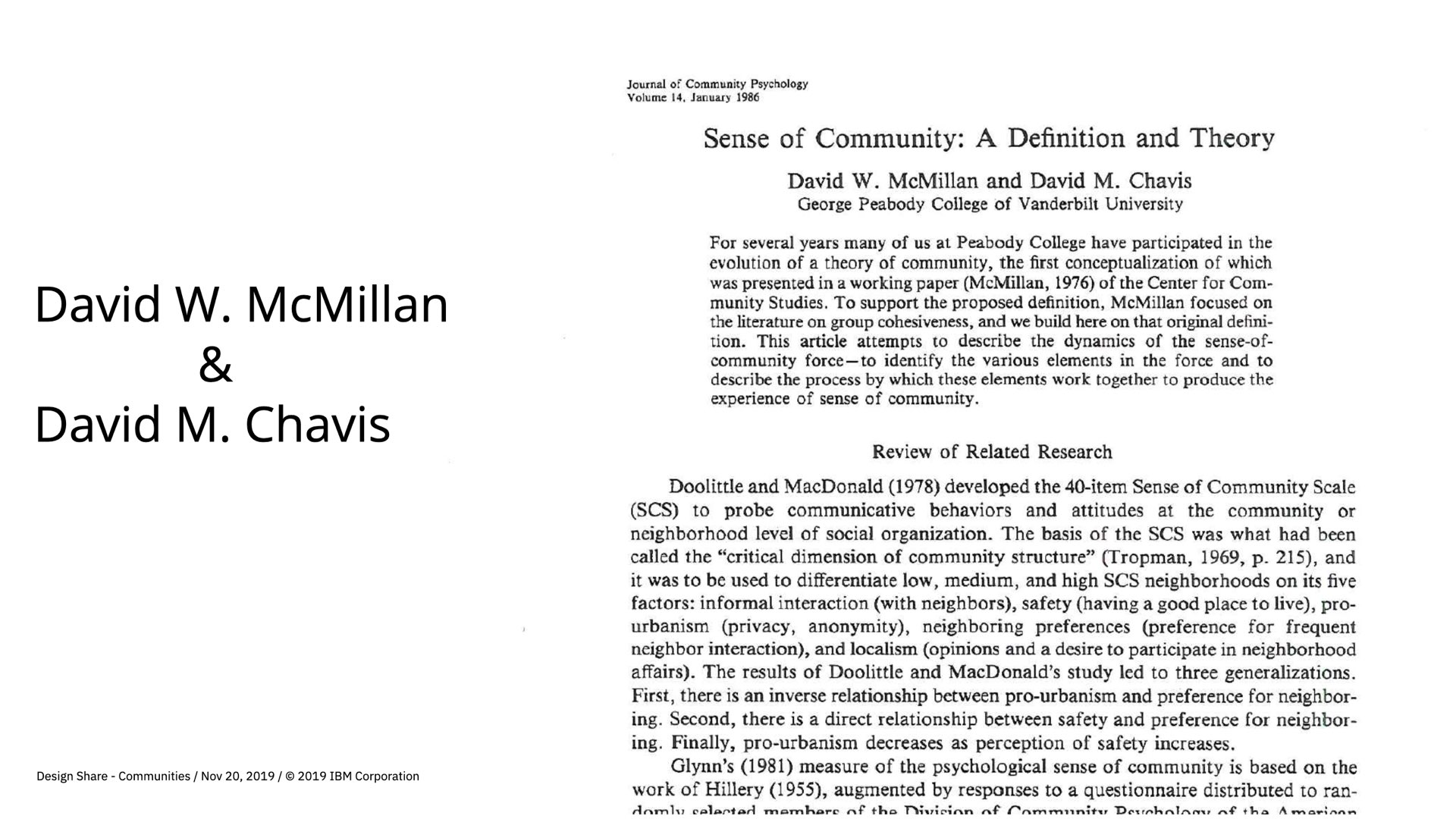
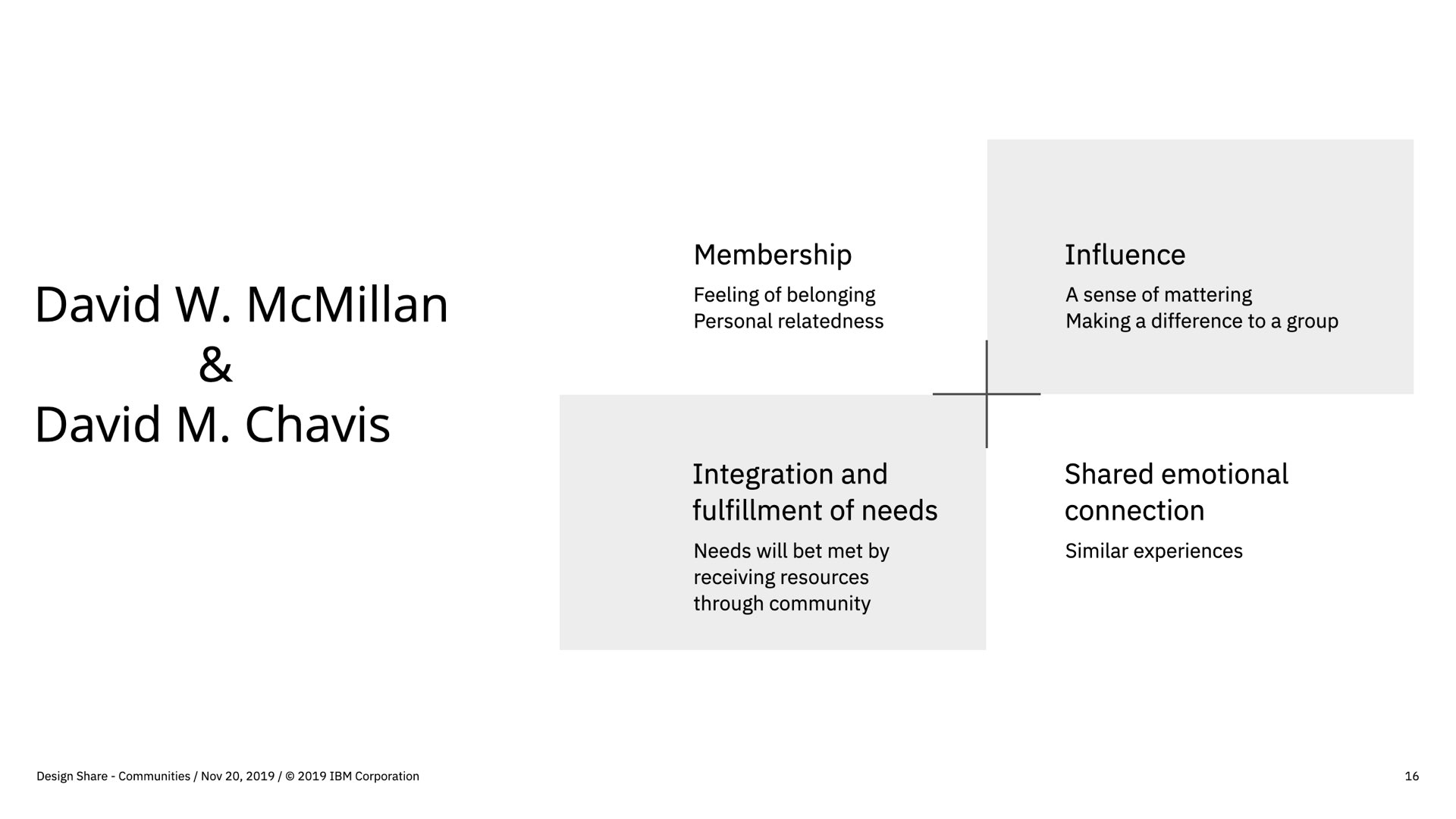
Building a community means to understand how the social construct of a community acutally works. There is a beautiful white paper from McMillan and Chavis out there «sense of community - a definition and theory» that talks about the mechanics of a community. I wanted to inspire the team with this paper. So we all red it and reflected upon it. Afterwards, everybody had a good understanding of how a community works but also what we need to get right in order to succeed. This helped later on to also convince our stakeholder what we would need to do next based on psychology. Below you will find a small extract of the paper and the four quadrants needed for a successful community.
A community member can now benefit of the above.
3rd party services are interacting with the community or the product.
User and desk research outcomes (DT)
During the whole process, we made sure that we do not loose sight of our north star, the user. We were leveraging a wide set of personas and worked with the following enterprise design thinking activities: Need statements, As-is scenario, To-be scenario, storyboarding. At the same time, there was already pre-research happening that we could consume of the overal IBM communities.

To-be sceneario «Contribu. to the community»
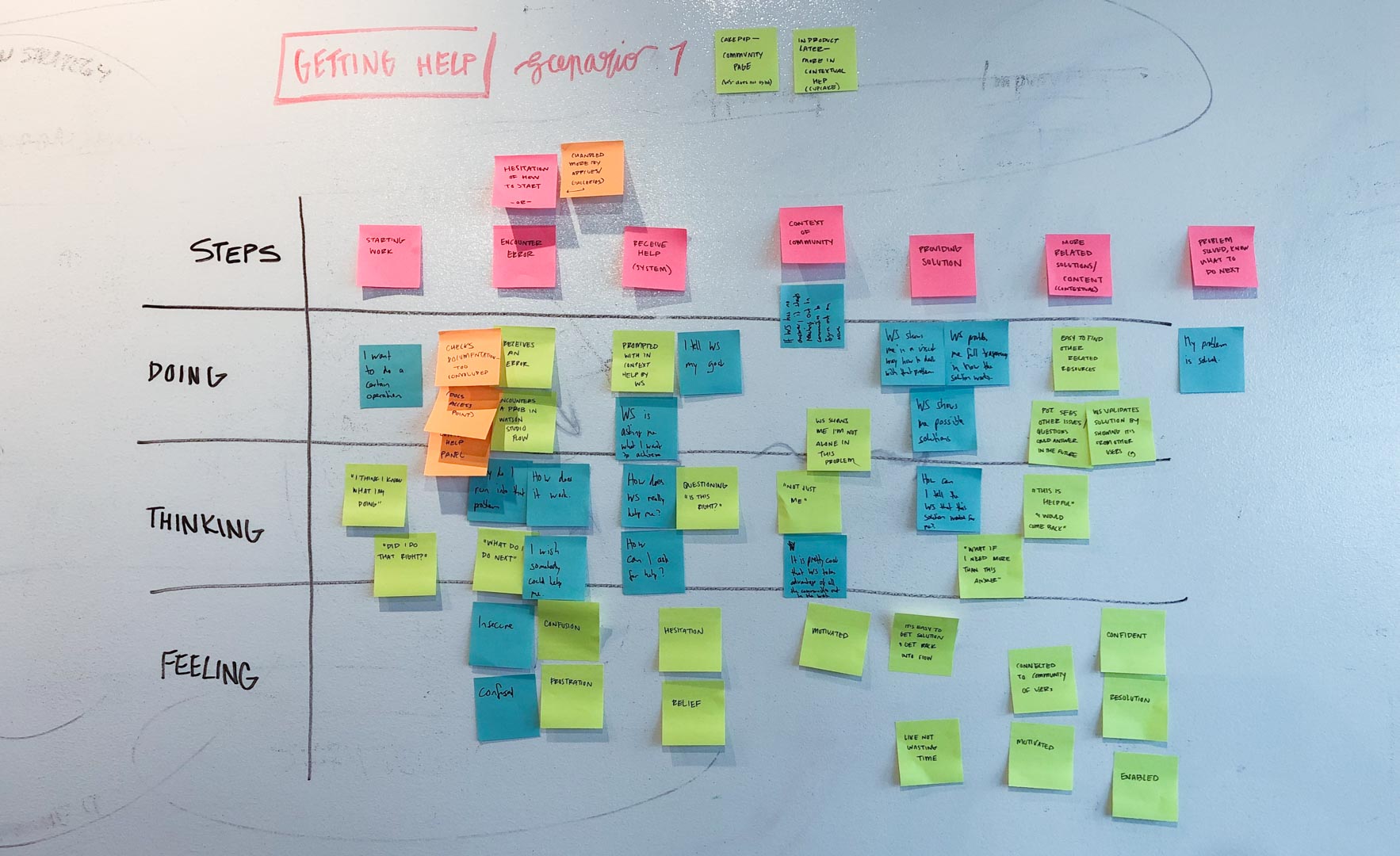
The to-be sceneario for «Getting help»
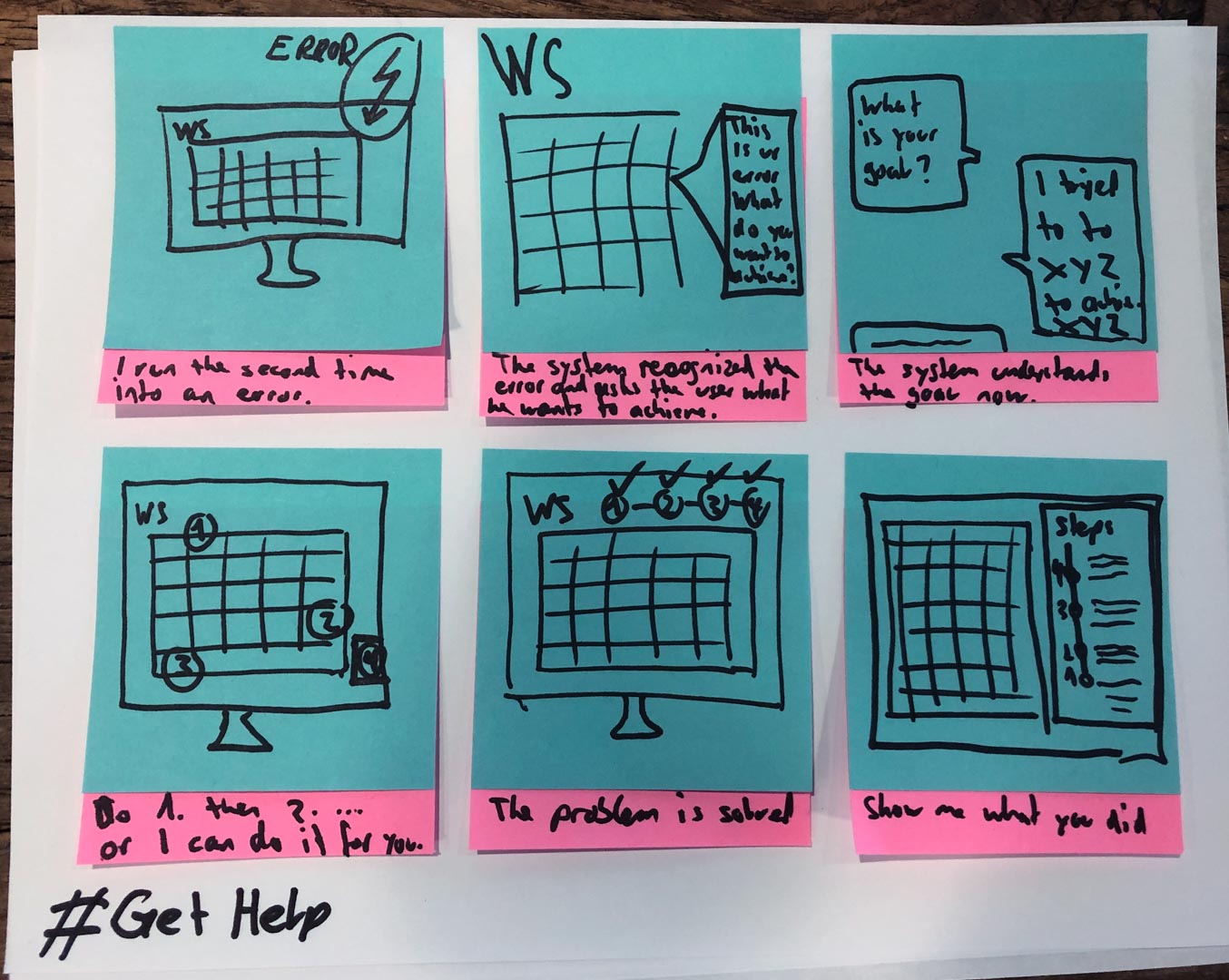
Storyboarding for the «Getting help» scenario.
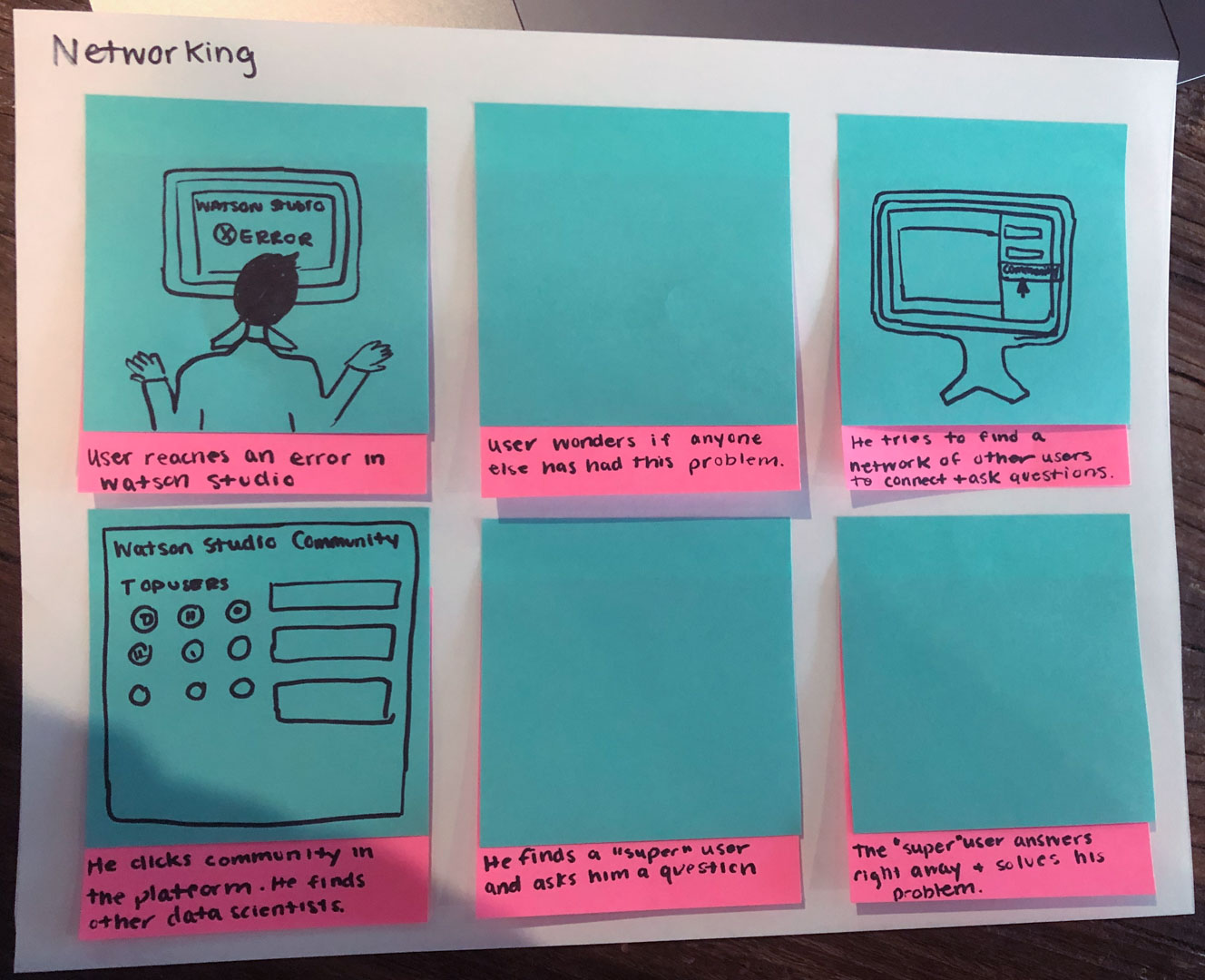
The consolidated scenarios for a Watston Studio user.
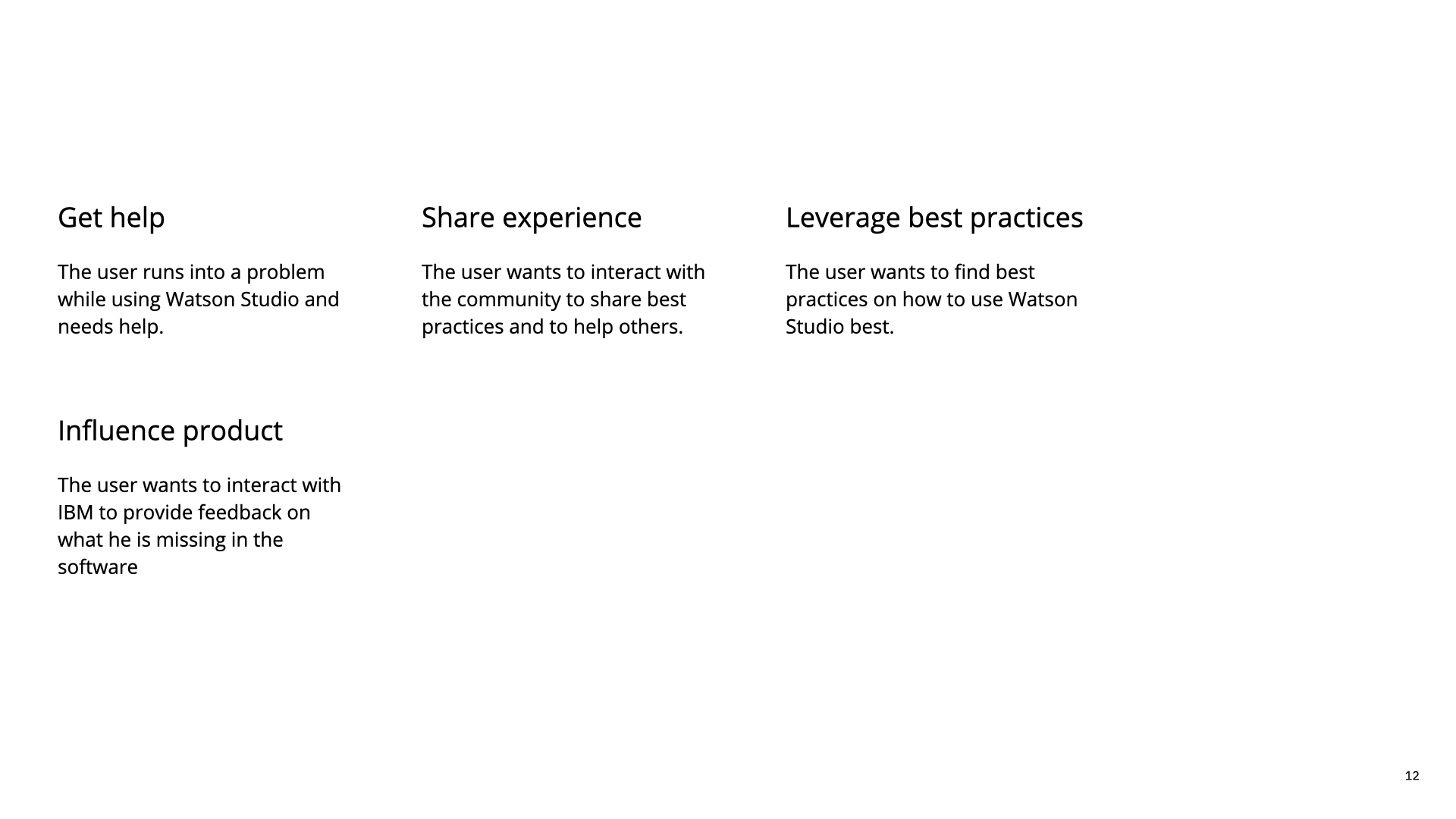
The consolidated scenarios.
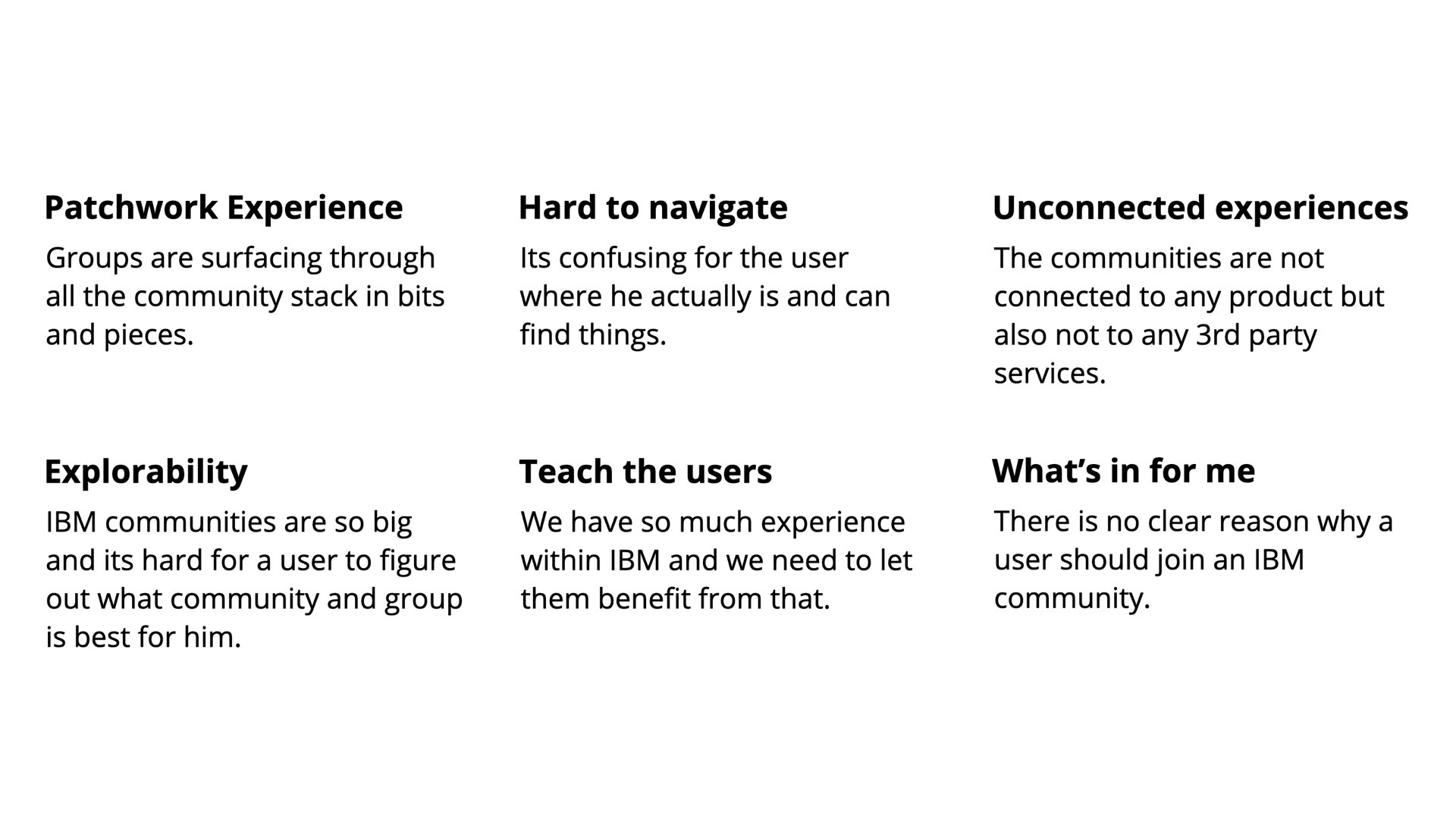
A summary community short commings.
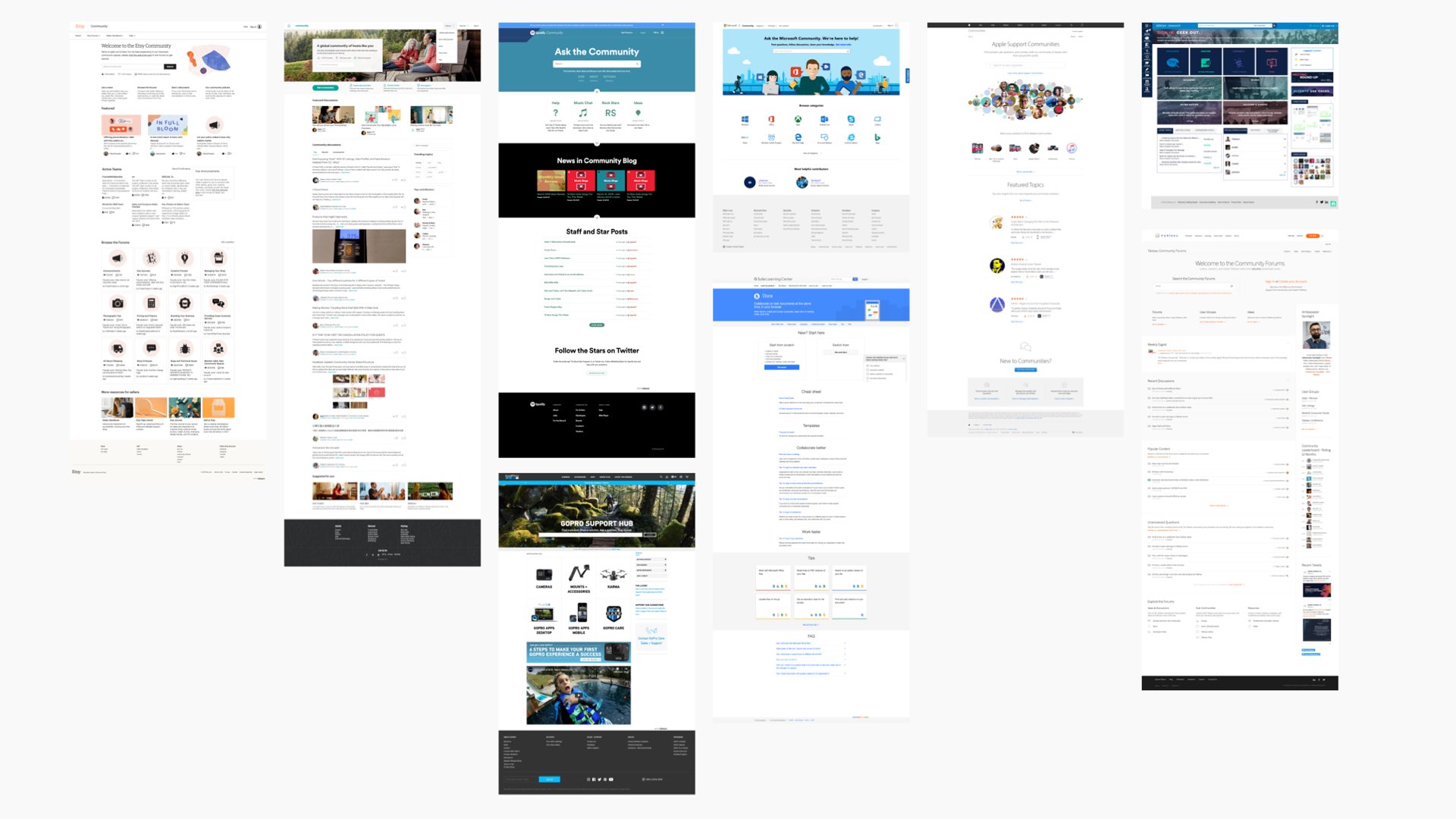
Best practices analysis.
Concept
A community is only as good as how beneficial it is for its members. How much influence they are having or potentially could have. A white paper, «sense of community - a definition and theory» elaborates exactly around that. We were taking that as a base for the concept mechanic. After doing extensive research and design thinking, we recognized that IBM is missing some big opportunities here. Communities were not integrated into IBMs products. Establishing a new community will ultimately compete with what is already out there. We recognized the opportunity to interconnect a struggling user from within a product with a user on a 3rd party platform via our new community. The interconnectivity was one of our key principles. The scalability aspect was key, as IBM has millions of users scattered on various sub-communities.
Below, the first row illustrates how interconnected a community will is. The user will be able to consume content from the community and 3rd party services right from within a product. The community itself is a place to discuss, learn and share. To make sure that this is not just another platform, 3rd party services like stack overflow or medium articels are getting intergrated in our community as well.

3rd party services are interacting with the community or the product.

A community member can now benefit of the above.
IBM community grew a lot over time. There are at least 20 different communities with several sub-layers as illustrated in the old sitemap below. We wanted to make sure, that there is just one community and that is IBM. Below that, there can be sub-communities for a product or an organisation. With that there are two kind of groups, a topic or a user group. A topic group is organised by a topic/product/philosophy wherease the local group is organized by geography and is the digital representation of a group of likeminded people that meet phisically.
The new sitemap is easy to navigate and is also easy to be scaled which is extremely important for a huge community like IBM's.
IBM had 5 different levels.
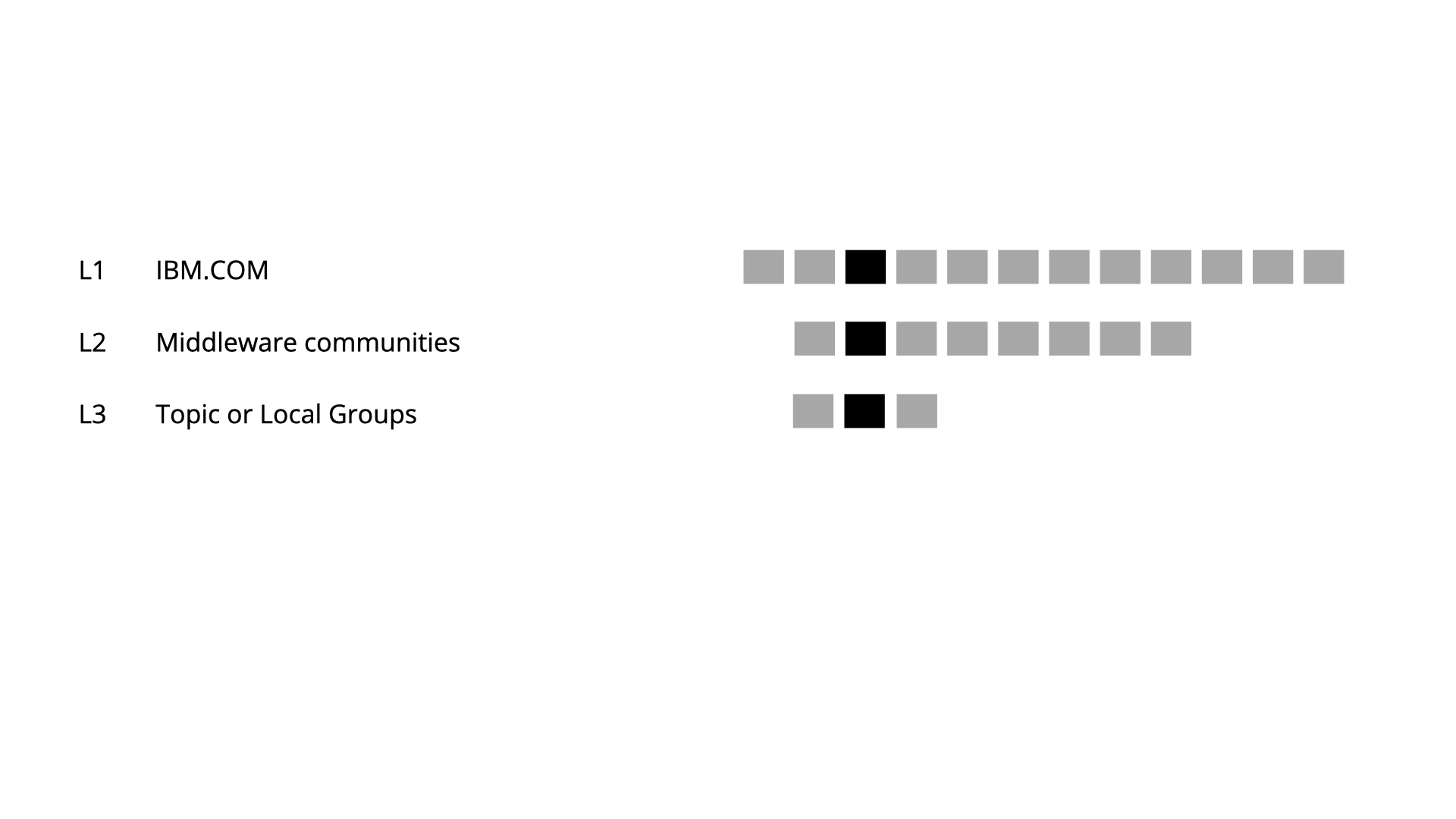
We broke it down to 3 levels.
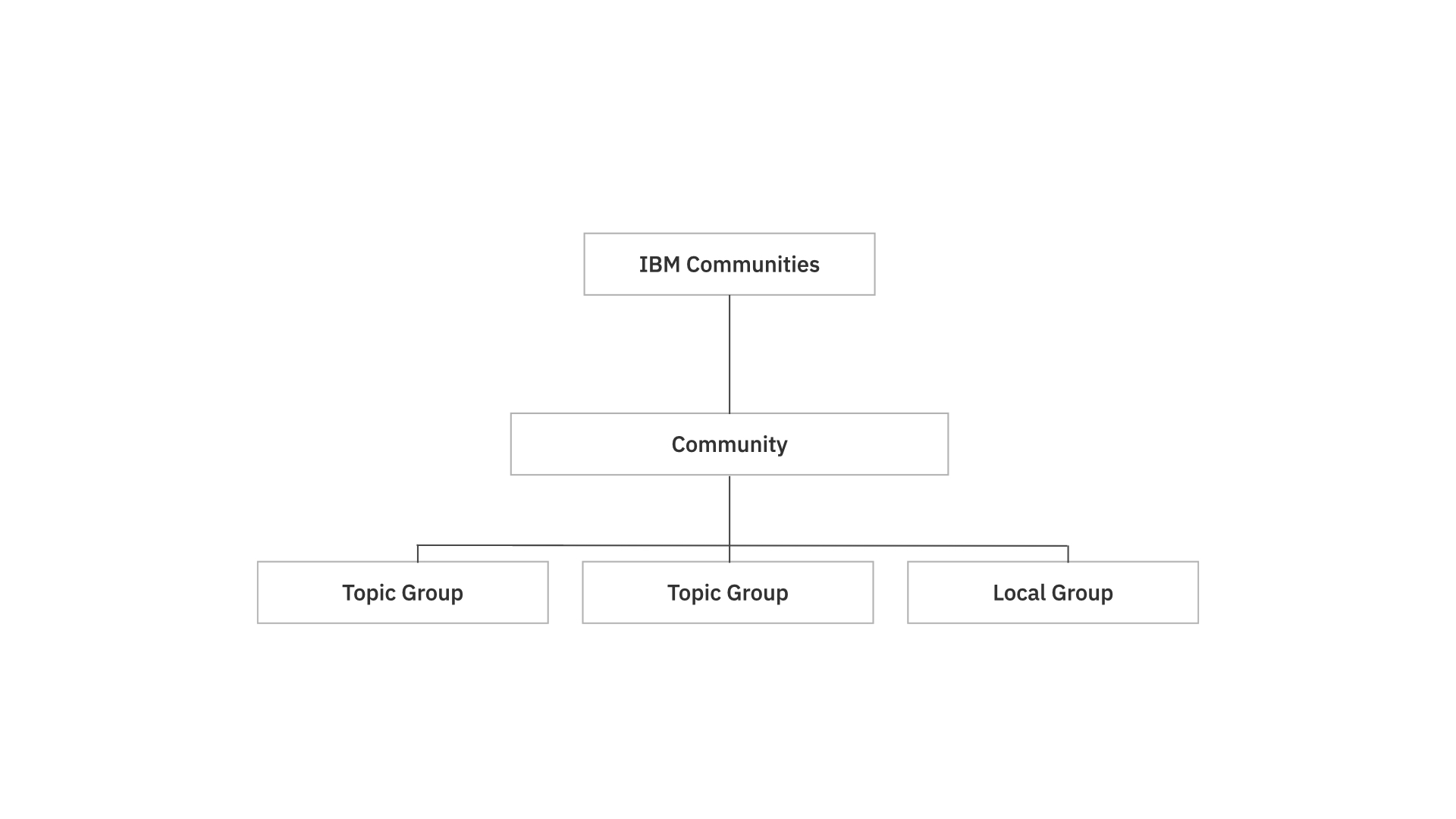
Here is the site-map with the community terms.
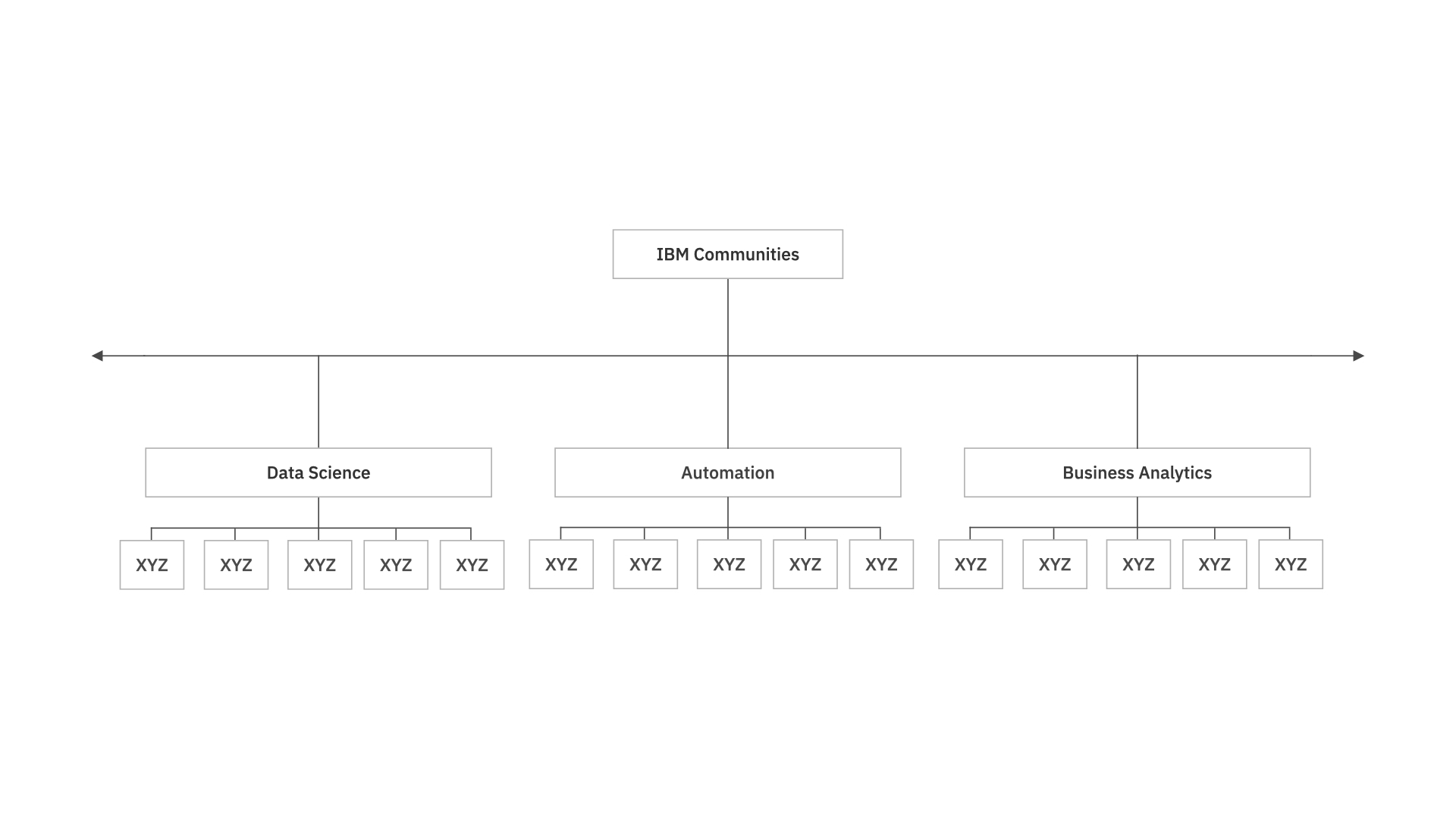
Many sub-communities within the IBM community.
Behind the scene impressions
We were working in close iterations between the design team and in different fidelities. One of the key moment was were we put everything on the wall to understand, how we would need to redesign the interaction design, IA and where we could add delight and benefits for a user, being a member in the community.
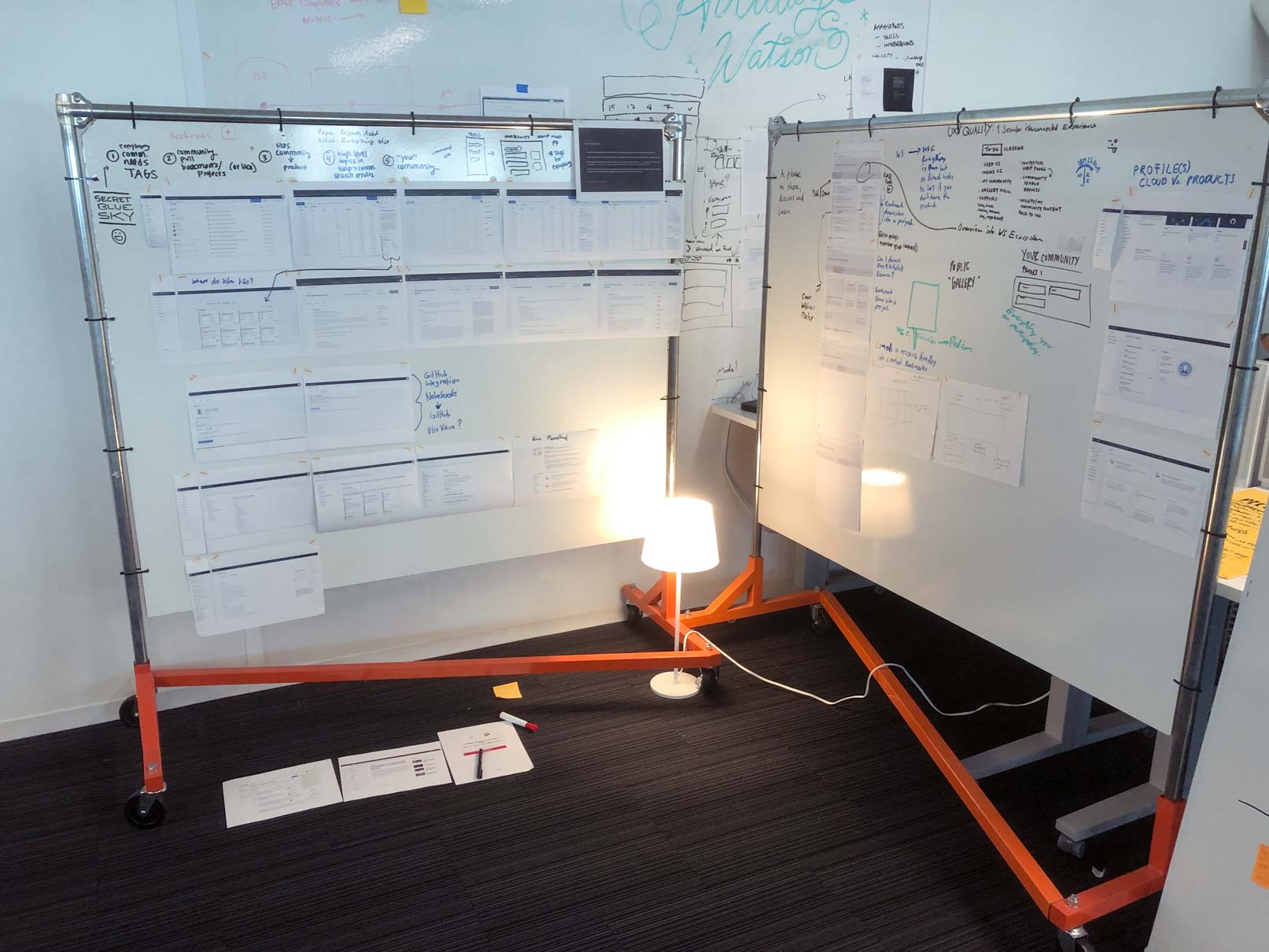
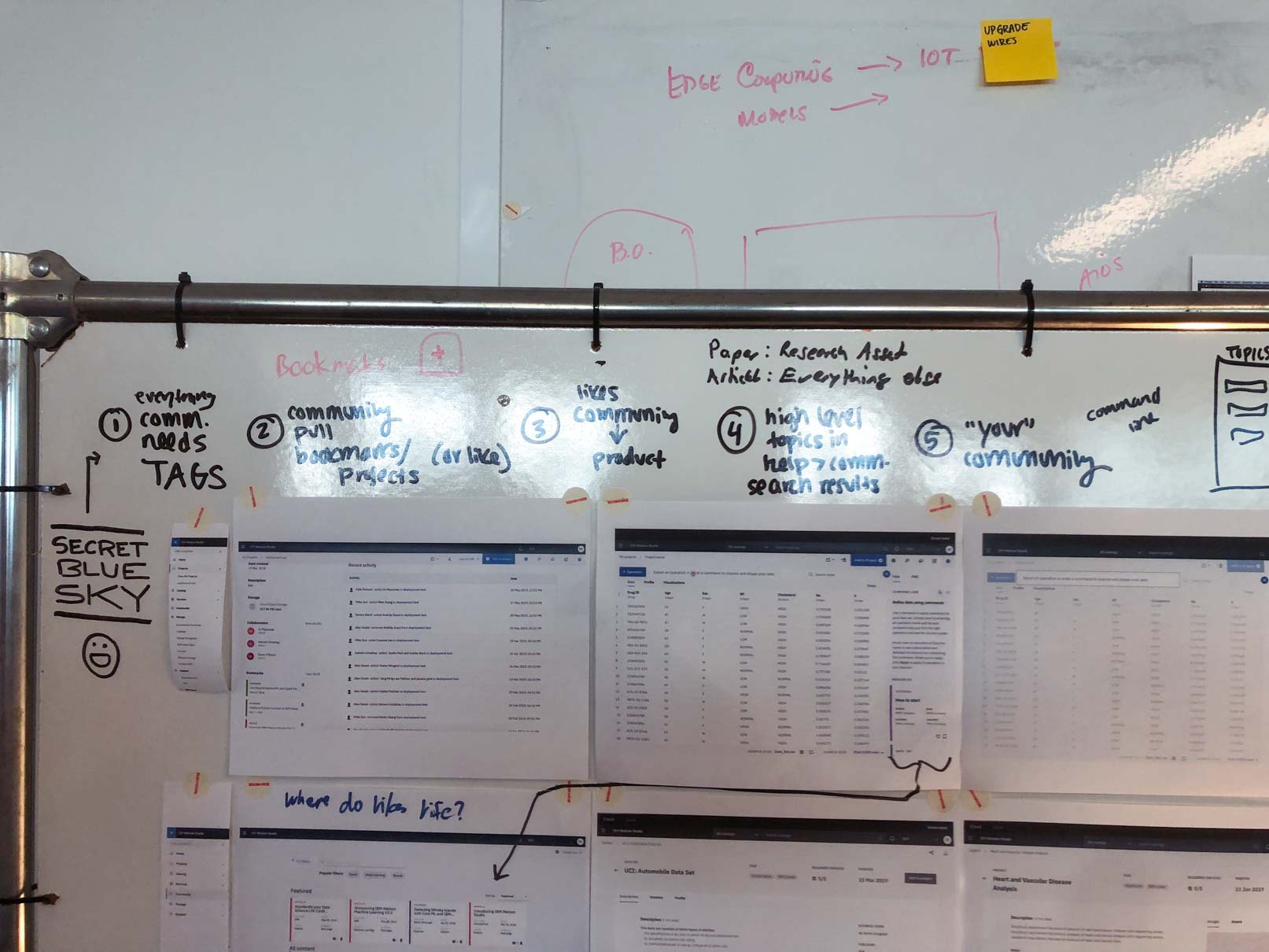
Community design - Watson Studio
Below, you will find a small selection of the design process going through all the fidelity stages to come up with a Hi-Fi design as the end result. During this phase, user experience design and visual design were very closely collaborating. To make sure we are always aligned with the users but also the engineers, we did testings and had close loops with the engineers.
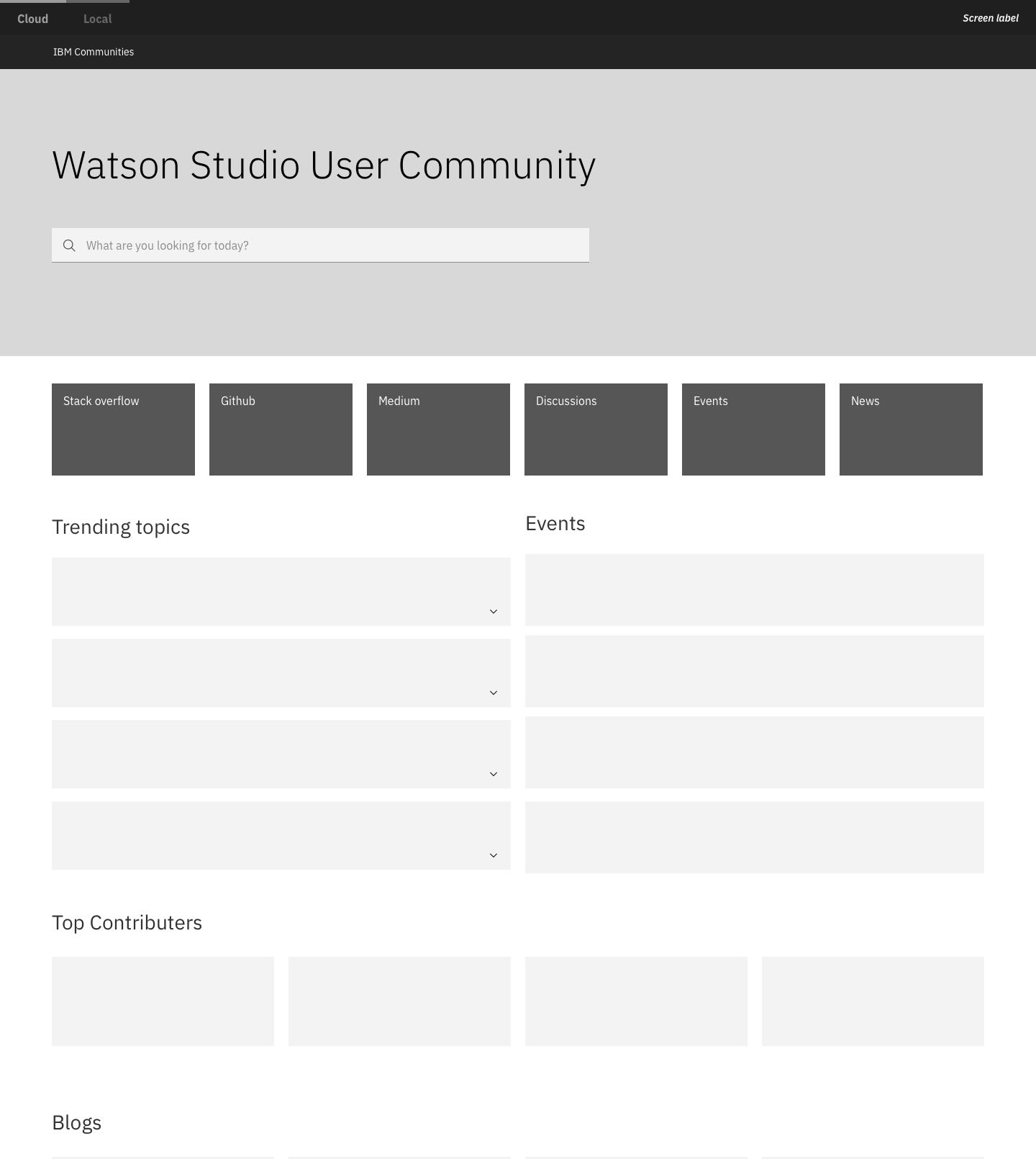
Lo-Fi: Community home
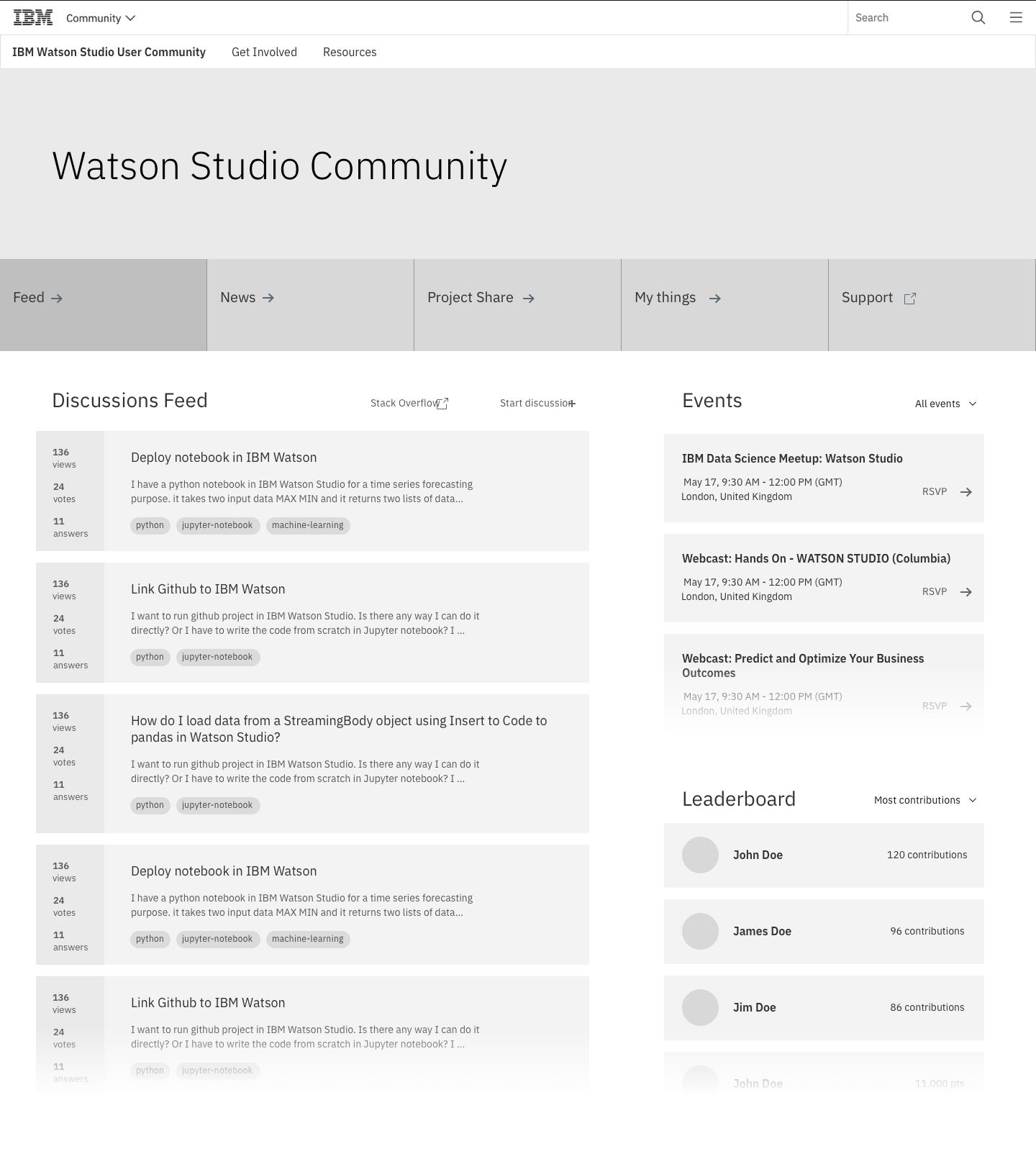
Mid-Fi: Community feed
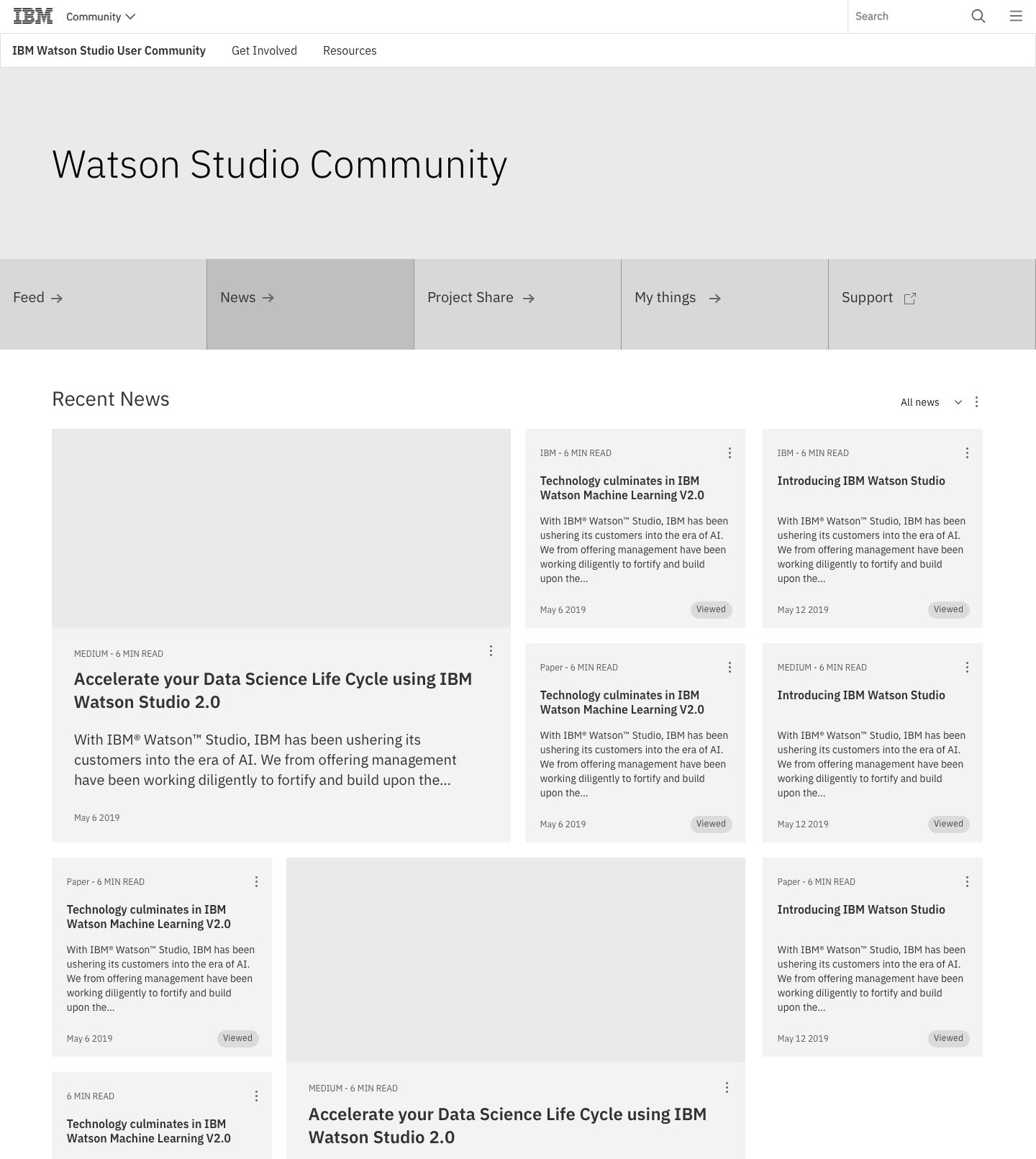
Mid-Fi: News
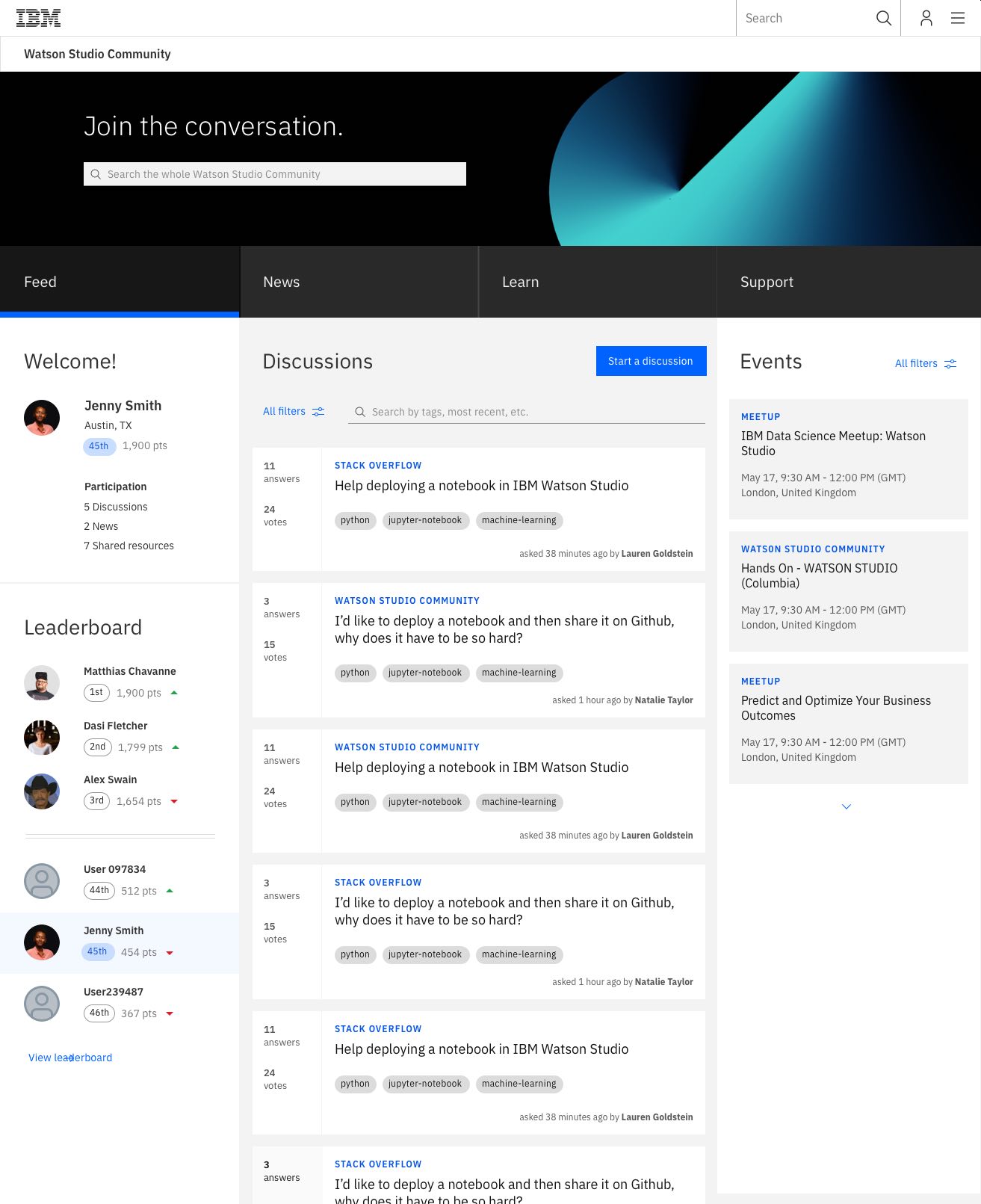
Hi-Fi: Feed
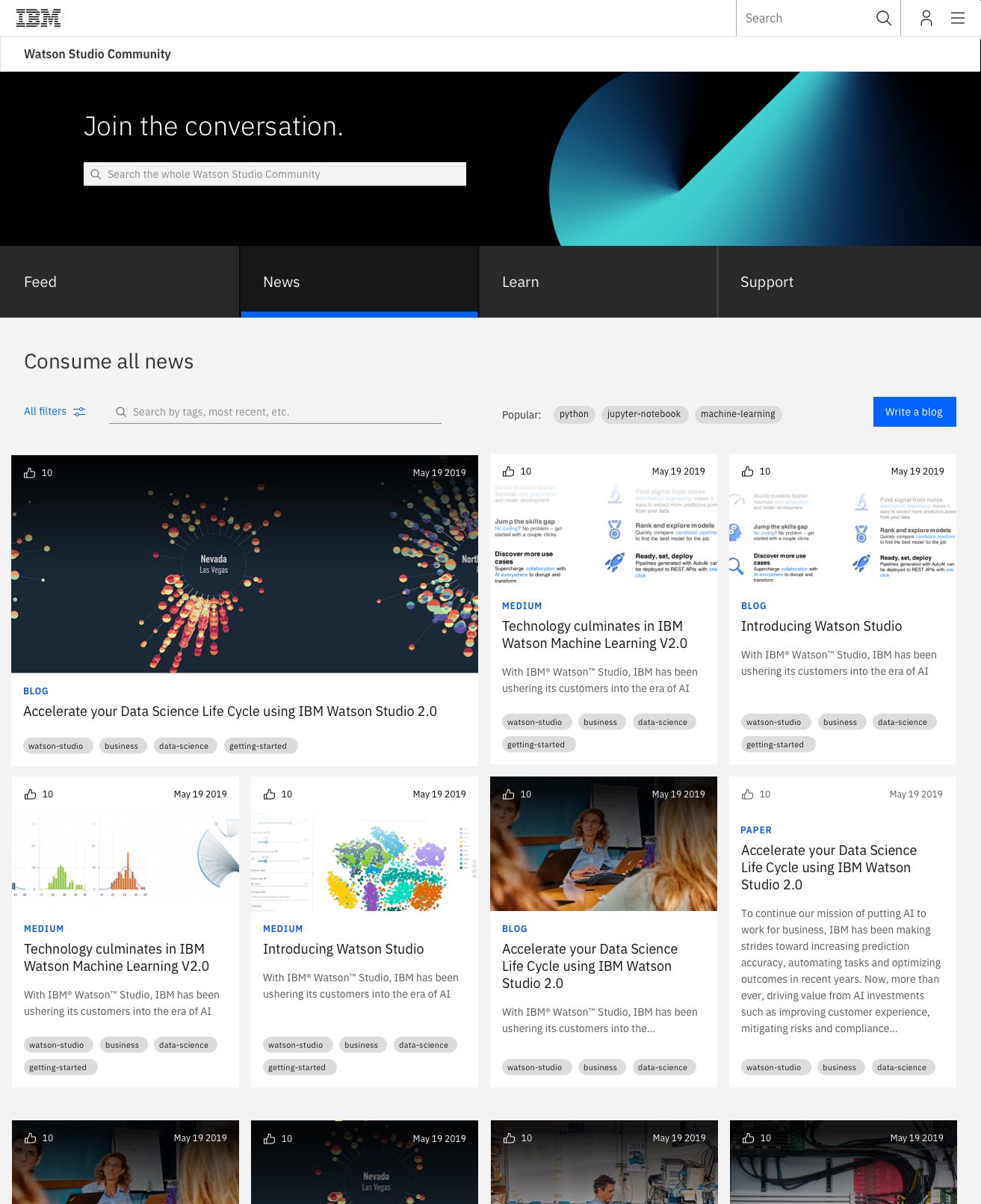
Hi-Fi: News
Getting the community shipped
Shipping a product is almost always a compromise. To make sure we are not short cutting too much and create an experience that is not delightful, I needed to convince our vice president executive about the impact of the different pahts. The executive was fond about the concept from the very beginning. He did not have enough developers to build it though. After he tried to shrink the experience and I could show him that this will not be successful he came back to me and told me, that he is going to hire 20 developers and will get the concept shiped.
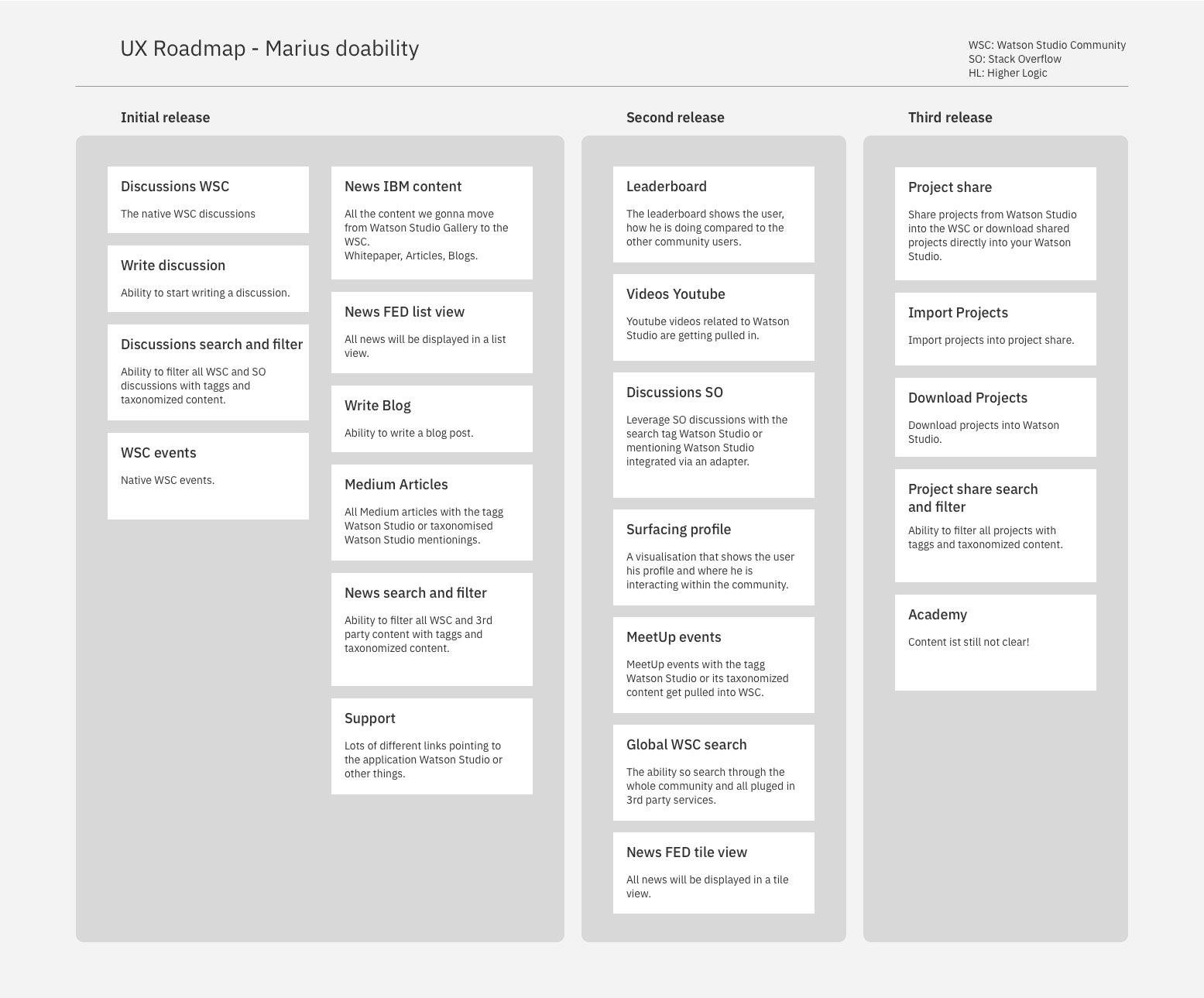
Understanding tech and its scale.
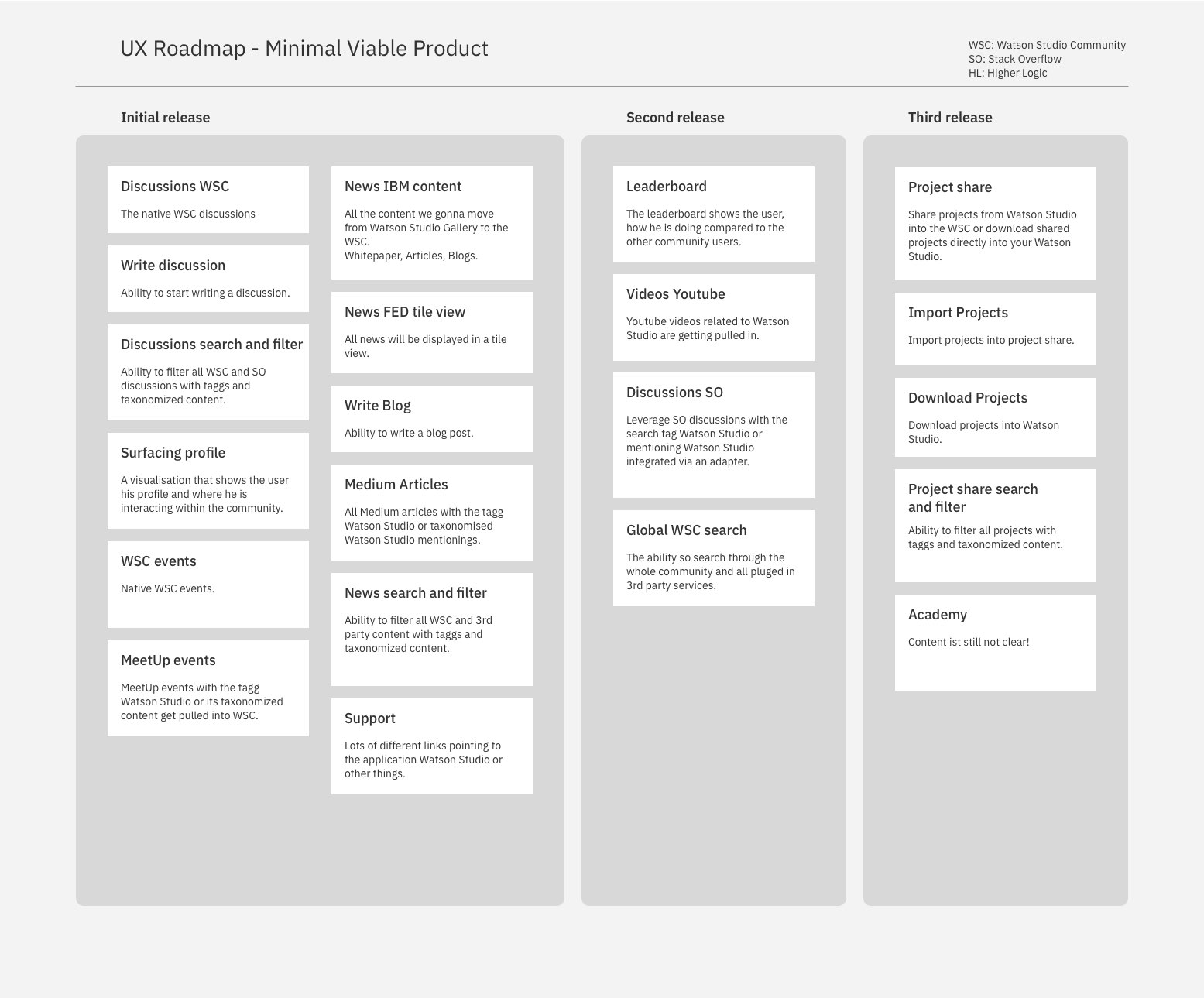
Radical simplification.

Radical simplification.
Scaling the concept across IBM
This phase of the project was quite a difficutl one. We had to find a system to simplify all available community and to make them feel and behave the same way. At the same time, we needed to give the community leads enough room to adapt to their unique needs. A big topic was the challenge of knowing whats in a group when you would like to join a specific topic. Making content visible on the level where a user is joining a group was essential. Below, you will find a selection of key wireframes. The video below shows the life version of IBM communities and how easy it is to change from one community to another and navigate in between groups.
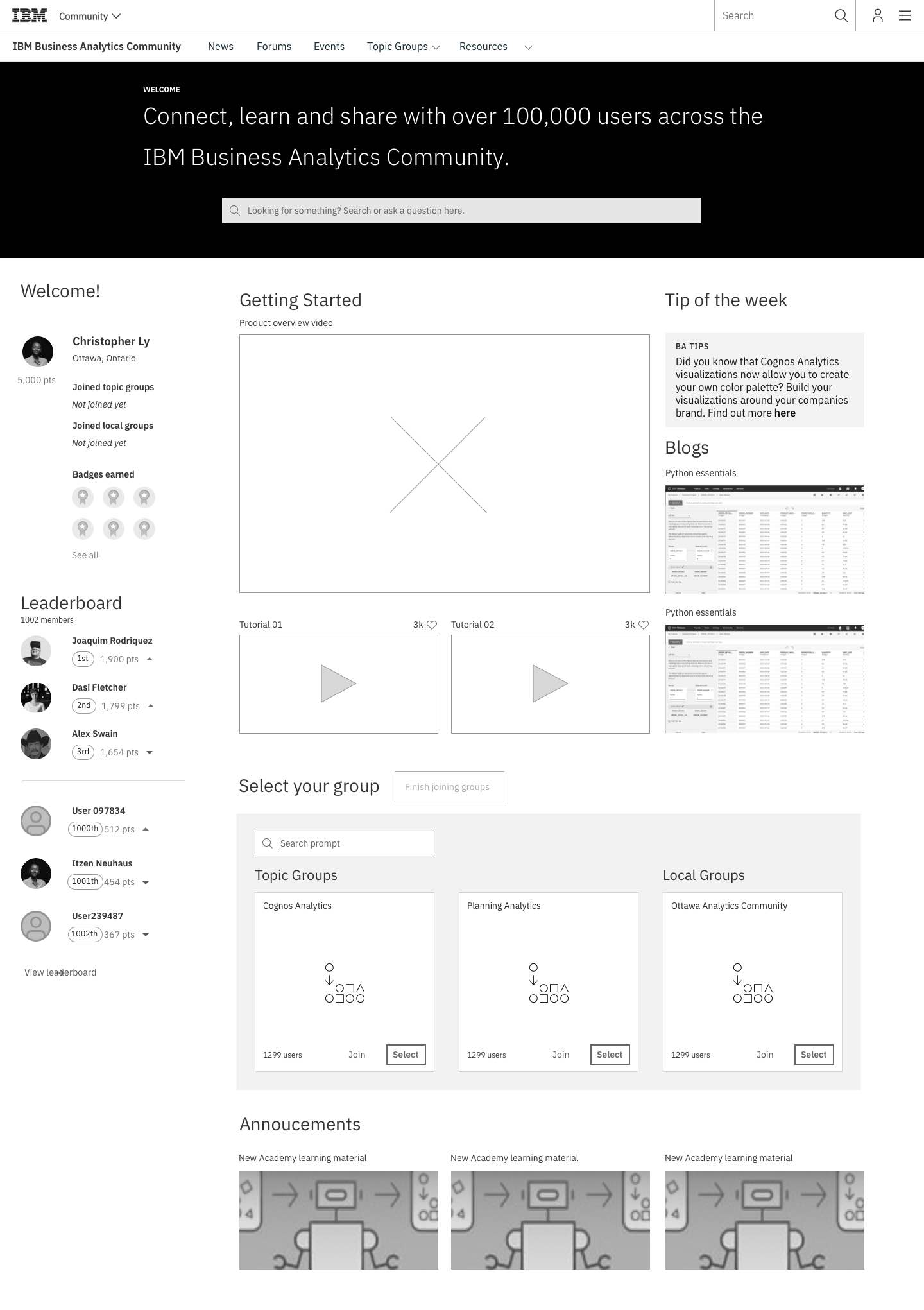
Mid-Fi: Getting started experience

Mid-Fi: Every day use experience
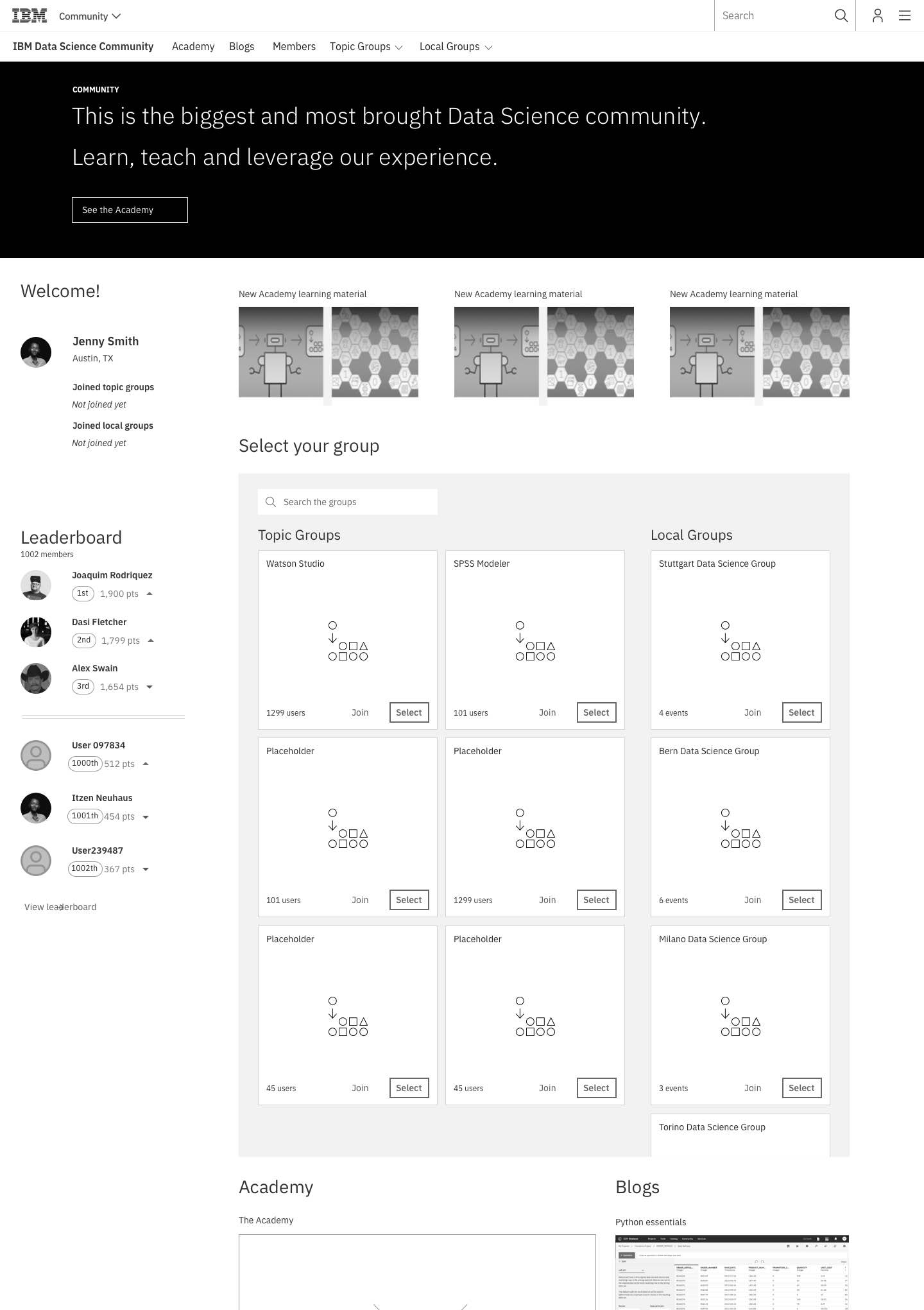
Mid-Fi: Finding the right groups

Mid-Fi: Searching through the groups

Mid-Fi: Adding more key words
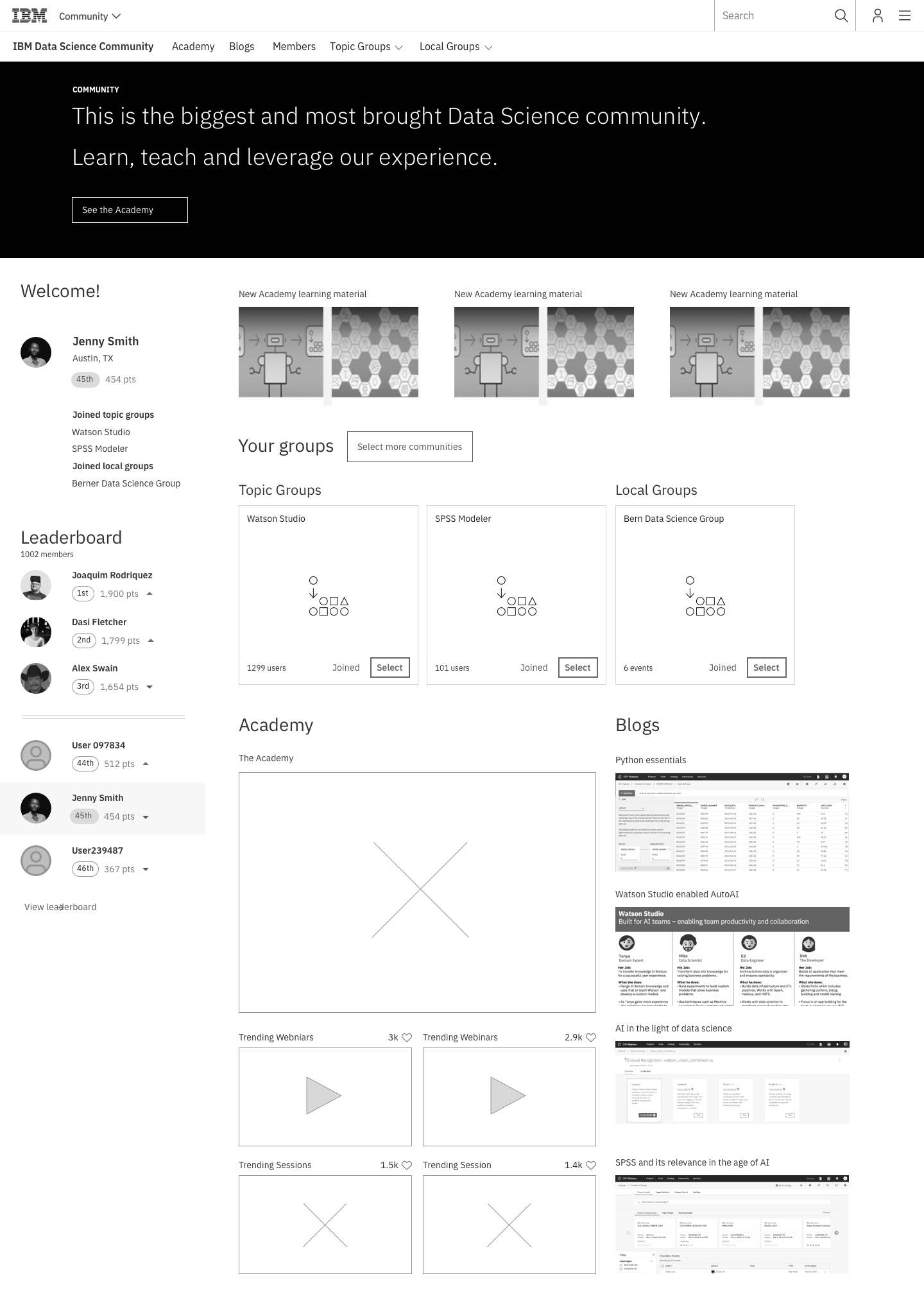
Mid-Fi: Joined several groups
The new IBM community had its go to market and is slowly scaling every IBM Community. It was essential that we were working with the scale in mind. This concept is loved by users and community leads because it is simple, clear, discoverable, and scales easily.
Besides that, it offers IBM a completely new way to interact with the products we build and the established 3rd party services. I am incredibly proud of my design team, the engineers who brought the community to life and the Executives who had the guts to go all-in and hire 20 external developers to pull it off.
Below, there is a screencast of the new IBM Community.
Product integration
To strengthen the community and make sure that a community member can also leverage the same content within a product. I would like to give you an example. A user would like to know how to leverage the joins function best. A user can easily search the whole community and stack overflow. Watson Studio is a data science platform. If a user needs to deep dive into a problem, we can leverage all the resources available. Articles, blogs, or any other resources can get leverage redirected into the community website itself. This has not yet been implemented within the Watson Studio or Cloud Pak for Data help concept.
Below there is a selection of the Mid-Fi UX I have created.
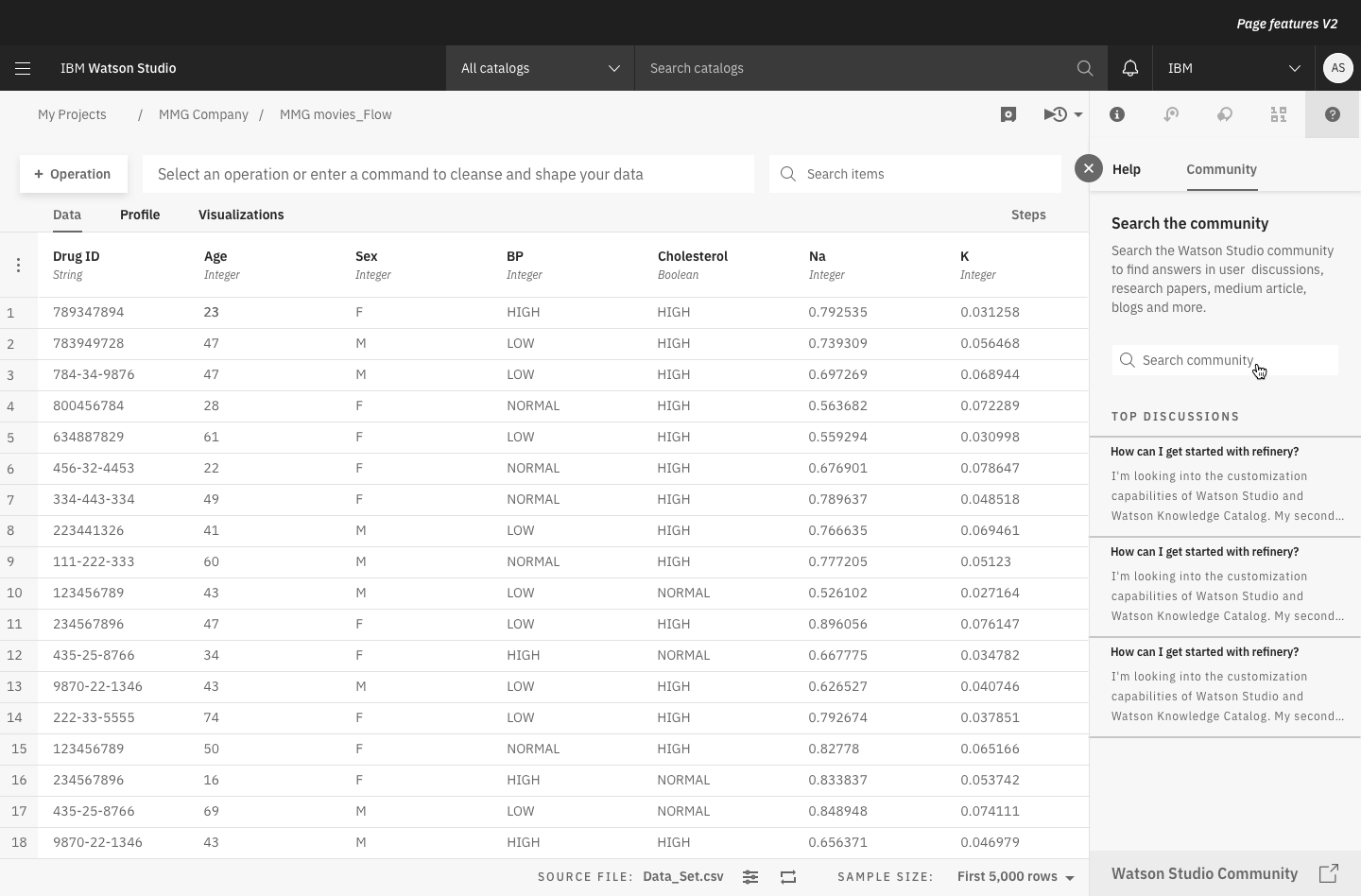
Search the community
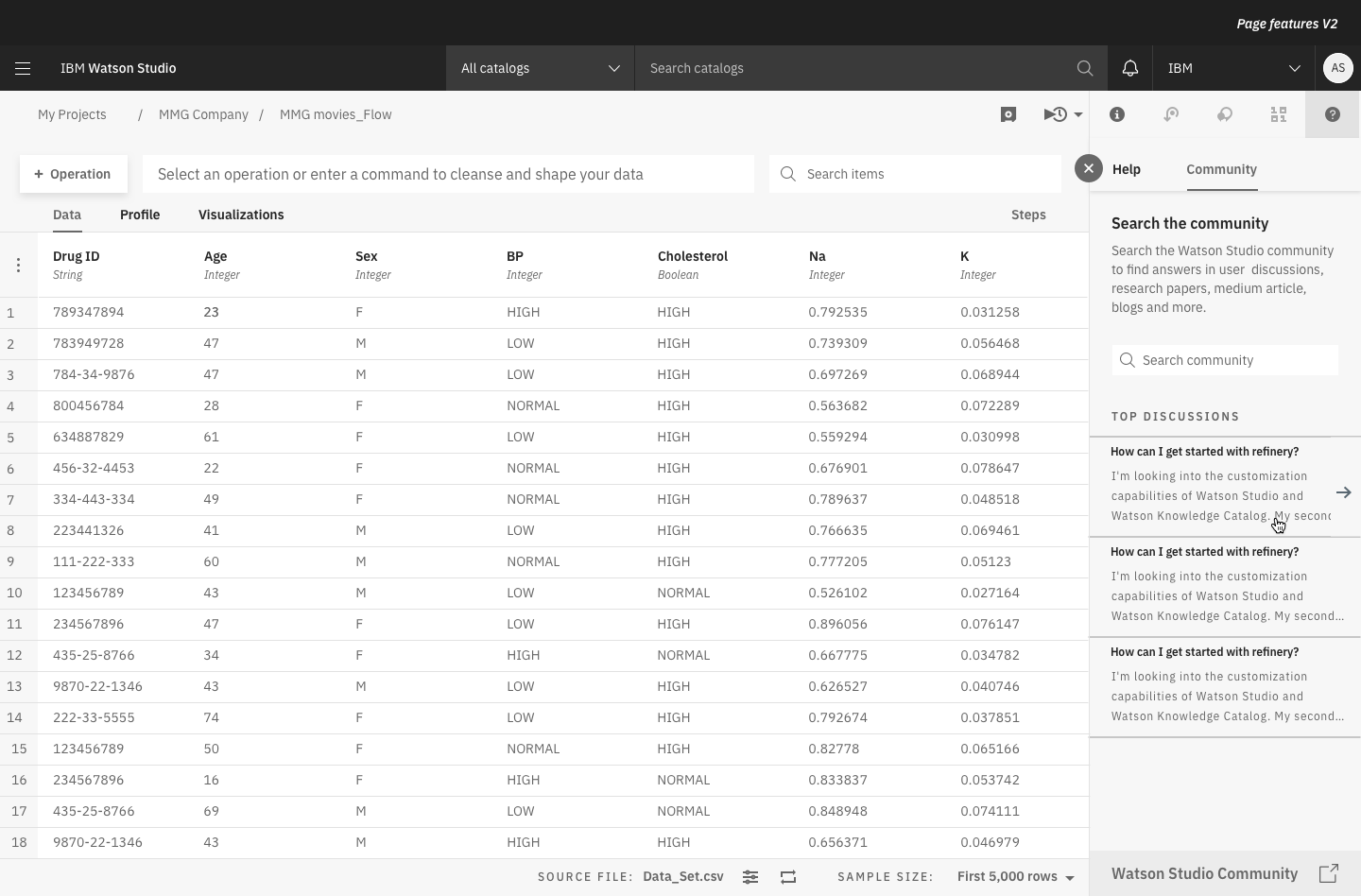
Select top discussion
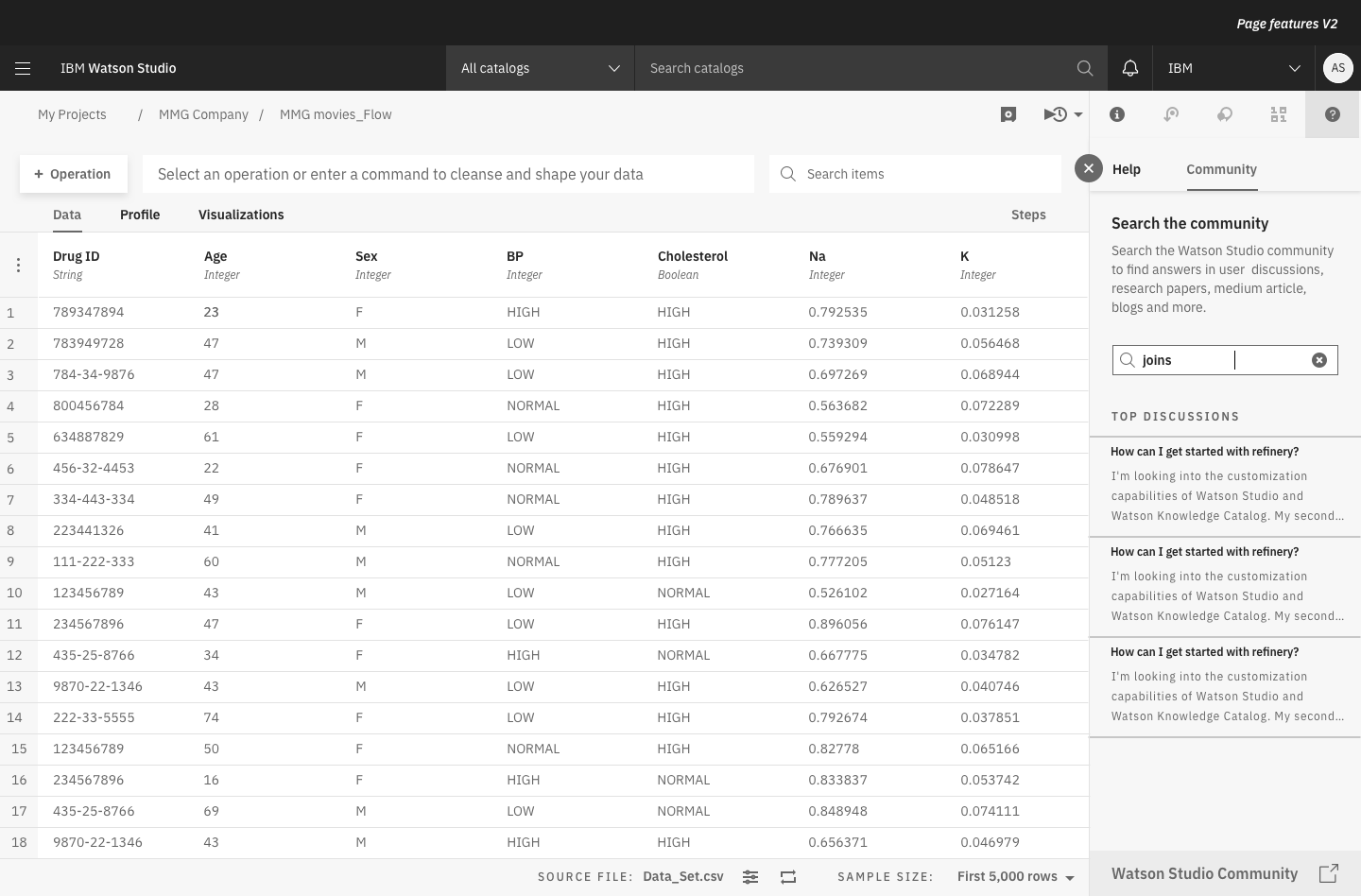
Leverage the search
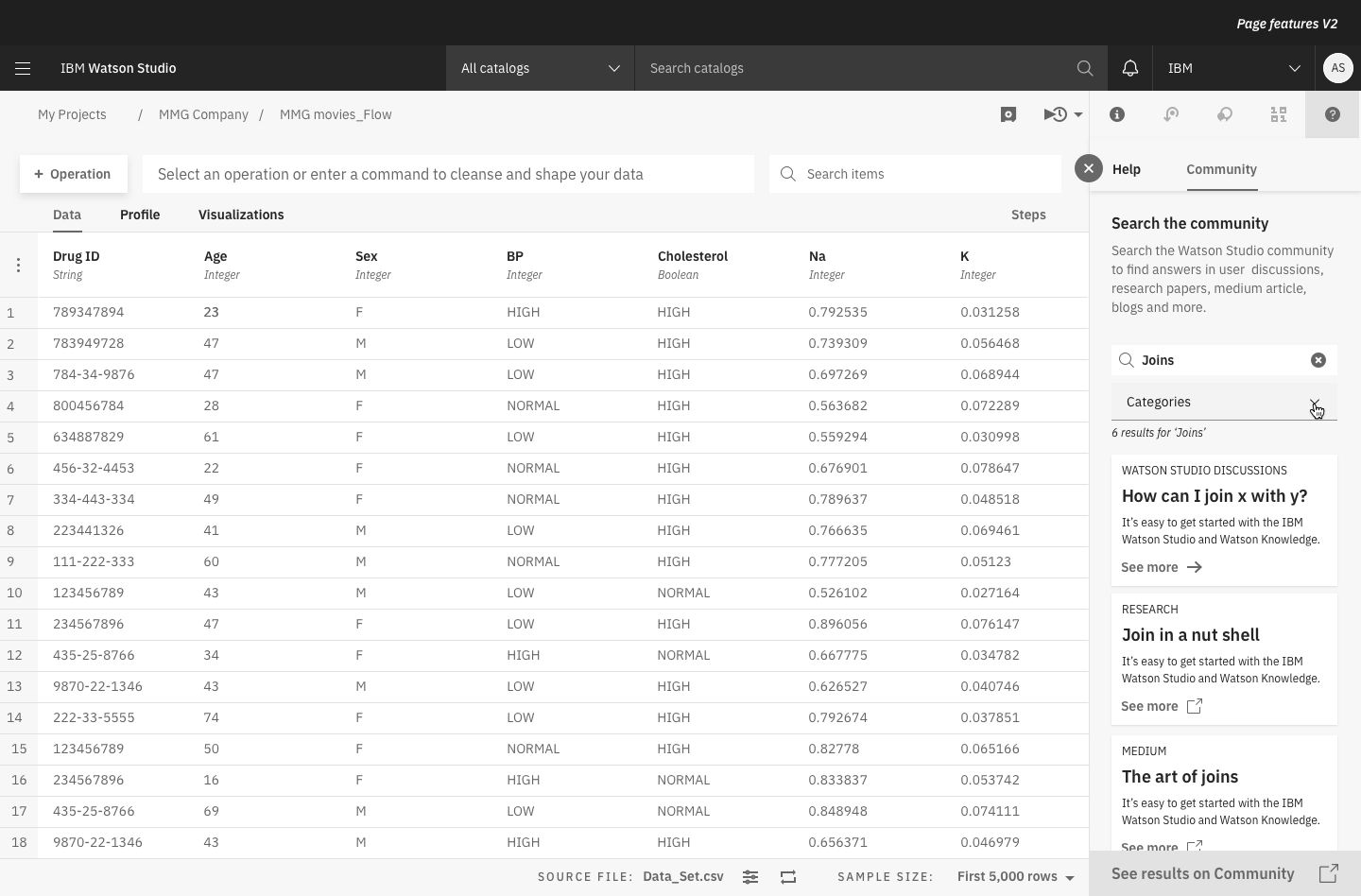
Filter after categories 01
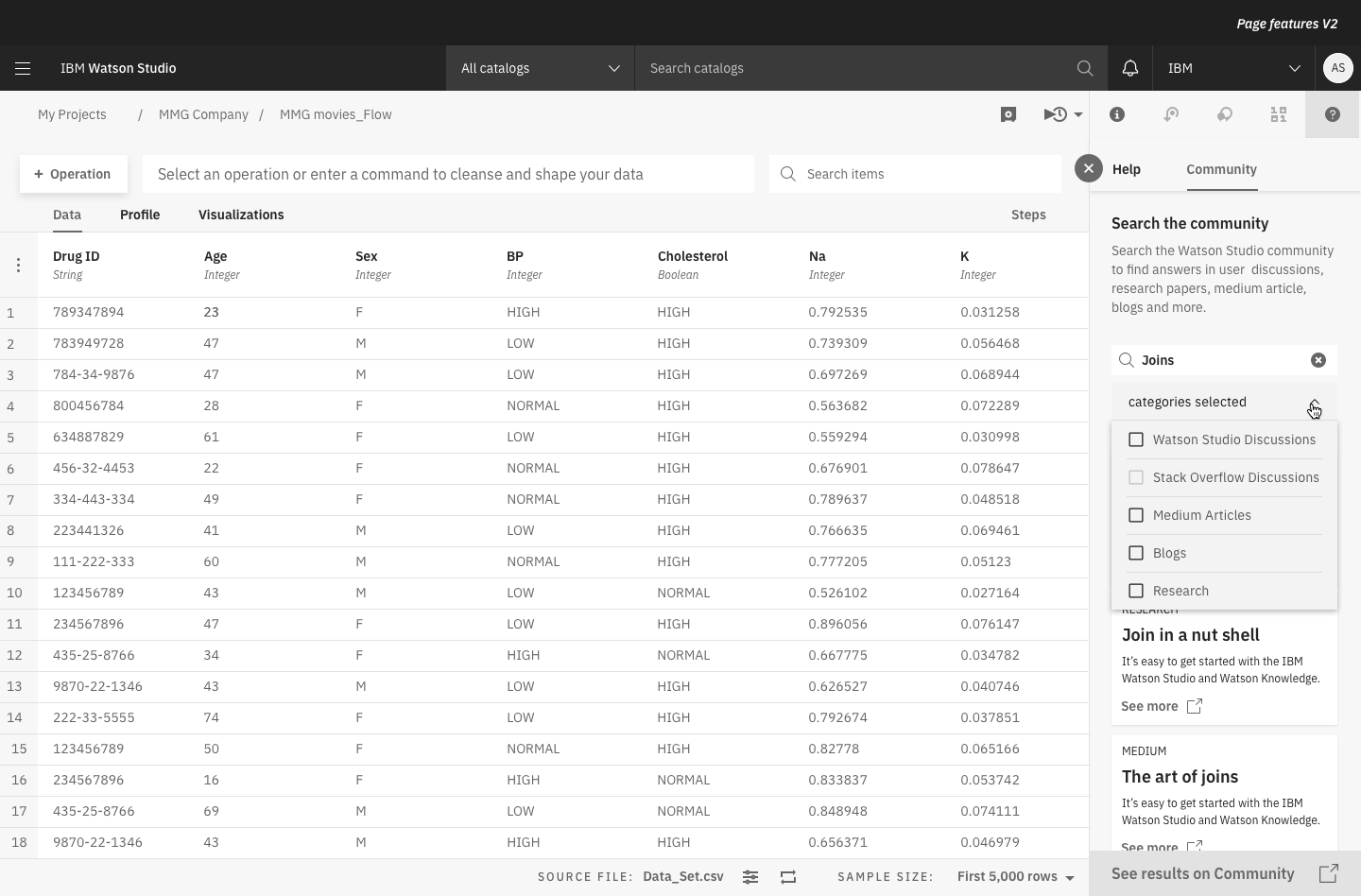
Filter after categories 02
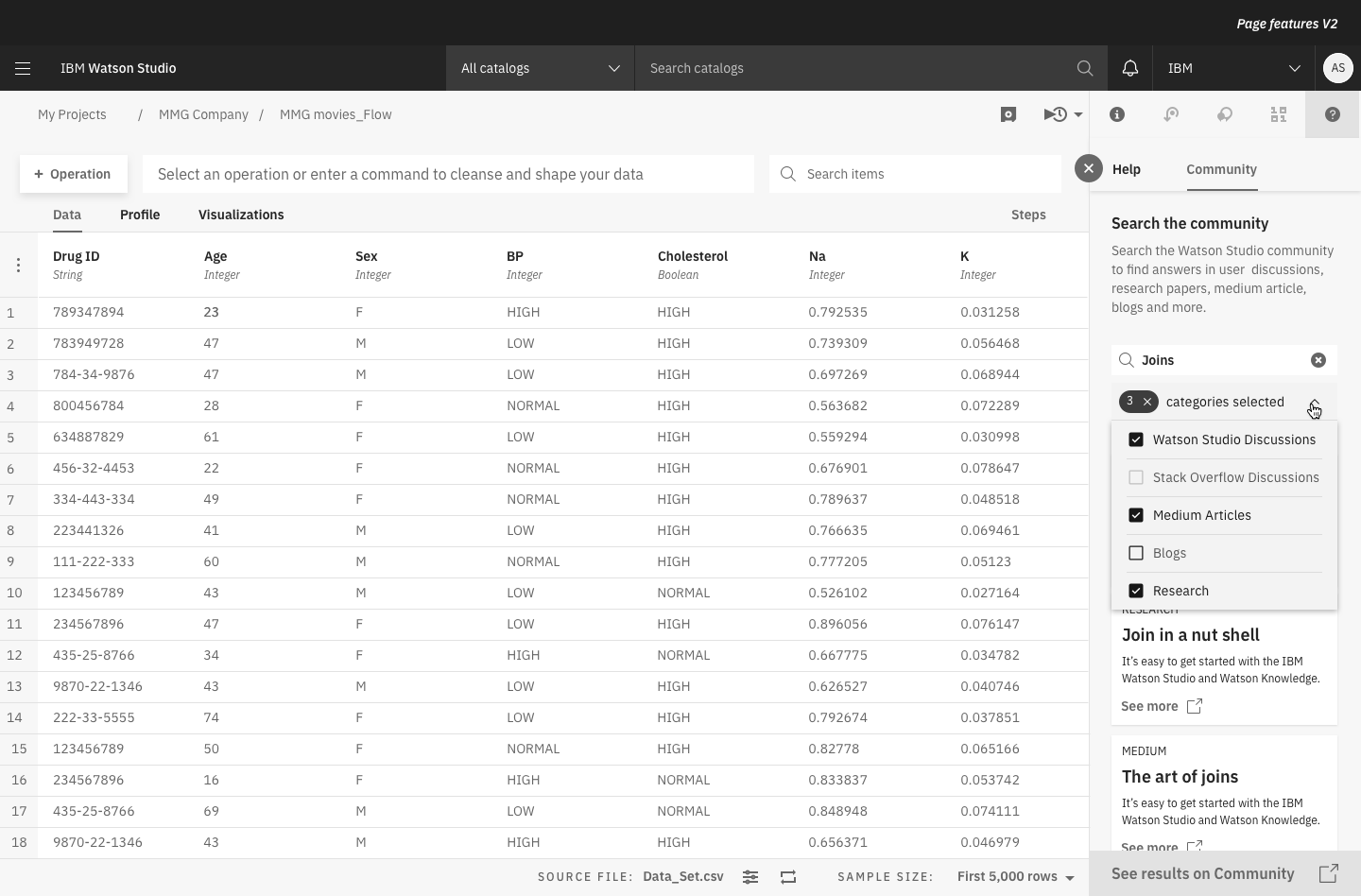
Filter after categories 03
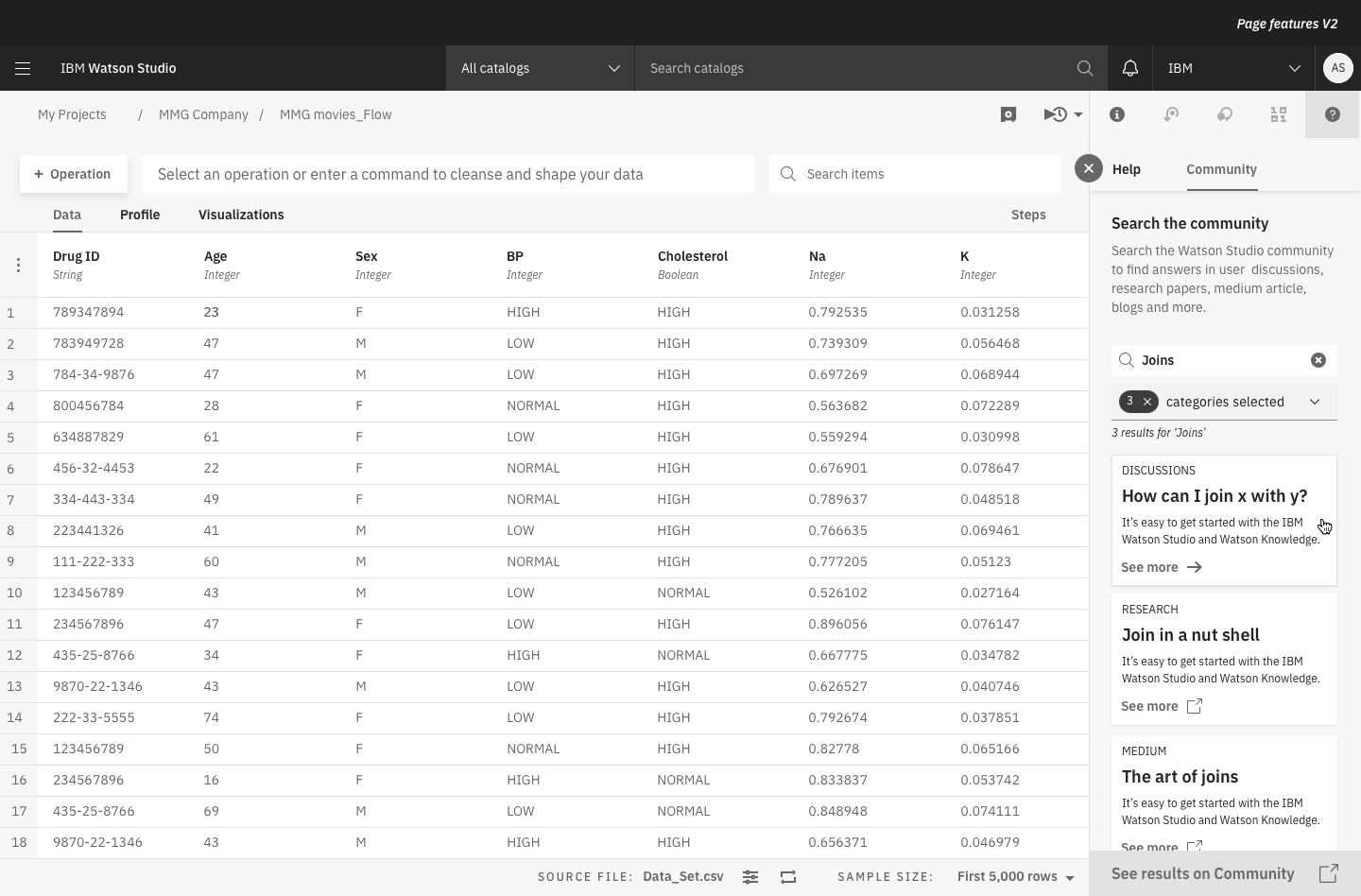
Select a discussion
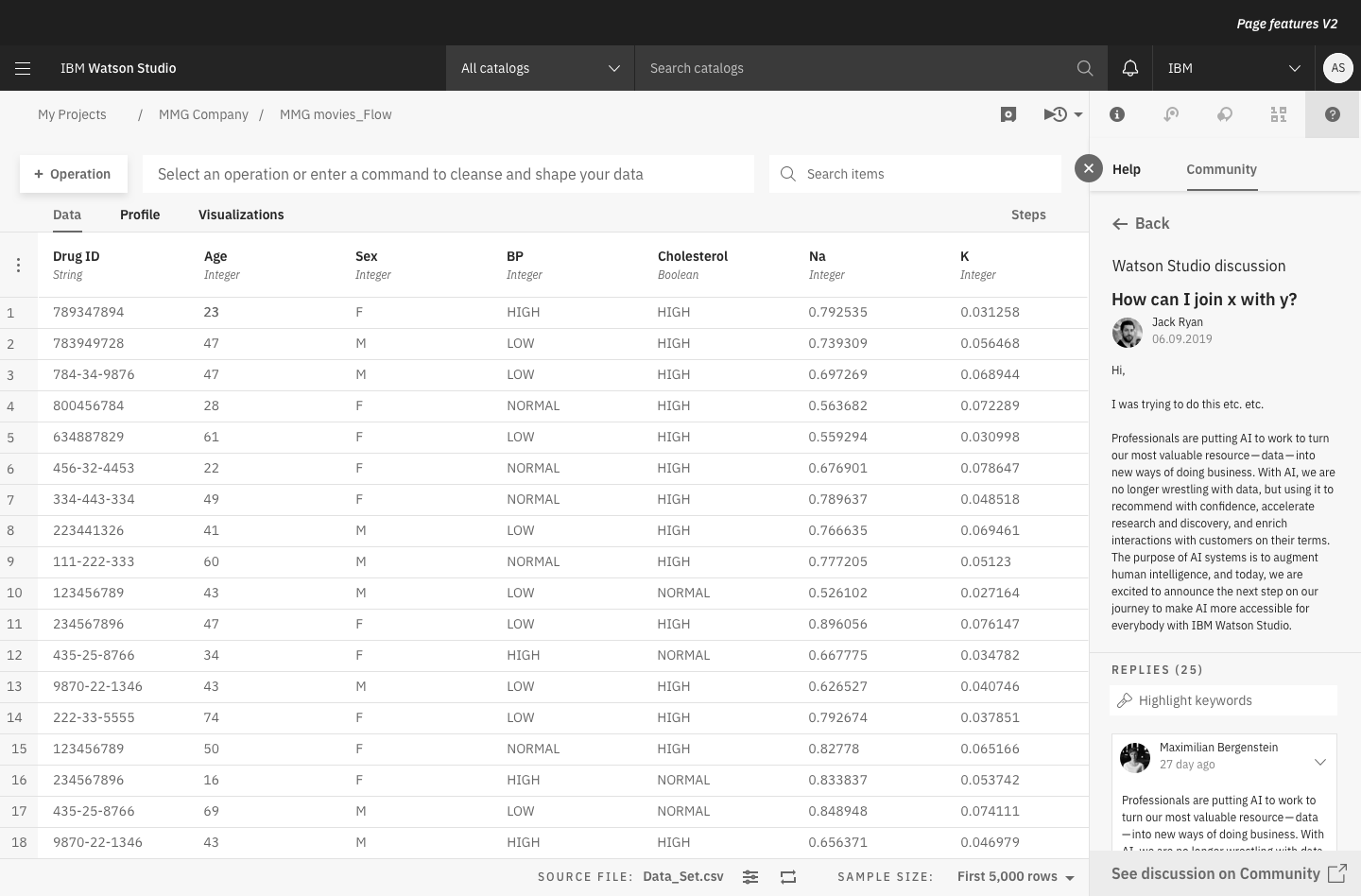
Within a discussion
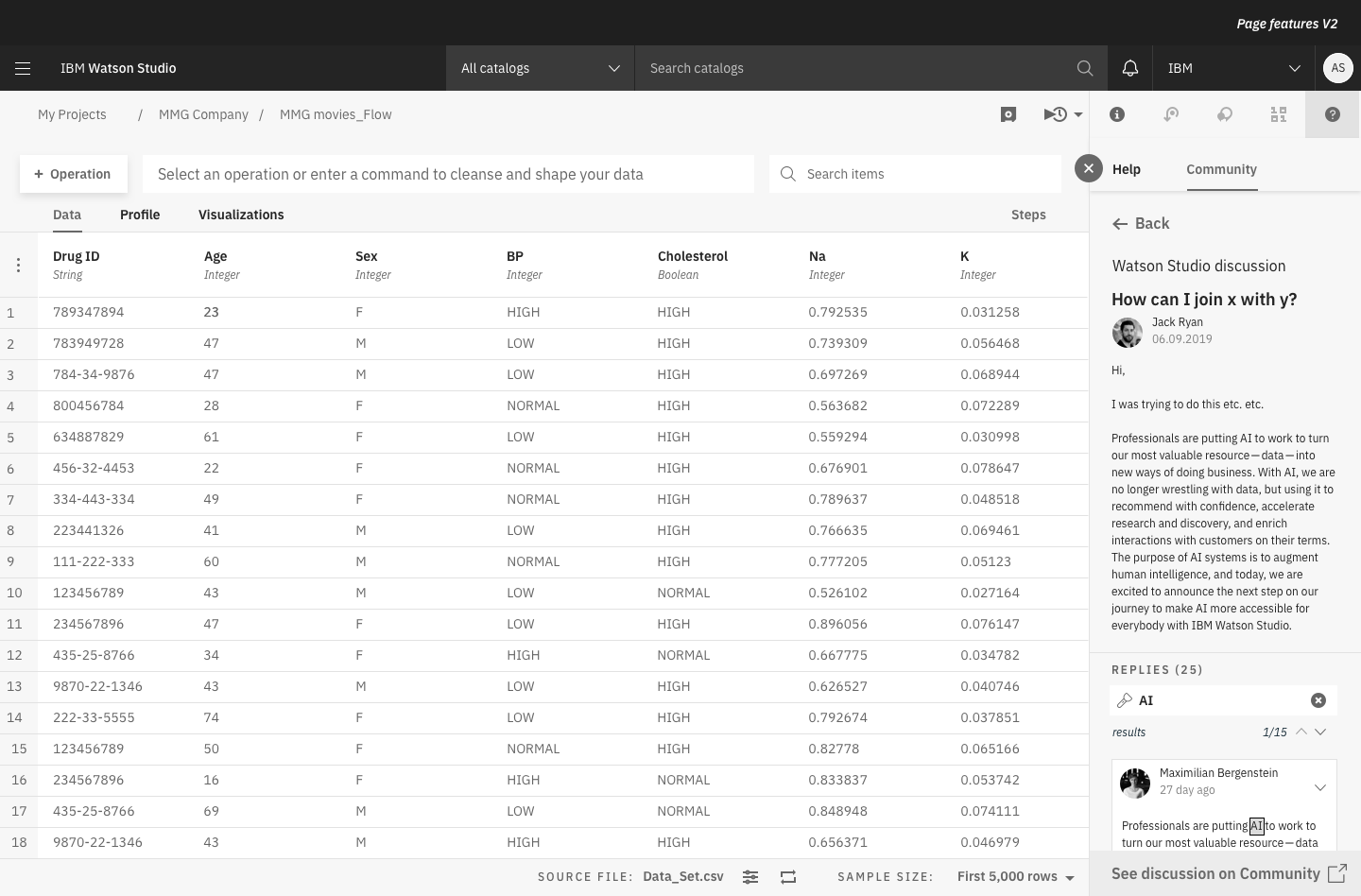
Highlight areas of interest 01
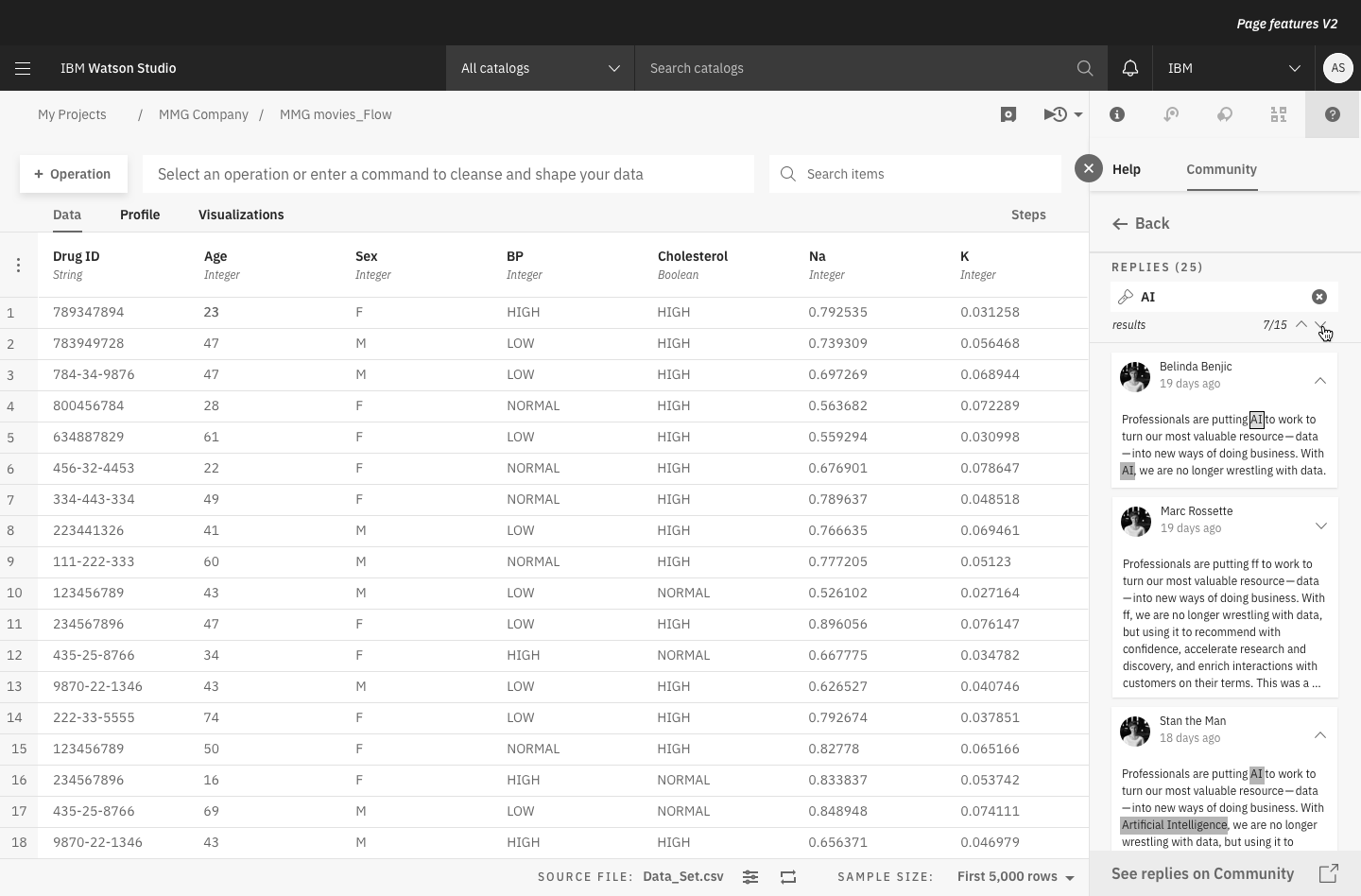
Highlight areas of interest 02
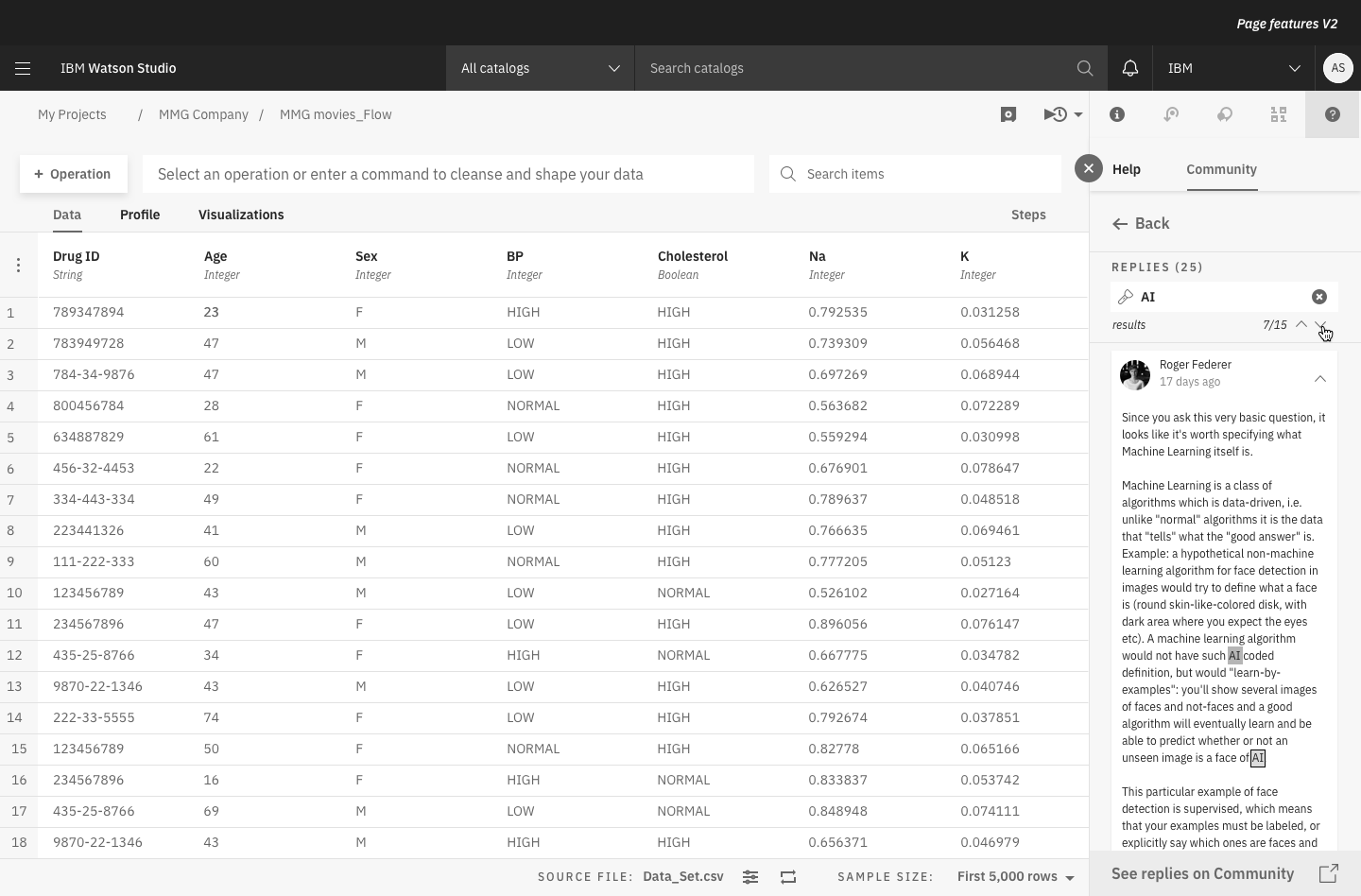
Browse through the highlights
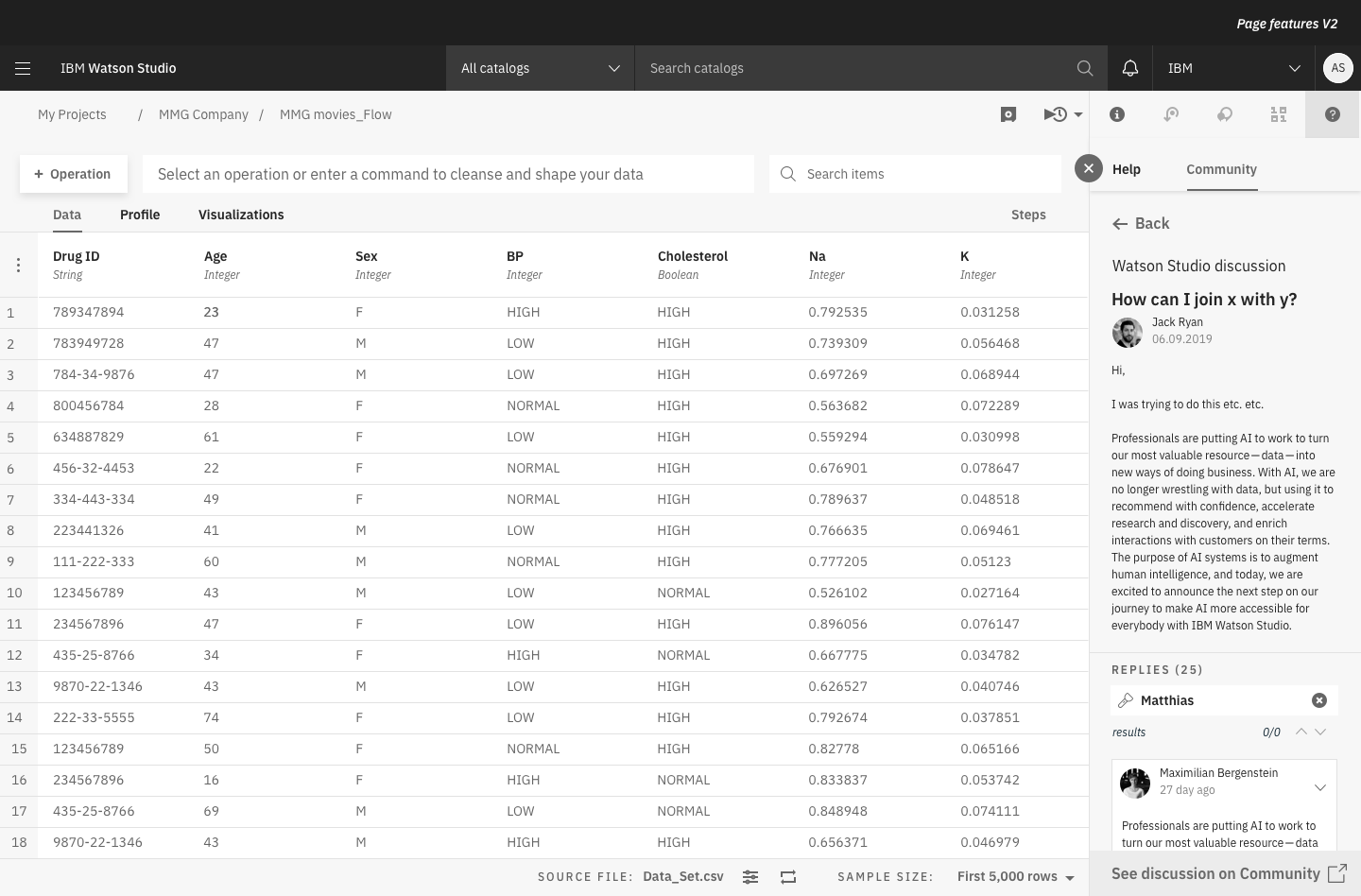
Empty highlight state
Jolie Durand was interpreting the Mid-Fi UX into the Hi-Fi visual design with an iterative approach and in close interactions with me.
Below, there is a selection of the many produced screens.

Highlighting keywords 01
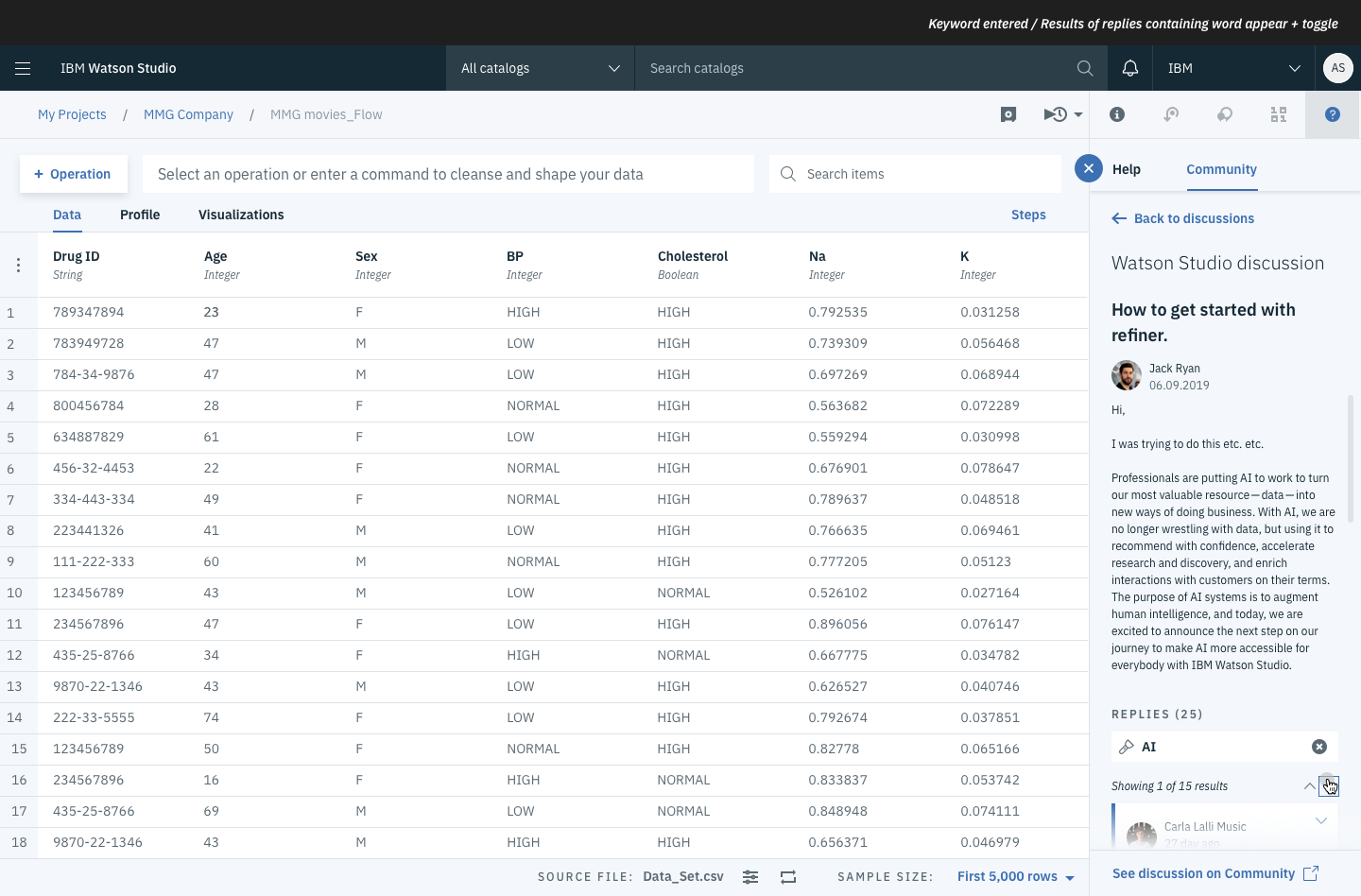
Highlighting keywords 02
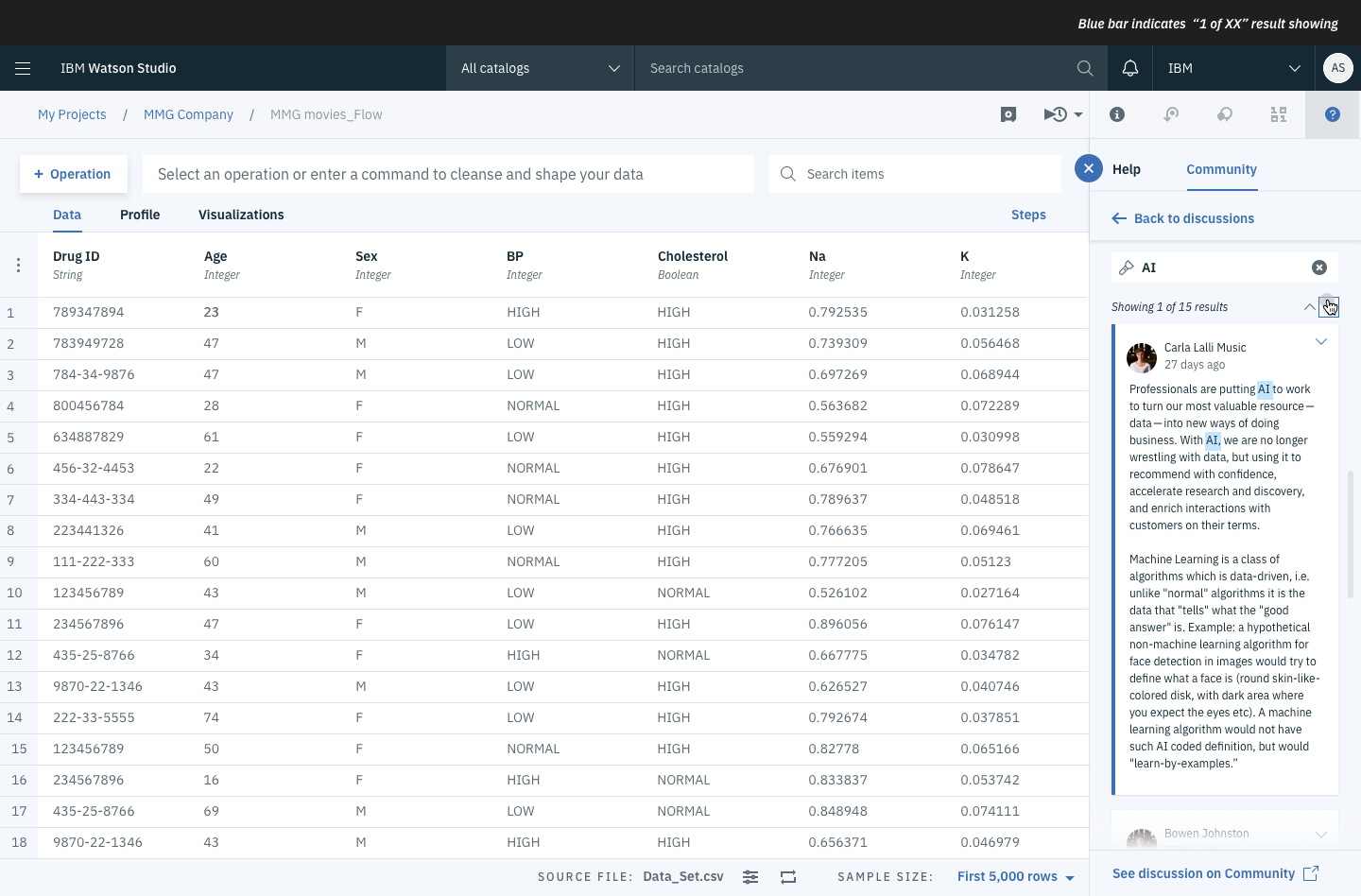
Highlighting keywords 03
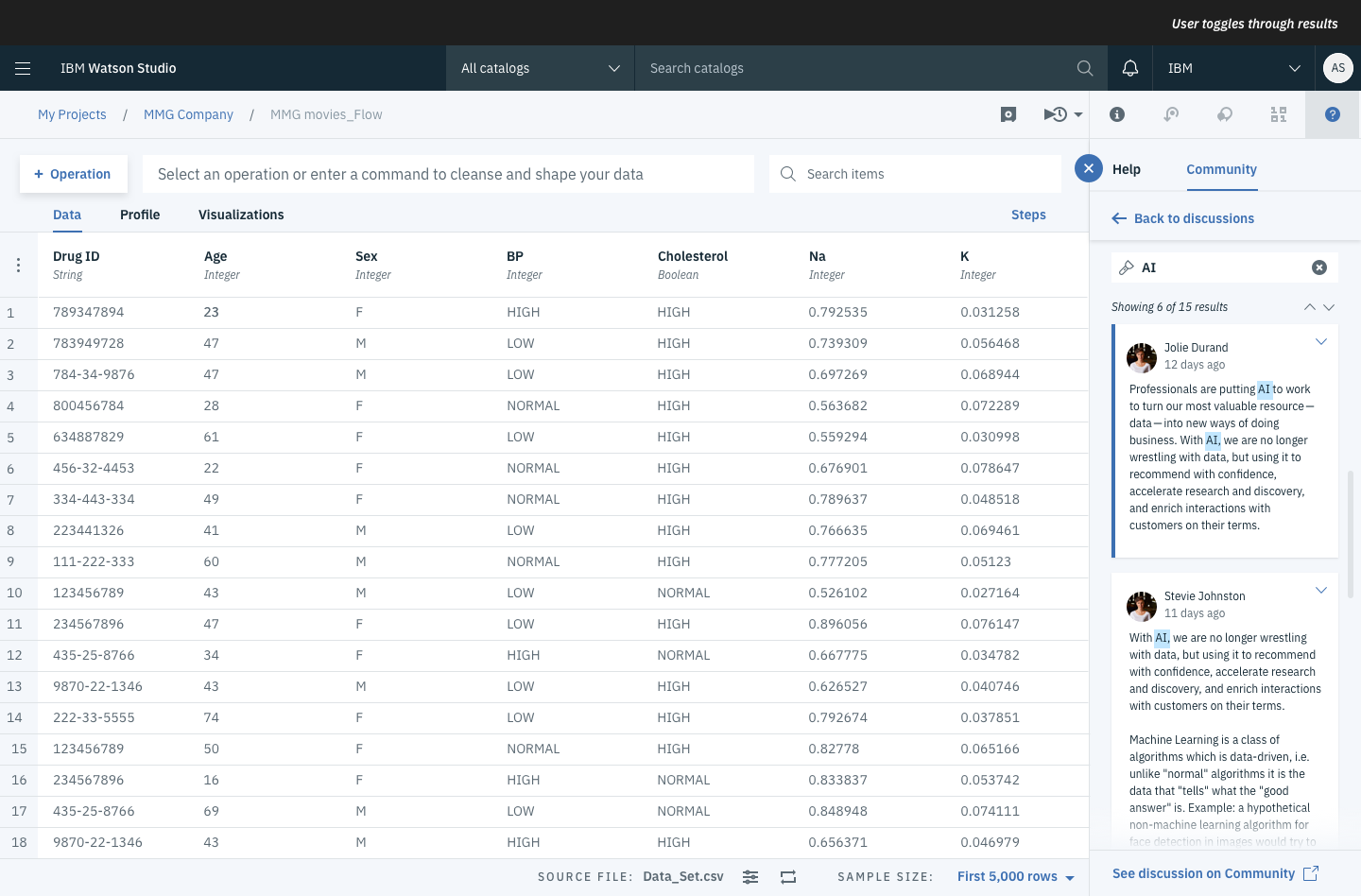
Highlighting keywords 04
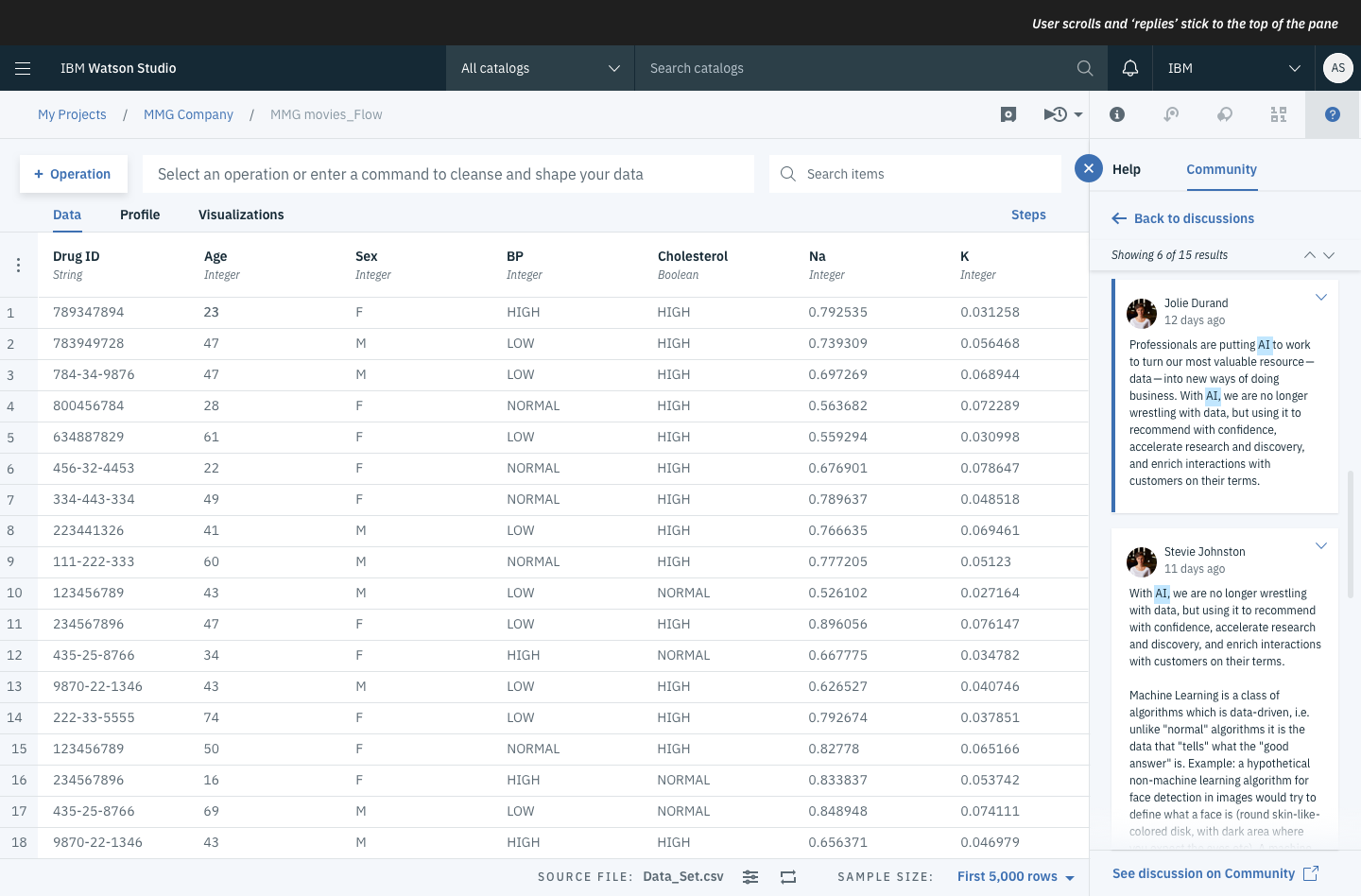
Highlighting keywords 05
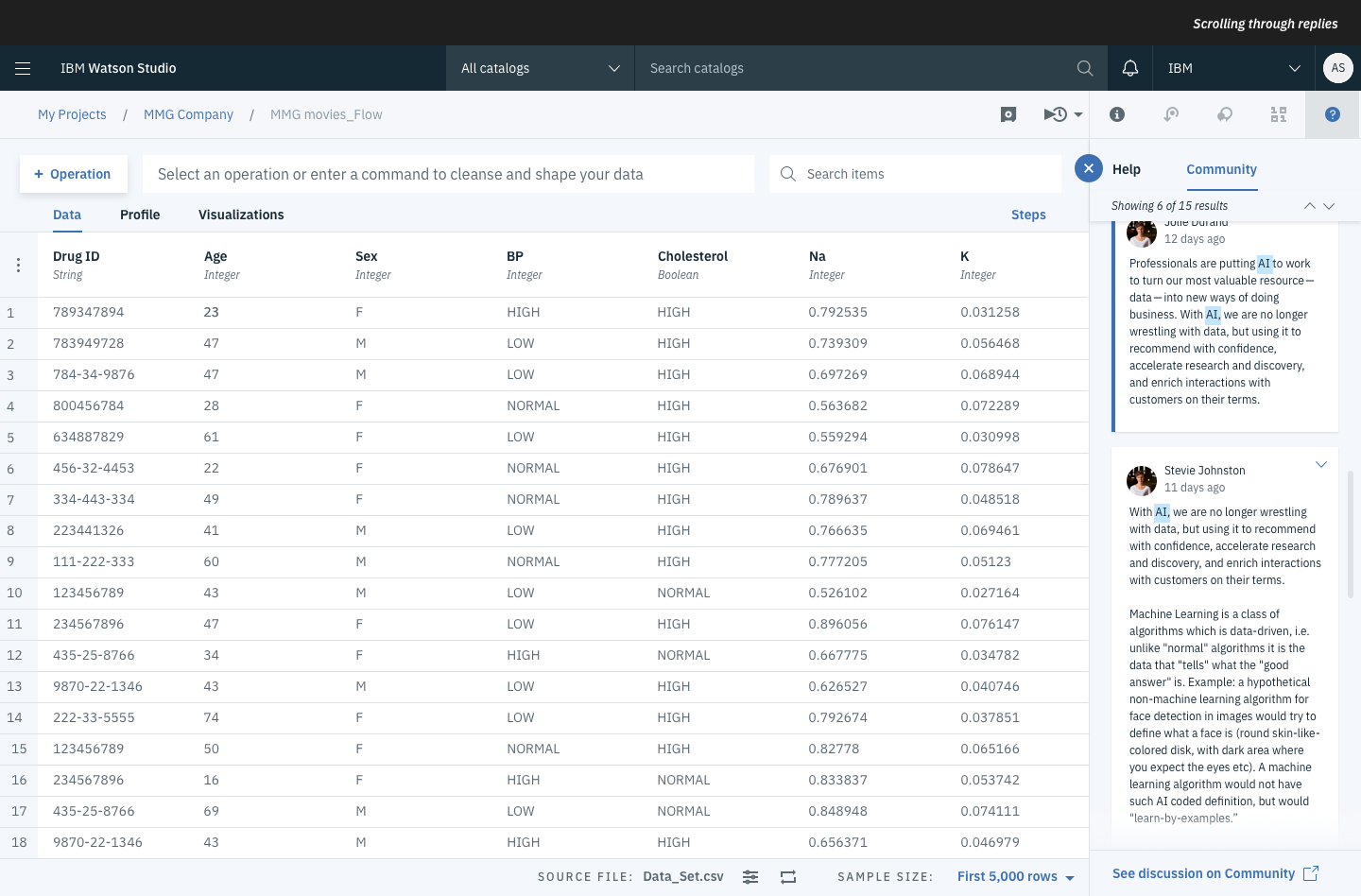
Highlighting keywords 06
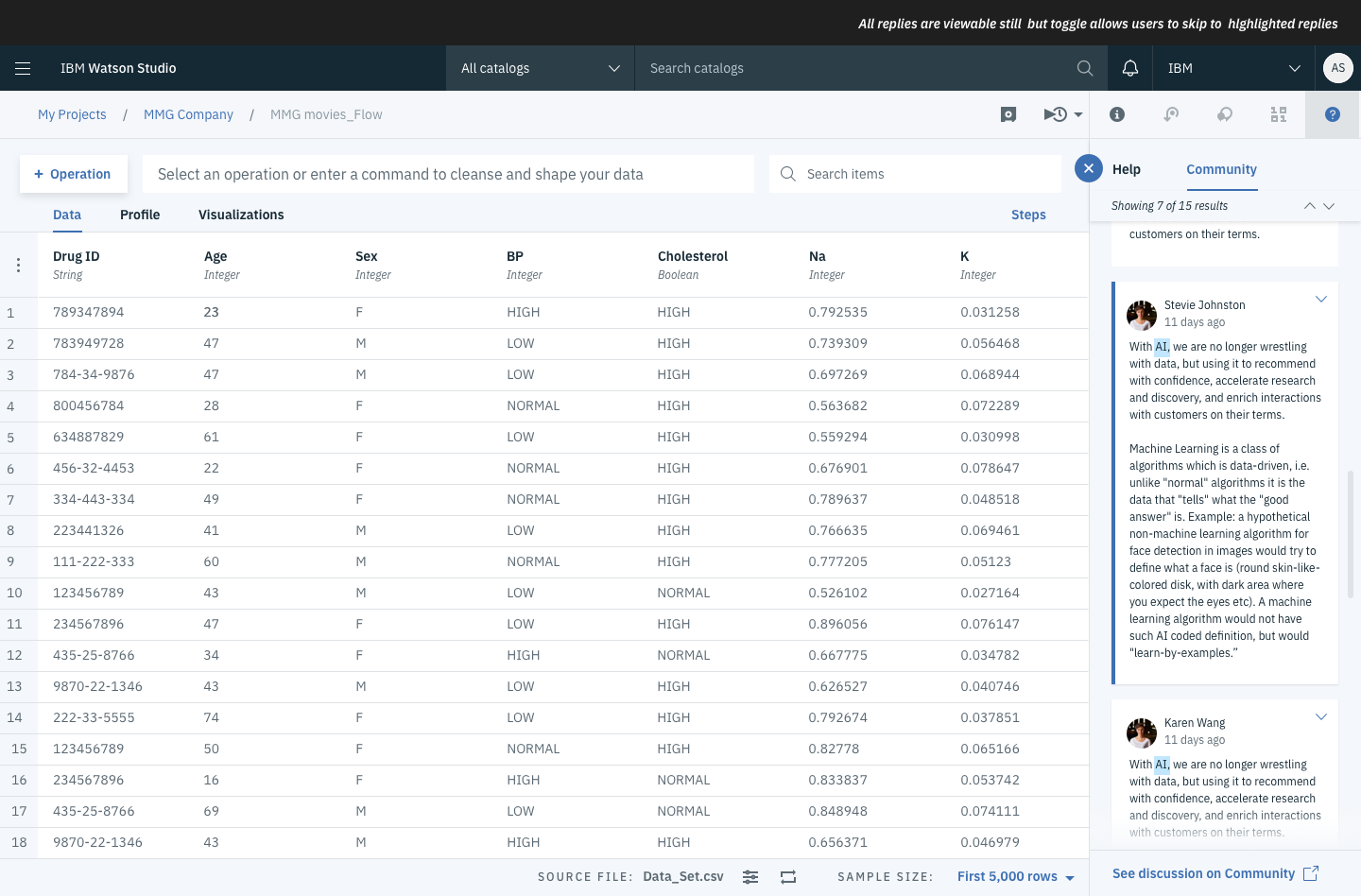
Highlighting keywords 07
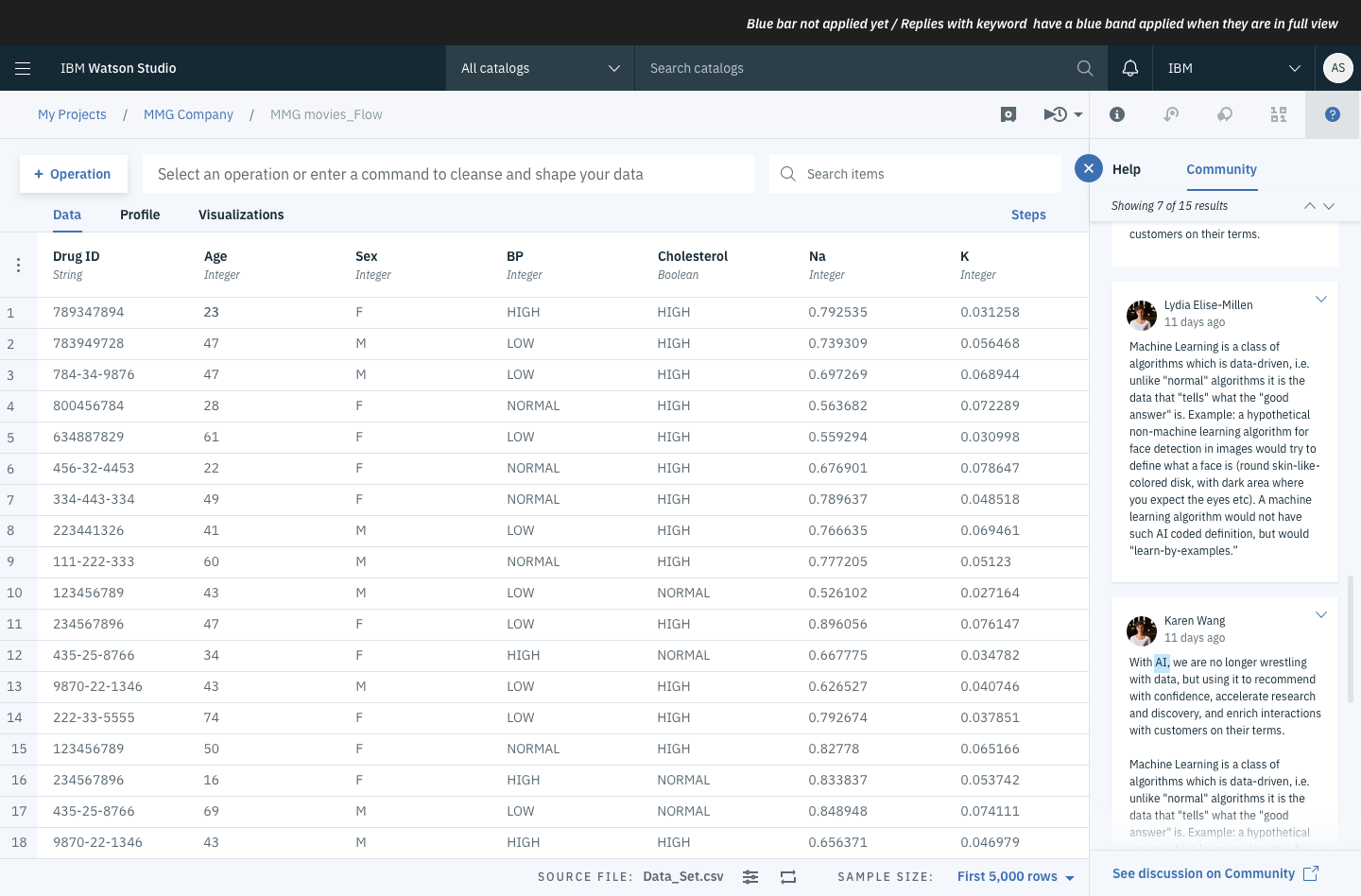
Highlighting keywords 08
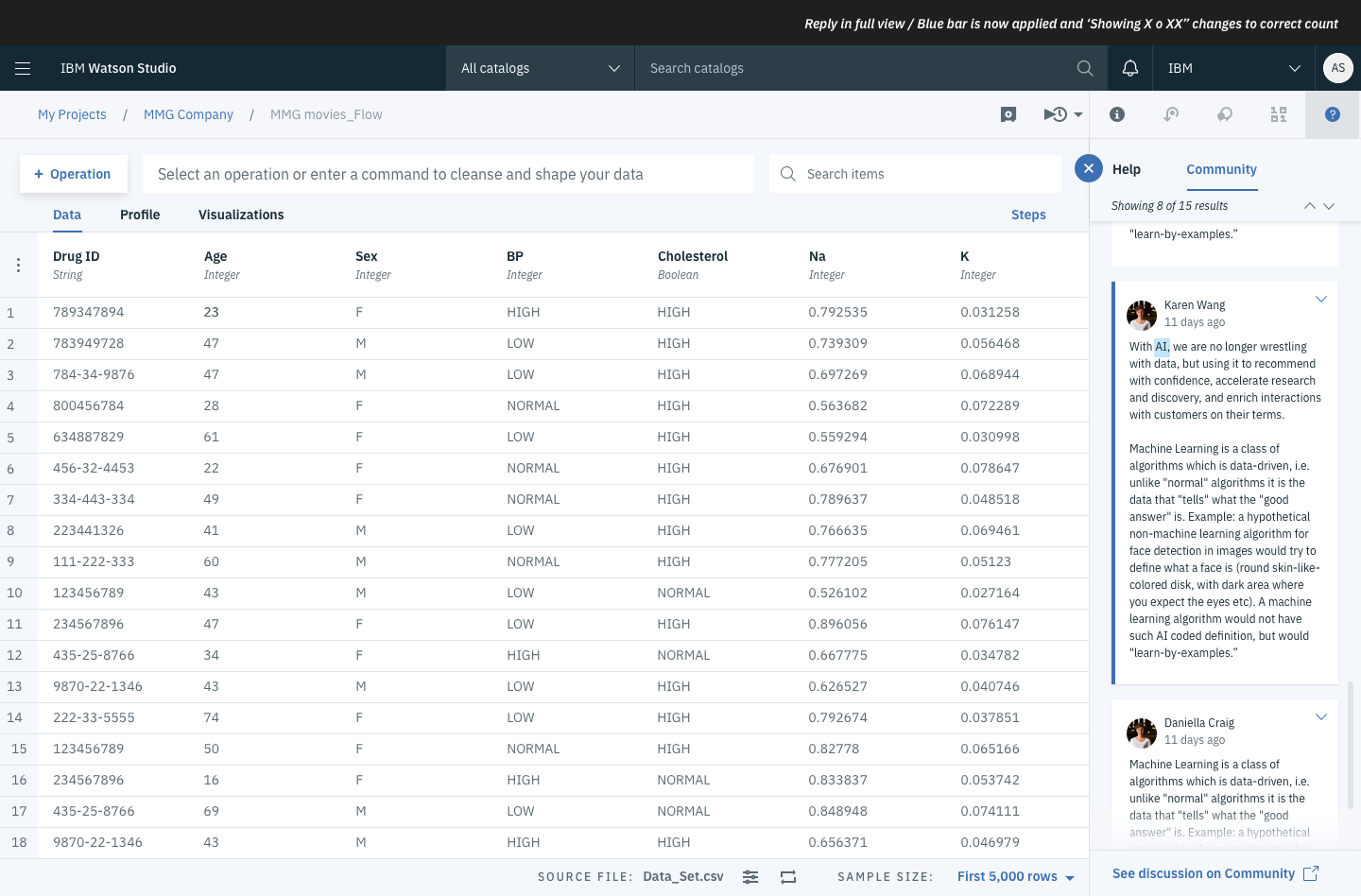
Highlighting keywords 09
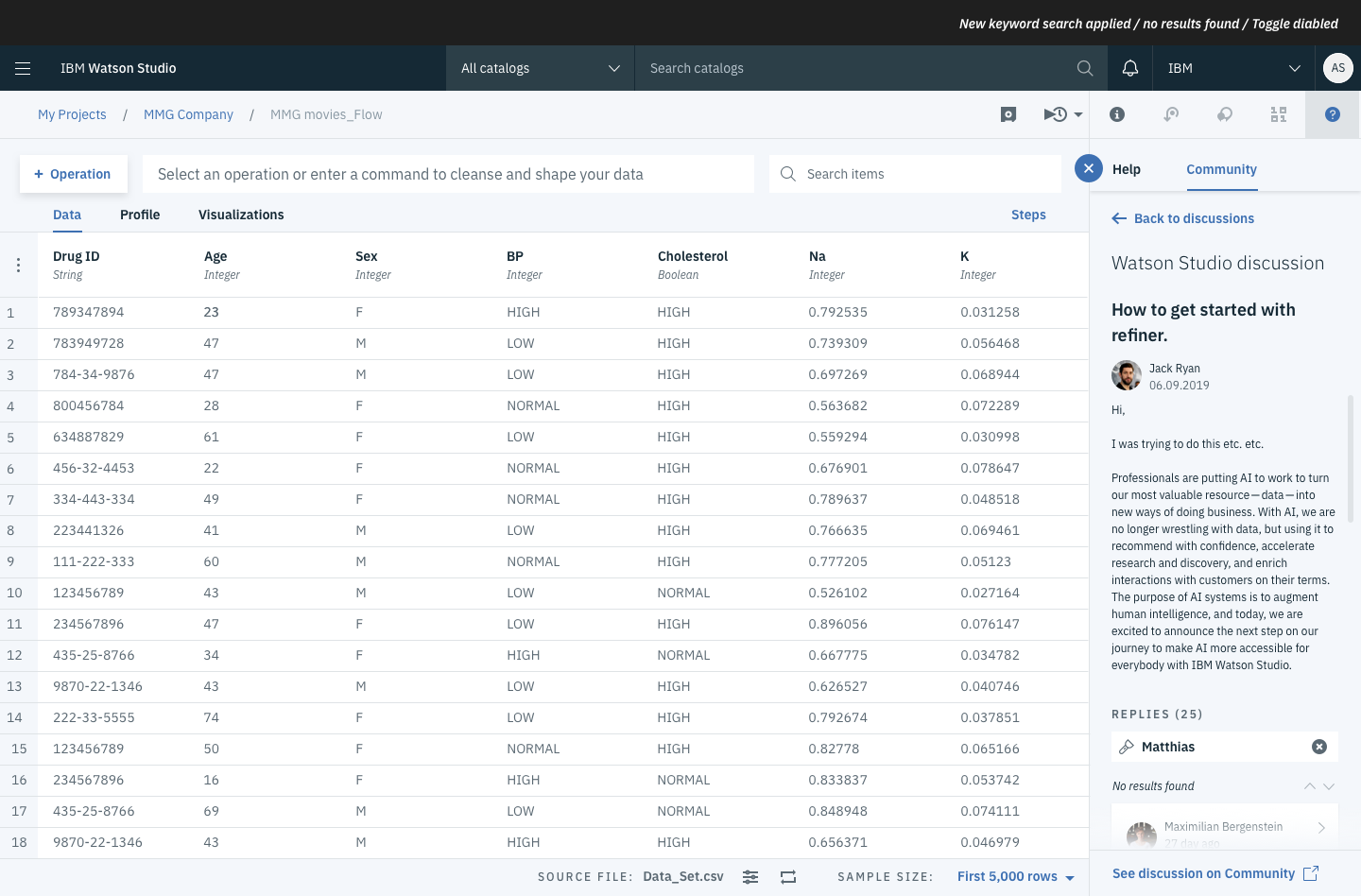
No keywords found
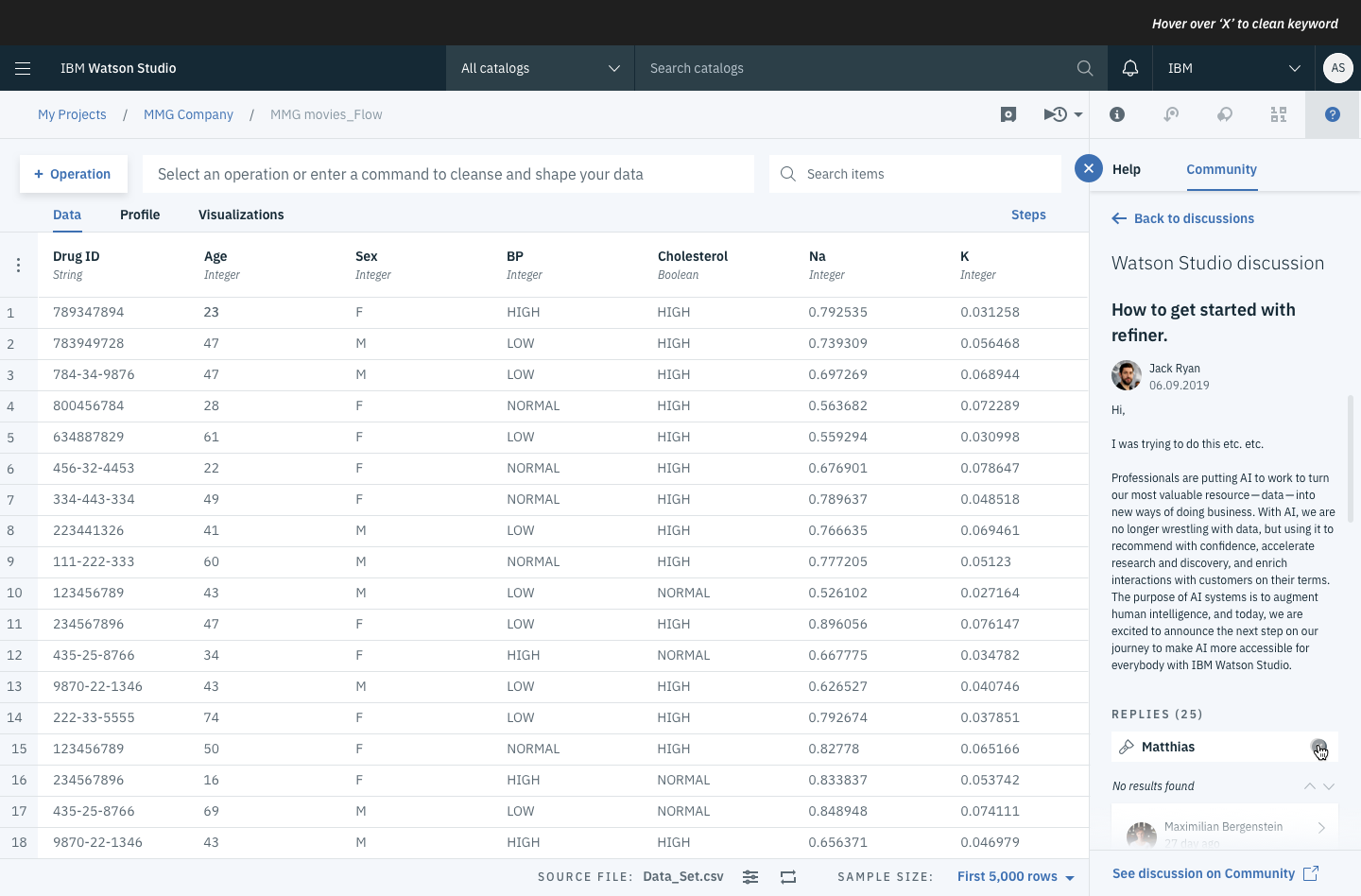
Delete the highlight
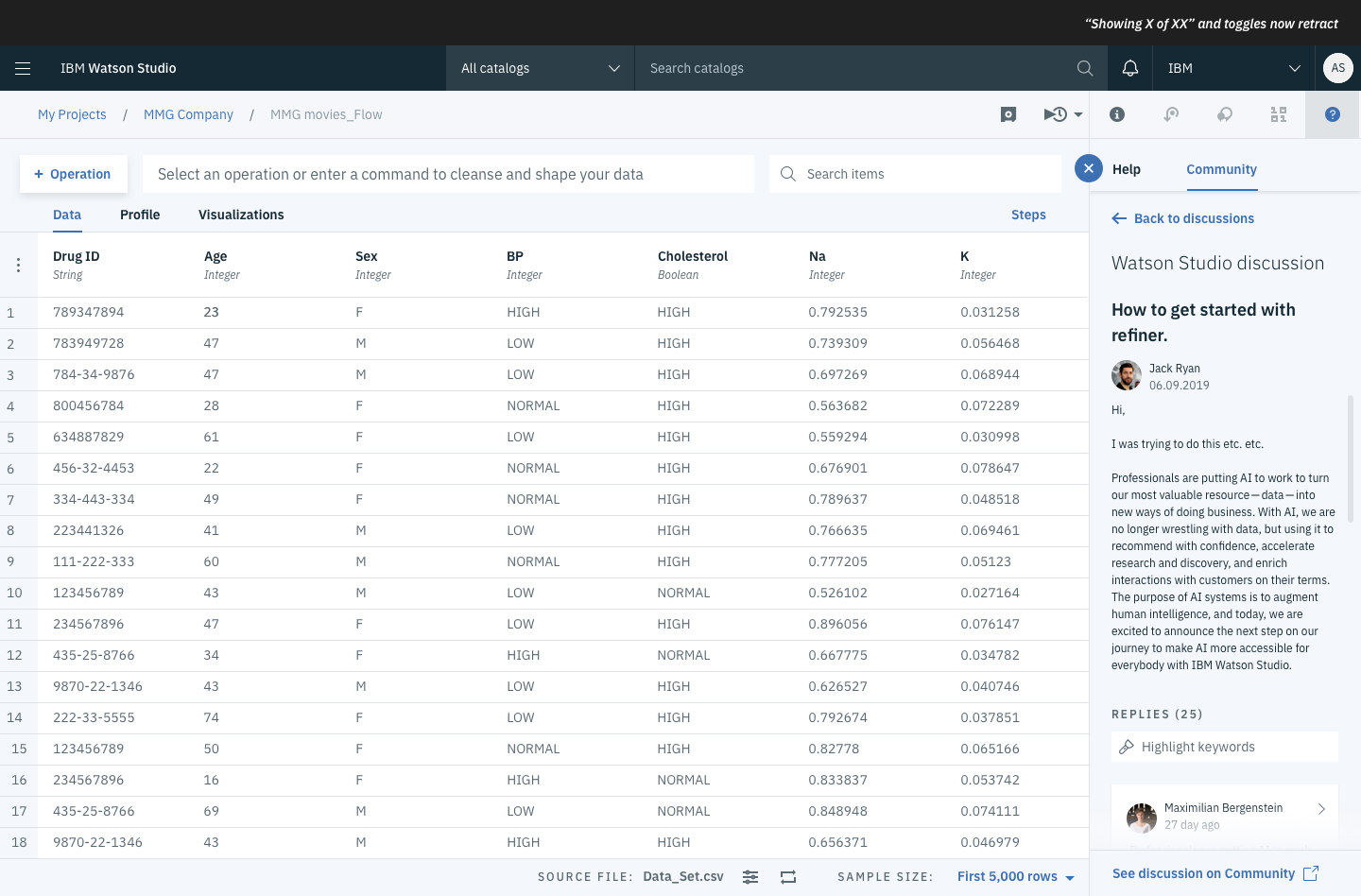
Discussions.
Take aways
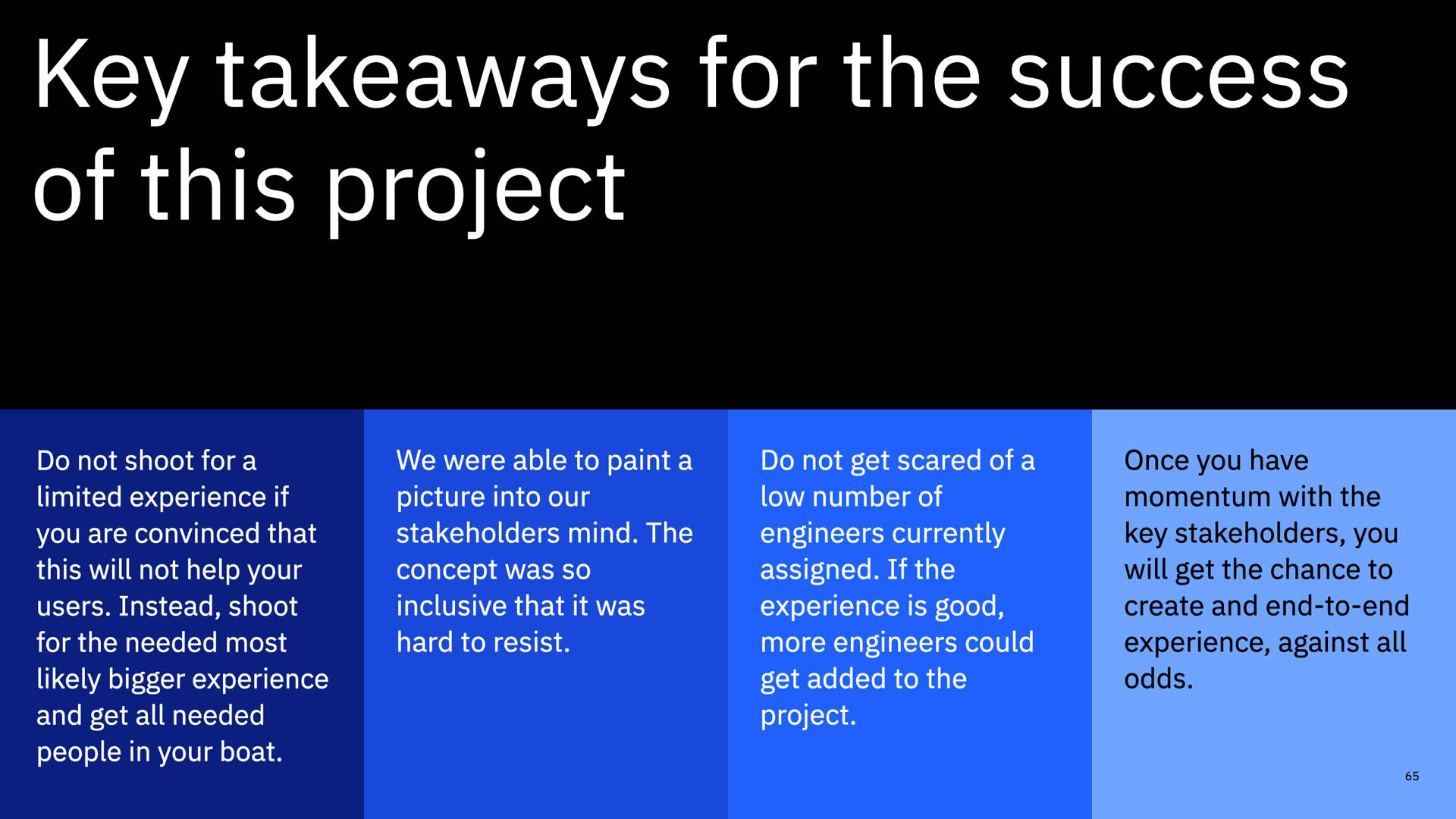
The major takeaways of this project.
Project impact
The community project was indeed a huge success. We could simplify and unify the whole community system to make it feel as it would be one. This has brought the following results:
1. Administration time reduced by 50%.
2. 14k new users within the first few weeks.
3. Users participated 22% more in discussions.
I am very proud on my team about the above achievement. What started out as a small face lift changed the way how IBM communities work, feel, and taste.
More experiences
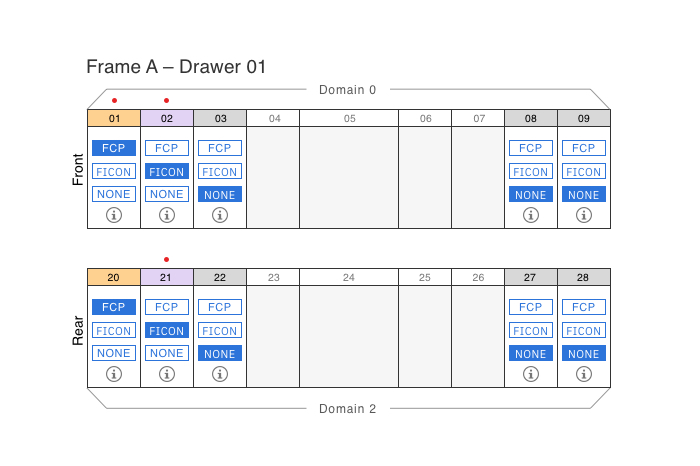
The «fuesebox» experienceProduct Design
The art of changing a mental modelDigital product design
Interconnecting over 120'000 usersDigital product design
A unified storage experienceDigital product design
Alter a seller's mindsetEducation
AI ProjectAI Design

